832 products were found matching your search for office in 4 shops:
-
Microsoft Office 2016 Standard MAC
Vendor: Blitzhandel24.de GB Price: 66.52 £Microsoft Office 2016 Standard MAC - The proven solution for Mac users Microsoft Office 2016 Standard MAC is a comprehensive productivity suite designed specifically for Mac users. With its powerful applications and features, Office 2016 Standard MAC offers a reliable and versatile solution for businesses, educational institutions and home users. In this article, we will take a closer look at the key features and benefits of Microsoft Office 2016 Standard MAC. Features Description Application Range Includes Word, Excel, PowerPoint and Outlook for Mac Optimized for the Mac platform Specifically designed to work seamlessly on Mac computers Improved collaboration OneDrive and SharePoint integration for collaborative work Professional presentations Create stunning slides with Microsoft PowerPoint Data analysis and calculations Extensive functions and formulas in Microsoft Excel Intuitive user interface Easy navigation and efficient use of tools Security and reliability Regular updates and protection against threats Easy team collaboration Cooperative work on documents and projects Compatibility with other versions Open and edit files from previous Office versions Continuous support Technical support and critical updates from Microsoft Extensive range of applications for all tasks With Microsoft Office 2016 Standard MAC, you have access to a comprehensive suite of applications to help you efficiently complete all your tasks. The suite includes applications such as Microsoft Word, Excel, PowerPoint, and Outlook, all of which are optimized specifically for the Mac platform. Whether you need to create documents, run spreadsheets, design presentations, or manage email, Office 2016 Standard MAC has all the tools you need. Improved collaboration and teamwork One of the standout features of Microsoft Office 2016 Standard MAC is enhanced collaboration and teamwork. With OneDrive and SharePoint integration, you can easily store and share your documents in the cloud to collaborate with others. The simultaneous editing features allow multiple users to work on a document in real time and see changes instantly. This promotes efficiency and productivity in team projects. Professional presentations and data analysis Microsoft Office 2016 Standard MAC provides powerful tools for creating professional presentations and analyzing data. Microsoft PowerPoint lets you create stunning slides, add animations, and seamlessly demonstrate presentations. Excel offers a comprehensive set of functions and formulas for complex data analysis and calculations. With these features, you can gain important insights and make informed decisions. Improved user interface and usability Microsoft Office 2016 Standard MAC features an improved user interface and usability. The applications were developed specifically for the Mac platform and fit seamlessly into the operating system. The intuitive user interface allows users to quickly find their way around and effectively use the features and tools. With a variety of keyboard shortcuts and features, you can streamline your workflow and increase your productivity. Secure and reliable software solution Another important aspect of Microsoft Office 2016 Standard MAC is the security and reliability of the software. Microsoft takes great care to ensure that your data is protected and your software runs smoothly. Office 2016 Standard MAC is regularly updated with security updates to ward off potential threats and protect your information from unauthorized access. In addition, the software is stable and robust, so you can count on reliable performance. Compatibility with other versions of Office If you have worked with previous versions of Microsoft Office, the compatibility of Office 2016 Standard MAC is an important factor. You can easily open documents, spreadsheets, and presentations created with older Office versions and vice versa. This makes it easier to share files smoothly with colleagues, clients, and partners who may be using other versions of Office. Continuous support and updates Although Microsoft Office 2016 Standard MAC is no longer the latest version, you can still count on continuous support from Microsoft. This means that you can continue to receive technical support and access important updates. Microsoft will make sure that your software stays up to date and that any issues are fixed. This gives you peace of mind that you are using a reliable and supported software solution. Microsoft Office 2016 Standard MAC is a powerful and proven software solution for Mac users who need a comprehensive productivity suite. With its versatile applications, enhanced collaboration tools, and professional features, Office 2016 Standard MAC helps you work efficiently and effectively. Note, however, that Office 2016 Standard MAC is no longer the latest version of Microsoft Office. To benefit from the latest features and security updates, we recommend that you cons...
-

Microsoft Office 2019 Professional Plus - Lifetime
Vendor: Licensigo.com Price: 8.49 £Microsoft Office 2019 Professional Plus is the edition for business users who want access to advanced tools. Office 2019 Pro Plus contains all the apps you need. Microsoft Office 2019 Professional key license.
-
Microsoft Office 2016 Standard
Vendor: Blitzhandel24.de GB Price: 66.52 £Microsoft Office 2016 Standard as a basis for efficient teamwork The software 'Microsoft Office Standard 2016 ' does a lot of useful things to provide smooth processes within a company and for self-employed people. This applies to comprehensive text creation, data processing, e-mail traffic as well as communication within an organization with several computers. You can also draw and write freehand with a touch-enabled Deviceusing your finger, a digital pen or a mouse. Microsoft Office 2016 Standard with its intuitive user interface allows quick navigation within the programs. Even a quick change between writing, calculating, creating presentations or sending messages is always available through the icons in the taskbar. Texts that have already been created can thus be easily inserted into a PowerPoint presentation, for example. Excel spreadsheets, in turn, can be easily incorporated into texts or graphics. The menu of Microsoft Office 2016 Standard has been sensibly revised. Thanks to the intuitive arrangement, it makes work much easier. Microsoft Office 2016 Standard is best purchased online with original license key and activation. The OneDrive cloud service within Microsoft Office 2016 Standard enables multiple people to work on projects and documents across multiple locations. In real-time networking, all users of Microsoft Office 2016 Standard can work on a file at the same time. Corrections, additions to documents or Excel data are immediately visible to all users in real time. The Microsoft Office 2016 Standard full version includes the following applications: Word 2016 Excel 2016 PowerPoint 2016 OneNote 2016 Outlook 2016 Publisher 2016 ( only for Windows! ) Easy transition from Office 2013 to Office 2016 Standard If you are already a user of the Office 2013 program, you will not immediately notice any differences when using Microsoft Office Standard 2016 . It does exist, nonetheless. In developing the new versions of Word, Excel and other features, Microsoft has focused on improving the professional work with documents of all kinds. Teamwork is the focus of Microsoft Office 2016 Standard When Microsoft launched Microsoft Office 2016 Standard , the focus was on real-time editing of documents in a team and a well-integrated help function. Documents can be stored online and are also available to users outside the company, such as field staff. This allows the sharing of data and content with colleagues and friends with a sharing function. Protected access is possible anywhere and from any Devicevia Office Mobile Apps. Similar to the adaptations in Windows 10, Microsoft innovations in Office 2016 Standard have been just as successful. This will allow you to navigate easily through the programs. Microsoft Office 2016 Standard is best purchased online from us. Windows 10 and Office 2016 Standard Microsoft Office Standard 2016 and Windows 10 are perfectly matched to each other. Design and operation are very similar, so that the programs fit seamlessly into the operating system. The orientation towards touch surfaces allows flexible use on different devices. By linking to your Windows Live account and OneDrive, mobile apps let you access your files from all your devices. Not only can you edit your documents on the road, you can also share your content stored on OneDrive with colleagues. What is new in Microsoft Office 2016? Easy real-time collaboration on documents and presentations Under 'Templates' you will find a range of templates for calendars, business cards, letters, cards, brochures, newsletters, resumes and much more. - Any downloaded template can be used without modification or you can adapt it to your requirements Networked working brings higher work efficiency through shared access to files With 'Black Theme', a darker screen environment, eye friendly working is possible The search agent "What would you like to do" (with light bulb symbol) takes on concrete, but also fuzzy search tasks and delivers useful results and instructions for necessary steps What are the benefits of Microsoft Office 2016 Standard Full Version? Wide range of functions with seven individual programs Symbols are explained in an info field when the mouse pointer is moved over them Professional design and intuitively usable menu Many templates, individually designable Teamwork in real time Intelligent search Software in 32-bit version or 64-bit version Highspeed download possible Instructions for easy installation System requirements Windows: Computer and processor: x86/x64 processor with at least 1 GHz and SSE2 instruction set Memory: 1 GB RAM for 32-bit versions; 2 GB RAM for 64-bit versions Hard disk: 3.0 GB available hard disk space Display: Monitor with a resolution of 1,366 × 768 Operating system: Windows 7, Windows 8, Windows 10, Windows Server 2008 R2 and .NET Framework 3.5 Graphic: Hardware acceleration requires a graphics card with DirectX 10 System requirements MAC: Pr...
-

Microsoft Office Home & Student 2016 (Windows)
Vendor: Primelicense.com Price: 2.59 £Microsoft Office Home & Student 2016 for Windows – Lifetime License Microsoft Office Home & Student 2016 for Windows includes the essential Office applications — Word, Excel and PowerPoint — in a one-time purchase that never expires. Unlike Microsoft 365, this version works completely offline and requires no subscriptions or recurring payments. It’s the ideal edition for students, families, and home users who need trusted Microsoft tools for school, study, or personal projects. Get Official Lifetime License from a Certified Reseller Shop with confidence — PrimeLicense is a Microsoft Certified Partner, which means we’re officially authorized to sell, support, and provide services for Microsoft products. Plus, with an outstanding 4.9/5 rating on Trustpilot, Google, and Trusted Shops, you can count on us for genuine software and top-quality support. With your purchase, you’ll receive: An original license key Clear installation and activation guides sent instantly via email Free expert support whenever you need help Works on: Windows 10 and 11 (32-bit and 64-bit). Please Note: This version is for Windows only. If you need a Mac-compatible version, choose Office 2016 Home & Business for Mac. For advanced business apps like Outlook, Access, and Publisher for Windows, consider Office 2016 Professional Plus. If you prefer cloud access and real-time collaboration, choose Microsoft 365 Personal for automatic updates and 1 TB of OneDrive storage. Safe Payment and Buyer Protection Your order is protected by Trusted Shops Buyer Protection for up to €2,500, plus we offer a 30-day money-back guarantee. All transactions are secured with SSL encryption. We accept payments via Stripe, Apple Pay, Google Pay, and other trusted methods to ensure a safe and smooth checkout. Get Your Office 2016 for Windows Software in 3 Easy Steps Purchase Microsoft Home & Student 2016 for Windows from PrimeLicense — your license key and activation guide will arrive instantly via email. Download the official installation file from Microsoft using the secure link we provide. Activate with your key and start managing your email, calendar, and contacts right away. Applications Included in Office Home & Student 2016 This edition includes all the essential tools for study, work, and home projects: Word 2016 – Create professional documents, essays, and reports with powerful formatting tools. Excel 2016 – Manage data, analyze results, and build smart spreadsheets with charts and formulas. PowerPoint 2016 – Design stunning presentations with transitions, animations, and templates. Perfect For: Students working on assignments, projects, and presentations Home users managing documents, budgets, and personal tasks Teachers or professionals who want affordable Office tools with lifetime access Related Products You Might Like If you’re working with Office 2024 and Adobe Acrobat, these tools can help you get even more done — all available on PrimeLicense with discounts up to 70%: PDF Editors: Need...
-
Microsoft Office 2019 Standard
Vendor: Blitzhandel24.de GB Price: 81.31 £Office 2019 Standard - The perfect office suite for small and medium-sized businesses Microsoft Office is the most popular and widely used office software package in the world, and with good reason. The latest version, Microsoft Office 2019 Standard, is no exception. Quite the opposite: once again, Microsoft has vigorously added features to the Office software applications, making for an even better product. Word, Excel, PowerPoint and Co. have never been more powerful than in this version. At Blitzhandel24, you can purchase the Office 2019 Standard full version at particularly attractive conditions, of course. Even if you are looking for Office 365 or the individually offered programs of the package, you are at the right address. Take a look around! Office 2019 Standard is a product for commercial customers. If you are a private customer and want to buy Office 2019 Standard, we recommend you to buy Office 2019 Professional Plus or Office 2019 Professional . Type Full version Platform Windows/MAC Number 1 user/ 1PC Language English, German/ all languages available Application area Office applications AVAILABLE NOW! Order Office 2019 Standard exclusively from us at a special price. Included in Microsoft Office 2019 Standard : Word 2019 Excel 2019 PowerPoint 2019 OneNote 2019 Outlook 2019 Publisher 2019 ( only available for the Windows version! ) Office WebApps 2019 (Word, Excel, PowerPoint, OneNote) Word "Get your work done easier" Black design Office sounds Learning tools with captions and audio descriptions Text-to-Speech Improved coloring functionality Accessibility improvements Excel "Better data analysis" Funnel charts and 2D maps New Excel functions and connectors Publish Excel to PowerBI PowerPivot extensions PowerQuery extensions PowerPoint "Creating more impactful content" Zoom functions for the order of slides in presentations Morph transition function Insert and manage icons, SVG and 3D models Improved roaming pencil case Outlook "More efficient management of e-mails" Updated contact cards Office 365 groups* @mentions Bundled inbox Travel and delivery summary cards *Requires an Exchange Online account Important Notice: Office 2019 typically overwrites and removes older versions of the office suite already on the PC, such as Office 2016, so make sure you still have installation files and activation code for this. Who is Microsoft Office 2019 Standard for? Microsoft Office 2019 Standard is aimed at small to medium-sized businesses that participate in the Microsoft Open License Volume Licensing program. The most important office applications Word, Excel, PowerPoint, Outlook, OneNote and Publisher are included. However, Microsoft Access, the database application from Microsoft, is only included in the even larger Office Professional Plus package. Furthermore, Microsoft Office 2019 Standard does not offer some of the additional administrative tools that are included in the Professional Plus package, such as IRM emails, email retention, business intelligence modules or supplementary spreadsheet tools. For most individual workstations, the Microsoft Office 2019 Standard full version is thus perfectly sufficient. For larger companies that use Exchange Server, however, it is definitely worth taking a look at the Professional edition of Microsoft Office 2019. Other Office suites (For comparison, please take a look at the 2nd product image): Office 2019 Professional Office 2019 Professional Plus Office 2019 Home & Business Office 2019 Home & Student What is Microsoft Office 2019 Standard? Microsoft Office 2019 Standard provides access to the main office applications: Word, Excel, PowerPoint, and Outlook. Licenses are valid indefinitely and are provided with security updates through October 2025. Who needs Microsoft Office 2019 Standard? Microsoft Office 2019 Standard is purchased by commercial and institutional customers who participate in the Microsoft Open License Program (MOLP). The Standard edition is used primarily at individual workstations in offices. Why should you buy Microsoft Office 2019 Standard? The Office 2019 applications make office work easier with many practical applications. The Office file formats are the de facto standard for document exchange, ensuring smooth collaboration with clients. System requirements Windows: Computer and processor: 1.6 GHz or faster, dual core Professional Plus : 2.0 GHz or faster recommended for Skype for Business Memory: 4 GB RAM; 2 GB RAM (32 bit) Hard drive : 4 GB available space Display: 1280 x 768 resolution Graphics card: For graphics hardware acceleration, DirectX 9 or higher with WDDM 2.0 or higher for Windows 10 (or WDDM 1.3 or higher for Windows 10 Fall Creators Update) is required. Professional Plus : Skype for Business requires DirectX 9 or higher, 128 MB of graphics memory, and 32 bits per pixel color depth. Operating System: Windows 11, Windows 10, Windows ...
-

Licensel Office 2024 Professional Plus + AutoCAD 2026
Vendor: Licensel.com Price: 11.99 £Office 2024 Professional Plus + AutoCAD 2026 Original and Guaranteed Licences from Licensel.com Autodesk Autocad: Education version licence, full-featured, can be used for personal and learning/training related purposes. It has no watermark and no reference to the education version in the print files. Microsoft Office: Professional version licence suitable for both professional and home use. Language: Multi-Language Devices / Users: 1 Licence Term: Office: Perpetual (No expiry date), Autocad: 3 Years Highlights of Microsoft Office 2024 Professional Plus Microsoft Office 2024 Professional Plus is a comprehensive suite of productivity tools that includes a number of essential applications for work and study, with additional new features: New default Office theme: Based on user feedback, Office 2024 provides a more natural and consistent experience within and across Office apps. This new look applies Fluent design principles to deliver an intuitive and familiar experience across apps. It shines on Windows 11, while enhancing the user experience on Windows 10. Improved accessibility tools: Microsoft Office 2024 Professional Plus added several new and improved features to make documents, presentations, workbooks and emails more accessible to all users. Insert an image from a mobile device: Several steps were required to transfer images from your phone to your computer, but now you can use your Android device to insert images directly into content in Microsoft Office 2024 Professional Plus. Dynamic graphs with dynamic matrices: In Excel 2024, it is now possible to refer to dynamic matrices in charts to display variable length data sets. Charts are automatically updated to capture all data when the matrix is recalculated, instead of being fixed to a specific number of data points. Text and Matrix Functions: 14 new text and matrix functions are now available in Excel 2024 designed to facilitate the manipulation of text and matrices in worksheets. These functions simplify the extraction and division of text strings and allow you to combine, change the shape, resize and select matrices with ease. Embed Microsoft Stream ( SharePoint ) video: Add Microsoft Stream ( SharePoint ) video to your presentation to enhance and enrich the narrative. Add encoded subtitles for video and audio:You can now add encoded subtitles or subtitles to video and audio files in presentations. Coded subtitles allow you to make your presentation accessible to a wider audience, for example people with hearing disabilities or who speak languages other than the video. Microsoft Office 2024 Professional Plus Download Word: create professional, attractive text documents with innovative multimedia and collaborative functions Excel: intelligent spreadsheets with new advanced and simplified functions that speed up calculations and use of the programme, such as search using XLOOKUP PowerPoint: application for creating interactive presentations with advanced...
-
Microsoft Office 2019 Standard
Vendor: Blitzhandel24.de GB Price: 81.31 £Office 2019 Standard - The perfect office suite for small and medium-sized businesses Microsoft Office is the most popular and widely used office software package in the world, and with good reason. The latest version, Microsoft Office 2019 Standard, is no exception. Quite the opposite: once again, Microsoft has vigorously added features to the Office software applications, making for an even better product. Word, Excel, PowerPoint and Co. have never been more powerful than in this version. At Blitzhandel24, you can purchase the Office 2019 Standard full version at particularly attractive conditions, of course. Even if you are looking for Office 365 or the individually offered programs of the package, you are at the right address. Take a look around! Office 2019 Standard is a product for commercial customers. If you are a private customer and want to buy Office 2019 Standard, we recommend you to buy Office 2019 Professional Plus or Office 2019 Professional . Type Full version Platform Windows/MAC Number 1 user/ 1PC Language English, German/ all languages available Application area Office applications AVAILABLE NOW! Order Office 2019 Standard exclusively from us at a special price. Included in Microsoft Office 2019 Standard : Word 2019 Excel 2019 PowerPoint 2019 OneNote 2019 Outlook 2019 Publisher 2019 ( only available for the Windows version! ) Office WebApps 2019 (Word, Excel, PowerPoint, OneNote) Word "Get your work done easier" Black design Office sounds Learning tools with captions and audio descriptions Text-to-Speech Improved coloring functionality Accessibility improvements Excel "Better data analysis" Funnel charts and 2D maps New Excel functions and connectors Publish Excel to PowerBI PowerPivot extensions PowerQuery extensions PowerPoint "Creating more impactful content" Zoom functions for the order of slides in presentations Morph transition function Insert and manage icons, SVG and 3D models Improved roaming pencil case Outlook "More efficient management of e-mails" Updated contact cards Office 365 groups* @mentions Bundled inbox Travel and delivery summary cards *Requires an Exchange Online account Important Notice: Office 2019 typically overwrites and removes older versions of the office suite already on the PC, such as Office 2016, so make sure you still have installation files and activation code for this. Who is Microsoft Office 2019 Standard for? Microsoft Office 2019 Standard is aimed at small to medium-sized businesses that participate in the Microsoft Open License Volume Licensing program. The most important office applications Word, Excel, PowerPoint, Outlook, OneNote and Publisher are included. However, Microsoft Access, the database application from Microsoft, is only included in the even larger Office Professional Plus package. Furthermore, Microsoft Office 2019 Standard does not offer some of the additional administrative tools that are included in the Professional Plus package, such as IRM emails, email retention, business intelligence modules or supplementary spreadsheet tools. For most individual workstations, the Microsoft Office 2019 Standard full version is thus perfectly sufficient. For larger companies that use Exchange Server, however, it is definitely worth taking a look at the Professional edition of Microsoft Office 2019. Other Office suites (For comparison, please take a look at the 2nd product image): Office 2019 Professional Office 2019 Professional Plus Office 2019 Home & Business Office 2019 Home & Student What is Microsoft Office 2019 Standard? Microsoft Office 2019 Standard provides access to the main office applications: Word, Excel, PowerPoint, and Outlook. Licenses are valid indefinitely and are provided with security updates through October 2025. Who needs Microsoft Office 2019 Standard? Microsoft Office 2019 Standard is purchased by commercial and institutional customers who participate in the Microsoft Open License Program (MOLP). The Standard edition is used primarily at individual workstations in offices. Why should you buy Microsoft Office 2019 Standard? The Office 2019 applications make office work easier with many practical applications. The Office file formats are the de facto standard for document exchange, ensuring smooth collaboration with clients. System requirements Windows: Computer and processor: 1.6 GHz or faster, dual core Professional Plus : 2.0 GHz or faster recommended for Skype for Business Memory: 4 GB RAM; 2 GB RAM (32 bit) Hard drive : 4 GB available space Display: 1280 x 768 resolution Graphics card: For graphics hardware acceleration, DirectX 9 or higher with WDDM 2.0 or higher for Windows 10 (or WDDM 1.3 or higher for Windows 10 Fall Creators Update) is required. Professional Plus : Skype for Business requires DirectX 9 or higher, 128 MB of graphics memory, and 32 bits per pixel color depth. Operating System: Windows 11, Windows 10, Windows ...
-

Microsoft Office Home & Student 2019 (Windows)
Vendor: Primelicense.com Price: 6.89 £Microsoft Office Home & Student 2019 for Windows – Reliable Tools for Everyday Productivity Microsoft Office Home & Student 2019 for Windows provides all the essential Office applications — Word, Excel, PowerPoint — in a one-time purchase with lifetime access. Designed for students, families, and home users, this version delivers classic Microsoft performance without recurring fees or cloud dependencies. Get Official Lifetime Office Home & Student 2019 License from a Certified Reseller Shop with confidence — PrimeLicense is a Microsoft Certified Partner, which means we’re officially authorized to sell, support, and provide services for Microsoft products. Plus, with an outstanding 4.9/5 rating on Trustpilot, Google, and Trusted Shops, you can count on us for genuine software and top-quality support. With your purchase, you’ll receive: An original lifetime license key for Office 2024 and Adobe Acrobat Clear installation and activation guides sent instantly via email Free expert support whenever you need help Note: This version is not compatible with macOS. For Mac users, choose Office Home & Student 2019 for Mac. If you need more than the basics, explore these options: Office 2019 Professional Plus – includes Outlook, Access, and Publisher Microsoft 365 Personal – subscription with cloud storage, automatic updates, and multi-device support Safe Payment and Buyer Protection Your order is protected by Trusted Shops Buyer Protection for up to €2,500, plus we offer a 30-day money-back guarantee. All transactions are secured with SSL encryption. We accept payments via Stripe, Apple Pay, Google Pay, and other trusted methods to ensure a safe and smooth checkout. Get Your Microsoft Office Home & Student 2019 for Windows Software in 3 Easy Steps Purchase Microsoft Office Home & Student 2016 for Windows from PrimeLicense — your license key and activation guide will arrive instantly via email. Download the official installation file from Microsoft using the secure link we provide. Activate with your key and start managing your email, calendar, and contacts right away. Applications Included in Office Home & Student 2019 This edition includes all the essential Microsoft tools you need for study, work, and everyday productivity: Word 2019 – Write essays, reports, and documents with improved grammar tools, enhanced inking, and modern templates. Excel 2019 – Analyze data, manage budgets, and visualize information using new charts, functions, and smarter performance. PowerPoint 2019 – Build engaging presentations with Morph transitions, Zoom effects, and 4K export capability. Office Home & Student 2019: Your All-in-One Tool Office Home & Student 2019 is designed for students, educators, and home users who want trusted tools without the hassle of subscriptions. It’s ideal for: Writing essays, resumes, and reports Creating spreadsheets, budgets, and financial summaries Designing school or work presentations Related Products You Might Like If you’re working with...
-
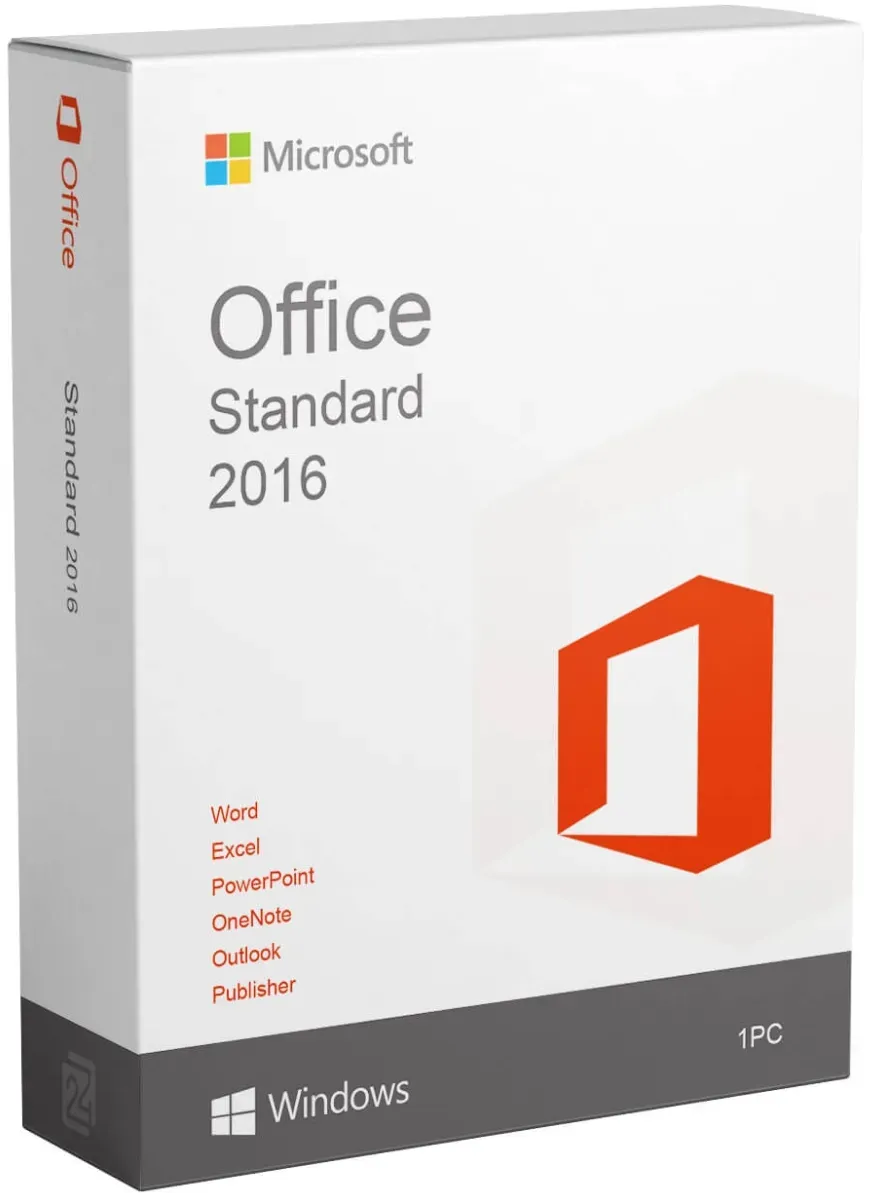
Microsoft Office 2016 Standard
Vendor: Blitzhandel24.de GB Price: 66.52 £Microsoft Office 2016 Standard as a basis for efficient teamwork The software 'Microsoft Office Standard 2016 ' does a lot of useful things to provide smooth processes within a company and for self-employed people. This applies to comprehensive text creation, data processing, e-mail traffic as well as communication within an organization with several computers. You can also draw and write freehand with a touch-enabled Deviceusing your finger, a digital pen or a mouse. Microsoft Office 2016 Standard with its intuitive user interface allows quick navigation within the programs. Even a quick change between writing, calculating, creating presentations or sending messages is always available through the icons in the taskbar. Texts that have already been created can thus be easily inserted into a PowerPoint presentation, for example. Excel spreadsheets, in turn, can be easily incorporated into texts or graphics. The menu of Microsoft Office 2016 Standard has been sensibly revised. Thanks to the intuitive arrangement, it makes work much easier. Microsoft Office 2016 Standard is best purchased online with original license key and activation. The OneDrive cloud service within Microsoft Office 2016 Standard enables multiple people to work on projects and documents across multiple locations. In real-time networking, all users of Microsoft Office 2016 Standard can work on a file at the same time. Corrections, additions to documents or Excel data are immediately visible to all users in real time. The Microsoft Office 2016 Standard full version includes the following applications: Word 2016 Excel 2016 PowerPoint 2016 OneNote 2016 Outlook 2016 Publisher 2016 ( only for Windows! ) Easy transition from Office 2013 to Office 2016 Standard If you are already a user of the Office 2013 program, you will not immediately notice any differences when using Microsoft Office Standard 2016 . It does exist, nonetheless. In developing the new versions of Word, Excel and other features, Microsoft has focused on improving the professional work with documents of all kinds. Teamwork is the focus of Microsoft Office 2016 Standard When Microsoft launched Microsoft Office 2016 Standard , the focus was on real-time editing of documents in a team and a well-integrated help function. Documents can be stored online and are also available to users outside the company, such as field staff. This allows the sharing of data and content with colleagues and friends with a sharing function. Protected access is possible anywhere and from any Devicevia Office Mobile Apps. Similar to the adaptations in Windows 10, Microsoft innovations in Office 2016 Standard have been just as successful. This will allow you to navigate easily through the programs. Microsoft Office 2016 Standard is best purchased online from us. Windows 10 and Office 2016 Standard Microsoft Office Standard 2016 and Windows 10 are perfectly matched to each other. Design and operation are very similar, so that the programs fit seamlessly into the operating system. The orientation towards touch surfaces allows flexible use on different devices. By linking to your Windows Live account and OneDrive, mobile apps let you access your files from all your devices. Not only can you edit your documents on the road, you can also share your content stored on OneDrive with colleagues. What is new in Microsoft Office 2016? Easy real-time collaboration on documents and presentations Under 'Templates' you will find a range of templates for calendars, business cards, letters, cards, brochures, newsletters, resumes and much more. - Any downloaded template can be used without modification or you can adapt it to your requirements Networked working brings higher work efficiency through shared access to files With 'Black Theme', a darker screen environment, eye friendly working is possible The search agent "What would you like to do" (with light bulb symbol) takes on concrete, but also fuzzy search tasks and delivers useful results and instructions for necessary steps What are the benefits of Microsoft Office 2016 Standard Full Version? Wide range of functions with seven individual programs Symbols are explained in an info field when the mouse pointer is moved over them Professional design and intuitively usable menu Many templates, individually designable Teamwork in real time Intelligent search Software in 32-bit version or 64-bit version Highspeed download possible Instructions for easy installation System requirements Windows: Computer and processor: x86/x64 processor with at least 1 GHz and SSE2 instruction set Memory: 1 GB RAM for 32-bit versions; 2 GB RAM for 64-bit versions Hard disk: 3.0 GB available hard disk space Display: Monitor with a resolution of 1,366 × 768 Operating system: Windows 7, Windows 8, Windows 10, Windows Server 2008 R2 and .NET Framework 3.5 Graphic: Hardware acceleration requires a graphics card with DirectX 10 System requirements MAC: Pr...
-

Microsoft Office OEM 2019 Professional Plus Windows
Vendor: Primelicense.com Price: 2.99 £Microsoft Office 2019 Professional Plus – Permanent License Microsoft Office 2019 Professional Plus is a lifetime license — pay once, and the software is yours to use forever. No subscriptions, no renewals. Once activated, Office 2019 works offline on your Windows PC with full functionality and no internet required for daily use. Included applications: Word, Excel, PowerPoint, Outlook, Access, Publisher, and OneNote System compatibility: Works on both 32-bit and 64-bit systems on Windows 10 and Windows 11. Original Office 2019 License Key from Microsoft Certified Reseller Get your genuine Office 2019 Professional Plus license key at a discounted price from PrimeLicense, an official Microsoft-certified reseller. We’re trusted by thousands of customers and rated 4.9/5 on Trustpilot, Google, and Trusted Shops. With your purchase, you’ll receive: A lifetime product key for Office 2019 Pro Plus A step-by-step installation and activation guide Free expert support from the PrimeLicense team Important Note on Office Editions This version is for Windows only. If you use a Mac, check our Office for Mac. If you’re looking for a previous version of Microsoft Office, check out Office 2016 Professional Plus — a reliable choice for basic productivity at an affordable price. Prefer something newer? Explore Office 2021 or the latest Office 2024 Professional Plus — both available on PrimeLicense with lifetime licenses and enhanced features. Safe Payment and Buyer Protection Your order is protected by Trusted Shops Buyer Protection for up to €2,500, plus we offer a 30-day money-back guarantee. All transactions are secured with SSL encryption. We accept payments via Stripe, Apple Pay, Google Pay, and other trusted methods to ensure a safe and smooth checkout. Buy, Download and Activate Office Software in Few Minutes Buy MS Office 2019 on PrimeLicense and get your license key and set up instructions instantly via email. Download the software from the official Microsoft website using the provided link. Activate Office with your license key and it is ready to use. What’s Included in Office 2019 Professional Plus? Office 2019 Pro Plus includes the full suite of classic Microsoft Office apps, ideal for home, school, or business use — all with a modern interface and improved performance compared to earlier versions. Word – Write and edit professional documents Excel – Analyze data, use formulas, and create spreadsheets PowerPoint – Build impactful presentations Outlook – Manage email, contacts, and calendar Publisher – Design flyers, brochures, and printable content Access – Create and manage databases easily OneNote – Keep your notes organized in one place Suitable for students, families, freelancers, and professionals who need Office on a single Windows PC. Office 2019 vs Microsoft 365 – Which One Should You Choose? Feature Office 2019 Pro Plus Microsoft 365 Payment One-time payment Monthly or yearly subscription License Duration Lifetime As long as you stay subscribed...
-
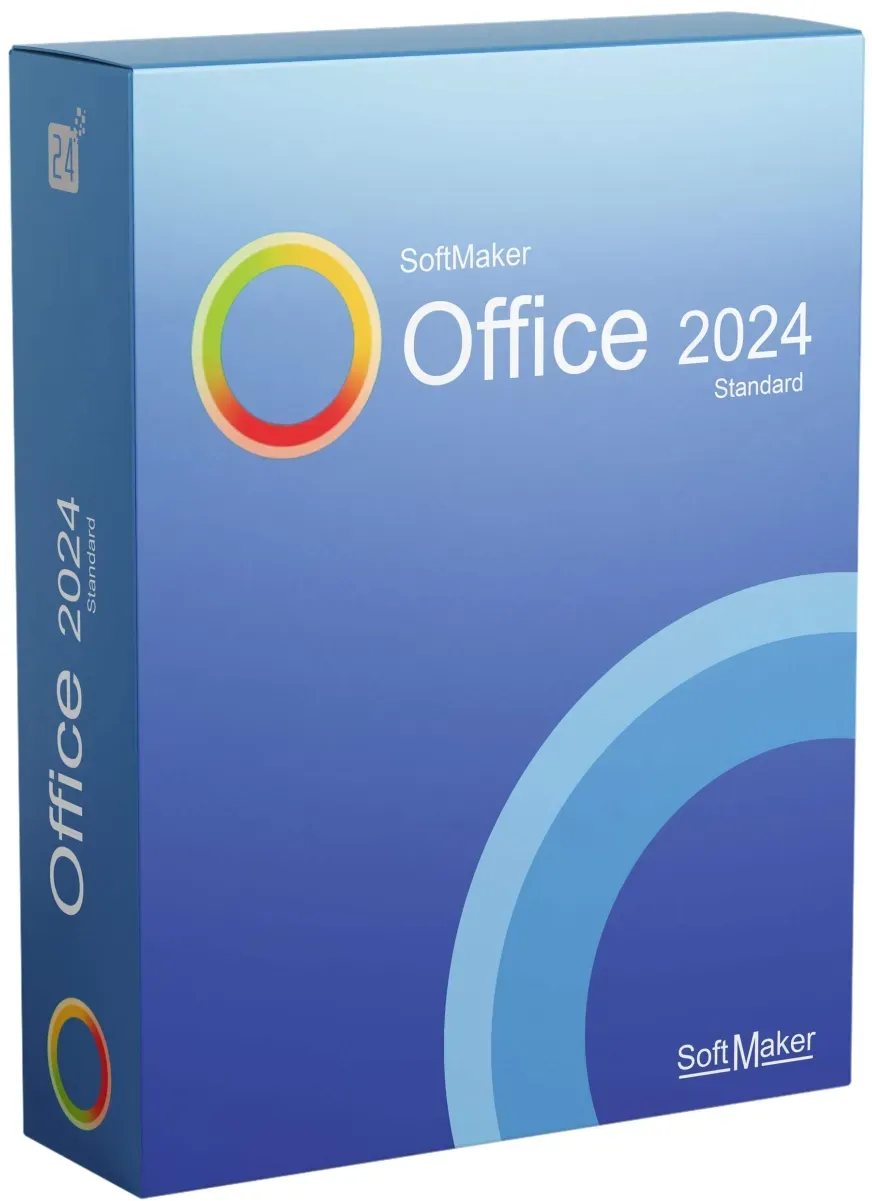
SoftMaker Office Standard 2024
Vendor: Blitzhandel24.de GB Price: 59.12 £Discover the world of SoftMaker Office Standard 2024 We live in an era where productive work and seamless communication are essential. SoftMaker Office Standard 2024 hits the nail on the head and proves to be the perfect companion in our hectic business world. Today, we're going to take a closer look at the must-have "Buy SoftMaker Office Standard 2024" and ask: Why is it an absolute must-have for every professional? What does SoftMaker Office Standard 2024 offer you? SoftMaker Office Standard 2024 is not just another office software package. Rather, it is a robust and easy-to-use productivity tool that offers all the essential features you need for your daily work. TextMaker: an advanced word processor editor that maximizes the convenience and flexibility of digital writing. PlanMaker: A powerful spreadsheet tool that simplifies and accelerates your data analysis. Presentations: A presentation module that effectively showcases your ideas and concepts. Why buy SoftMaker Office Standard 2024? If you're thinking about "buying SoftMaker Office Standard 2024," you're well on your way to increasing your productivity. Here are some reasons why it's a smart decision: Ease of use: its intuitive interface makes it easy for even novices to create and edit complex documents. Compatibility: it's compatible with the most popular file formats, which makes it easy to exchange data with other office suites. Flexibility: whether you want to create text documents, spreadsheets or presentations, SoftMaker Office Standard 2024 covers all your needs. Buying SoftMaker Office Standard 2024 is a worthwhile step towards increased productivity. Its powerful tools and high compatibility make it the perfect choice for anyone who wants to take their work to the next level. Take the leap and discover for yourself what SoftMaker Office Standard 2024 has to offer! System Requirements: Operating system: Windows, macOS and Linux Computer: Any computer that runs the above operating systems RAM: 2 GB RAM (4 GB recommended) Graphics resolution: 1280 x 768 (or higher) Free disk space: 2 GB for installation
-

Microsoft Office Home & Business 2024 PC/Mac
Vendor: Primelicense.com Price: 17.19 £Microsoft Office Home & Business 2024 for Mac/PC – The Latest, Most Powerful Version Microsoft Office Home & Business 2024 for Mac/PC provides the core Office applications — Word, Excel, PowerPoint, Outlook, and OneNote — through a single purchase. Unlike Office 365, this version operates entirely offline and includes no recurring fees or subscription requirements. This is the latest standalone version of Office available for Mac and Windows. Works on: macOS Ventura 13 and Windows 10 & 11. Please Note: This version is for both Mac and Windows. If you need a Windows-only version with additional apps like Access and Publisher, choose Office 2024 Professional Plus. If you prefer cloud storage and collaboration - choose Microsoft 365 subscription for real-time sharing, automatic updates, and 1 TB of OneDrive space. If you are looking for an earlier version of Office, check out: Office 2021 Home & Business for Mac or Office 2021 Pro Plus for Windows Office 2019 Home & Business for Mac or Office 2019 Pro Plus for Windows Office 2016 Home & Business for Mac or Office 2016 Pro Plus for Windows All versions are available as one-time purchases with lifetime licenses — no subscriptions, no recurring fees. Buy a License Key from a Certified Microsoft Reseller PrimeLicense is a certified Microsoft reseller, which means we are officially authorized to sell genuine licenses and meet the quality and service standards. We’re trusted by thousands of customers, with an average rating of 4.9 out of 5 on Trustpilot, Google, and Trusted Shops. When you purchase from us, you recieve: Lifetime product key – pay once, use forever Easy installation instructions (step-by-step) Free help from our friendly support team Safe Checkout, Money-Back Guarantee Your purchase is fully protected with Trusted Shops Buyer Protection, covering orders up to €2,500. We also offer a 30-day money-back guarantee, so you can shop with confidence. All payments are protected by SSL encryption. We accept trusted services like Stripe, Apple Pay, and Google Pay to ensure your checkout is fast and secure. Get Your Office Software in 3 Easy Steps Buy MS Office 2024 Home and Business on PrimeLicense and get your license key and setup instructions instantly via email. Download the software from the official Microsoft website. Activate Office with your license key — ready to use immediately. What’s Included in Office 2024 Home & Business for Mac Microsoft Office Home & Business 2024 for Mac includes five essential productivity applications, each updated with the latest features and performance improvements: Word 2024 – Document creation and editing with enhanced layout and formatting tools Excel 2024 – Spreadsheet application with improved calculation performance and data analysis features PowerPoint 2024 – Presentation software with updated templates and transition effects Outlook 2024 – Email and calendar management with refined interface and sync capabilities OneNote – Digital note-taking...
-
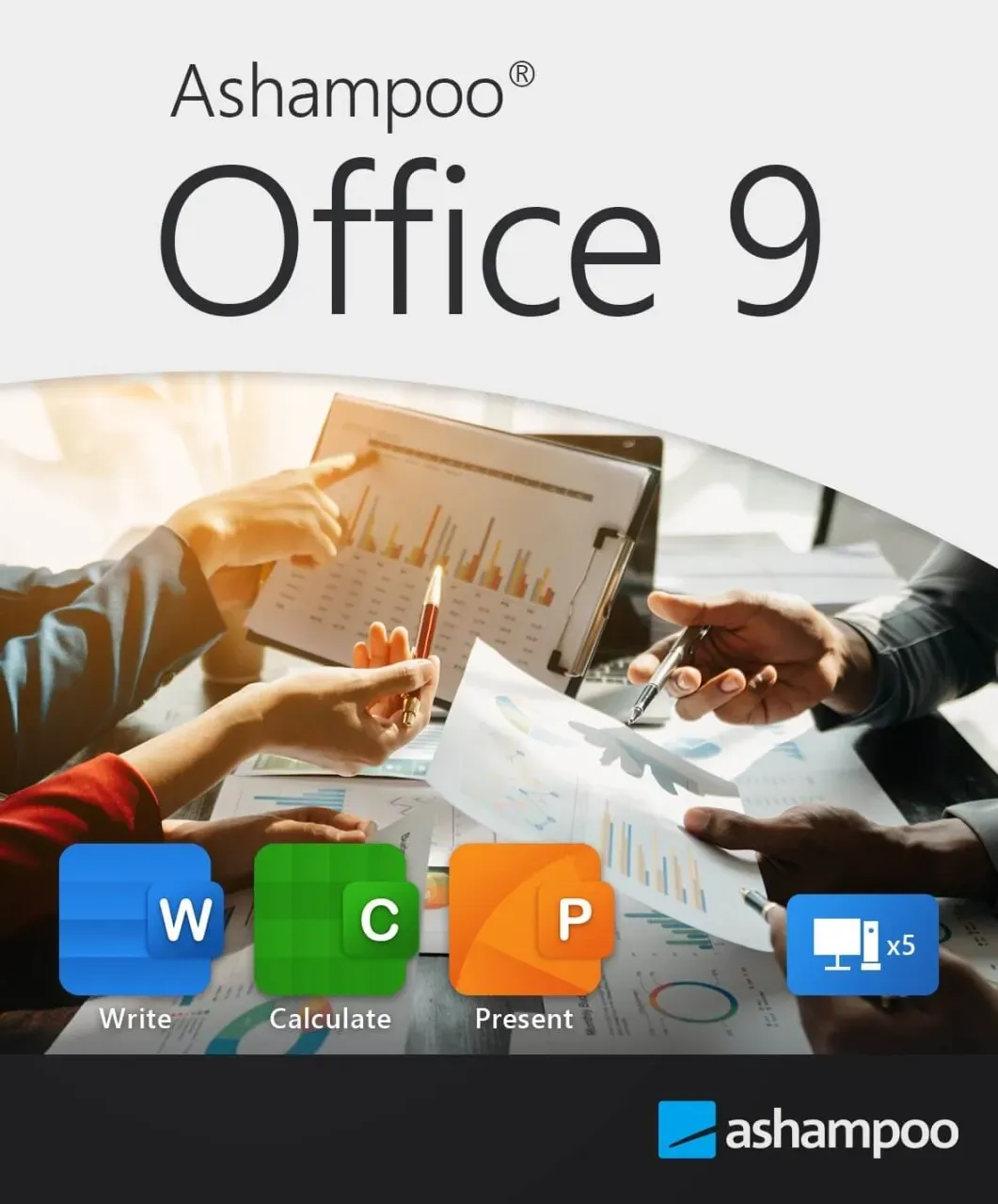
Ashampoo Office 9
Vendor: Blitzhandel24.de GB Price: 14.75 £Buy Ashampoo Office 9: Creative, Compatible, Cost-Effective If you are looking for an affordable yet powerful office suite that is seamlessly compatible with the latest Microsoft formats, Ashampoo Office 9 is the ideal choice. This office solution allows you to create documents, spreadsheets and presentations with ease, without sacrificing convenience and functionality. Unlike other alternatives, Ashampoo Office 9 doesn't store your files in a remote cloud, but locally on your computer, so you stay in control of your data. Here are some reasons why Ashampoo Office 9 is the optimal solution for your office needs: Ideal for households: One license for up to 5 PCs Ashampoo Office offers the perfect solution for home users: With just one license, you can equip up to five PCs in your household. Enjoy the benefits of a comprehensive office suite on multiple devices with your family. Please note: A separate license is required for each installation for business purposes. The benefits at a glance: More compact PDF files: Reduce the size of your PDFs by reducing the resolution. Automatic correction : Correct common typos in different languages automatically. Simple list view : Use the clear list view in the "New document" dialog box. Versatile formatting: Add various formatting when pasting from the clipboard. Graphics in WEBP format : Easily insert graphics in modern WEBP format. Excellent word processing: Write Write , Ashampoo Office 9's word processor, offers a wealth of new features that go far beyond conventional word processors. Compare two documents with synchronized scrolling, highlight text areas with ease and benefit from advanced change tracking. Create DOCX and TMDX documents with embedded fonts that are readable even if the recipients do not have the fonts installed. The new book layout allows a two-page view with the first page on the right, while table cells can now be easily rotated and lists can be numbered right-aligned. The filtering of paragraph and character styles has become clearer, and the quick creation of dummy text facilitates design. Write is therefore not just an alternative to Word, but a perfect and compatible option for professional document creation. Powerful spreadsheet application: Calculate Calculate , Ashampoo Office 9's spreadsheet program, is the perfect replacement for Excel. Import and export SQLite databases, sort by color and filter with the smart auto-filter. Create chart titles, axis titles and labels dynamically from cells and use individual decimal and thousands separators for CSV files. With over 350 calculation functions and the simple handling of tables, Calculate is suitable for all types of calculations. The flexible handling of CSV files and user-defined sorting in pivot tables make it an Excel replacement that makes no compromises. Presentations that impress: Present Present is the ideal alternative to PowerPoint and impresses with its ease of use and logical structure. With dynamic slide transitions, sound playback and video in presentations, every presentation becomes an impressive experience. Thanks to seamless compatibility with MS Office and PowerPoint, you can share your presentations without any restrictions. Whether in the classic menu style or the modern ribbon interface - Ashampoo Office 9 offers you the choice. The flexible interface makes it easy to switch between MS Office and Ashampoo Office without the hassle of importing and exporting. Your documents remain in their original Microsoft format (DOCX, XLSX, PPTX), making collaboration and exchange with other Office applications seamless. Effortless switching between MS Office and Ashampoo Office! Save yourself the hassle of importing and exporting: Ashampoo Office uses the original Microsoft formats DOCX, XLSX and PPTX as standard file formats! Even mail merge is now possible with XLSX. This allows you to edit your documents directly in Microsoft Office without conversion. When you receive an Office document, simply open it, edit it further and then save it. The formats remain unchanged, even the latest versions such as Office 2019 or Office 365 are no problem. Then you or someone else can simply open the document with MS Office and continue editing it! No content or formatting will be lost! Treat yourself to the Office package with the sensational price-performance ratio! Buy it once and use it as long as you want! System requirements for Ashampoo Office 9 Operating system: Windows® 11, Windows® 10 Other: An Internet connection is required to activate the program. The program license is checked at regular intervals.
-

Microsoft Office Professional Plus 2021 + Kaspersky Antivirus
Vendor: Primelicense.com Price: 4.29 £Bundle for Productivity & Security: Office Suite + Kaspersky Antivirus Stay productive and protected with this exclusive bundle from PrimeLicense. It combines powerful Office tools for your daily work with advanced antivirus protection to keep your files and data safe. What’s Included Microsoft Office Professional Plus 2021 – the complete suite for creating documents, spreadsheets, and presentations. Kaspersky Antivirus – top-rated protection against viruses, ransomware, and online threats. Want just one or the other? You can grab Office Professional Plus 2021 or Kaspersky Antivirus on their own. But the bundle saves you money and gives you complete peace of mind. Get Genuine Office & Kaspersky Licenses from a Certified Partner Shop with confidence — PrimeLicense is a Microsoft Certified Partner, which means we’re officially authorized to sell, support, and provide services for Microsoft products. Plus, with an outstanding 4.9/5 rating on Trustpilot, Google, and Trusted Shops, you can count on us for genuine software and top-quality support. When you order from us, you’ll get: Genuine activation key for Office Professional Plus 2021 and activation code for Kaspersky Antivirus. Step-by-step installation and activation guide Free technical support from PrimeLicense experts Note: This Office Professional Plus 2021 + Kaspersky Antivirus bundle is available for Windows PCs only.We do not currently offer the same bundle for Mac, but you can purchase each software product separately: For Mac users who need Microsoft Office: Check out Office Home & Business 2021 for Mac For Mac users who need antivirus protection: See our McAfee Antivirus option This way, Mac users can still combine the tools they need for productivity and security by purchasing individual licenses. Secure Shopping with Full Protection We've got you covered with Trusted Shops Buyer Protection for purchases up to €2,500. Plus, there's a 30-day money-back guarantee if you're not completely satisfied. Your payment info is protected with SSL encryption, and we work with trusted services like Stripe, Apple Pay, and Google Pay to keep your checkout safe and quick. Get Your Bundle Software in 3 Easy Steps Buy Office Professional Plus 2021 + Kaspersky Antivirus bundle on PrimeLicense and get your license keys and setup instructions instantly via email. Download the software from the official Microsoft website. Activate the software using your license key — and it’s ready to use. What This Exclusive Bundle Includes Office Professional Plus 2021 is Microsoft’s complete office package designed for families and small businesses who want the real deal — not a subscription, just solid software installed right on your computer. This Professional Plus edition is the premium version, loaded with all the essential productivity tools you need for work, study, or home projects. Included Applications: Word 2021 – create and edit professional documents Excel 2021 – manage data, charts, and spreadsheets...
-
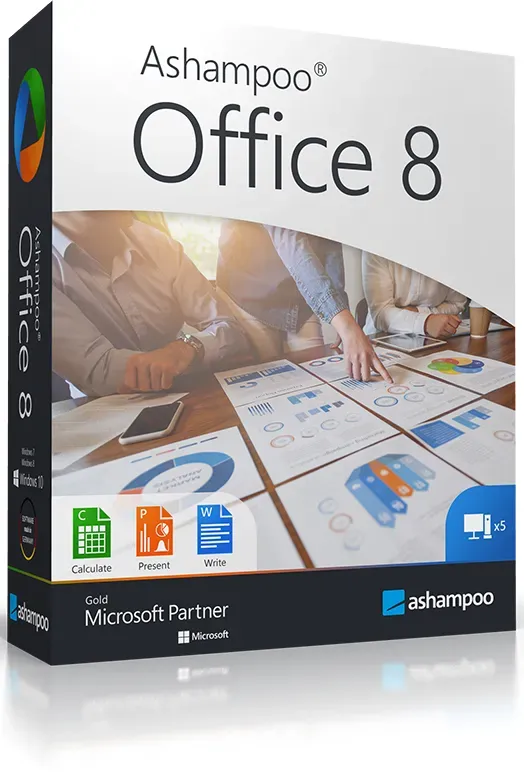
Ashampoo Office 8
Vendor: Blitzhandel24.de GB Price: 14.75 £Easily create documents, spreadsheets and presentations - impressively compatible! Everyone knows about alternatives to Microsoft Office, but do you know of an affordable office suite that is truly fully compatible with the latest, as well as classic, Microsoft formats? An office suite without compromise, without the hassle of changing? With Ashampoo Office 8 you can create documents, calculations and presentations faster than ever. With all the possibilities and comfort you want in a modern office. Ashampoo Office 8 doesn't store your files in a cloud somewhere, but on your computer - where they belong. This office offers exactly what you need! For up to 5 PCs in a household If you use Ashampoo Office 8 privately, you can equip five of your computers with the program with one license! Buy just one license and your whole family will have a powerful Office! Only for commercial use: one license, one installation. Excellent word processing: Write With the modern Word alternative Write you can create documents of any size in no time - whether greeting card, business letter, brochure or complete study paper. Even in large documents you never lose the overview thanks to the new page thumbnails and clickable tables of contents! With the unique object mode, you can freely place graphics, drawings and text in the document. Thanks to the real-time word counter, you always know the exact size of your document and can thus write "to length". Professionals can also use SQLite and dBASE databases, even mail merge from XLSX files. Microsoft Word-compatible footnotes and endnotes in the same document allow professional work at the highest level. And thanks to the native use of the DOCX file format, your documents are always compatible with Microsoft Word in all versions. Of course, you can not only print the finished documents, but also share them as PDFs or e-books. Spreadsheet perfection: Calculate The powerful spreadsheet Calculate lets you easily create calculations, tables and diagrams of any complexity. From a simple timetable to the entire financial planning of a company, this Excel replacement gives you the full range of capabilities. And if an error creeps into your spreadsheet, syntax highlighting and formula monitoring will quickly provide you with the error location. With over 350 calculation functions, easy-to-use spreadsheets, and huge worksheets with a million rows, Calculate 8 is suitable for calculations of all kinds. Professional functions such as pivot tables (with grouped elements!) bring advanced users the highest utility value. Printouts after work can be perfectly prepared with the new page break preview. Calculate 8 uses the XLSX file format - just like Microsoft Excel! Impressive presentations: Present Present is the powerful counterpart to PowerPoint. Easily create presentations that impress. In the new version, you can even create self-running slideshows that play on any computer without installing any software! Thanks to breathtaking animations and newly designed slide transitions as well as a sophisticated master page concept, you are perfectly equipped for every presentation. You can now create as many master layouts as you like, on which you can position any placeholder with just a few clicks. This not only ensures the uniform appearance of your presentation, but also seamless compatibility with PowerPoint. Numerous ready-made design templates, which are freshly updated and can be redesigned at the touch of a button, do the work for you. Add that extra touch to presentations with graphics, charts, sound, video, and animation. The new Media Ribbon tab makes managing these items a breeze! Present also uses the popular PPTX file format, so sharing with Microsoft PowerPoint is seamless. Treat yourself to the office package with the sensational price-performance ratio! Buy it once and use it as long as you want! This is how an office should be: fast, powerful and fully compatible! Ashampoo Office 8 is worth it! Our new Office is compatible with all MS Office versions including Office 365 and Office 2019. What's improved for all three modules (word processing, spreadsheet, presentation): working is much easier thanks to preview images for all styles. Design attractive documents with vector graphics or AutoForm objects and create even sophisticated layouts in no time! On the improved user interface they arrange objects conveniently, the automatic hyphenation now works perfectly. With the long-term archiving according to PFD/A, you can also easily access old memory levels and always archive according to standards. But that's not all! Take a look at everything that has been done in the modules! Languages German English ( Ashampoo) Dutch French Hungarian Russian Polish Italian Portuguese Spanish Turkish Slovenian ChineseSimpli...
-

Microsoft Office Standard 2024 Mac
Vendor: Primelicense.com Price: 5.19 £Microsoft Office Standard 2024 for Mac – Lifetime License Microsoft Office Standard 2024 for Mac is a one-time purchase — no subscription, no recurring fees. Install it on your Mac and enjoy lifetime access to essential Microsoft Office apps, including Word, Excel, PowerPoint, Outlook, and OneNote. Whether you’re working from home, managing a small business, or just want reliable Office apps without monthly payments, this version offers simplicity, performance, and long-term value. Works On: Ventura 13, Sonoma 14, and later versions Apple Silicon (M1, M2, M3 chips) and Intel-based Macs Buy a Genuine License Key for Office 2024 for Mac from a Certified Microsoft Reseller You can get a genuine Office 2024 Standard for Mac license key at a competitive price from PrimeLicense — a certified Microsoft partner trusted by thousands of customers. Our average rating is 4.9 out of 5 on Trustpilot, Google Reviews, and Trusted Shops. When you order from us, you’ll get: A lifetime product key – pay once, use forever Easy installation instructions (step-by-step) Free help from our friendly support team Important This version is Mac-only and cannot be used on Windows. If you need a Windows version with additional apps like Access and Publisher, check out Office 2024 Professional Plus. If you prefer cloud storage and collaboration, choose Microsoft 365 Personal. If you’re looking for earlier Mac versions, see: Office 2021 Home & Business for Mac Office 2019 Home & Business for Mac Office 2016 Home & Business for Mac Safe Checkout, Money-Back Guarantee Your purchase is fully protected with Trusted Shops Buyer Protection, covering orders up to €2,500. In addition, we offer a 30-day money-back guarantee, so you can shop with confidence. All payments on our website are protected by SSL encryption. We use trusted providers like Stripe, Apple Pay, and Google Pay for fast and secure checkout. Get Your Office Software in 3 Easy Steps Buy MS Office 2024 Standard for Mac on PrimeLicense and get your license key and setup instructions instantly via email. Download the software from the official Microsoft website. Activate Office with your license key — ready to use immediately. What’s Included in Office Standard 2024 for Mac This version includes the essential Office apps, optimized for the latest macOS and Apple hardware: Word 2024 – Create polished, professional documents Excel 2024 – Build smart spreadsheets with new features and performance upgrades PowerPoint 2024 – Craft eye-catching presentations with modern transitions Outlook 2024 – Manage email, calendar, and contacts with improved speed and syncing OneNote – Capture ideas, tasks, and notes across devices with Microsoft account sync Office 2024: Standard vs Home & Business vs Microsoft 365 Feature Office 2024 Standard (Mac) Office 2024 Home & Business (Mac) Microsoft 365 Payment One-time (Volume License) One-time (Retail License) Monthly/Yearly Use Duration Lifetime Lifetime While subscribed Apps Included Word,...
-
SoftMaker Office 2021 Standard
Vendor: Blitzhandel24.de GB Price: 33.24 £All programs for the daily office work are included Word processing TextMaker 2021 Spreadsheet program PlanMaker 2021 Presentation program Presentations 2021 Macros: BasicMaker* ✓Spell checker in 20 languages SoftMaker Office 2021 Standard offers the complete range of functions of a professional office solution and is seamlessly compatible with Microsoft Office thanks to native use of the DOCX, XLSX and PPTX file formats. System requirements Windows 7, 8 or 10, Windows Server 2008 R2 or newer macOS 10.11 or newer Linux with 64 bit Compatible with application servers such as Terminal Server and Citrix XenApp
-

Microsoft Office Professional Plus 2019 (Windows)
Vendor: Primelicense.com Price: 1.29 £Microsoft Office 2019 Professional Plus – Permanent License Microsoft Office 2019 Professional Plus is a lifetime license — pay once, and the software is yours to use forever. No subscriptions, no renewals. Once activated, Office 2019 works offline on your Windows PC with full functionality and no internet required for daily use. Included applications: Word, Excel, PowerPoint, Outlook, Access, Publisher, and OneNote System compatibility: Works on both 32-bit and 64-bit systems on Windows 10 and Windows 11. Original Office 2019 License Key from Microsoft Certified Reseller Get your genuine Office 2019 Professional Plus license key at a discounted price from PrimeLicense, an official Microsoft-certified reseller. We’re trusted by thousands of customers and rated 4.9/5 on Trustpilot, Google, and Trusted Shops. With your purchase, you’ll receive: A lifetime product key for Office 2019 Pro Plus A step-by-step installation and activation guide Free expert support from the PrimeLicense team Important Note on Office Editions This version is for Windows only. If you use a Mac, check our Office for Mac. If you’re looking for a previous version of Microsoft Office, check out Office 2016 Professional Plus — a reliable choice for basic productivity at an affordable price. Prefer something newer? Explore Office 2021 or the latest Office 2024 Professional Plus — both available on PrimeLicense with lifetime licenses and enhanced features. Safe Payment and Buyer Protection Your order is protected by Trusted Shops Buyer Protection for up to €2,500, plus we offer a 30-day money-back guarantee. All transactions are secured with SSL encryption. We accept payments via Stripe, Apple Pay, Google Pay, and other trusted methods to ensure a safe and smooth checkout. Buy, Download and Activate Office Software in Few Minutes Buy MS Office 2019 on PrimeLicense and get your license key and set up instructions instantly via email. Download the software from the official Microsoft website using the provided link. Activate Office with your license key and it is ready to use. What’s Included in Office 2019 Professional Plus? Office 2019 Pro Plus includes the full suite of classic Microsoft Office apps, ideal for home, school, or business use — all with a modern interface and improved performance compared to earlier versions. Word – Write and edit professional documents Excel – Analyze data, use formulas, and create spreadsheets PowerPoint – Build impactful presentations Outlook – Manage email, contacts, and calendar Publisher – Design flyers, brochures, and printable content Access – Create and manage databases easily OneNote – Keep your notes organized in one place Suitable for students, families, freelancers, and professionals who need Office on a single Windows PC. Office 2019 vs Microsoft 365 – Which One Should You Choose? Feature Office 2019 Pro Plus Microsoft 365 Payment One-time payment Monthly or yearly subscription License Duration Lifetime As long as you stay subscribed...
-
Microsoft Office 2024 Standard
Vendor: Blitzhandel24.de GB Price: 234.38 £Microsoft Office 2024 Standard: The new generation of office software If you want to rely on excellent office software in your day-to-day work, you can't go past Microsoft Office 2024 Standard can hardly be ignored. This new version is designed to take productivity in companies and in the home office to a new level. Whether you are creating documents, performing calculations or designing presentations - Office 2024 offers everything you need. What makes this version so special and why is it worth buying the Microsoft Office 2024 Standard buy? In this article, we take a detailed look at the key features and benefits of this software. What Microsoft Office 2024 offers Standard With the Office 2024 Standard version, Microsoft has once again shown why it is one of the leading providers of office software. This version combines tried-and-tested programs with innovative new functions that make everyday work even more efficient. The most important features at a glance Here are some of the key features that Microsoft Office 2024 Standard offers: Microsoft Word 2024 : The word processing program has been further improved. In addition to an improved user interface, it now offers AI-supported writing suggestions and an enhanced spelling and grammar checker that takes natural language patterns into account. Microsoft Excel 2024 : The spreadsheet application has been equipped with new data analysis tools. With extended chart options and AI-supported functions, complex data can be interpreted more easily. Microsoft PowerPoint 2024 : Presentations are even more dynamic with new animations and transitions. In addition, there is now a function that automatically makes suggestions for the layout of slides based on the content. Microsoft Outlook 2024 : Improved email management and calendar integration ensure that you never miss an important appointment or message again. Also new is the integration of chat functions to facilitate communication with colleagues. Microsoft OneNote 2024 : A digital notebook that is ideal for brainstorming sessions or organizing projects. Synchronization with other Microsoft services such as Teams makes collaboration even easier. Office 2024 Standard: More than just the sum of its parts However, the individual programs are only part of the whole. Microsoft Office 2024 Standard is characterized above all by the seamless integration and collaboration between the various applications. Work on a report in Word and insert Excel charts directly. Or create a PowerPoint presentation and access your ideas saved in OneNote. All programs communicate with each other, making the workflow extremely efficient. Why Office 2024 Standard is the right choice Optimized for modern work requirements At a time when working from home and hybrid working models are becoming increasingly important, Microsoft Office 2024 Standard ensures that you remain productive wherever you are. Cloud integration with OneDrive allows you to store files securely and access them from anywhere. Whether you're working in the office, at home or on the move - your documents are always up to date. High compatibility and user-friendliness Another advantage of Microsoft Office 2024 Standard is its compatibility with other platforms. Whether you work with Windows, macOS or mobile devices - the software runs smoothly. The user interface has also been further simplified to make it easier for new users to get started. The advantages of Microsoft Office 2024 Standard compared to other products Microsoft Office 2024 Standard clearly stands out from other office software solutions. Here are some of the key benefits: AI support : built-in artificial intelligence analyzes your work and gives proactive suggestions to help you get to your goal faster. Seamless integration : All programs work together perfectly, which speeds up the workflow. Cloud storage : With OneDrive, you can store your data securely in the cloud and access it from anywhere. High security standards : Microsoft attaches great importance to data protection and security. Regular updates ensure that your data is always protected. Scalability : Whether you are an individual user or a large company - Office 2024 Standard adapts to the needs of any organization. Who should buy Microsoft Office 2024 Standard Microsoft Office 2024 Standard is aimed at anyone who needs powerful, reliable and user-friendly office software. Companies in particular benefit from the extended functions and the possibility of easy team collaboration. However, Office 2024 is also ideal for individual users who want to work productively. Office 2024 Standard: Is it worth buying? The answer is a resounding yes! Buying Microsoft Office 2024 Standard means getting a comprehensive solution for everyday work that is perfect for both individuals and teams. The new features, better integration and increased ease of use make it the best choice on the market. The investme...
-

Microsoft Office 365 Family 1 Year
Vendor: Primelicense.com Price: 9.89 £Microsoft 365 Family – Complete Family Productivity Solution with Shared Benefits Microsoft 365 Family is perfect for households – it covers up to 6 people with their own accounts, gives you 6TB OneDrive space (1TB per person), and includes family safety tools to keep everyone protected. Everyone gets their own Office apps with personal settings and private file space. This subscription includes the latest versions of Word, Excel, PowerPoint, Outlook, OneNote, Publisher, and Access, along with premium features like Editor in Word, Researcher, and Designer in PowerPoint. It also provides 6TB of OneDrive cloud storage and advanced tools like Clipchamp for video editing. With cross-device sync (all devices for all 6 users), Microsoft 365 Family is perfect for families, roommates, small teams, or any group who needs powerful tools, private storage, and shared features. Compatibility: Windows 10/11, macOS, iOS, Android, and web browsers Need only 1 user? Try Microsoft 365 Personal with 1TB OneDrive storage. Please Note: Microsoft 365 is a subscription-based product. If you're looking for a lifetime license for Windows, check out Office 2024 Pro Plus or Office 2021 Pro Plus. If you're interested in a lifetime license for Mac, see Office 2024 for Mac or Office 2021 for Mac. Full collection of Office products, including previous versions, can be found here. Get Your Microsoft 365 License Key from a Certified Partner Buy a genuine Microsoft 365 Family license at a great price from PrimeLicense — we're a certified Microsoft partner trusted by thousands of customers. We've earned 4.9 out of 5 stars on Trustpilot, Google Reviews, and Trusted Shops. When you order from us, you’ll get: Genuine activation key for Microsoft 365 subscription for 6 users Step-by-step installation and activation guide Free technical support from PrimeLicense experts Secure Shopping with Full Protection We’ve got you covered with Trusted Shops Buyer Protection for purchases up to €2,500. Plus, there's a 30-day money-back guarantee if you're not completely satisfied. Your payment info is protected with SSL encryption, and we use trusted services like Stripe, Apple Pay, and Google Pay for safe, quick checkout. Get Your Office Software in 3 Easy Steps Buy Microsoft 365 Family on PrimeLicense and get your license key and setup instructions instantly via email. Download the software from the official Microsoft website. Activate Office with your license key — ready to use immediately. What You Get with Microsoft 365 Family Microsoft 365 Family gives you all the Office apps you know, plus family-specific features: Word – Collaborate on documents in real-time, ideal for school projects and family newsletters. Excel – Track household budgets, expenses, and schedules with smart tools. PowerPoint – Create engaging presentations using family photos and templates. Outlook – Share family calendars and manage email accounts. OneNote – Keep family plans, recipes, and notebooks synced across...
832 results in 2.019 seconds
Related search terms
© Copyright 2025 shopping.eu