1085 products were found matching your search for photos in 14 shops:
-

Easy Photo Denoise + Easy Photo Unblur
Vendor: Blitzhandel24.de GB Price: 51.14 £Easy Photo Denoise + Easy Photo Unblur - denoise photos and sharpen blurred images With the package Easy Photo Denoise + Easy Photo Unblur you get two practical programs to improve the image quality of your photos. While Easy Photo Denoise reduces annoying image noise and makes photos look clearer, Easy Photo Easy Photo Unblur helps to visibly sharpen blurry, blurred or out-of-focus images. Both programs rely on modern AI technology and are ideal for private photos, product images, travel shots, older image archives and digital photo editing in everyday life. Poor lighting conditions, high ISO values, movement when taking photos or an incorrectly set focus can cause images to look grainy, soft or blurred. This is exactly where the software package comes in. With Easy Photo Denoise , you can improve noisy photos without unnecessarily losing important details. With Easy Photo Unblur , you can sharpen blurred photos, reduce motion blur and correct focus errors. The bundle is particularly helpful if you not only want to edit photos quickly, but also visibly enhance them. Instead of complicated professional workflows, you get two specialized solutions that focus on common image problems: Removing image noise and sharpening blurry photos. Easy Photo Denoise is a user-friendly photo noise reduction software. It was developed to reduce digital noise in images and make photos appear clearer, cleaner and of higher quality again. Image noise can quickly become distracting, especially when taking photos with low light, smartphone photos, night shots or older digital camera images. The integrated noise reduction algorithms use artificial intelligence to detect and reduce disruptive digital noise. At the same time, fine image details are retained as far as possible. This makes the result look more natural than with simple filters, which only blur the entire image. Easy Photo Denoise and Easy Photo Unblur in comparison Photo noise reduction Easy Photo Denoise This photo noise reduction software helps to display noisy photos more clearly and to reduce disturbing image errors in a targeted manner. - Automatic presets for noise at high and medium ISO values - Removal of color spots - Good detail reproduction even with high presets - Batch processing for multiple images - Adjustment options for brightness, contrast, color and gamma - Crop , rotate and noise reduction Image sharpening Easy Photo Unblur This software helps you to quickly and easily improve blurred, out-of-focus or soft-looking photos. - Fix blurred photos in batch mode - Removes many types of blur, including motion blur - Reduces digital noise and spots after blur removal - Easy to use - Corrects blurred text - Removes censored areas from photos and creates strong blurring - Automatic and manual color correction - Crop , resize and rotate any image Step-by-step guide: denoise and sharpen photos With Easy Photo Denoise and Easy Photo Unblur, you can improve noisy or blurred photos in just a few steps. The following instructions show the simple procedure for both programs. Reduce noise Easy Photo Denoise 01 Adding photos to the program Click on "Add files" or "Add folder". Then select the photos from which the noise is to be removed. ↓ 02 Select preset Select one of the presets: light, soft, medium or strong. The software automatically detects and reduces the image noise. ↓ 03 Perform manual correction If necessary, you can make manual adjustments. If the photo still looks blurred, also use the "Sharpen" function. ↓ 04 Saving the result As soon as the photo has been denoised and meets your expectations, click on "Save" to save the finished image. Remove blur Easy Photo Unblur 01 Adding photos to the program Click on "Add file" to load your photo into the software. The image will then appear in the preview area. ↓ 02 Test the default settings Click on "Run" and test the default settings light, soft, soft, medium or strong to select the appropriate sharpening. ↓ 03 Make manual adjustments Adjust the smoothing radius, detail level, noise reduction and color histogram manually if necessary to further improve the result. ↓ 04 Save and use batch mode Save the finished result. If several photos are to be sharpened, you can use the batch mode. Who is the bundle suitable for? 01 Hobby photographers Ideal for users who want to improve their photos without complicated image editing - especially in the case of noise, blurring or minor quality problems. 02 Families and private photo archives Perfect for optimizing souvenir photos, snapshots and older digital images before they are saved, printed or shared. 03 Online retailers and product images Helpful for product photos that need to look clearer, cleaner and more professional - especially in poor lighting conditions or slightly blurred shots. 04 Content creator and social media Suitable for anyone who wants to visually enhance images for websites, articles, presentations or social networks. System requirements S...
-

Smashbox Photo Finish Foundation Primer smoothing makeup primer 50 ml
Vendor: Notino.co.uk Price: 33.00 £ (+3.99 £)Smashbox Photo Finish Foundation Primer, 50 ml, Makeup Primers for Women, Makeup isn’t the only thing that contributes to a perfect look all day long. Primer, which is the first thing you apply to the skin, also plays an important role. The Smashbox Photo Finish Foundation Primer primer smooths your skin perfectly, preparing it for the next steps in your makeup routine. It creates an even base, which not only makes the application of makeup easier but also helps your makeup last longer. In short, it will help you achieve a perfect look regardless of the style you choose. Take your look to a new level and let your favourite makeup achieve even better results thanks to this foundation primer. Characteristics: softens prepares skin perfectly for foundation How to use: Apply a small amount of the product to the entire face or individual parts after using your day cream. Blend evenly and thoroughly, then apply foundation.
-

Photos From The Road
Vendor: Lovereading.co.uk Price: 8.09 £ (+2.99 £)Photos from the Road. Hardback
-

Affinity Photo 2
Vendor: Blitzhandel24.de GB Price: 51.14 £Affinity Photo 2 - The photo editing software you've been dreaming of Discover Affinity Photo 2 , the first choice of millions of creative and photography professionals worldwide. This award-winning software offers unparalleled speed, power and precision and is perfectly integrated with macOS, Windows and iPad. From retouching to creating multi-layered compositions, you'll find everything you need for stunning photo editing in a single program. Whether you're working on a Mac, PC or iPad, Affinity Photo 2 is fully compatible, giving you the flexibility to work wherever you want. Unleash your creativity with the ultimate photo editing software. Affinity Photo 2 is the perfect choice for professional and amateur photographers alike. Key features of Affinity Photo 2 Feature Feature Description Designed for a professional workflow Real-time adjustment layers, extensive image support, super-stable panning and zooming, and near-instant loading of huge files make this software exceptionally fast and powerful. Flawless photo retouching Smooth skin with Frequency Separation, retouch with tools like Dodge, Burn or the magical Inpainting Brush. Model facial features and experiment with color corrections. Complete RAW development Shoot in RAW format and enjoy a consistent 32-bit experience. Bring out details and perfect your shots with fine corrections. Powerful brush engine Create your own brushes, combine multiple brush strokes and import .abr files. The brush engine offers the most natural painting experience on the market. Breathtaking compositions Unlimited layers, adjustments, effects and live filters that can be grouped, cropped, masked or blended to create complex compositions. Precise selections Use advanced algorithms and tools such as the selection brush, magic wand and pen tool to select precise elements, even individual strands of hair. Cross-platform functionality Compatible with Windows and Mac, so you can work seamlessly with the same file on all devices Flexible resizing Adjust the size of photos, crop and align them. Use crop presets or save custom settings. Other features of Affinity Photo 2 OCIO v2 support Use configuration files and other advanced features in OCIO v2, especially useful for VFX, film and 3D artists. Assets Save a library of assets to speed up your workflow. Blend Modes Create the perfect look for your project by experimenting with different blend modes. Live Mesh Warp Apply a non-destructive distortion to warp an image or file to match the surface of an underlying template and go back to the next edit when needed. Focus merge Merge images with different focus differences for greater depth of field. Composite masks Combine multiple mask layers easily and non-destructively using the Add, Intersect, Subtract and XOR operations. Living masks Create useful, non-destructive workflows by masking layers with parametric controls such as hue range (colors), luminosity (intensity) and bandpass (frequency). Adjustable grid Flexibly adjust the grid size to create precise designs and layouts that perfectly match your projects. Comparison of Affinity products Function Affinity Designer 2 Affinity Photo 2 Affinity Publisher 2 Field of application Vector graphics, logos, UI design, mock-ups Image editing, retouching, creative effects Layout design, brochures, magazines Platform support WindowsmacOS Windows, macOS Windows, macOS Main functions Create precise vector graphics and illustrations Advanced image editing and RAW development Professional layouts with master pages and style sheets Compatibility Import/export of SVG, EPS, PDF Supports PSD, PNG, TIFF, JPEG Import of IDML, PDF and other file formats Special tools Pen tool, contour width, isometric raster Selection brush, live filter, cloning Frame tools, content linking, tables Team capability Ideal for individuals and small teams Suitable for creative individual users Perfect for publishers and larger teams Who is this product suitable for? For home users Ideal for personal use, such as photo editing, document creation and entertainment. For businesses Perfect for professional applications such as data analysis, project management and teamwork. For students Ideal for learning purposes, homework, research and organizing study materials. Advantages of Affinity products Clear overview of the functions of Affinity products. Header highlighted in color for better orientation. Comparison between different platform supports. Detailed presentation of the main functions of each product. Overview of compatibility with different file formats. Presentation of specific tools for each product. Information on suitability for individuals, creative users and teams. Compact and appealing presentation for easy readability. System requirements Platform Hardware Operating system Mac Mac Pro, iMac, iMac Pro, MacBook, MacBook Pro, MacBook Air, Mac mini Mac with Apple Silicon (M1/M2/M3) or Intel processor 8 GB RAM recommended 2.8 GB available hard disk capacity ...
-
![Martiderm Platinum Photo Age [HA]+ Moisturizing Ampoules 30 un.](https://r.kelkoo.com/resize.php?country=uk&merchantId=100536071&categoryId=133001&trackingId=96980090&width=96&height=96&image=https%3A%2F%2Fstatic.sweetcare.com%2Fimg%2Fprd%2Fmax%2Fv-637519322048155466%2Fmartiderm-005644mr_02.jpg&sign=2.mWH4XDFxsgcW4kgAaBhisVVG0iPxK5vG8aJPxJLOA- "Martiderm Platinum Photo Age [HA]+ Moisturizing Ampoules 30 un.")
Martiderm Platinum Photo Age [HA]+ Moisturizing Ampoules 30 un.
Vendor: Sweetcare.com Price: 47.17 £ (+7.03 £)Platinum Photo Age [HA] + Ampoules 30 un.
-

London In Photos
Vendor: Lovereading.co.uk Price: 15.29 £ (+2.99 £)London in Photos. Hardback
-
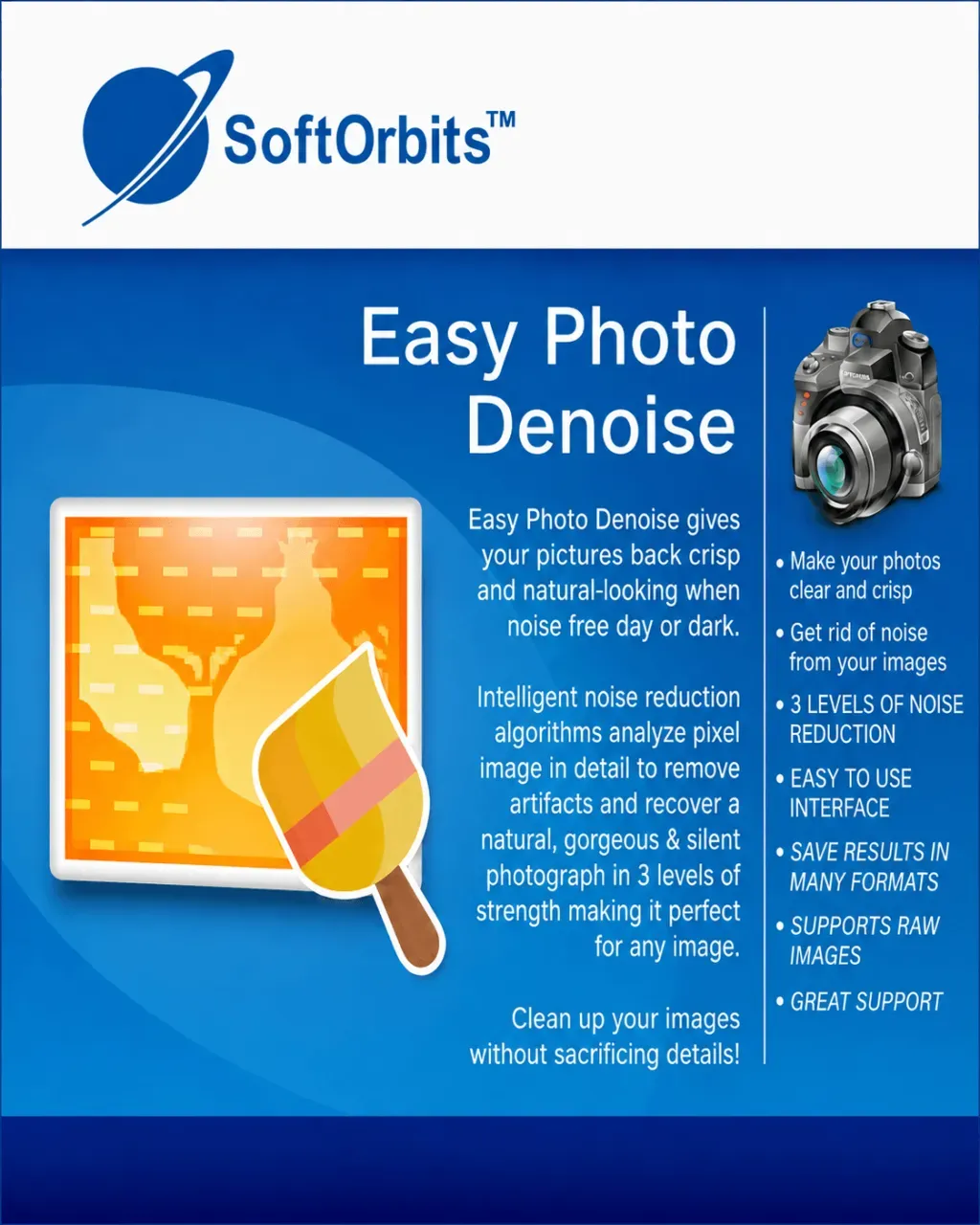
Easy Photo Denoise
Vendor: Blitzhandel24.de GB Price: 29.21 £Easy Photo Denoise - simple photo noise reduction software With Easy Photo Denoise you can reduce annoying image noise in digital photos quickly and easily. The software was developed to visibly improve noisy photos and give images a clear, clean and high-quality appearance. Grain, color noise and blurred image areas can significantly impair the quality of photos taken in low light, with high ISO settings or under difficult shooting conditions. Easy Photo Denoise uses modern noise reduction algorithms and artificial intelligence to specifically detect and reduce digital noise. Important image details are preserved as far as possible so that the photo does not appear artificially smoothed. This gives your photos more clarity, natural structures and a much calmer image effect. The image noise reduction software is suitable for private photos, older digital photos, smartphone images, product photos and creative projects. If you are looking for a simple solution to correct grainy photos and improve image quality without complicated editing, Easy Photo Denoise is a practical choice. Instead of having to deal with complex image editing programs, you can use Easy Photo Denoise to specifically remove noise from your photos. The software helps to remove unwanted grain, reduce color distortions and make images look cleaner overall. This gives even less successful photos a better optical quality. Easy Photo Denoise for clear and low-noise images Easy Photo Denoise lets you improve noisy images quickly and easily. The software helps to reduce digital image noise without unnecessarily blurring important details in the photo. Software for image noise reduction Targeted noise reduction is an easy way to make photos look clearer and of higher quality. Easy Photo Denoise uses intelligent algorithms to reduce disruptive image noise while keeping fine structures as natural as possible. This makes even noisy images more suitable for private collections, presentations, websites or creative projects. Noise reduction in difficult lighting conditions Visible noise often occurs particularly in night shots, indoor shots or photos with little light. With Easy Photo Denoise, such images can be subsequently optimized. This means that important moments don't have to be lost just because the shot looks grainy, dark or unstable. Features of Easy Photo Denoise Easy Photo Denoise offers practical tools for reducing image noise, post-processing photos and efficiently optimizing multiple shots. The most important functions are clearly summarized. Feature Feature Description Benefits Automatic ISO presets The software offers suitable settings for photos with medium or high ISO noise. Fast optimization without long manual adjustments. Reduce color spots Disturbing red, blue or colorful pixels can be reduced in a targeted manner. Photos look calmer, more natural and cleaner. Retain detail Even with stronger noise reduction, fine image structures remain as visible as possible. Images are smoothed without appearing unnaturally soft. Batch processing Several photos can be processed one after the other. Ideal for larger image collections and continuous shooting. Image adjustments Brightness, contrast, color and gamma can be adjusted directly in the program. Photos can be further optimized after noise reduction. Crop and rotate Images can be cropped, rotated and aligned appropriately. Practical basic editing without additional software. Remove noise from photos quickly and easily With Easy Photo Denoise , noisy images can be specifically improved. The software reduces different types of image noise, optimizes the image effect and helps to keep fine details in the photo as natural as possible. Improve sharpness Soft-looking photos are given more clarity. Easy Photo Denoise can improve image sharpness after editing so that contours, motifs and important details stand out more clearly. Reduce color noise Colorful noise pixels in red, blue or other hues can make photos look unstable. The software helps to reduce these color spots and make the photo appear more harmonious. Adjusting luminance noise Grainy brightness noise often occurs in low light or at high ISO values. With the right settings, this noise can be reduced until the image appears cleaner and more balanced. Preserve details Easy Photo Denoise removes disturbing image noise without unnecessarily losing fine structures. As a result, lines, contours and natural image areas remain as clearly visible as possible. How photo noise reduction works with Easy Photo Denoise With Easy Photo Denoise you can improve noisy images step by step. The process is simple and is also suitable for users who have no experience with professional photo editing. 1 Load photos into the software Add individual images or entire folders. Then select the images in which grain, color distortions or brightness noise are to be reduced. 2 Select the appropriate noise reduction Select a suitable setting for y...
-

Nicola Spring - Standing Metal Picture Photo Frame Gold 20cm x 25cm
Vendor: Wayfair.co.uk Price: 42.99 £ (+4.99 £)Add a little dash of luxury to your tabletops, shelves and mantlepieces with this Metallic Floating Photo Frame from Nicola Spring. The ultra-clear glass aperture cover provides the perfect showcase for all your most precious memories, pictures and prints. The folding design makes placement as simple as can be, while the locking latch keeps everything securely in place. The striking 'floating' display style brings an extra layer of creative potential - why not try embracing your inner Pinterest and get crafty with some pressed flowers? With a range of sizes and colours available, the Nicola Spring Metallic Floating Picture Frame collection has everything you need to deliver everyday happiness into your home. Nicola Spring Colour: Gold, Picture Size: 20cm x 25cm, Number of frames: 5
-

Arpan MDF Multi Aperture Photo Collage Frame for 7 Photos 3 x 6x 4 nd 4 x 4X 6Photos in Black Black
Vendor: Debenhams.com Price: 20.99 £ (+2.99 £)ARPAN FRAME: 7, Multi Aperture Picture Frame - A simple yet stylish and modern photo frame. - DISPLAYS 6''x4'' INCH PHOTOS: Showcase your favorite family memories and vacations. Comes with easy-opening tabs at the back to load pictures. It is designed to hold four 6x4-inch pictures in place. Makes for great photos as well. - GREAT GIFT: The perfect frame accent to any home. Makes a great gift for a housewarming, wedding shower, or during the holidays. The recipients will enjoy it and the memories for years to come. - FRAME SIZE: W40.5 x H35.2 cm Approx, Collagen Frame - Stick photo by using glue. - ATTRACTIVE DESIGN: Photo frame Made with high-quality MDF With front (Polystyrene sheet at front of frame) This frame comes ready to hang, wall mount only. Arpan MDF Multi Aperture Photo Collage Frame for 7 Photos 3 x 6x 4 nd 4 x 4X 6Photos in Black
-
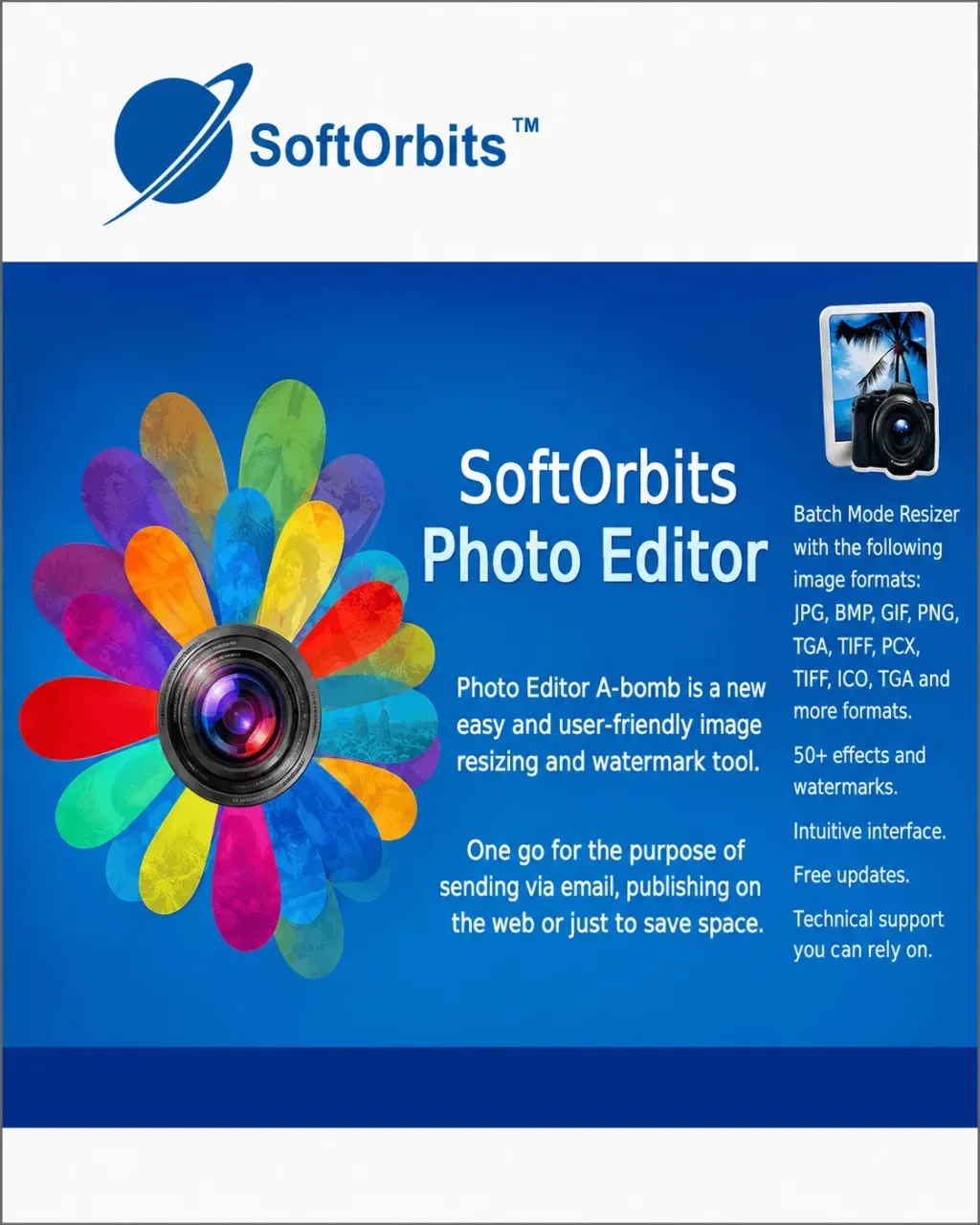
AI Photo Editor
Vendor: Blitzhandel24.de GB Price: 29.21 £SoftOrbit's AI Photo Editor - intelligent image editing without detours Many users want image editing software that delivers powerful results without requiring long training periods. This is exactly where SoftOrbit's AI Photo Editor comes in. The software combines easy-to-understand operation with modern AI support to make typical photo editing tasks much more enjoyable. Instead of complicated layers, tools and manual editing steps, the focus is on fast implementation. The ability to initiate edits via a type of prompt or comprehensible instructions is particularly practical. This makes the program suitable for beginners as well as for users who want to work as efficiently as possible. Whether private vacation photos, product images, social media graphics or portrait shots - the AI Photo Editor from SoftOrbits helps to visibly improve images. One of the most important areas of application is the retouching of people. Small image errors, unwanted details or optical distortions can be corrected more easily without making the entire editing process unnecessarily complicated. This is a great advantage, especially for portraits or profile pictures. Users can optimize photos more quickly and create a clean, appealing overall impression. Edit photo with AI preset With SoftOrbit's AI Photo Editor, you can edit images using simple text input. Instead of complicated toolbars or many sliders, you describe what you want to change and the AI automatically implements the desired adjustment. 01 Open photo Import the image you want to edit into the AI photo editor. It is then ready for editing at the prompt. 02 Select an area and enter a default value Select the image area that you want to change. Then enter a clear description so that the AI knows which adjustment is to be made. 03 Execute editing Start the AI editing process using the corresponding button. The software processes your selection and automatically implements the desired change. Examples of AI-supported photo editing With SoftOrbit's AI Photo Editor, image areas can be edited specifically using text input. The following overview shows typical examples and suitable areas of application. Input prompt Function Application area "Change to more formal clothing." The AI adjusts the clothing style in the image and creates a more serious look. Business portraits, application photos, profile pictures "Make the sky sunnier with rainbows and add little elephants." The scene is creatively expanded and supplemented with new image elements. Creative image ideas, social media, visual experiments "Remove person from the photo" Unwanted people or disturbing objects are removed from the photo. Travel photos, product images, background cleanup "Light background for white orchid and flower" The background is made lighter so that the main motif stands out better. Product photography, flower images, e-commerce "Convert photo to anime or GTA4 style" The image is converted into an artistic or game-inspired style. Content creation, creative designs, social media graphics How image editing works with SoftOrbit's AI Photo Editor In just a few steps, you can set up the software, load your photo into the editor and edit selected image areas with AI-supported functions. 1 Install the software Download SoftOrbits AI Photo Editor and install the program on your computer. 2 Load AI models After starting the program, confirm the download of the AI models so that all intelligent functions can be used. 3 Import photo Add a single image or import a folder if several photos are to be edited. 4 Select area Select the desired image area manually or use the AI-supported object selection. 5 Enter instructions Describe as precisely as possible in the text field which change the AI should make to the selected area. 6 Start AI processing The AI processes your input and adjusts the selected image area according to your description. 7 Save image Save the finished image via "Save as" and select the file name, storage location and output format. Technical highlights for modern photo editing SoftOrbit's AI Photo Editor offers practical functions for flexible image editing. The software supports high-resolution photos, various file formats and customizable AI functions for efficient workflows. High image resolution Edit photos with a high level of detail up to 8K and use the software for more demanding image projects. Batch processing Edit multiple images faster and in a more structured way with customizable prompts. RAW files Support for RAW files gives you more freedom when editing high-quality photos. Gentle editing Non-destructive editing preserves the original image while allowing changes to be made flexibly. Multiple export formats Finished images can be exported in different formats and prepared for different purposes. Customizable AI settings The AI functions can be set to suit the desired editing style and the respective photo workflow. Whether for customer projects, social media content or da...
-

Talulla Whitewashed Wooden Photo Frame - 5x7"
Vendor: Rowenhomes.com Price: 12.00 £ (+4.99 £)The Talulla Whitewashed Wooden Photo Frame brings a rustic yet refined touch to your home décor. Crafted with a whitewashed wood finish, it showcases a beautiful woven-style pattern that enhances its natural charm. This frame is perfect for displaying cherished memories, whether on a shelf, bedside table, or mantelpiece. Its neutral tones blend seamlessly with a variety of interiors, making it a versatile and elegant choice for adding warmth and character to any space. Dimensions: H 1.9, W 26.8, D 21.8cm
-

Hama London Memo Slip-in Photo Album 14.5 x 19.5cm (for 100 Photos 13 x 18 cm Fo
Vendor: Onbuy.com Price: 8.69 £Hama London Memo Slip-in Photo Album 14.5 x 19.5cm (for 100 Photos 13 x 18 cm Format), Bordeaux
-
Stellar Repair for Photo
Vendor: Blitzhandel24.de GB Price: 32.86 £DIY tool for repairing and restoring damaged photos Repairs camera RAW image files and JPEGs. Repairs damaged photos that have been recovered from damaged media. Repairs multiple images of different formats in one operation. Supports the latest Windows 11 and macOS Monterey Repairs damaged photos like new Stellar Repair for Photo software repairs damaged photos and restores your precious memories. The powerful software can fix any kind of image corruption and makes them sharp and vivid. Repairs distorted, blurred, pixelated and greyed out images Repairs damaged headers and invalid image file structures Extracts thumbnails from badly damaged images Repairs severely damaged photos using sample files Repairs photos stored on any camera memory card Repair photos taken with all types of cameras and stored on any digital storage media. The photo repair software supports all Mac and Windows computer drives, USB flash drives, memory sticks, SD cards and other storage media used in cameras, drones, CCTV devices, Android mobile phones, etc. Supports all camera memory cards: SDXC, SDHC, Memory Stick, etc. Repairs photos taken with DSLRs, Android phones, iPhone, action cameras, etc. Repairs RAW files from popular camera brands - Nikon®, Canon®, Sony®, Olympus®, etc. Repairs all popular image file formats Stellar Repair for Photo supports all popular image file formats. In addition to JPEG, it can also repair damaged camera RAW image files and save them in JPEG format after repair. Supports all camera memory cards: SDXC, SDHC, Memory Stick, etc. Repairs RAW image formats - ARW, CR2, CR3, CRW, DNG, ERF, HEIC, MRW, NEF, NRW, ORF, PEF, RAF, RW2, SR2, SRF, and TIFF Previews the repaired photos before saving them Other fantastic features of Stellar Repair for Photo Repairs multiple photos in one go The photo repair programme can simultaneously repair an unlimited number of photos of the same or different formats. Stellar Repair for Photo provides a quick and easy way to repair hundreds of damaged, corrupt or damaged files stored on any drive or media. Extracts thumbnails from severely damaged photos Your photos may be so badly damaged that they are beyond repair. The advanced Stellar Photo Repair software extracts the embedded thumbnails from severely damaged image files without compromising their visual fidelity. Repairs various issues with corrupt photos Stellar Repair for Photo repairs your completely unreadable image files even in situations with corrupted header, corrupted data, invalid image file structure, unknown or invalid markers, missing SOS markers, etc. You can also repair inaccessible, greyed out, grainy, blurred images or those with errors. Repairs badly damaged JPEG photos using a sample file The software offers an "Advanced Repair" option for severely damaged JPEG/JPG images. It uses the "sample file" - a working JPEG file created with the same device as the corrupted file - to fix complex corruption issues in JPEG/JPG photos. The software uses the information from the sample file to fix severe corruptions in JPEG photos. Preview the repaired photos With Stellar photo repair software, you can preview the repaired photos to check for any discrepancies before saving them. The software ensures that the details of the original photo remain intact. You can then save the repaired image formats to the location of your choice. Saves repaired photos to the desired location Stellar Repair for Photo offers flexible saving options. You can save the repaired photos to any location of your choice or to the source destination. All thumbnails of the repaired images are saved in a separate folder. Simple and easy to use user interface Stellar Repair for Photo is easy to use with its clear and intuitive user interface. With the simple on-screen instructions, you can easily repair multiple photos in one go. Users with limited computer skills can also use the software to repair their damaged photos in different formats. 100% safe download Stellar Repair for Photo is a 100% safe and trusted tool, free from viruses, malware or Trojans. You can download this photo repair software on your Windows or Mac device without any worries. System Requirements Processor Intel-compatible (x64-based processor) Memory 4 GB minimum (8 GB recommended) Hard drive 250 MB for installation files Operating system (64 bit only) Windows 11, 10, 8.1, 8, Windows Server 2022, 2019, 2016 & macOS Tahoe 26, Sonoma 14, Ventura 13, Monterey 12, Big Sur 11, Catalina 10.15, 10.14, 10.13, 10.12, 10.11
-

Canon PG-540L & CL-541XL Photo Value Pack High Yield Black & Colour Ink Cartridges
Vendor: A1techdeals.com Price: 44.99 £Print high-quality documents and vibrant photos with the Canon PG-540L & CL-541XL Photo Value Pack. This genuine Canon value pack includes one PG-540L high-yield black ink cartridge, one CL-541XL high-yield colour ink cartridge, and 50 sheets of 10 × 15 cm glossy photo paper, providing everything you need for everyday printing and photo projects. Designed for compatible Canon PIXMA printers, the cartridges deliver sharp black text, rich colours, and dependable performance with every print. Using genuine Canon FINE technology, the high-yield cartridges produce long-lasting, smudge-resistant prints while helping reduce the frequency of cartridge replacements. The included glossy photo paper allows you to create vibrant, lab-quality photographs with excellent colour reproduction and detail. Whether you're printing work documents, school assignments, or treasured family photos, this convenient value pack offers reliable performance and outstanding print quality.
-

Hama London Memo Slip-in Photo Album 14.5 x 19.5cm (for 100 Photos 13 x 18 cm Fo
Vendor: Onbuy.com Price: 9.91 £Hama London Memo Slip-in Photo Album 14.5 x 19.5cm (for 100 Photos 13 x 18 cm Format), Blue
-
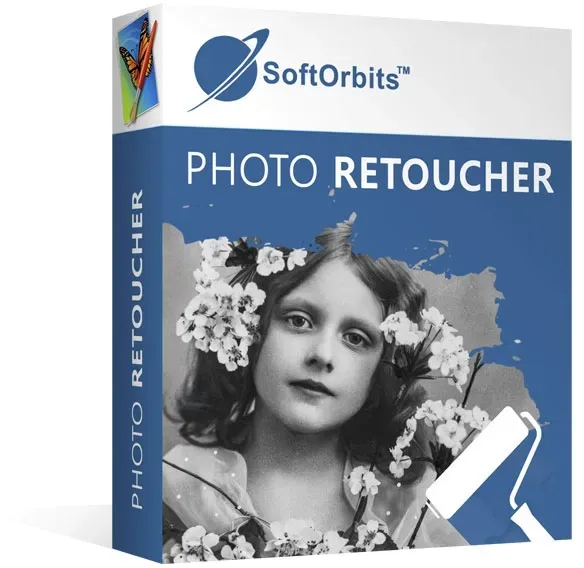
Photo Retoucher 7
Vendor: Blitzhandel24.de GB Price: 25.55 £Revive your old photos! Recover corrupted photos Correct mistakes in old photos Colorize your photos in black and white Process raw files Easy to use: automatic or manual correction! New! Intelligent photo enlargement without quality loss New! Low resolution photo correction Photo Retoucher lets you restore old, damaged photos, colorize black-and-white photos, and remove imperfections. The result: the perfect photo. Photo Retoucher is ideal for restoring photos like the following : Damaged or torn photos are repaired by removing scratches, stains, and other defects, and missing details are intelligently filled in. Black and white photos can be colorized to make them look more vibrant. Photo Retoucher is very useful for enhancing and restoring old photos to preserve memories, pictures in photo albums and family history. This user-friendly solution allows manual or automatic retouching with a click of the mouse. Function Photo Retoucher is a special solution for recovering damaged photos and refreshing existing images. Restore images Photo Retoucher can refresh old black and white photos and restore all photos - including color photos - by correcting errors and damage. The program removes scratches, text, smudges, dust and unwanted objects. Missing details are recreated by an algorithm in the process of correction. Correct flaws: Improve portraits and remove flaws with Photo Retoucher! This program refreshes the skin and removes small imperfections such as blemishes or wrinkles. The natural texture of the skin is preserved in a natural way. Image blemish correction includes low-resolution photo enhancement and smart photo enlargement without quality loss. Original Photo Ret oucher Colorize and brighten black and white photos: Colorize your black and white photos and refresh your childhood memories, portraits of parents and ancestors, or pictures from old family albums. Simply load your black and white photos into the program and turn them into color images with the click of a mouse. Then use Photo Retoucher to enhance the color photo by adjusting contrast and brightness. Version comparison What's new in version 7 Manually colorize old photos (select colors with a marker pen and then colorize the photo automatically using artificial intelligence) Intelligent enlargement of photos without quality loss (with algorithms based on neural networks) Correction of low resolution photos Automatic enhancement of color photos Improved automatic noise and speckle removal Improved correction of blurred photos System requirements Version 7 Operating system Windows 7, Windows 8, Windows 10
-

Smashbox Photo Finish Foundation Primer smoothing makeup primer 10 ml
Vendor: Notino.co.uk Price: 1.11 £ (+3.99 £)Smashbox Photo Finish Foundation Primer, 10 ml, Makeup Primers for Women, Makeup isn’t the only thing that contributes to a perfect look all day long. Primer, which is the first thing you apply to the skin, also plays an important role. The Smashbox Photo Finish Foundation Primer primer smooths your skin perfectly, preparing it for the next steps in your makeup routine. It creates an even base, which not only makes the application of makeup easier but also helps your makeup last longer. In short, it will help you achieve a perfect look regardless of the style you choose. Take your look to a new level and let your favourite makeup achieve even better results thanks to this foundation primer. Characteristics: softens prepares skin perfectly for foundation How to use: Apply a small amount of the product to the entire face or individual parts after using your day cream. Blend evenly and thoroughly, then apply foundation.
-

Hama London Memo Slip-in Photo Album 14.5 x 19.5cm (for 100 Photos 13 x 18 cm Fo
Vendor: Onbuy.com Price: 9.36 £Hama London Memo Slip-in Photo Album 14.5 x 19.5cm (for 100 Photos 13 x 18 cm Format), Grey
-
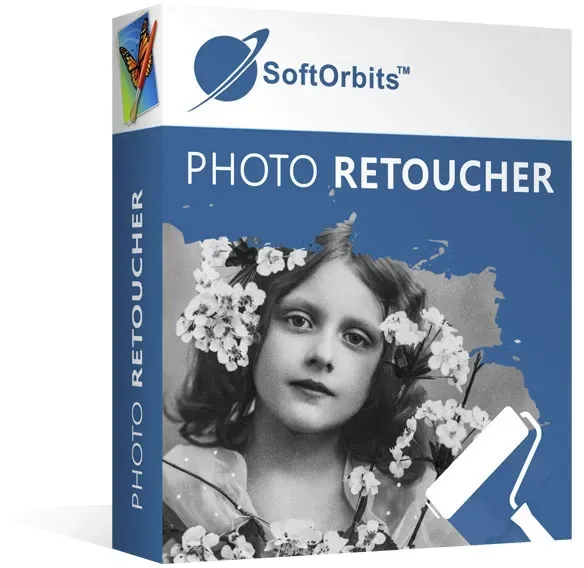
Photo Retoucher 6
Vendor: Blitzhandel24.de GB Price: 21.90 £Photo Retoucher 6 Remove blemishes from photos Restore old photos Remove unwanted objects Retouching portraits Smart and simple Supports RAW files The SoftOrbits Photo Retoucher can perfect your photos so you can frame them and hang them on the wall. Clean up old photos, remove unwanted items, or make small enhancements to turn an ordinary snapshot into a perfect picture. Strengths Restore old photos SoftOrbits Photo Retoucher helps you remove blemishes from scanned photos and pictures in movies, copy digital images and perfect your snapshots. The Photo Retoucher uses artificial intelligence for its intelligent filling algorithm. It helps you restore old photos by removing creases and scratches, covering stains and repairing torn edges. Restoring a stack of old photos can become a full-time job unless you use the right tools. SoftOrbits Photo Retoucher can automatically detect and remove typical defects in scanned old photos and negatives such as cracks, scratches, dust and torn edges. The tool's intelligent filling algorithms rely on artificial intelligence to overwrite blemishes with data interpolated from adjacent areas. This effectively restores missing parts of the image without leaving a trace. Unlike larger photo editing apps, SoftOrbits Photo Retoucher is extremely easy to use and delivers results as good or better than those of overburdened applications. Before/After Retouch portraits Retouch portraits and remove skin blemishes with SoftOrbits Photo Retoucher! The program can give portraits a great look without turning your model into a lifeless doll. By carefully retouching the skin, SoftOrbits Photo Retoucher can remove small impurities such as pimples and wrinkles while leaving the natural texture of the skin completely intact. Original photo Retouched portrait Remove unwanted objects Even though Photo Retoucher is designed to restore old photos, the program can also enhance pictures taken with modern digital cameras and smartphones. SoftOrbits Photo Retoucher helps you remove unwanted objects from an otherwise perfect scene, hide cables hanging in the picture and erase annoying shadows. Intelligent fill algorithms detect the image content and carefully reproduce the original background behind the objects, turning an ordinary shot into a stunning, natural-looking image. - Original photo - - Edited with Photo Retoucher- 3 simple steps Your retouched photos in only 3 steps: 1- Open the photo with the software 2- Select the areas to be repaired and click on "Remove 3- Your image is restored Discover the Pro version Functions Photo Retoucher 6 Photo Retoucher 6 Pro Supports RAW files New library for raw data image processing Supported file formats 51 51 Remove unwanted items from photos Restoration of old photos: remove scratches, stains, dust and fill damaged areas. Enhance portraits and remove skin blemishes Automatic and manual image correction Easily resize, rotate and crop photos Correct grainy photos - remove digital noise New tool for removing wrinkles, stains on the skin, dust and disturbances on old photos - Correction of blurred photos - Protect photos with visual watermarks - Before and after comparison System requirements Version 6 Operating system Windows 7, Windows 8, Windows 10
-

Instax Mini Photo Album for Fujifilm Instax Mini Prints - Sky Blue
Vendor: A1techdeals.com Price: 1.45 £Description Keep your precious memories safe and beautifully organised with the Instax Mini Photo Album designed for Fujifilm Instax Mini prints. This stylish Sky Blue album is perfect for storing and protecting your instant photos while keeping them neatly arranged in one place. Made for Instax Mini size prints, this compact photo album helps prevent bending, dust, and scratches, ensuring your memories stay in perfect condition over time. Its lightweight and portable design makes it easy to carry in a bag, making it ideal for travel, school, events, and gifting. The album features clear pockets that allow you to easily insert and view your photos without removing them. Its simple and elegant Sky Blue design adds a fresh and modern touch, making it both functional and attractive. Perfect for photographers, students, and Instax users, this photo album is a great way to preserve memories from parties, holidays, weddings, and everyday moments.
1085 results in 0.488 seconds
Related search terms
© Copyright 2026 shopping.eu