417 products were found matching your search for projects in 14 shops:
-
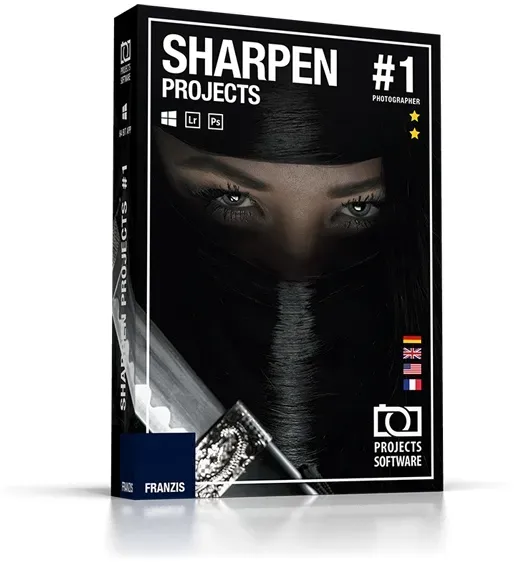
Sharpen projects
Vendor: Blitzhandel24.de GB Price: 43.83 £Sharpen projects Sharpen your photos and correct light errors! "Adaptive Multiscale Deconvolution": the innovative shake correction with up to 100 times the detection range "Adaptive Gradient Sharpening" - for perfect sharpness of landscapes, still lifes, macro shots and product photos Latest generation scratch & sensor error correction Mathematically exact calculation of the correct degree of sharpness 3 correction modules Correct the light errors in your photos Retouch faded images A flash that is too strong or a poorly adjusted light intensity can make photos look faded. Sharpening allows you to correct low-contrast images. Sharpen also corrects motion blur! Slight camera shake can quickly blur 20 to 30 pixels. This spoils a picture permanently! Thanks to the "Adaptive Multiscale Deconvolution" from SHARPEN projects photographer, up to 100 pixels of environmental information are included, which makes it far superior to similar products. This is the only way to achieve the visual sharpness impression of the high-end class! The optimal sharpness where it is needed Thanks to the intelligent algorithms, only the image area you really want to focus on is sharpened if desired. In portrait mode, for example, the skin remains soft, while the eyes are clear and sharp. With this intelligent method, even edited images remain vivid and natural. Suddenly the sharpness becomes tangible Long trial and error was yesterday: SHARPEN projects photographer shows you with mathematical accuracy when the perfect degree of sharpness is reached. You can see exactly how sharp your image is in a specially developed graphic, there is no more room for uncertainty. No more annoying trial and error in incomprehensible filter functions! Functions 3 correction modules Automatic correction With one click Sharpen optimizes your photos (sharpness, portrait enhancement, etc.). Selected Zone Retouch a precise area of your photo using the customizable brush tool. Sensor correction Sharpen analyzes the exposure errors of your images and enables a point-by-point correction of sensor errors. Highlights Fantastic haze & fog correction No chance for blurred images due to "Adaptive Multiscale Deconvolution "Adaptive Multiscale Deconvolution" : the innovative shake correction with up to 100 times the detection range "Adaptive Gradient Sharpening" - for perfect sharpness of landscapes, still lifes, macro shots and product photos Latest generation scratch & sensor error correction Optimize portraits with "Adaptive Gradient Sharpening" techniques Crisp images even with faulty recordings Sharpen projects Professional Sharpen projects Sharpen projects professional Functions "Adaptive Multiscale Deconvolution": innovative shake correction with up to 100 times the detection range ✓ ✓ Gentle sharpening of portrait shots with the Adaptive Gradient Sharpening function ✓ ✓ Haze and fog correction ✓ ✓ Optimized settings for brilliance, brightness and color ✓ ✓ Plug-ins for Adbobe Lightroom, Photoshop and Photoshop Elements ✓ ✓ Graphical history browser to display the last processed images and projects ✓ ✓ Integrated cropping function with 71 templates and instructions - like a golden spiral ✓ ✓ Comparison preview including Adams zone system for exposure ✓ ✓ Undo function with integrated timeline ✓ ✓ Support for all RAW formats of standard cameras ✓ ✓ Optimized processing by supporting multiple processors and graphics cards ✓ ✓ Easy correction of scratch and sensor errors ✓ ✓ Image sharpness according to selectable color space ✓ ✓ Automatic blur correction ✓ ✓ Customizable user interface ✓ ✓ Default settings 22 45 Fine tuning in the selection painting module ✓ Blur analysis with the point spread function ✓ Focus of interest for efficient processing ✓ RAW module with selectable camera profiles ✓ Integrated batch processing ✓ Making bracketing with one image ✓ Perfect sharpness of landscapes with the 'Adaptive Gradient Sharpening' function ✓ Operating system for Windows Processor Core Duo 2 GB free working memory 2 GB HDD Screen resolution 1,280 x 1,024 pixels Graphics card: DirectX-8 compatible 128 MB 32 bit color depth Operating system for MAC Processor: 1GHz processor or faster recommended. Main memory: 1GB RAM minimum recommended. To edit large files (8 megapixels or more), benefit from 2GB RAM or more. Graphics card: 1024 x 600 minimum supported display size
-

Del Rey Andy Weir Collection 3 Books Set (The Martian, Artemis & Project Hail Mary)
Vendor: Books4people.co.uk Price: 19.99 £ (+2.99 £)Andy Weir Collection 3 Books Set (The Martian, Artemis, Project Hail Mary): The Martian: I'm stranded on Mars.I have no way to communicate with Earth.I'm in a habitat designed to last 31 days.If the oxygenator breaks down, I'll suffocate. If the water reclaimer breaks down, I'll die of thirst. If the hab breaches, I'll just kind of explode. If none of those things happen, I'll eventually run out of food and starve to death.So yeah. I'm screwed. Project Hail Mary: Ryland Grace is the sole survivor on a desperate, last-chance mission - and if he fails, humanity and the earth itself will perish. Except that right now, he doesn't know that. He can't even remember his own name, let alone the nature of his assignment or how to complete it. All he knows is that he's been asleep for a very, very long time. And he's just been awakened to find himself millions of miles from home, with nothing but two corpses for company. Artemis: Jazz Bashara is one of the criminals. She lives in a poor area of Artemis and subsidises her work as a porter with smuggling contraband onto the moon. But it's not enough.So when she's offered the chance to make a lot of money she jumps at it. But though planning a crime in 1/6th gravity may be more fun, it's also a lot more dangerous.When you live on the moon, of course you have a dark side...
-

Hush Hush Projects Fog of Love
Vendor: Magicmadhouse.co.uk Price: 39.19 £Fog of Love is a game for two players. You will create and play two vivid characters who meet, fall in love and face the challenge of making an unusual relationship work.Playing Fog of Love is like being in a romantic comedy: roller-coaster rides, awkward situations, lots of laughs and plenty of difficult compromises to make.Much as in a real relationship, goals might be at odds. You can try to change, keep being relentless or even secretly decide to be a Heartbreaker. Its your choice.The happily ever after wont be certain, but whatever way your zigzag romance unfolds, youll always end up with a story full of surprises â guaranteed to raise a smile!
-
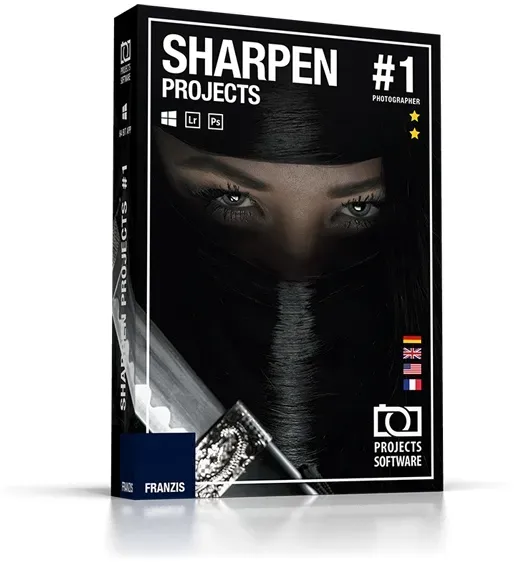
Sharpen projects
Vendor: Blitzhandel24.de GB Price: 47.51 £Sharpen projects Sharpen your photos and correct light errors! "Adaptive Multiscale Deconvolution": the innovative shake correction with up to 100 times the detection range "Adaptive Gradient Sharpening" - for perfect sharpness of landscapes, still lifes, macro shots and product photos Latest generation scratch & sensor error correction Mathematically exact calculation of the correct degree of sharpness 3 correction modules Correct the light errors in your photos Retouch faded images A flash that is too strong or a poorly adjusted light intensity can make photos look faded. Sharpening allows you to correct low-contrast images. Sharpen also corrects motion blur! Slight camera shake can quickly blur 20 to 30 pixels. This spoils a picture permanently! Thanks to the "Adaptive Multiscale Deconvolution" from SHARPEN projects photographer, up to 100 pixels of environmental information are included, which makes it far superior to similar products. This is the only way to achieve the visual sharpness impression of the high-end class! The optimal sharpness where it is needed Thanks to the intelligent algorithms, only the image area you really want to focus on is sharpened if desired. In portrait mode, for example, the skin remains soft, while the eyes are clear and sharp. With this intelligent method, even edited images remain vivid and natural. Suddenly the sharpness becomes tangible Long trial and error was yesterday: SHARPEN projects photographer shows you with mathematical accuracy when the perfect degree of sharpness is reached. You can see exactly how sharp your image is in a specially developed graphic, there is no more room for uncertainty. No more annoying trial and error in incomprehensible filter functions! Functions 3 correction modules Automatic correction With one click Sharpen optimizes your photos (sharpness, portrait enhancement, etc.). Selected Zone Retouch a precise area of your photo using the customizable brush tool. Sensor correction Sharpen analyzes the exposure errors of your images and enables a point-by-point correction of sensor errors. Highlights Fantastic haze & fog correction No chance for blurred images due to "Adaptive Multiscale Deconvolution "Adaptive Multiscale Deconvolution" : the innovative shake correction with up to 100 times the detection range "Adaptive Gradient Sharpening" - for perfect sharpness of landscapes, still lifes, macro shots and product photos Latest generation scratch & sensor error correction Optimize portraits with "Adaptive Gradient Sharpening" techniques Crisp images even with faulty recordings Sharpen projects Professional Sharpen projects Sharpen projects professional Functions "Adaptive Multiscale Deconvolution": innovative shake correction with up to 100 times the detection range ✓ ✓ Gentle sharpening of portrait shots with the Adaptive Gradient Sharpening function ✓ ✓ Haze and fog correction ✓ ✓ Optimized settings for brilliance, brightness and color ✓ ✓ Plug-ins for Adbobe Lightroom, Photoshop and Photoshop Elements ✓ ✓ Graphical history browser to display the last processed images and projects ✓ ✓ Integrated cropping function with 71 templates and instructions - like a golden spiral ✓ ✓ Comparison preview including Adams zone system for exposure ✓ ✓ Undo function with integrated timeline ✓ ✓ Support for all RAW formats of standard cameras ✓ ✓ Optimized processing by supporting multiple processors and graphics cards ✓ ✓ Easy correction of scratch and sensor errors ✓ ✓ Image sharpness according to selectable color space ✓ ✓ Automatic blur correction ✓ ✓ Customizable user interface ✓ ✓ Default settings 22 45 Fine tuning in the selection painting module ✓ Blur analysis with the point spread function ✓ Focus of interest for efficient processing ✓ RAW module with selectable camera profiles ✓ Integrated batch processing ✓ Making bracketing with one image ✓ Perfect sharpness of landscapes with the 'Adaptive Gradient Sharpening' function ✓ Operating system for Windows Processor Core Duo 2 GB free working memory 2 GB HDD Screen resolution 1,280 x 1,024 pixels Graphics card: DirectX-8 compatible 128 MB 32 bit color depth Operating system for MAC Processor: 1GHz processor or faster recommended. Main memory: 1GB RAM minimum recommended. To edit large files (8 megapixels or more), benefit from 2GB RAM or more. Graphics card: 1024 x 600 minimum supported display size
-

Microsoft Project Pro 2021
Vendor: Primelicense.com Price: 1.69 £Microsoft Project Professional 2021 – Project Management SoftwareMicrosoft Project Pro 2021 is a powerful project management tool built to help professionals and teams organize, execute, and track projects effectively. With upgraded visuals, stronger integration with Microsoft Teams, and advanced scheduling capabilities, it delivers a modern experience for efficient project management.This edition comes with a perpetual license for 1 computer (Windows 10 or 11) — meaning you purchase it once and own it permanently. No monthly or annual subscription costs.Project Pro 2021 works seamlessly with Project Server, Project Online, and Microsoft Teams, making it ideal for both individual project managers and large organizations.Get Your Microsoft Project Pro 2021 License Key for Windows from a Certified PartnerShop with confidence — PrimeLicense is a Microsoft Certified Partner, officially authorized to sell, support, and provide services for Microsoft products. With an exceptional 4.9/5 rating on Trustpilot, Google, and Trusted Shops, you can rely on us for genuine software and professional customer service.When you order from us, you’ll receive: Genuine activation key for Project Professional 2021 Step-by-step installation and activation guide Free technical support from PrimeLicense experts Compatibility Note: Each version of Microsoft Project must match the corresponding Microsoft Office release year for optimal performance. For example, Project Pro 2021 works best with Office 2021 or Microsoft 365. It is not compatible with older editions such as Office 2019 or Office 2016. The same compatibility rule applies to future versions like Project Pro 2024.Secure Shopping with Full ProtectionYour purchase is covered by Trusted Shops Buyer Protection for up to €2,500, plus a 30-day money-back guarantee if you’re not satisfied.All payments are protected with SSL encryption and processed securely through Stripe, Apple Pay, and Google Pay for a safe checkout experience.Get Your Software in 3 Easy Steps Buy Microsoft Project 2021 on PrimeLicense and receive your license key and setup guide instantly via email. Download the software from the official Microsoft website. Activate Project Pro using your license key — and it’s ready to use. Key Features of Microsoft Project Professional 2021Microsoft Project Professional 2021 simplifies project management whether you’re coordinating a small team or managing large organizational initiatives. It keeps you organized, saves time, and ensures your entire team stays aligned. Ready-made templates – Start quickly with built-in templates for different project types. Time tracking – Log hours and monitor team productivity for billing or payroll. Progress tracking – Compare current performance against your original plan. Visual scheduling – Turn complex schedules into clear Gantt charts and timelines. Team collaboration – Communicate directly with teammates through integrated Microsoft Teams chat and calls. Custom reports –...
-

Franzis NEAT Projects 2
Vendor: Blitzhandel24.co.uk Price: 51.14 £Photographing cities, squares and landmarks without distracting picture elements: Everyone knows how difficult this can be. With the new NEAT projects 2, this can all be done fully automatically, without the need for a tripod, and no image processing is required. Portrait photos in front of landmarks, buildings or parks and castles Empty places Also works indoors at museums and churches No image editing necessary: quick success guaranteed! Stand-alone version - can be used without other software, Win & Mac Everybody knows it: You are standing on St. Marks Square and want to take a nice souvenir photo, but because of all the people you can hardly see anything of the square and the sights. Now there is the perfect solution! NEAT projects 2 removes all moving people, animals or cars from the picture and turns your photo into a great eye-catcher that not everyone has. How does it work? Simply take five or more photos of the same scene. NEAT projects 2 will then calculate all the p...
-

Microsoft Project 2021 Standard
Vendor: Blitzhandel24.de GB Price: 263.16 £Microsoft Project 2021 Standard - the basis for your project management Microsoft Project 2021 Standard is the best solution for organizing important processes and planning. It makes it easy to keep track of your tasks and to control every step in detail. With the new version, you can expect even more details and functions, which means that nothing stands in the way of a clear application. This makes it easy to optimize the management of your own projects and to stay secure in the long run. The best choice for modern and goal-oriented processes If you want to get started straight away with Microsoft Project 2021 Standard , you don't have to spend a long time learning the functions. The program is largely self-explanatory and thus offers the perfect basis for a successful start. Tasks such as the creation of simulations or the transmission of working times become an important approach that will take you further. Above all, in terms of productivity and efficiency, Microsoft Project 2021 Standard has once again undergone thorough further development. Not only in connection with the new operating system from Windows, but also for existing systems all functions are preserved. In this way, you can always find the best solutions for your needs and secure yourself for the long term. From your point of view, this makes it much easier to orientate yourself well around current projects in advance. Many new functions for more comfort at work With the numerous templates and further details, you can always keep an eye on the overall status of your projects. The intuitive operation of the software makes it even easier to carry out successful simulations and to optimize planning in a targeted manner. If you are interested in a tool that combines all this, you should buy your key for Microsoft Project 2021 Standard . The following functions are included directly in the Standard version: Development of intuitive and clear dashboards View the overall status of current projects Easily track overall project status Review and forecast future workloads Sustainable evaluation of projects to your goals Optimal management of relevant documents Integrating internal workflows is also a great way to further integrate Microsoft Project 2021 Standard into your daily routine. This makes it easy to create powerful dashboards with all the essential information and keep track of all facets of the project. The same goes for linking with Outlook and other standalone applications . This also contributes to a much clearer project management in the future and increases the daily comfort. Ideal for better collaboration in dynamic teams An important innovation for the design of Microsoft Project 2021 Standard is the integration of Microsoft Teams. This means that the focus from the outset is on efficient team collaboration, which is of the utmost importance, especially for content-based projects. In very few cases, only one person is responsible for coordination, which means that agreements are now simplified. Not only directly for Microsoft Project 2021 Standard, but also for the other programs around Office, Microsoft Teams has gained in importance. Thus, video conferences can be scheduled and conducted at any time without much effort regarding your projects. Collaboration via cloud has also become much easier with the new version. This has the advantage that you can also work on the same plans and details at different locations at the same time. What is the difference between Microsoft Project 2021 Standard and Professional? In order to decide on the right version of Microsoft Project 2021 right from the start, you should know the functions as well as possible. With the many version names in Windows, this is not so easy. But what can Standard and Professional do? With the following table it will quickly become clear whether the Standard version of Microsoft Project 2021 will suffice in your case: Microsoft Project 2021 Standard Microsoft Project 2021 Professional Simple task management Yes Yes Extensions in Project Server Yes Yes Extensive selection of templates Yes Yes Designed for business use No Yes Extensive access directly within the team No Yes New Microsoft Teams integration Yes Yes Reporting and Business Control No Yes Management of basic APIs No Yes An effective alignment for the new operating system With significantly improved performance and changes such as the discontinuation of Dark Mode, Microsoft Project 2021 Standard is an excellent fit for the new Windows 11 . This makes it easy to stay on top of content and work more productively when planning new projects. Even though Microsoft Project 2021 Standard is not directly included in Office, there are intersections in many places. These make the application of the system much more ...
-

Microsoft Project Pro 2024 BIND
Vendor: Primelicense.com Price: 5.99 £Note: The BIND licence means that the Microsoft Project 2024 key is permanently associated with a specific account after activation. Once installed and activated on that device, it can be re-installed from your Microsoft account.Microsoft Project Professional 2024 BIND: Licence overviewThis is a one-off purchase that allows you to use Project Professional 2024 with no time limit, monthly fees or subscriptions. It includes basic project management tools such as advanced Gantt charts, ready-to-use templates, time tracking and progress control. The software integrates with Project Online and Project Server and offers improved scenario planning functions compared to version 2021.System requirements: compatible with Windows 10 and Windows 11 (32-bit and 64-bit architectures).Get your Microsoft Project Pro 2024 licence key for Windows from a certified partnerBuy with total security. We are a certified Microsoft partner, so we can offer you highly specialised assistance on Microsoft products and qualified support during installation and activation. Furthermore, with an average rating of 4.8/5 on Trustpilot, Google and Trusted Shops, you can count on reliable service and professional support.When you buy, you get: Original activation key for Project Professional 2024 BIND Detailed installation and activation guide Free technical support Important: To ensure maximum compatibility and performance, the version of Microsoft Project must match the release year of the Microsoft Office version installed. For example, Project Professional 2021 works best with Office 2021 or Microsoft 365 and may not be fully compatible with earlier versions such as Office 2019 or Office 2016. The same compatibility rule also applies to Project Professional 2024.Secure purchases with comprehensive protectionEvery purchase is covered by Trusted Shops purchase protection up to €2,500. In addition, a 30-day money-back guarantee is available if the product does not meet expectations.Payment data is protected via SSL encryption and transactions are securely processed with Stripe, Apple Pay and Google Pay to ensure a fast and reliable purchase.Get Project 2024 in 3 easy steps Purchase Microsoft Project Pro 2024 BIND on PrimeLicense and immediately receive your licence key and installation instructions by email. Download the software from the Microsoft official website. Activate the programme with your licence key and it is ready to use immediately. Key benefits of Microsoft Project Professional 2024 BINDMicrosoft Project Professional 2024 BIND makes project management faster, more structured and more collaborative than the basic tools. This is how it can simplify your daily work: Predefined templates help you start projects quickly and in a structured manner Full integration with Project Online and Project Server Monitoring of time spent on tasks and submission of timesheets Simulation of different scenarios to optimise resource allocation Automatic calculation of dates based on...
-

Franzis HDR projects 2018 Mac
Vendor: Blitzhandel24.co.uk Price: 29.21 £Franzis HDR projects 2018 for Mac More relaxed photography: perfectly exposed images in every situation Works with bracketing and single images, RAW and JPG Best image quality: clean HDR images without image noise NEW! Now even sharper and more colorful! NEW! 5 creative image styles lead to faster success Bring out all the image information from your photos, now even easier and more personal! HDR has always been the guarantee for very special photos, now its even easier to achieve your personal favorite results. The newly integrated image styles find the right look for every image. With the print function, you will immediately receive a verifiable result. Optimizing images has never been easier! Functions HDR is better than any camera sensor! You take a photo of a scene and are surprised that the image on the monitor looks somehow different, somehow boring? HDR technology can help you out! Take several shots with different exposures - you dont need a tripod! Or - even easi...
-

Microsoft Project 2019 Standard
Vendor: Blitzhandel24.de GB Price: 211.98 £When you upgrade from Project Professional2016 to Project Professional2019, you will still have all the features you are used to and you will also discover some new features. Linking operations using a drop-down menu You no longer need to remember the ID of the operation you want to link to. Instead, you can select a cell in the Predecessor column and then click on the down arrow. A list of all tasks in your project is now displayed. The task hierarchy and sequence correspond exactly to your project, making it easier to scroll to the correct task and then select the checkbox next to it. You can also select tasks of the same type from the drop-down list in the Successor column. Field "Collective transaction name With a long list of activities, it can be difficult to find out which activity is indented in the overall project plan. The Field Collective transaction name is a read-only field in which the name of the collective operation of a transaction is specified. Adding this field as a column in the task view can contribute to the clarity of the project structure. To add this field, right-click the title of a column (to the right of the position where you want to add the field), select Insert column and then Collective transaction name in the drop-down list. Timeline bar with labels and process progress Communication of the project progress made even easier! Timeline bars can now be labelled and task progress is displayed directly on the tasks themselves, making it easier to see your plan and the tasks in progress when the status is released. Accessibility improvements We are continuously working to improve Project's accessibility for all customers. In Project 2019, we worked to make it easier for Windows speech and other assistive technologies to read more Project elements. We have also improved our support for contrast and keyboard. Species Full version Quantity 1 user Language German, Multilanguage Field of application Office applications System requirements Platform Windows Supported operating system Windows 7 or higher Windows 10 Server Windows Server 2012 R2 Windows Server 2008 R2 Windows Server 2012 Processor x86 or x64-bit processor running at 1 gigahertz (GHz) or faster and SSE2 Working memory 1 GB RAM (32-bit); 2 GB RAM (64-bit) Hard disk space 3 GB Graphics card DirectX 10 graphics card required Scope of delivery: Original license key for the online activation of Microsoft Project 2019 Standard Verified Highspeed Downloadlink to get the software fast & secure. Invoice in your name incl. VAT. Instructions for easy installation.
-

Microsoft Project Pro 2019
Vendor: Primelicense.com Price: 3.39 £Microsoft Project Professional 2019 – Powerful Project Management ToolMicrosoft Project Pro 2019 is a powerful project management solution that helps you plan, execute, and monitor projects efficiently. Designed for professionals and organizations, it provides advanced scheduling tools, resource management capabilities, and reporting features — all in one centralized platform.With a one-time purchase for 1 PC, you get a lifetime license that works on Windows 11 and Windows 10.Project Pro 2019 also syncs with Project Online and Project Server, making it ideal for both local and enterprise-level project management.Buy Microsoft Project Pro 2019 Lifetime License at a Discount from a Certified ResellerShop with confidence — PrimeLicense is a Microsoft Certified Partner, which means we’re officially authorized to sell, support, and provide services for Microsoft products. Plus, with an outstanding 4.9/5 rating on Trustpilot, Google, and Trusted Shops, you can count on us for genuine software and top-quality support.With your purchase, you’ll receive: Lifetime license keys — one-time payment, no renewals or extra charges Step-by-step installation and activation instructions delivered instantly to your inbox Free expert assistance whenever you need it Note: Each version of Microsoft Project requires a matching version of Microsoft Office (from the same release year). For example, Project Pro 2019 works best with Office 2019 or Microsoft 365. It cannot be used with older Office versions such as Office 2016. The same rule applies for newer releases like Project Pro 2021 and 2024.Secure Shopping with Full ProtectionWe've got you covered with Trusted Shops Buyer Protection for purchases up to €2,500. Plus, there's a 30-day money-back guarantee if you're not completely satisfied.Your payment info is protected with SSL encryption, and we work with trusted services like Stripe, Apple Pay, and Google Pay to keep your checkout safe and quick.Get Your Project Pro Software in 3 Easy Steps Buy Microsoft Project Pro 2019 on PrimeLicense and get your license key and setup instructions instantly via email. Download the software from the official Microsoft website using the provided link. Activate the software with your license key and it’s ready to use. Key Features of Microsoft Project Pro 2019Microsoft Project Professional 2019 is a powerful computer program that helps individuals and organizations plan and manage work projects efficiently. It provides all the tools needed to plan tasks, assign team members, track progress, and collaborate — all in one place.Main Features: Ready-made templates – Start projects quickly using pre-made layouts for different types of work. Smart scheduling – Create detailed project plans with timeline charts, task connections, and important deadlines. People management – Assign team members to tasks and track workload distribution to maintain balance. Progress checking – Compare actual progress with the original plan to stay on track....
-

Franzis NEAT projects
Vendor: Blitzhandel24.co.uk Price: 51.14 £Franzis NEAT projects Automatically removes all moving objects and people from the picture - that means professional pictures of sights and nature panoramas! So you finally have a clear view of photo motifs that you have not been able to photograph in this way before. NEAT projects allows you to take photos that you have never been able to take before. Always a clear view of your motif, no matter how many people are standing in front of it. Photographing museums and sights without people. Time saver: quick success guaranteed! Simple operation as stand-alone software. class=emotion--row row--4 emotion--headline> class=emotion--row-inner row-inner--4> class=emotion--element html-text-element col-1 row-1 start-col-1 start-row-1 col-xs-4 start-col-xs-1 row-xs-1 start-row-xs-4 col-s-4 start-col-s-1 row-s-1 start-row-s-4 colm-4 start-col-m-1 row-m-1 start-row-m-4 col-l-4 start-col-l-1 row-l-1 start-row-l-4 col-xl-4 start-col-xl-1 row-xl-1 start-row-xl-4 emotion--headlin...
-

Microsoft Project 2010 Standard
Vendor: Blitzhandel24.de GB Price: 65.76 £Context-sensitive project creation with Project 2010 Standard For the first time in the history of this project manager software, MS Project 2010 Standardintroduces the menu band that Microsoft has been using for other programs since Office 2007. This gives you faster, much more intuitive access to the really relevant functions within a project. Since the interface visually hardly differs from existing Office products from the 2010 series, you will be able to use Microsoft Project Standard2010 comfortably right away. Furthermore, Project 2010 Standardallows you to present information in a way that is visually appealing to you - with extended color palettes, modern text effects and more. Highlight key milestones in Project Standard2010 with appropriate designs to highlight the milestones that really drive your project forward. Do you perhaps manage large teams? Assign them Standardcolors in MS Project 2010 and add them to the appropriate tasks via drag & drop! Microsoft Project 2010 Standardwill make it much easier for you to plan, manage and execute projects. Work even more productively and quickly and come closer to your goals step by step. Important features in Microsoft Project Standard2010: Use Project Standard2010 to relate dates and resources and create complex projects in minutes. Revised design: If you are already working with Office 2010 products, you will find it easy to integrate Project 2010 Standardinto your daily work. Automated warnings about time or resource overlaps within your project make it easier for you to design your project with Microsoft Project Standard2010. New designs, colors and effects ensure that you can use this project manager software to present projects in a modern and visually appealing way. Import data from Excel documents into MS Project 2010 Standard to integrate existing information into your projects without additional effort. Manage projects productively with Microsoft Project Standard2010 With Project Standard2010, you can implement new projects almost automatically: Set deadlines and dates and add subitems to your project. Step by step, you add the people, resources and tasks you need in MS Project 2010 Standardto see your project come to life within minutes - from small ideas to big visions. The project manager software is suitable for self-employed or freelancers as well as for small companies. MS Project 2010 Standardautomatically takes over a large part of the work for you: Dependent deadlines are lined up one after the other, in case of resource or employee overlaps Project 2010 Standardwarns you of a conflict and offers a solution. You can import existing data from Word or Excel into Project Standard2010 and save yourself a lot of work. Complex projects, which extend over a long period of time, can be clearly presented with the new timeline of the Project Manager Software. System requirements: Computer and processor: x86 or x64-bit processor running at 1 gigahertz (GHz) or faster and SSE2 Memory: 1 GB RAM (32-bit); 2 GB RAM (64-bit) Display: Monitor with a resolution of 1,024 × 768 or higher Operating system: Windows® XP SP3 (32 bit), Windows® Vista SP1, Windows® Server 2003 R2 with MSXML 6.0, Windows® Server 2008 .NET version: 3.5, 4.0, or 4.5 Graphic: min. 1280x800 Scope of delivery: Original license key for telephone/online activation of Microsoft Project 2010. Verified Highspeed Downloadlink to get the software fast & secure. invoice with declared VAT Instructions for easy installation. Hint: This offer does not include a product key sticker (COA label). This offer is aimed at private individuals as well as companies, business customers, authorities, organisations, schools, communities and churches.
-

Microsoft Project Pro 2021
Vendor: Primelicense.com Price: 4.29 £Microsoft Project Professional 2021 – Project Management SoftwareMicrosoft Project Pro 2021 is a powerful project management tool built to help professionals and teams organize, execute, and track projects effectively. With upgraded visuals, stronger integration with Microsoft Teams, and advanced scheduling capabilities, it delivers a modern experience for efficient project management.This edition comes with a perpetual license for 1 computer (Windows 10 or 11) — meaning you purchase it once and own it permanently. No monthly or annual subscription costs.Project Pro 2021 works seamlessly with Project Server, Project Online, and Microsoft Teams, making it ideal for both individual project managers and large organizations.Get Your Microsoft Project Pro 2021 License Key for Windows from a Certified PartnerShop with confidence — PrimeLicense is a Microsoft Certified Partner, officially authorized to sell, support, and provide services for Microsoft products. With an exceptional 4.9/5 rating on Trustpilot, Google, and Trusted Shops, you can rely on us for genuine software and professional customer service.When you order from us, you’ll receive: Genuine activation key for Project Professional 2021 Step-by-step installation and activation guide Free technical support from PrimeLicense experts Compatibility Note: Each version of Microsoft Project must match the corresponding Microsoft Office release year for optimal performance. For example, Project Pro 2021 works best with Office 2021 or Microsoft 365. It is not compatible with older editions such as Office 2019 or Office 2016. The same compatibility rule applies to future versions like Project Pro 2024.Secure Shopping with Full ProtectionYour purchase is covered by Trusted Shops Buyer Protection for up to €2,500, plus a 30-day money-back guarantee if you’re not satisfied.All payments are protected with SSL encryption and processed securely through Stripe, Apple Pay, and Google Pay for a safe checkout experience.Get Your Software in 3 Easy Steps Buy Microsoft Project 2021 on PrimeLicense and receive your license key and setup guide instantly via email. Download the software from the official Microsoft website. Activate Project Pro using your license key — and it’s ready to use. Key Features of Microsoft Project Professional 2021Microsoft Project Professional 2021 simplifies project management whether you’re coordinating a small team or managing large organizational initiatives. It keeps you organized, saves time, and ensures your entire team stays aligned. Ready-made templates – Start quickly with built-in templates for different project types. Time tracking – Log hours and monitor team productivity for billing or payroll. Progress tracking – Compare current performance against your original plan. Visual scheduling – Turn complex schedules into clear Gantt charts and timelines. Team collaboration – Communicate directly with teammates through integrated Microsoft Teams chat and calls. Custom reports –...
-

Amy Best Easy Crochet Projects
Vendor: Lovereading.co.uk Price: 19.79 £ (+2.99 £)Easy Crochet Projects. Hardback. By Amy Best
-

Microsoft Project 2016 Standard
Vendor: Blitzhandel24.de GB Price: 168.12 £Measuring project progress and ensuring success In Microsoft Project Standard2016 you have the permanent possibility to record the progress of your projects. Various measurement parameters show exactly which processes are essential for achieving the project goal. Use Project 2016 Standardto create meaningful presentations on a regular basis and provide your project team or the board of directors with insight into activity planning, resource allocation, profitability, and other key project components. The project management software helps you to graphically display all key figures of your project in a timeline view. Measure progress using ready-made reports, such as burndown reports or resource overviews, and easily share them with the entire team via MS Project Standard2016. This enables you to achieve fast results together and to react to any problems in the best possible way. Comprehensive functions for reliable project management Plan and manage projects with easy-to-use features that help you keep track of resources, costs, and work progress. The latest project templates from Office.com can be accessed directly from Project Standard2016, so you can start planning your new project immediately. The office-like interface of MS Project 2016 Standardoffers an intuitive navigation within the program. The comprehensive reporting tools, such as burndown reports or resource overviews, let you easily measure project progress and allow you to reliably check resource allocation. In Project Standard2016, relationships between tasks can be easily displayed using the task path in the Gantt chart, so you can see exactly which tasks are driving your project forward. In the timeline view, you can place several timelines next to each other and graphically display them. Presentations about the course of the project can be created quickly at any time. Without any loss of quality, elements from Microsoft Project Standard2016 can be inserted and edited in all other Office applications. So you have your data quickly at hand and can use it for PowerPoint presentations or insert it into Word documents. Keeping an overview of projects Microsoft Project Standard2016 offers you many different ways to plan and manage your projects efficiently. Organize your projects in detail and always keep track of schedules and resource allocation. Get started quickly with the latest project templates, available directly from Project 2016 Standardat Office.com. The improved graphical user interface, which is based on Office 2016, allows quick orientation within the program. In MS Project Standard2016, summarize all daily work, important details, project tasks and several time axes on the functional interface and thus always have an overview of all key figures at a glance. The operation path, highlighted in the Gantt chart, shows you the relationships between your operations. Microsoft Project 2016 Standard thus shows you which tasks are most important for a successful project completion. System requirements Platform Windows Supported operating system Windows 7 or higher Windows 10 Server Windows Server 2012 R2 Windows Server 2008 R2 Windows Server 2012 Processor x86 or x64-bit processor running at 1 gigahertz (GHz) or faster and SSE2 Working memory 1 GB RAM (32-bit); 2 GB RAM (64-bit) Hard disk space 3 GB Graphics card DirectX 10 graphics card required Scope of delivery: Original license key for the online activation of Microsoft Project 2016 Professional Verified Highspeed Downloadlink to get the software fast & secure. Invoice in your name incl. VAT. Instructions for easy installation.
-

Microsoft Project Pro 2019
Vendor: Primelicense.com Price: 0.89 £Microsoft Project Professional 2019 – Powerful Project Management ToolMicrosoft Project Pro 2019 is a powerful project management solution that helps you plan, execute, and monitor projects efficiently. Designed for professionals and organizations, it provides advanced scheduling tools, resource management capabilities, and reporting features — all in one centralized platform.With a one-time purchase for 1 PC, you get a lifetime license that works on Windows 11 and Windows 10.Project Pro 2019 also syncs with Project Online and Project Server, making it ideal for both local and enterprise-level project management.Buy Microsoft Project Pro 2019 Lifetime License at a Discount from a Certified ResellerShop with confidence — PrimeLicense is a Microsoft Certified Partner, which means we’re officially authorized to sell, support, and provide services for Microsoft products. Plus, with an outstanding 4.9/5 rating on Trustpilot, Google, and Trusted Shops, you can count on us for genuine software and top-quality support.With your purchase, you’ll receive: Lifetime license keys — one-time payment, no renewals or extra charges Step-by-step installation and activation instructions delivered instantly to your inbox Free expert assistance whenever you need it Note: Each version of Microsoft Project requires a matching version of Microsoft Office (from the same release year). For example, Project Pro 2019 works best with Office 2019 or Microsoft 365. It cannot be used with older Office versions such as Office 2016. The same rule applies for newer releases like Project Pro 2021 and 2024.Secure Shopping with Full ProtectionWe've got you covered with Trusted Shops Buyer Protection for purchases up to €2,500. Plus, there's a 30-day money-back guarantee if you're not completely satisfied.Your payment info is protected with SSL encryption, and we work with trusted services like Stripe, Apple Pay, and Google Pay to keep your checkout safe and quick.Get Your Project Pro Software in 3 Easy Steps Buy Microsoft Project Pro 2019 on PrimeLicense and get your license key and setup instructions instantly via email. Download the software from the official Microsoft website using the provided link. Activate the software with your license key and it’s ready to use. Key Features of Microsoft Project Pro 2019Microsoft Project Professional 2019 is a powerful computer program that helps individuals and organizations plan and manage work projects efficiently. It provides all the tools needed to plan tasks, assign team members, track progress, and collaborate — all in one place.Main Features: Ready-made templates – Start projects quickly using pre-made layouts for different types of work. Smart scheduling – Create detailed project plans with timeline charts, task connections, and important deadlines. People management – Assign team members to tasks and track workload distribution to maintain balance. Progress checking – Compare actual progress with the original plan to stay on track....
-

Franzis FOCUS projects 4
Vendor: Blitzhandel24.co.uk Price: 36.52 £With FOCUS projects 4, anyone can create the most stunning macros seen in photo galleries and magazines. Thanks to new technologies from FOCUS, you can create state-of-the-art macro shots that have a fascinatingly large depth of field and bring extraordinary details to light. NEW: HQ Stacking with 64-bit calculation NEW: Focus-Boost technology for even more sharpness NEW: Significance check of your sharpness series Up to 30 focus levels Uniquely precise alignment of all images in the stack FOCUS projects 4 With FOCUS projects 4, anyone can create the most impressive macros known from photo galleries and magazines. Thanks to FOCUS new technologies, you can create state-of-the-art macro images that have a fascinating depth of field and bring extraordinary details to light. Focus stacking is the ultimate discipline for macro, nature and product photographers who want to see their images featured in natural history forums and hot online galleries. For this purpose, new tools for selec...
-

Microsoft Project 2013 Standard
Vendor: Blitzhandel24.de GB Price: 87.70 £Automated processes in MS Project 2013 Standard Numerous automations in Project 2013 Standardsimplify your project planning. You have inadvertently assigned an employee to two tasks that take place simultaneously? MS Project 2013 Standardwarns you of this conflict, so you can manage the available resources faster and without errors. Changes you make in one part of your project automatically affect all other plans in the project in Project Standard2013. Furthermore, Project 2013 Standardalso uses the familiar Office user interface, so you will immediately feel at home in this project management program. Context-sensitive menus also give you quick access to the functions that are important to you in Microsoft Project Standard2013. Ultimately, Project Standard2013 gives you the chance to simplify even complex programs and present them to others in an innovative, attractive design. Managing projects made easy - with Microsoft Project Standard2013 Create any project in Project Standard2013 and define the duration it will take. You then assign the data you need in the project management program: Which employees are participating in this project? What Devicesis required for this? How high are the costs for employees and equipment? You can add these and similar important functions in MS Project 2013 Standardwith just a few mouse clicks. Project Standard2013 gives you complete freedom: Use it to create short-term projects with a scope of only a few days - or use MS Project 2013 Standardto plan long-term strategies that run over several months or Years. This project management program is suitable for self-employed persons as well as for companies who want to plan their future more clearly, better and faster. Important features in Microsoft Project Standard2013: Create new projects with just one mouse click and insert all data relevant to you in a clear Gantt chart. Use Project 2013 Standard to manage people, time and resources. This project management program gives you a quick overview of the expected costs for the entire duration of a project. In Project Standard2013 you can also rely on the proven Office interface that you have already experienced in other Microsoft applications. Plan a short trip with your employees or a long-term strategy - you decide what you use Microsoft Project Standard2013 for and to what extent. Automated work processes automatically highlight conflicts or non-working projects, so you can identify problems faster. System requirements: Computer and processor: x86 or x64-bit processor running at 1 gigahertz (GHz) or faster and SSE2 Memory: 1 GB RAM (32-bit); 2 GB RAM (64-bit) Display: Monitor with a resolution of 1,024 × 768 or higher Operating system: Windows® XP SP3 (32 bit), Windows® Vista SP1, Windows® Server 2003 R2 with MSXML 6.0, Windows® Server 2008 .NET version: 3.5, 4.0, or 4.5 Graphic: min. 1280x800 Scope of delivery: Original license key for online activation of Microsoft Project 2013 Standard Verified Highspeed Downloadlink to get the software fast & secure. Invoice in your name incl. VAT. Instructions for easy installation. Note: This offer does not include a product key sticker (COA label) This offer is aimed at private individuals as well as companies, business customers, authorities, organisations, schools, communities and churches.
-

Barbie: Project Friendship - Nintendo Switch Game, Used - Good
Vendor: Gadcet.com Price: 18.00 £Barbie: Project Friendship for Nintendo Switch delivers a fun, family-friendly adventure set in the colourful world of Barbie. Players join dynamic duo Barbie “Malibu” Roberts and Barbie “Brooklyn” Roberts as they team up with friends and family to save the beloved Malibu Waves Community Center. Explore vibrant environments, complete exciting quests and take part in a variety of activities as you work together to restore and customise six unique spaces. Key Features Join Barbie and her friends in a heart-warming adventure to restore the Malibu Waves Community Center Explore up to six colourful locations including Pet Salon, Skate Park and Tech Lab Engage in fun quests, puzzles and mini-games suitable for all ages Earn community points to unlock stylish outfits and upgrades Local co-op play so players can team up in mini-games and challenges Optimised for Nintendo Switch handheld, tabletop and TV modes Benefits Barbie: Project Friendship offers a delightful mix of exploration, creativity and fun activities that appeal to younger gamers and families alike. Its accessible gameplay encourages collaboration, problem-solving and imaginative play. With a range of quirky challenges, customisable elements and a vibrant, friendly world, this Switch title provides hours of engaging entertainment that’s easy to pick up but rich in variety. Specifications Feature Details Product Title Barbie: Project Friendship Platform Nintendo Switch Genre Adventure / Family Game Mode Single-player, Local Multiplayer Edition Standard Edition Media Game Card PEGI Rating PEGI 3 Publisher Outright Games Developer Xaloc Studios & Casual Brothers Ltd. Release Date 25 October 2024 Release Format Physical Cartridge / Digital Download
417 results in 0.236 seconds
Related search terms
© Copyright 2026 shopping.eu