2001 products were found matching your search for visual in 13 shops:
-
Microsoft Visual Studio Professional 2026
Vendor: Blitzhandel24.de GB Price: 424.00 £Microsoft Visual Studio Professional 2026 - The modern development environment for professional developers and teams Visual Studio Professional 2026 is aimed at developers and small to medium-sized teams who need a powerful, flexible and modern environment for professional software engineering. The new Professional generation combines improved productivity tools, optimized project management and modern workflows to implement demanding software projects efficiently and reliably. In Visual Studio Professional 2026, GitHub Copilot is deeply integrated into the daily development process. The AI provides support when writing code, explains complex concepts, helps when dealing with unknown APIs and provides context-related suggestions directly within the project. This reduces the effort required for repetitive tasks, while development roadblocks can be overcome more quickly. The new version offers full support for .NET 10 , C# 14 , modern C++26 features , web and cloud workloads as well as tools for desktop, Mobile and game development with Unity and Unreal. Improved debugging tools, more powerful diagnostics and a clearly structured project explorer make the daily development process easier. Git and GitHub integration have also been expanded so that teams can work together seamlessly and manage DevOps processes more efficiently. With the revised Fluent UI , Visual Studio Professional 2026 is more modern, clearer and more ergonomic. The interface is designed for long work phases, appears calmer and enables smoother navigation. Workloads, settings and extensions from Visual Studio 2022 can be easily transferred, making the transition particularly simple. Thanks to side-by-side installation , the new version can be tested risk-free without affecting existing projects. For developers and teams looking for a powerful, scalable and future-proof IDE, Visual Studio Professional 2026 offers the perfect balance of modern functions, intuitive operation and high productivity - ideal for professional software development in companies. Visual Studio Professional 2026 - Features at a glance Optimized productivity for professional developers Visual Studio Professional 2026 offers a modern and responsive development environment for web, desktop, cloud and Mobile applications. Improved debugging tools, live preview, hot reload and a structured project explorer allow you to work efficiently on projects of any size. Modern workloads & versatile language support The Professional version fully supports .NET 10, C# 14, the latest C++26 features and web frameworks such as ASP.NET Core. Unity and Unreal projects can also be easily developed. Azure, database and Git/GitHub tools are integrated as standard and facilitate professional workflows. AI-supported development with GitHub Copilot In Visual Studio Professional 2026, GitHub Copilot is deeply embedded in the development workflow. The AI provides contextual code suggestions, explains APIs, supports refactoring and helps navigate through large code bases. This ensures faster implementation and less routine work - ideal for professional development teams. Visual Studio 2026 release: Will Microsoft meet developers' expectations? In the Blitzhandel24 blog, we highlight the most important new features of Visual Studio 2026, categorize them for development teams and provide practical tips for the transition - from productivity and performance to enterprise features and licensing models. Find out how the new release is proving itself in everyday use, which features are particularly impressive and what companies should look out for during the rollout. To the blog article Visual Studio 2026 in detail: New features, assessment and migration recommendations. Copilot - directly integrated into Visual Studio Professional 2026 In Visual Studio Professional 2026, GitHub Copilot supports your workflow, offers contextual suggestions and automated code refactorings. Developers can focus on architecture and business logic faster. Overcome blockades more easily Copilot suggests suitable solutions and explains alternatives - ideal for everyday coding challenges. Maintain focus Copilot integrates directly into the workflow without developers having to jump between tools. Everything important is available in the editor. Productive code in less time Copilot automatically generates routine tasks and boilerplate code, so developers get to working code faster. Seamless transition to Visual Studio Professional 2026 Visual Studio Professional 2026 can be installed in parallel with existing versions, workloads remain compatible and familiar settings are carried over. Use extensions Extensions from Visual Studio 2022 are compatible so that developers can work productively straight away. Familiar environment Colors, shortcuts and layouts are adopted. Developers can continue working without having to adapt. Side-by-side installation The Professional version can be used in parallel with...
-

The Aircraft Book: The Definitive Visual History By DK 9780241446355
Vendor: Books4people.co.uk Price: 16.99 £ (+2.99 £)Take an action-packed flight through the history of aircraft and the intrepid pioneers who made a dream become reality. Uncover the engineering behind more than 800 aircraft models, from military jets to commercial planes. This visual history book captures the fascinating story of aeroplanes and aviation, and how this groundbreaking discovery has influenced the 21st Century. Inside the pages of this aircraft book, you'll discover:- The history of military and commercial aircraft from all over the world, decade by decade, to the present day in stunning visual detail- Comprehensive catalogues highlighting the most important aircraft of each period along with their specifications and unique features- Showcases particularly celebrated aircraft - such as the Supermarine Spitfire and Concorde - in beautifully photographed "virtual tour" features- Tells the stories of the engineers and manufacturers that created marques like Boeing and AirbusModern flight has opened the world up to new opportunities and paved the way to the development of advanced research and technology. But, what made it so groundbreaking? This book uncovers the stories behind the first aeroplane models, the development of flight, and brings you to present-day marvels such as the Gypsy Moth and Supermarine Spitfire. The Aircraft Book is filled with stats, facts and photographs that create a visual tour and allows you to see inside key commercial and military aircraft models from the exterior to the cockpit. Aviation enthusiasts will also be captivated by the manufacturer of aircraft engines and how famous models like the Boeing and Lockheed became household names. Complete the seriesDK's The Definitive Visual History series is an iconic celebration of design and history. Packed with fascinating facts and statistics, these high-quality visual guides cover everything from history and notable designs to the people and technology that made it possible. Books in this series include The Car Book, The Train Book, The Tank Book, and so much more.
-

FV Visual FV Visual 40 Capsules
Vendor: Carethy.co.uk Price: 16.88 £ (+3.99 £)Nutrition and Supplements Special supplements FV Visual FV Visual 40 Capsules FV Visual is a food supplement that provides zinc, bilberries (anthocyanosides) and lutein. Zinc contributes to a proper maintenance of normal vision, as it plays a role in various processes related to visual functions. In addition, zinc is an antioxidant, which helps against oxidative stress. The bilberry, fruit of the Vaccinium myrtillus plant, is a round purple berry of great nutritional interest thanks to its high content of anthocyanosides (pigments with beneficial properties), which can help to improve visual function. FV Visual also contains lutein, a macular pigment. A balanced diet should provide the essential nutrients for our entire body, but certain situations can increase the need for some of these nutrients.
-
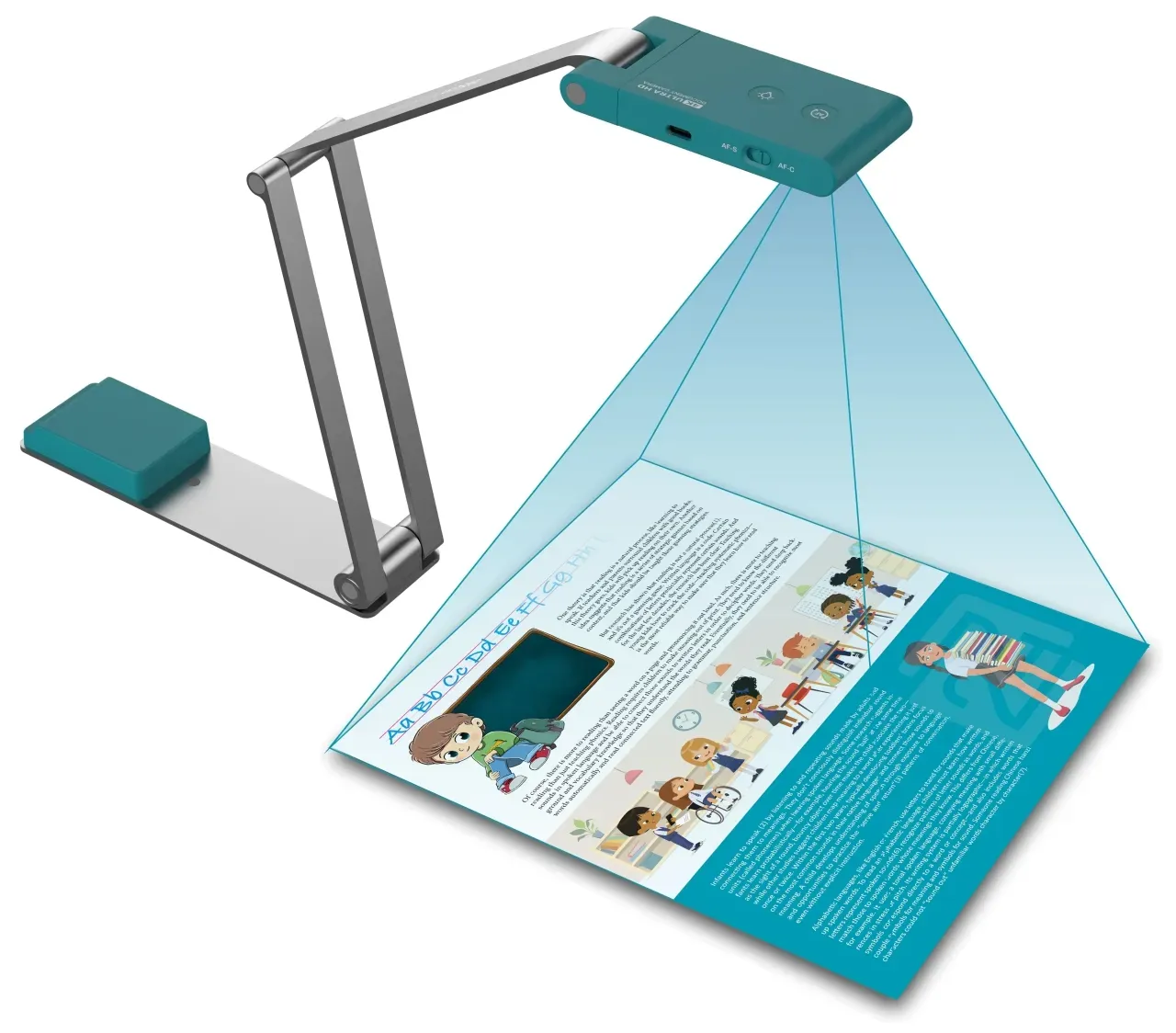
IRIScan Visualizer 7
Vendor: Blitzhandel24.de GB Price: 105.97 £ (+4.31 £)IRIScan Visualizer 7: The ultimate companion for school, work and presentations In today's digital world, flexible and powerful presentation tools are indispensable. The new IRIScan Visualizer 7 offers an innovative 4-in-1 solution as a visualizer, document camera, webcam and scanner. Designed for modern classrooms, offices and online presentations, this all-rounder enables you to share content live and in the highest quality to inspire your audience. Ultra-sharp image quality for impressive presentations The IRIScan Visualizer 7 's 13 MP camera ensures razor-sharp images and 4K video resolution at 30 frames per second. Even the smallest details of documents, books or three-dimensional objects are displayed clearly and vividly, perfect for teaching or presentations. Whether in an online meeting, in a hybrid learning environment or in the office - the high-resolution image makes all the difference. Perfect solution for dynamic learning and interactive content The Device is a powerful companion for teaching and enables content to be presented vividly, whether in the classroom or online. With the help of Readiris Visual functions, content can be compared in split screen, picture-in-picture tutorials can be created or animated demonstrations can be shown using stop motion. Functions and features of the IRIScan Visualizer 7 4K resolution and 13 MP camera for brilliant image quality Up to 10x digital zoom for the smallest details AI noise suppression for clear sound during video calls and presentations Dual-mode autofocus (AF-C/AF-S) for smooth transitions Integrated G-sensor for automatic video alignment Compact, foldable design - easy to transport and ideal for flexible use USB-C connection , plug-and-play compatible with Windows and MacOS Functionality IRIScan Visualizer 7 IRIScan Visualizer 7 Dyslexic Compatibility Windows and macOS Only Windows Teach, co-work and share with others in Ultra HD quality 4K video ✓ ✓ Stream documents, textbooks and images ✓ ✓ Plug & Play compatible with all conference software ✓ ✓ State-of-the-art 13 MP sensor from Sony CMOS camera - 4160 x 3120 ✓ ✓ Integrated G-sensor , rotates the video automatically ✓ ✓ Software with digital zoom up to 10x ✓ ✓ AI noise reduction & built-in speaker ✓ ✓ Dual autofocus mode (AF-C / AF-S) ✓ ✓ Compact, foldable design , easy to transport or store ✓ ✓ Readiris Dyslexic - text-to-speech, adaptive speed ✗ ✓ Readiris Dyslexic - repeat words/text ✗ ✓ Readiris Dyslexic - Convert PDF to editable Word ✗ ✓ Readiris Dyslexic reading software included ✗ ✓ 13 MP 60 FPS USB-powered 13 MP 60 FPS USB-powered 13 MP 60 FPS USB-powered Readiris Dyslexic included Key features Feature Specifications Image sensor 1/3.06" CMOS camera with 13 MP and 4160 x 3120 pixels from Sony Scan mode Color, Color (enhanced), Grayscale, Black & White (document) Camera V4K Pro camera - A3 440 x 330 mm Aperture value (F/NO) F2.2 ± 5 % AI technology for noise reduction Noise reduction and voice enhancement technology Resolution (interpolated, software) 4160 x 3120 pixels (13 MP) Video output resolution / fps 4K at 30 fps - 1080p at 60 fps Visualizer presentation mode 4:3 Max. 30 fps Visualizer presentation mode 16:9 Max. 60 fps Scan width 44 cm (with an output of 5696 x 4272 pixels) Text-to-speech support Offline (DE/UK/FR/IT/ES) Color depth 24 bit Digital zoom 10x through software Image capture and scanning per second 1 second Arm structure Highly flexible mechanical arm Illumination White LED lamp Video compression MJPG, YUY2 Focus mode Auto (AF-C / AF-S) Image rotation 0° / 180° / AUTO Document scan format JPG / PDF / searchable PDF Min. focus distance 10 cm Interface port USB Type-C Power consumption (scanning) 2,5 W Power consumption (standby) 0,3 W Dimensions - unfolded 397 x 51 x 351 mm Dimensions - folded 197 x 51 x 20 mm Scanner weight (net) 410 g Accompanying software Readiris Visual - lifetime TWAIN compatible TWAIN 64 bit System requirements Operating systems (Windows) Microsoft Windows 10, 11 Operating systems (Mac OS) macOS X 10.15 or higher Processor Intel i5 processor or better Memory (RAM) 8 GB or more Hard disk space 20 GB free storage space for recorded videos USB port Required
-

Metro Set of 3 Visual Folding Storage Boxes with Wheels for Home Organizer White 57 Litres
Vendor: Wayfair.co.uk Price: 72.99 £Keep your home tidy with our stylish storage boxes! Made from clear plastic, you can easily find what you want. They are stackable, so you can make the most of your space. Plus, they feature a protective lid to shield contents from dust and debris, while the locking latches on both side doors ensure your items stay safely enclosed. Assembly is a breeze, no tools needed! In minutes, you will be tidying away clothes, bedding, books, or anything else cluttering up your space. Metro Lane Colour: White, Capacity: 57 Litres
-

FV Visual FV Visual 20 Envelopes
Vendor: Carethy.co.uk Price: 14.51 £ (+3.99 £)Nutrition and Supplements Antioxidants and Coenzymes FV Visual FV Visual 20 Envelopes This food supplement provides zinc, blueberries and lutein. -Zinc contributes to proper maintenance of vision. -Blueberry thanks to its high content of anthocyanosides, which promote visual function. -Lutein is a beneficial macular pigment.
-
Microsoft Visual Studio 2019 Professional
Vendor: Blitzhandel24.de GB Price: 195.90 £Microsoft Visual Studio 2019 Professional With Visual Studio, Microsoft specifically addresses software developers and smaller teams. Besides the creation of complex 32 or 64 bit programs, this integrated developer environment is also suitable for small helpful tools. This enables companies to develop their own applications and apps, for example to support customer loyalty or a cloud application. The fact that Visual Studio offers stable and efficient support in program development is demonstrated by its long-term availability. This product has been available to software developers since 1997 and with each version new features and enhancements have been added. Visual Studio 2019 Professionalalso supports developers with numerous new features. The developer platform is available for Windows and MacOS. In the following, we will show you what requirements are necessary and what benefits your company can gain by using the developer environment. Microsoft Visual Studio 2019 Professional: Code development for App and Web In the current version, one of the focal points is the development of Windows apps and mobile applications for: iOS Android Windows Phone Windows apps were first introduced with Windows 8 and are used for optimization via touch screen. Visual Studio 2019 Professionalsupports the following programming languages 1 : C++ C# and F# Visual Basic JavaScript, HTML and CSS for web development By providing the tools for web development, complex web services and dynamic websites can be created, such as an online shop or programs for connecting a home office. With the support of the high-level languages, game development with Visual Studio is also possible. Microsoft Visual Studio 2019 Professional: The Editors of Visual Studio For each programming language, the platform provides a separate code editor. Interesting is the cursor-based help. If a code instruction is not unique or is misspelled, this is displayed as an error. By providing the editors, applications can be created in parallel. Anyone who writes a program code will want to test it during development. Here Visual Studio offers numerous tools for debugging and errors are displayed directly. Also the development of a project by a team is strongly supported. Microsoft Visual Studio 2019 Professional: Code Analysis With extensive development projects, an error always creeps in. With code analysis integrated into Visual Studio, the developer platform offers the following capabilities: C and C++ analysis and measurement of code complexity Analysis tools for managed code of the programming languages C# and Visual Basic Microsoft Visual Studio 2019 Professional: Extensions for Azure and SQL databases Visual Studio 2019 makes it easy to create cloud-enabled apps for Azure using a toolset. The Cloud Explorer shows the programming team all available Azure resources of the logged in accounts. The Server Explorer lists all available database objects in a logged in network. The listed databases can be edited and queries via SQL script are also possible. Microsoft Visual Studio 2019 Professional: Assistance and Support A large community has developed around program development with Visual Studio, which is strongly supported by Microsoft. There are extensive books and dossiers available for your own further training, where no question remains unanswered. At irregular intervals, Microsoft organizes free webinars and workshops. If you order a Microsoft Visual Studio 2019 from us, the following is included in the scope of delivery: Original product key for the online activation of Microsoft Visual Studio Professional2019 Verified Highspeed Downloadlink to get the software fast & secure. Invoice in your name incl. VAT. Instructions for easy installation. Microsoft Visual Studio 2019 Professional: Conclusion The support of software developers has a long tradition at Microsoft. Visual Studio 2019 Professionalreflects this in a first-class manner. With the continuous development programmers get one of the most powerful platforms. Future-oriented programs are developed and published with Visual Studio. Be it for a smartphone, a corporate network or a game application. Visual Studio 2019 is suitable for every code developer. 1 C++ enables programming close to the machine and high in abstraction C# is an object-oriented programming language, developed by Microsoft F# was co-developed by Microsoft and the focus is on applications for the .NET framework
-
Metro Set of 3 Visual Folding Storage Boxes with Wheels for Home Organizer White 30 Litres
Vendor: Wayfair.co.uk Price: 45.99 £ (+4.99 £)Keep your home tidy with our stylish storage boxes! Made from clear plastic, you can easily find what you want. They are stackable, so you can make the most of your space. Plus, they feature a protective lid to shield contents from dust and debris, while the locking latches on both side doors ensure your items stay safely enclosed. Assembly is a breeze, no tools needed! In minutes, you will be tidying away clothes, bedding, books, or anything else cluttering up your space. Metro Lane Capacity: 30 Litres, Colour: White
-

Jason Barron The Visual Mba
Vendor: Lovereading.co.uk Price: 17.09 £ (+2.99 £)The Visual MBA. Paperback. By Jason Barron
-
Microsoft Visual Studio 2019 Mac
Vendor: Blitzhandel24.de GB Price: 195.90 £Developing apps and games with .NET for iOS and Android, as well as for the web IntelliSense extension With the power of Roslyn, Visual Studio for Mac also gives you IntelliSense. IntelliSense describes APIs as you write them and uses autocompletion to increase the speed and accuracy of code creation. Quick Info lets you review API definitions. Wiggly lines in the editor highlight issues as you write in real time. Powerful Debugging Use the Visual Studio Debugger to identify and fix bugs in multiple languages. Visual Studio Debugger for Mac lets you set breakpoints for your code, use a procedure step for statements, step through functions, and check the current state of the code stack with powerful visualizations. Intelligent Refactoring As your project grows, you'll likely be restructuring and refactoring code that you've created yourself or that someone else has previously written. It's so much easier when Visual Studio for Mac does most of the work for you. The Visual Studio for Mac editor supports powerful built-in refactoring options such as Extract Methods and Rename, accessible from the Quick Actions menu. Integrated Source Code Management Manage your code in Git or SVN repositories hosted by any vendor (including GitHub and Azure DevOps). Review diffs, staging files, and run commits from Visual Studio for Mac. Comprehensive testing Improve code quality and build a solid code base with comprehensive testing tools. The built-in execution tester supports major testing frameworks such as xUnit, NUnit, and MSTest, so you can run and debug unit tests and automated UI tests very efficiently. Collaborate more effectively Choose the development environment that's right for you. With Visual Studio on macOS and Windows, you can easily share your C# and F# projects with your team when using either operating system. Buy Microsoft Visual Studio 2019 Mac and get creative Mobile apps Build cross-platform apps for Android and iOS with Xamarin. Azure apps Build, manage, and deploy apps that scale for Azure. Web Apps Develop modern web apps with ASP.NET Core. macOS apps Develop native apps and games for the Mac. Real-Time 3D Applications Create and debug cross-platform games and real-time 3D applications with Unity. System Requirements for Microsoft Visual Studio 2019 Mac Supported Operating Systems Visual Studio 2019 for Mac can be installed and run on the following operating systems: macOS Catalina 10.15 macOS Mojave 10.14 macOS High Sierra 10.13 The current version of Xcode 11 requires macOS Mojave 10.14. This is also the minimum required version for Xamarin.iOS and Xamarin.Mac projects. Hardware 1.8 GHz processor or faster; dual-core or better recommended 4 GB RAM; 8 GB RAM recommended (at least 4 GB if running on a virtual machine) Hard drive required by default: approximately 5.6 GB. Supported Languages Visual Studio for Mac is available in the following languages: English Chinese Czech French German Italian Japanese Korean Polish Portuguese (Brazil) Russian Spanish Turkish
-

Metro Set of 3 Visual Folding Storage Boxes with Wheels for Home Organizer Yellow 30 Litres
Vendor: Wayfair.co.uk Price: 42.99 £ (+4.99 £)Keep your home tidy with our stylish storage boxes! Made from clear plastic, you can easily find what you want. They are stackable, so you can make the most of your space. Plus, they feature a protective lid to shield contents from dust and debris, while the locking latches on both side doors ensure your items stay safely enclosed. Assembly is a breeze, no tools needed! In minutes, you will be tidying away clothes, bedding, books, or anything else cluttering up your space. Metro Lane Capacity: 30 Litres, Colour: Yellow
-

3D Visual Novel Maker Steam Key
Vendor: Cjs-cdkeys.com Price: 200.00 £This product is a brand new and unused 3D Visual Novel Maker Steam Key
-
Microsoft Visual Studio 2017 Professional
Vendor: Blitzhandel24.de GB Price: 146.18 £Buy Microsoft Visual Studio 2017 Professionalat Blitzhandel24 Visual Studio Professional2017 allows you to write and publish your own programs in a wide variety of programming languages. Besides current languages like C#, older programming languages like C and C++, other web languages, Microsoft Visual Studio also supports Apple's Metal programming language. Microsoft Visual Studio - professional tools for small and medium-sized businesses If you are a company that decides to purchase Microsoft Visual Studio 2017, the integrated development environment will provide your employees with a program for optimal small business management. In order to make the projects visible in the IDE as quickly as possible, the individual data is only loaded by the direct project call. Visual Studio's features allow your staff to view a wide range of information directly in the code. Thus, in addition to an existing code error, which is displayed directly in a kind of speech bubble, the objects causing it are also detected. Microsoft Visual Studio 2017 Professional- an everyday tool for developers Visual Studio enables the development of classic desktop applications as well as various websites or web services. An optimal working environment is available for a variety of areas. This makes Android Studio for Android and Xcode for iOS suitable. PHPStorm can be used for web development. Eclipse and Netbeans are suitable for Java. This IDE is a hybrid, which scores most in C++ and .NET development. Microsoft Visual Studio 2017 Professional- simplifies teamwork Visual Studio's version control not only ensures that all members of the team are working on the same current program version. They can also be used to check all components of the application. The Team Explorer can be used to manage the tasks as well as to assign them to a team member. The progress can be viewed via a display. This way you do not lose sight of the development schedule. If necessary, the schedule can also be edited in Visual Studio. Microsoft Visual Studio 2017 Professional- easy customization Even during the installation of Visual Studio you can choose which frameworks and functions you really need. This saves you valuable storage capacity. You can customize Visual Studio Professionalalmost entirely to your own needs. By programming suitable extensions you will get a Visual Studio Professional that meets your personal requirements. Microsoft Visual Studio 2017 Professional- additional features of the IDE Visual Studio: Quick Launch Often a developer cannot find the function or setting that he would like to work with. The Quick Launch function of Visual Studio allows you to search for a specific setting or function. The search term can be entered in Visual Studio via a small input field. This can be called up with a click. Visual Studio: Filter function in the Solution Explorer Displayed contents can now be filtered according to personal criteria. The desired entry can be additionally filtered via the toolbar. A large number of criteria are available for this purpose. System requirements Operating system Windows 10, Windows 8 (KB2919355 required), Windows 7, Windows Server 2012 R2 (KB2919355 required) Processor 1.8 gigahertz (GHz) or faster processor Working memory 2GB RAM (4GB RAM recommended) Hard disk space 1 - 40GB (depending on configuration) Graphics card DirectX 9 capable graphics card with at least 1024x768 resolution Scope of delivery: Original product key for the online activation of Microsoft Visual Studio Professional2017 Verified Highspeed Downloadlink to get the software fast & secure. Invoice in your name incl. VAT. Instructions for easy installation. Note: This offer does not include a product key sticker (COA label) This offer is aimed at private individuals as well as companies, business customers, authorities, organisations, schools, communities and churches.
-

Microsoft Visual Studio Enterprise 2022
Vendor: Primelicense.com Price: 2.09 £Supports the following languages: English, Chinese (simplified), Chinese (traditional), Czech, French, German, Italian, Japanese, Korean, Polish, Portuguese (Brazil), Russian, Spanish, Turkish. 64-bit IDE adaptable to any project Key features: Code editing and debugging, IntelliCode, Live Share, Git integration, Azure DevOps integration, Automated testing, Cloud development Access to Azure DevOps Server and the ability to use Visual Studio Enterprise on a remote desktop. Visual Studio Enterprise 2022 is a complete integrated development environment (IDE). It offers a comprehensive set of tools and services for creating high-quality software applications, including desktop, web, mobile, cloud and gaming applications.Visual Studio Enterprise 2022 includes a wide range of features and tools to help you be more productive, collaborate more effectively and create better software. Some of the key features of Visual Studio Enterprise 2022 include advanced debugging and profiling tools, automated testing, code analysis and optimisation, IntelliCode, Live Share, and Azure DevOps integration.In addition to the standard features found in Visual Studio Professional 2022, Visual Studio Enterprise 2022 includes additional tools for large-scale software development and enterprise-wide collaboration. For example, it offers tools for dependency management and version control, and supports Agile and DevOps methodologies.What is the difference between Visual Studio Professional 2022 and Visual Studio Enterprise 2022?Visual Studio Enterprise 2021 includes: All the features of Visual Studio Professional 2022, plus Integrated development environment: Real-time dependency validation, architectural layer diagrams, architecture validation, code cloning. Advanced debugging and diagnostics: IntelliTrace, Code Map debugger integration, .NET memory dump analysis, snapshot debugger, time travel debugging (preview) Testing tools: Built-in assemblies, Xamarin Inspector, Xamarin Profiler What is the difference between Visual Studio Enterprise 2022 and Visual Studio Enterprise 2019?Overall, Visual Studio Enterprise 2022 represents a significant improvement over Visual Studio Enterprise 2019, in terms of performance, user interface and functionality. Here are some examples of differences where Visual Studio Enterprise 2022 has improved: User Interface: features a new, more modern user interface designed to be more intuitive and provide a better overall user experience. Performance: has been optimised to improve performance, particularly in terms of start-up times, project loading times and overall responsiveness. Code analysis: includes improved code analysis tools that can help developers find and solve code problems more quickly and efficiently. Git Integration: includes improved Git integration, which makes it easier for developers to work with Git repositories directly within the IDE. .NET Framework: supports the latest version of the .NET Framework, providing access to new...
-

Nathan Yau Visualize This
Vendor: Lovereading.co.uk Price: 31.49 £ (+2.99 £)Visualize This. Paperback. By Nathan Yau
-
Microsoft Visual Studio 2022 Enterprise
Vendor: Blitzhandel24.de GB Price: 2,185.93 £Getting Started with Visual Studio 2022 Enterprise To develop any type of app or learn a language, work in the Visual Studio 2022 integrated development environment. Beyond code editing, Visual Studio 2022 brings together graphical designers, compilers, code completion tools, source code management, extensions, and many other features in one place. Personalize with themes and more Do you prefer a dark design? Do you want to change the layout of Windows according to your preferences? Do you have favorite keyboard shortcuts? Watch this short video to learn about some attractive personalization options such as themes, fonts, window layouts, and custom keyboard shortcuts in Visual Studio. Learn how to customize even more settings in this step-by-step guide Choose a theme Change fonts and colors Add and remove menus and toolbars Move window layout Set familiar keyboard shortcuts Select the development area that interests you the most Watch the step-by-step tutorial to get a basic understanding of how to build a simple application. Complete your learning by watching the video series and recommended guides for beginners. .NET With Visual Studio and .NET, you can develop applications for desktop, web, mobile, games, and more. You can write .NET apps in C#, F#, or Visual Basic languages. Desktop Development with .NET Core To get started easily, create a Windows console app with .NET Core. Also learn how to debug and publish Windows desktop app Class library App for all Windows 10 devices (e.g., Xbox, HoloLens, IoT) Web/cloud development with ASP.NET Core Game development with Unity Machine learning with ml.net C++ Development tools and libraries for C++, C and Assembly language are available as part of Visual Studio on Windows. You can use C++ in Visual Studio to build everything from a simple console to Windows desktop apps, from device drivers and operating system components to cross-platform games for mobile devices, and from small devices to multi-server computing in the Azure cloud. Desktop apps Android/ iOS apps with C++ Game development with C++ Python Visual Studio is a powerful for the Python language thanks to its built-in Python development and data science workloads. Python is a popular, easy-to-learn, free programming language with many free libraries. Use Python in Visual Studio to create web applications, web services, desktop applications, scripts, and scientific calculations. It is used by many universities, scientists, hobbyists, and professional developers alike. Data science and analytical applications Web applications Desktop app JavaScript/TypeScript Visual Studio provides extensive support for JavaScript development, both directly with JavaScript and with TypeScript, an open-source language based on JavaScript that is commonly used in the development of web apps of significant size. Web application Learn how to create an ASP.NET core web application using TypeScript Node.js Visual Studio has built-in tools for Node.js , a platform for building fast and scalable server applications with JavaScript. Node.js is the runtime and npm is the package manager for Node.js modules. Learn what makes Visual Studio a powerful node.js development environment. Web/cloud development with Node.js tools Build a web app in Visual Studio using Node.js tools with Express web app framework React Web User Interface React is a popular JavaScript library developed by Facebook for building user interfaces for web applications. Build a simple web app using Node.js Tools in Visual Studio with React. Join the Node.js Tools for Visual Studio community on GitHub Technical specifications Platform: Windows
-

Microsoft Visual Studio Enterprise 2022
Vendor: Primelicense.com Price: 5.19 £Get Official Lifetime Microsoft Visual Studio Enterprise 2022 License from a Certified ResellerShop with confidence — PrimeLicense is a Microsoft Certified Partner, which means we’re officially authorized to sell, support, and provide services for Microsoft products. Plus, with an outstanding 4.9/5 rating on Trustpilot, Google, and Trusted Shops, you can count on us for genuine software and top-quality support.With your purchase, you’ll receive: An original lifetime license key for Microsoft Visual Studio Enterprise 2022 Clear installation and activation guides sent instantly via email Free expert support whenever you need help Microsoft Visual Studio Enterprise 2022 – Full Perpetual License for TeamsMicrosoft Visual Studio Enterprise 2022 is the heavy-duty version of Microsoft's coding software, built for big teams working on serious projects. This powerhouse runs on 64-bit architecture, which means it can handle massive, complicated software without slowing down or crashing.Whether you're building apps for computers, websites, phones, or the cloud, this tool keeps everything running smoothly from start to finish.It's designed for companies that need the best tools to create professional-grade software that millions of people might use.Safe Payment and Buyer ProtectionYour order is protected by Trusted Shops Buyer Protection for up to €2,500, plus we offer a 30-day money-back guarantee if you’re not completely satisfied.All transactions are secured with SSL encryption. We accept payments via Stripe, Apple Pay, Google Pay, and other trusted methods to ensure a safe and smooth checkout.Get Your Microsoft Visual Studio Enterprise 2022 Software in 3 Easy Steps Purchase Microsoft Visual Studio Enterprise 2022 from PrimeLicense — your license key and activation guide will arrive instantly via email. Download the official installation file from Microsoft using the secure link we provide. Activate with your license key and start developing right away. Why Choose Visual Studio Enterprise 2022?Visual Studio Enterprise 2022 gives you everything you need to code smarter, work faster, and build better software. It’s packed with modern tools that make development easier — whether you’re working solo or collaborating in a large team. Advanced Code Editing & Debugging: Write cleaner, more efficient code with intelligent autocomplete, advanced debugging, and refactoring tools. AI-Powered IntelliCode: Get context-aware code suggestions to speed up development and reduce errors before they happen. Live Share Collaboration: Work with teammates on the same codebase in real time — just like Google Docs for developers. Integrated Git & Azure DevOps: Manage repositories, plan projects, and run builds directly inside Visual Studio. Automated & Live Testing: Run unit tests automatically and get instant results to identify issues early in development. Cloud-Ready Development: Build and deploy modern cloud apps directly from your environment without extra tools....
-

In Easy Steps Limited Visual Basic in easy steps, 4th edition: Covers Visual Basic 2015
Vendor: Books4people.co.uk Price: 5.49 £ (+2.99 £)Visual Basic in easy steps, 4th edition shows you how to quickly create Windows applications using the latest free Visual Studio Community 2015 programming environment. This book gives you code examples, screenshots, and step-by-step instructions that illustrate each aspect of Visual Basic. Visual Basic in easy steps, 4th edition begins by describing the Visual Studio Community 2015 installation process, then introduces form controls, application properties, the programming language, and problem-solving techniques. Next, the book illustrates by example, how to build and deploy a complete Windows application. A chapter is devoted to scripting with Visual Basic. This first shows you how to create 'macros' for Word and Excel in Microsoft Office, using Visual Basic for Applications (VBA), then demonstrates how to manipulate files and data within the Windows operating system using VBScript. You will learn how to incorporate external data into your applications from text files, Excel spreadsheets, XML documents, live RSS web feeds, and SQL databases. You need have no previous knowledge of any programming language so it's ideal if you're a newcomer to Windows programming. Each chapter builds your knowledge of Visual Basic. By the end of this book you will have gained a sound understanding of Visual Basic programming and be able to create your own interactive applications. Visual Basic in easy steps, 4th edition has an easy-to-follow style that will appeal to anyone who wants to begin Windows programming. It will appeal to programmers who want to quickly learn the latest Visual Basic techniques, and to the student who is studying computing at school or college, and to those seeking a career in Information Technology who need a thorough understanding of Visual Basic programming.
-
Microsoft Visual Studio 2022 Professional
Vendor: Blitzhandel24.de GB Price: 254.38 £Future-proof and modern developments with Visual Studio 2022 Professional The correct handling of code is one of the central requirements in the field of programming. Therefore, with Visual Studio 2022 Professional , you can expect an excellent solution for working productively and in a modern way, and also for dealing with complex projects. The new version will be a real relief in this regard, to keep problems actively in view and to provide the necessary scalability. Right here at Blitzhandel24, we will help you in the best possible way. How Visual Studio 2022 Professional has evolved The simpler focus on your projects is one of the best features of Visual Studio 2022 Professional . Especially the suitability for 64 bit devices becomes a decisive advantage here to make your own applications more productive and to actively minimize the effort involved. Thanks to the real improvement in all areas, Visual Studio offers new comfort. Not only for Windows , but also for MAC devices Visual Studio 2022 Professional offers exactly the right basis thanks to the always flexible user interface. This makes it easy for you to make adjustments directly in the tools and be technologically up to date. The integration of many improved and updated product themes makes it possible to simplify development step by step. So why not use Visual Studio 2022 Professional yourself? Modern, productive and smoothly scalable for any project In direct comparison with the previous version, you now have it much easier to work with a redesigned and modern user interface. This ensures accessibility , creates the necessary comfort and lets you complete your codes at any time. Finding annoying errors is also much easier with the new features and content. Most importantly, the collaborative nature of Visual Studio 2022 Professional makes it a great choice for quickly taking your programming to the next level. Development tools for all common application areas The steady availability of core development tools makes Microsoft's tool a good choice. Features like code debugging let you benefit from a true enterprise version that lets you advance your development. Also, the support for all common application domains makes you noticeably more comfortable, giving you the following benefits: .NET When it comes to building applications for desktop PCs, websites, mobile devices or new games, linking to .NET becomes the best choice. Here, you can easily add as much content and new features to the newly created applications. Python For Python , Visual Studio 2022 Professional offers just the right IDE to be on the safe side in the long run. Since Python is basically easy to learn, Visual Studio quickly becomes a real relief at this point. Educational institutions are also turning to it. Node.js The integrated tools for Node.js make important creations much easier and, above all, even clearer. In particular, scaling server-side applications becomes an important strategy for improving the performance of your code with Visual Studio 2022 Professional . JavaScript JavaScript is probably the best known basis for functional and modern developments. Visual Studio 2022 Professional provides exactly the right foundation for this area as well, allowing you to create suitable web applications and always significantly improve support. C++ From the simple console to the complex Windows desktop application , the tools for C++ offer exactly the right foundation. Visual Studio 2022 Professional convinces at this point with the necessary simplicity to be able to work cross-platform and structured. Seamless integration of the cloud as a central feature One of the key advantages is the direct connection with the cloud . Even compared to the previous version, this creates much more structure to share insights into your code and work on new projects as a team. There is certainly no lack of important hints here, so that sound assessments can be formed without much effort in daily operations. Thanks to the extensive integration, Visual Studio 2022 Professional now also impresses with Live Share sessions. These enable real-time collaboration, regardless of the platform or language in the system. The custom settings in the editor allow you to plan precisely to improve your codes noticeably. This way, you don't have to dedicate yourself to new projects in the team, but keep the full overview at all times. How Visual Studio 2022 Professional has changed In direct comparison to the previous version, there is much more in Visual Studio 2022 Professional than before. This is not only evident in the improvements to the cloud, but also in many other details for better visualization. When it comes to a personalized and always modern application, it is therefore worth taking a look at the differences between the respective versions in the tool: VS 2019 Professional VS 2022 Professional Visibility of news in the editor Yes Yes Improved...
-

Microsoft Visual Studio 2026 Professional
Vendor: Primelicense.com Price: 5.99 £Get the official lifetime licence of Microsoft Visual Studio Professional 2026 from a certified resellerBuy with confidence. We are a certified Microsoft partner, so we can offer you highly specialised assistance on Microsoft products and qualified support during installation and activation. With an average rating of 4.8/5 on Trustpilot, Google and Trusted Shops, you can count on reliable service and quality support.With your purchase you will receive: An original lifetime licence key for Microsoft Visual Studio Professional 2026 Clear installation and activationguides sent immediately by email Free technical support whenever you need help Microsoft Visual Studio Professional 2026 licence overviewMicrosoft Visual Studio Professional 2026 is a comprehensive IDE designed for professional developers and small teams who need powerful tools to create, test, and deploy applications across multiple platforms. With a one-time purchase, you get access to advanced programming, debugging and collaboration features to speed up the development process.System requirements: compatible with Windows 10 and later operating system versionsSecure payments and purchase protectionYour order is covered by Trusted Shops purchase protection up to €2,500, plus a 30-day money-back guarantee. All transactions are protected by SSL encryption. We accept payments with Stripe, Apple Pay, Google Pay and other trusted methods to ensure a safe and smooth checkout.Get your Microsoft Visual Studio Professional 2026 in 3 easy steps Purchase Microsoft Visual Studio Professional 2026 on PrimeLicense and receive your licence key and activation guide by email immediately. Download the official installation file from Microsoft using the secure link provided. Activate with your key and start working on your development projects immediately. Key features of the Microsoft Visual Studio Professional 2026 licenceMicrosoft Visual Studio 2026 Professional is an advanced IDE with native AI integrations, support for .NET 10, and a modern Fluent UI, ideal for individual developers and small teams. It offers optimised performance (up to 40% faster loads and fewer freezes), extended code coverage for unit tests and tools such as Adaptive Paste to automatically adapt pasted code. Includes enhanced GitHub Copilot for contextual completions, AI debugging and Profiler Agent for automatic optimisations.Editor and ProductivityEditor supports enhanced IntelliSense, refactoring, code navigation and 11 new customisable themes, with shortcuts such as Ctrl+W to close tabs and "Did You Mean?" search for inaccurate queries. It integrates Mermaid for Markdown diagrams and reliable Hot Reload for .NET, Razor and C++20/26.Debugging and TestingAdvanced debugger with breakpoints, memory profiling and AI diagnostics for root causes; code coverage measures testing effectiveness on all Professional editions. Integrated Git tools handle commit, branch and pull requests, with inline Markdown comments.Languages and...
2001 results in 0.418 seconds
Related search terms
© Copyright 2026 shopping.eu