13090 products were found matching your search for guide in 11 shops:
-
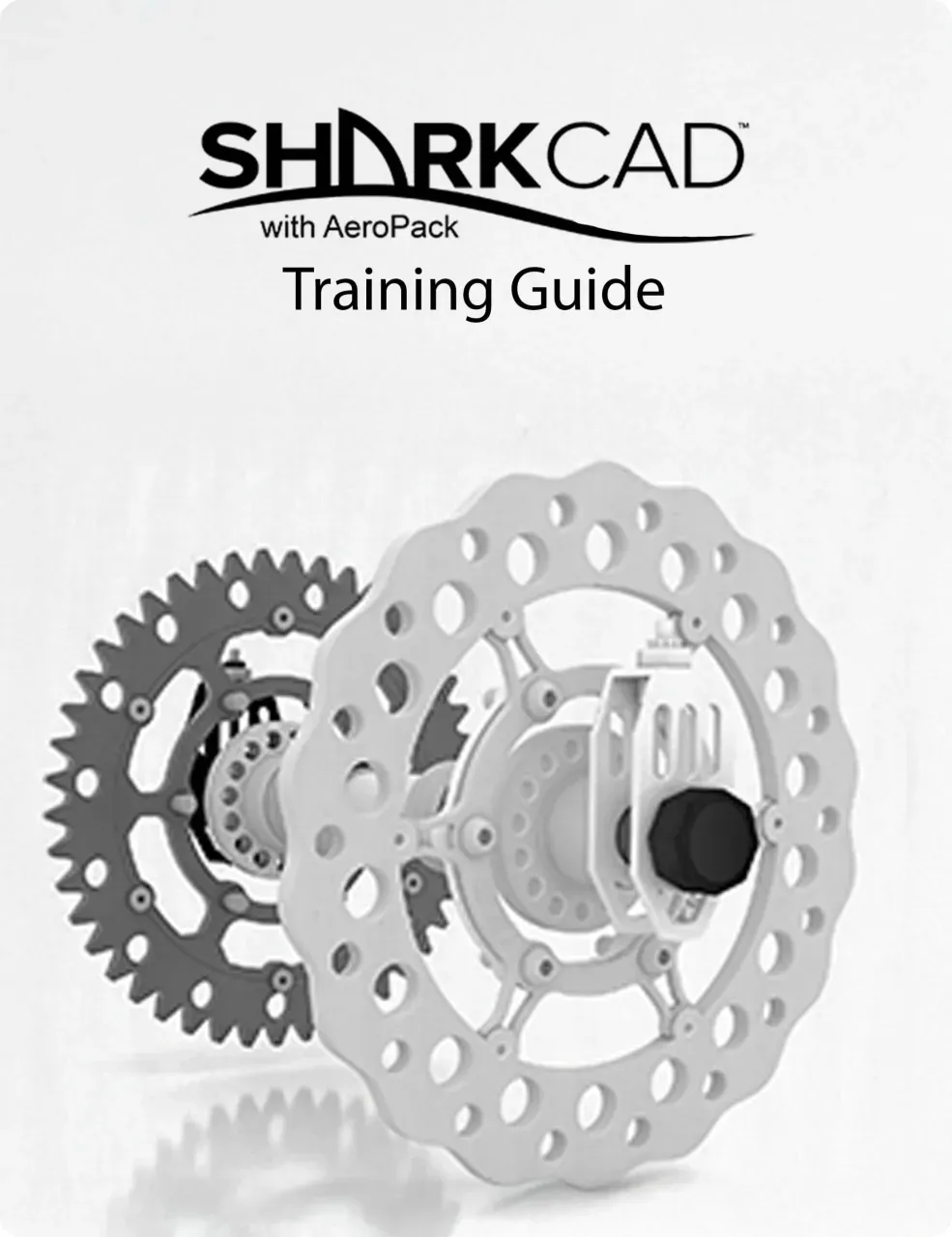
SharkCAD Training Guide
Vendor: Blitzhandel24.de GB Price: 92.08 £SharkCAD Training Guide - The comprehensive training manual for SharkCAD The SharkCAD Training Guide is an ideal learning tool for anyone who wants to learn how to use SharkCAD from scratch or improve their existing knowledge. The manual has been specially developed to guide users step-by-step through the entire design process - from the first sketch to the finished 3D model. The content is clearly structured and organized in the form of tutorial sessions and tasks. Each session contains both a 2D sketch project and the corresponding 3D model, so that the user develops a comprehensive understanding of both design dimensions. This combination of practical exercises and clear instructions makes the training guide particularly practical and efficient. The SharkCAD Training Guide is aimed at both beginners and advanced users who want to expand their skills. The logical structure of the learning content ensures that each new function is taught in the context of a specific example. This not only facilitates understanding, but also promotes confident use of SharkCAD 's powerful tools. Whether for company training, personal development or as an accompanying reference in everyday working life - this training guide is the perfect companion for anyone who wants to work professionally with SharkCAD . Thanks to the step-by-step approach, even complex CAD functions can be learned confidently and used in your own projects. SharkCAD Training Guide - Interactive learning program Multimedia training program for SharkCAD This comprehensive training program offers SharkCAD users a practical introduction to 2D drawing and 3D design. Tutorial structure for easy learning The training is structured in a tutorial format, allowing you to work step-by-step from concept to finished design. Each section guides you through the construction of 2D geometries to the creation of complete 3D solid models - in clearly structured learning units with a smooth transition. Session structure with introduction and examples Each session contains an introductory paper with a detailed sketch or model that will be created in this unit. You will also find important notes, an estimated time for completion and a fully completed drawing as an example. These sample drawings can be opened directly with your Punch!CAD SharkCAD software. 2D & 3D tutorials at your own pace Discover 16 hands-on tutorials, each combining a 2D sketch project with a matching 3D model. Each worksheet guides you through each individual step with clear, color-coded instructions. All tasks are also explained in animated video formats - you can pause, rewind or fast-forward at any time while you complete your drawing. Tutorials 4 to 8 guide you step-by-step through a complete 5-part assembly development, with an additional component being added with each lesson. Within the Training Guide you have direct access to the Punch!CAD forum and the online user manuals - for in-depth information and a lively exchange with other users. If required, the team of experts is available to you directly via the guide. Example 1 - Helix & Tube: Creating a spiral by sweeping a circle along a path. Creating a pipe using a single line axis. Example 2 - Slotted wheel: Creating a solid body using the Lathe Tool. Example 3 - Component assembly: Learning industry standard component assembly design. Combine multiple parts within a project with structure through layers & sub-layers - for optimal control over each component. Comprehensive training for 2D & 3D design - all important tools at a glance Graphical user interface Overview of the structure and navigation of the user interface. Sketching tools Creation and editing of 2D sketches as a basis for 3D models. Selection & manipulation tools Precise control of objects and geometries in the design process. Modification & information functions Adapt, analyze and manage geometry data. Dimensioning & labeling tools Add annotations and technical information. Create drawing layouts Create layouts to present and share designs. 3D modeling tools Build complex 3D solids and surfaces from 2D sketches. Woodworking tools Special tools for planning and processing wood elements. Functional & operational tools Context menus, shortcuts & customizable gripper settings for efficient work.
-

INA 532 0564 10 Deflection / guide pulley, V-ribbed belt
Vendor: Autodoc.co.uk Price: 15.49 £ (+8.45 £)Diameter: 65; Width [mm]: 26; Driven Units: Alternator; Vehicle Identification Number (VIN) from: 4E-3-000 001, 8E-5-400 001, 4F-5-000 001; Vehicle Identification Number (VIN) to: 4E-6-003 069, 8E-5-580 000, 4F-5-124 000, 4F-5-140 000, 4F-6-017 400; TecDoc Engine Number: 18030, 26329, 24949, 26713, 24943, 26497, 24941, 27985, 28002; Construction Year to: 04/2017; Engine Code: CAGA, CJCA
-

Mollie Guidera The Gaeilge Guide
Vendor: Lovereading.co.uk Price: 16.19 £ (+2.99 £)The Gaeilge Guide. Hardback. By Mollie Guidera
-

ViaCAD 16 Training Guide
Vendor: Blitzhandel24.de GB Price: 61.38 £ViaCAD 16 Training Guide - Your path to becoming a 3D professional! The ViaCAD 16 Training Guide provides a comprehensive, step-by-step learning experience for users of PunchCAD software. It is organised in a clear tutorial format, taking the user from basic concepts through to fully developed designs. Each section is divided into tutorial sessions and tasks, creating a structured and easy to follow workflow. Each session includes both a 2D sketch and the corresponding 3D model of the same design, so the relationship between 2D design and 3D modelling is clearly understood. This approach enables hands-on learning and helps build solid CAD skills through step-by-step, real-world design exercises. ViaCAD Training Manual (Pro, 2D/3D, 2D) This multimedia training programme has been developed to provide the ViaCAD® user with a comprehensive learning tool covering both 2D drafting and 3D design. This guide is in tutorial format and allows the user to follow the step-by-step instructions from concept to finished design. All content in this guide shows how to create full 3D solid models from 2D geometry in continuous, hands-on tutorials. Each session includes an introduction sheet detailing the particular sketch or model that will be created during the session. In addition, important information, the estimated session duration and a fully worked out example of the drawing are provided. This example can be opened directly with your Punch!CADTM ViaCAD® software. Master 2D and 3D design with confidence: Your comprehensive guide to the most important tools and methods This training manual offers you an in-depth introduction to all the essential tools and functions you need for professional 2D and 3D design. The most frequently used tools are covered in a total of 10 detailed sections - presented in a clear and practical manner. The topics covered include The graphical user interface Tools for creating sketches Selection and editing tools Modification and information functions Customisable context menus, shortcuts and gripper settings for efficient operation. Creation of drawing layouts 3D modelling functions Woodworking tools Labelling and annotation tools Self-guided 2D and 3D tutorials Helix and pipe Create a helix by sweeping a circle along a path line. An axis is then defined by a single line to create a tube. Creating a slotted wheel The rotary tool enables the creation of robust 3D components by rotating a profile. This technique is ideal for symmetrical and technical shapes. Assembling an assembly Learn to assemble multiple parts in a drawing using the component method and manage them efficiently using layers and sub-layers. An indispensable learning tool for professional design In conclusion, the ViaCAD 16 Training Guide is an extremely valuable resource for all users who want to achieve professional results in both 2D and 3D design. The clear, step-by-step structure of the tutorials, the practical exercises and the comprehensive explanation of the most important tools ensure an effective learning process for both beginners and advanced users. Thanks to the combination of explanatory texts, visual representations and interactive elements, this training programme offers a holistic approach to the software and helps to efficiently exploit the full potential of ViaCAD. Investing in the ViaCAD 16 Training Guide is therefore not only a step towards expanding your technical expertise, but also a contribution to increasing your own design quality and productivity. System requirements Windows macOS Operating system Windows 7, 8, 10 or 111 macOS 11.0 (Big Sur) to 26.0 (Tahoe)1 Processor Intel Pentium IV or AMD Athlon64 (64-bit) Intel x64 or Apple Silicon (M1, M2, M3 or newer) Working memory (RAM) 8 GB or more 8 GB or more Hard drive space 3 GB free storage space 4 GB free storage space Input device Mouse with scroll wheel (recommended) Mouse or 3Dconnexion SpaceMouse Graphics OpenGL / DirectX 9 compatible GPU with 256 MB VRAM Modern GPU with Metal / OpenGL support Internet connection Required for activation, updates and online features2 Required for activation, updates and subscription-based features Recommended 16 GB RAM + SSD for optimum performance 16 GB RAM + SSD recommended for large projects 1 No guarantee of compatibility with older or future operating systems. 2 User is responsible for all Internet and ISP costs.
-

Guide Side for Makita RP1800 RP2301FC 3612C 3612 3612BR M3600B M360B RT0700C DR750 195136-9
Vendor: Aliexpress.com Price: 43.49 £Guide Side for Makita RP1800 RP2301FC 3612C 3612 3612BR M3600B M360B RT0700C DR750 195136-9
-

A Guide To Life
Vendor: Lovereading.co.uk Price: 22.49 £ (+2.99 £)A Guide to Life. Hardback
-

2D/3D Training Guides TurboCAD Mac, English
Vendor: Blitzhandel24.de GB Price: 62.11 £2D/3D Training Guides TurboCAD Mac Complete, Step-by-Step Tutorials for TurboCAD Mac graphical user interface Sketch Creation Tools Selection & Manipulation Tools Modification & Information Annotation tools Creating Drawing Layouts 3D Modeling Tools This Guide is presented in a tutorial format, allowing the user to follow the step-by-step instructions from concept to completion. This Guide is structured in a Tutorial Session and Task format and each session contains both a 2D Sketch and a 3D Model of the same design. TurboCAD Mac 2D/3D Training This multimedia training program aims to provide the TurboCAD Mac user with a comprehensive learning tool which spans 2D drawing and 3D design. This Guide is presented in a tutorial format, allowing the user to follow the step-by-step instructions from concept to completion. All the tutorial content in this guide contains designs which instruct how to create 2D geometry in order to produce 3D solid models in fluid start-to-finish tutorials. Each session contains an Introduction Sheet which illustrates in detail the sketch or model which will be produced during the session, complete with important information, estimated session duration and a fully completed drawing sample of the session. The drawing sample can be opened using your TurboCAD Mac software. Key Training Features 10 fully detailed sections on all the tools most frequently used in any 2D or 3D design Some of these include : The Graphical User Interface Sketch Creation Tools Selection & Manipulation Tools Modification & Information Annotation tools Creating Drawing Layouts 3D Modeling Tools woodworking tools Function & Operational Tools such as creating customizable context menus & shortcuts and adjusting the Griper Properties. 2D & 3D Self-Paced Tutorials So includes 16 self-paced work sessions containing the 2D Sketch and 3D Model of the same design. Each Worksheet contains detailed, colorful instructions on how to complete each task, including full animations per task. Each task contains full instructions in an animated, video format. Pause, rewind or fast-forward your videos while you draw. Drag the movie to another screen and use the instructions on your laptop to produce the designs and the movie on the second screen to check your progress. Progress through each session at your own pace, repeating any task as many times as necessary until you are ready to move to the next design. Tutorials 4 to 8 contain a full 5-part component to assembly design, progressively building the design with each tutorial. Access the TurboCAD Forum and Online User Guides for additional information from within your Training Guide. Get expert support from our Team from within your Training Guide.
-

Learning Resources A to Z 26 Mini Alphabet Foods, Storage Bucket & Guide!: Play Kitchen, Pretend Play, Preschool Toys - Ages 3+ - Educational Toy Learning Resources
Vendor: Books2door.com Price: 19.99 £ (+2.99 £)From A for apple to Z for zucchini, serve up alphabet fun with the A to Z Mini Alphabet Foods. Each of these adorable mini play foods corresponds to a letter of the alphabet. Children can match them to the illustrated fold-out menu that guides young learners through each letter. These fun tactile mini play foods are also ideal for imaginative and small world play. When playtime is over, everything stores inside the storage tub with convenient carrier handle. From A for apple to Z for zucchini, serve up alphabet fun with this set of 26 adorable mini play foods. Includes 26 mini foods and poster. The guide and packaging are multilingual. Pieces measure approximately 4.5cm L x 4cm W. 27 Piece Set
-

Rough Guides The Rough Guide To The Usa'S National Parks (Inspirational Guide)
Vendor: Lovereading.co.uk Price: 22.49 £ (+2.99 £)The Rough Guide to the USA's National Parks (Inspirational Guide). Hardback. By Rough Guides
-

3D Training Guide for TurboCAD Platinum - Training
Vendor: Blitzhandel24.de GB Price: 63.57 £Master 3D design with the 3D Training Guide for TurboCAD Platinum Welcome to the world of 3D design, where your imagination is the only limit. But wait, is it really the only limit? For many aspiring designers, the true test is mastering the software that brings those dreams to life. That's where IMSI Design comes in, a name known in the industry for its high-quality design software. Their latest offering? The 3D Training Guide for TurboCAD Platinum - Training , a comprehensive training program that guides you through all aspects of 3D design. But why should you choose it? Let's dive in! What makes the 3D Training Guide for TurboCAD Platinum so special? This training is not just another course. It's a journey where you will master the art of 3D design. Here are some of the highlights: Easy to get started: Beginners? No problem! The course starts from scratch. Hands-on projects: Learning by doing is the motto here. Professional tips: Learn tricks that would otherwise take Years to discover. Advantages of the 3D Training Guide for TurboCAD Platinum - Training Now that you have an overview, you may be asking yourself: "How does this benefit me specifically?" Here are a few benefits that will convince you: Accelerated learning : the course's structured approach will significantly speed up your learning process. Understanding complex concepts : Even the most complex 3D design concepts are made easy to understand. Marketable skills: Complete the course with skills that are in high demand in the job market. Why buy 3D Training Guide for TurboCAD Platinum - Training? If you are still hesitating, remember that investing in your training is the best investment you can make. Buying the 3D Training Guide for TurboCAD Platinum - Training means giving yourself the tools to not only compete, but to excel in the world of 3D design. Not convinced yet? Then consider that this course is specifically designed to teach you how to bring your vision to life with TurboCAD Platinum, one of the leading tools in the industry. The easiest way to learn two-dimensional computer-aided design with TurboCAD: The Work Sessions In each session, you'll find detailed, illustrated and video-animated instructions for a design project that follow a step-by-step, task-oriented structure. Each design is based on the recommended component assembly method for designing and constructing solids. Changes to each part are updated in real time via the Part Tree History. All designs are started and completed in the same session, allowing you to create multiple views of your drawings and produce print-ready layouts. What you will learn in this training manual This training manual has been developed to cover as wide a range of 3D tools as possible, with each tutorial session focusing on specific tasks. Some of the topics discussed and demonstrated in this manual include: A brief review of the TurboCAD user interface, editor and work environment, including the new ribbon menu. Setting up your design environment with commonly used palettes such as the Design Director, Drafting palette and Selection Info palette. A review of commonly used 2D sketching and modification tools to assist with profile creation. Understanding of Standard and isometric views, work planes and the user coordinate system. The handling of 3D objects is demonstrated, using the classic and conceptual selector. The creation, modification and extrusion of 2D open and closed profiles. 3D primitive objects such as 3D box, rotated box, wedge, sphere, hemisphere, torus, cone, cylinder, polygonal prism are discussed and demonstrated, including worked examples. 3D profile-based objects such as various extrusion methods, lofting and rotation tools are discussed and demonstrated, including worked examples. 3D Boolean faceting tools are...
-

Helly Hansen Guide Tote Bag Green STD - Terrain Green - Unisex
Vendor: Hellyhansen.com Price: 65.00 £ (+4.00 £)The Guide Tote Bag combines functionality and style, making it perfect for daily use or travel. Crafted from waterproof 600D Polyester Ripstop fabric and with a fully zippered closure, it features a spacious main compartment with a divider panel for a laptop, an internal zippered pocket for valuables, and two mesh pockets for additional storage. The tote comes with webbing carry handles, an internal organizer, two bottle holders, and premium details like an external daisy-chain, making it both practical and elegant.
-

Sky-Watcher SynGuider Autoguider
Vendor: Wexphotovideo.com Price: 299.00 £The Sky-Watcher SynGuider Auto-Guider can guide an equatorial mount without the help of a PC/Laptop, improving productivity during astro-photography sessions, helping you to obtain perfectly round stars during long exposure times. The SynGuider stand-alone autoguider is supplied with guiding handset & cable, serial cable and battery pack. Requires 4 x D-Size 1.5v batteries or alternative switching AC/DC power supply meeting DC6v-12v (lower voltage recommended), 200Ma-250Ma output current, 2.1mm power jack central positive.
-

2D Training Guide for TurboCAD Platinum - Training
Vendor: Blitzhandel24.de GB Price: 63.57 £Discover the world of 2D design with the 2D Training Guide for TurboCAD Platinum Imagine being able to put your creative ideas on paper with ease - or rather, on your screen. With the 2D Training Guide for TurboCAD Platinum from IMSI Design, this dream becomes a reality. This comprehensive training package guides you step by step through the fascinating world of 2D design. What you can expect The 2D Training Guide for TurboCAD Platinum is not just an ordinary course. It's a compass in the world of design, taking you from the basics to advanced techniques. Here's a little taste of what you'll learn: The basics of 2D design and how to take your first steps. How to master the TurboCAD Platinum interface and increase your productivity. Tips and tricks that will have you drawing like a pro. Benefits of the guide Why should you buy the 2D Training Guide for TurboCAD Platinum ? Here are just a few of the many benefits: Save time : learning faster means designing faster. Deepen your understanding: Understand not only "how" but also "why". Expand skills: Taking your design skills to the next level. How to get started Interested? Buying the 2D Training Guide for TurboCAD Platinum - Training is the first step. But what's the best way to get started? Here are a few tips: Set yourself clear learning goals. Practice regularly to consolidate what you have learned. Use the community - exchange ideas with other learners. The easiest way to learn 2D CAD with TurboCAD Each session includes detailed, illustrated and video-animated instructions for a drawing, based on a sequential, task-oriented structure. All drawings begin and end in the same session, allowing you to create print-ready layouts of your designs. What you will learn in this training guide Setting up a new drawing with templates. The TurboCAD user interface, including the ribbon workspace. Understanding palettes, toolbars and menus. Interacting with graphical information such as the status bar, inspector bar, coordinate boxes and information palettes. Utilizing the power of drawing tools such as layers, grids and snap modes. Sketching tools and the use of 2D line and circle geometry as well as curved lines and contours, Bézier curves and construction objects. Understanding the power of drawing and geometric constraints - powerful concept tools that apply measurement and spatial design rules to objects. Object handling, transformation, duplication and modification. Understanding the concepts of spatial information and how to draw with polar or rectangular coordinates, using absolute or relative coordinate positions. Extract measurement information from objects such as distance, perimeter, angle, area, curve length, volume and surface area. How to fully detail and annotate drawings using dimensions, tolerances, arrowheads and how to apply surface roughness symbols to annotation objects. Cross-hatching and single and multi-line text as well as text tables are also explained. Working with formatted and external objects such as groups, blocks and the library palette. Understanding the concepts of externally referenced source and target files and how to update all instances of externally referenced blocks in your drawing. Creating print-ready drawing layouts using viewports with multiple drawing scales and layering options. Architectural tools such as exterior and interior walls, doors, windows and roof tools are also discussed and demonstrated, including the use and application of different door and window styles. System Requirements This training program is installed on your hard drive and activated via a desktop shortcut. It will run on any laptop or PC under the following conditions: A browser such as Chrome, Firefox or Edge is required. An internet connection is required to view the media content and download the relevant drawing examples.
-

Usborne Guide to Growing Up for Girls Collection 4 Books Set (Girls Only, Girls Guide to Growing Up, Growing up for Girls, Whats Happening to Me)
Vendor: Books4people.co.uk Price: 12.99 £ (+2.99 £)Girls Only! All About Periods and Growing-Up Stuff - by Victoria Parker The essential girl guide to growing up!Girls Only! focuses on the practicalities, social and personal implications of starting your period, and the physical and emotional developments in puberty. It tells you what happens and when, what you need to know and how to prepare. It answers all the questions girls are dying to ask, but daren't, in a clear, friendly way, using real-life examples. It's the perfect first book about periods for girls from primary school age and upwards, with a reassuring tone and fun, quirky illustrations. The perfect first book about periods for girls of primary school age, information at the right level. Family Interest Parenting The Girls' Guide to Growing Up - by Anita Naik A friendly, reassuring and positive guide for girls as they approach puberty, explaining the changes that will happen to their bodies as they grow up and how these changes might make them feel. Covering everything from periods and breast development to body hair and personal hygiene, puberty and parenting expert Anita Naik addresses any worries that girls may have relating to what is 'normal'. She reassures readers and boosts their confidence, encouraging them to feel positive about the changes they will experience as they go through puberty. The book also includes lifestyle advice on topics like healthy eating and exercise, and information on how puberty affects boys. Topics covered: What is puberty? Your puberty timeline Breasts and bras Same age, different stage Skin changes Sweat, smells and personal hygiene Hair in new places Down there What are periods? The practical side of periods Coping with periods Sex explained Making babies New feelings Managing your moods Healthy eating The power of exercise Self-esteem and body image Privacy and your body Puberty for boys Boys have worries, too. Growing up for Girls - by Felicity Brooks A clear and straight-talking guide to the ups and downs of the teenage years, covering body changes, mood swings, exercise, healthy eating, self-confidence, periods, bullying, social networking, drink, drugs, stress, STIs, hormones, relationships, sex, contraception, brain changes, feelings, friends, break-ups, fashion, safety, spots, exams...and more. Includes links to carefully researched websites that enhance the information in the book. Whats Happening to Me? : Girls Edition - by Susan Meredith This sensitive, informative guide to puberty for girls tackles everything from body image to mood swings, hormones and first bras. Bright, cartoon-style illustrations and scientific diagrams explain the physical and emotional changes of growing up in a simple and reassuring way, while the contents and index pages make key topics easy to find. Related Tags: Usborne, Usbourne
-

Rough Guides, Rachel Ifans Rough Guides Paris
Vendor: Lovereading.co.uk Price: 14.39 £ (+2.99 £)Rough Guides Paris. Paperback. By Rough Guides, Rachel Ifans
-

2D/3D Training Guides for TurboCAD 2020 Professional, English
Vendor: Blitzhandel24.de GB Price: 69.42 £2D/3D Training Guides for TurboCAD 2020 Professional Training material for TurboCAD Professional This comprehensive course takes you from Beginner to Advanced in a single course. Tutorial Sessions, all with video content. Also suitable for students learning CAD for the first time in a classroom setting, whether at school, college, university or any educational institution. Technical and Architectural examples provided. 2D/3D Training Guides for TurboCAD Professional teach common 2D and 3D CAD skills necessary to efficiently operate TurboCAD Professional through easy to use, step-by-step sessions. Perfect for a classroom or self-study. The Easiest Way to Learn Computer-Aided Design with TurboCAD All key 2D features in TurboCAD are presented in the first program. Following basic introductory sessions are 16 learning tutorials. Over 220 videos are spread throughout the 16 tutorials to demonstrate the activities being presented. Once you have completed the 2D training guide, move to the 3D training guide for comprehensive solid modeling and rendering instruction. In the 3D guide, over 250 videos are spread throughout 15 sessions. With both the 2D and 3D guide, each session begins with a task worksheet with specific instructions about the session. All sessions are single session, from start to finish, which means drawings can easily be completed in the recommended time frame. Projects and practical sessions are also included so you can build your own projects from scratch. What's Included? Introduction and TurboCAD Basics at the beginning of each guide to put you on the fast track for learning TurboCAD 8 training sessions in the 2D training guide 8 training sessions in the 3D training guide Session summaries for a concise review of progress Rapid Reference Index for quick location of specific topics Google Dictionary & Google Translate support The Easiest Way to Learn 2D Computer-Aided Design with TurboCAD The Work Sessions Each session contains detailed, illustrated and video-animated instructions of a drawing, using a sequential, task-based structure. All drawings are started and finished in the same session, allowing you to produce print-ready layouts of your drawings. What you will learn in this Training Guide Setting up a new drawing using templates The TurboCAD user interface, including the Ribbon Workspace Style. Understanding Palettes, Toolbars and Menus. Interacting with Graphical Information such as the Status Bar, Inspector Bar, Coordinate Fields and Information Palettes. Learning how to utilize the power of Drawing Aids such as Layers, Grid and Snap Modes. Sketch tools and the use of 2D Line and Circle Geometry as well as Curved Lines and Contours, Bezier Curves and Construction objects. Understanding the power of Drawing & Geometric Constraints - powerful conceptual design tools which apply measurement and spatial design rules to objects. Object handling, transformation, duplication and modification. Understanding the concepts of Spatial Information and how to draw using Polar or Rectangular Coordinates using either Absolute or Relative coordinate positions. Extracting measurement information from objects such as Distance, Perimeter, Angle, Area, Curve Length, Volume and Surface area. Learn how to fully detail and annotate your drawings using Dimensions, Tolerances, Leader Arrows and how to apply Surface Roughness symbols to annotation objects. Cross-hatching and single, multi-line text and text tables are also instructed. Working with Formatted and External objects such as Groups, Blocks and the Library Palette. Understanding the concepts of Externally Referenced source and destination files and how to update all instances of externally referenced blocks in your drawing. Producing print-ready drawing layouts using Viewports with multiple drawing scale and layering capabilities. Architectural tools such as Exterior and Interior Walls, Doors, Windows and Roof Tools are also discussed and demonstrated, including using and applying various Door and Window Styles. The Easiest Way to Learn 3D Computer-Aided Design with TurboCAD The Work Sessions Each session contains detailed, illustrated and video-animated instructions of a design, using a sequential, task-based structure. Each design uses the recommended component-assembly method of designing and constructing solids. Modifications to each part are updated in real-time using the Part Tree History. All designs are started and finished in the same session, allowing you to produce multiple view, print-ready layouts of your drawings. What you will learn in this Training Guide This Training Guide is designed to cover the widest range possible of 3D tools which each Tutorial Session focusing on specific tasks. Some of the topics discussed and demonstrated in this Guide are: A brief recap of the Tu...
-

Guide Rail Adapter 198673-2 For Makita 4100KB 4100KBJ 4100NH2 DCC500Z DCC501 XCC01
Vendor: Aliexpress.com Price: 35.29 £Guide Rail Adapter 198673-2 For Makita 4100KB 4100KBJ 4100NH2 DCC500Z DCC501 XCC01
-

Rough Guides The Rough Guide To The 100 Best Places In Ireland
Vendor: Lovereading.co.uk Price: 22.49 £ (+2.99 £)The Rough Guide to the 100 Best Places in Ireland. Hardback. By Rough Guides
-

2D/3D Training Guide for TurboCAD Deluxe - Training
Vendor: Blitzhandel24.de GB Price: 63.57 £Master TurboCAD Deluxe The 2D/3D training guides for TurboCAD Deluxe provide everything you need to master TurboCAD Deluxe. This complete training program provides simple, step-by-step training in 4 tutorials that seamlessly take you from 2D drawing to 3D design. Perfect for individual or classroom study This program is designed for anyone who wants to learn 2D/3D design in TurboCAD Deluxe (Windows) in a self-paced, structured session format. It is also suitable for students learning CAD for the first time in the classroom, whether at school, college, university or other educational institution. Contents This complete training program covers all major 2D and 3D features in TurboCAD Deluxe. For more details, click on the "Key Features" tabs above. Key Features This training program is designed on a self-paced instructional basis, with each session providing detailed, highly illustrated step-by-step instructions on how to perform each task. A worksheet is provided at the beginning of each session, giving an overview of the commands used in the session. A printable drawing and a TurboCAD drawing example is provided for each session. The sessions provide a comprehensive audio-visual start-to-finish look at each task, allowing the user to clearly understand each topic. A comprehensive guide to commonly used 2D and 3D tools is provided with examples. Course Overview Learn everything you need to know to master 2D/3D design in TurboCAD Deluxe. This comprehensive course takes you from beginner to advanced in a single course. Introduction to all TurboCAD tools to get you on the fast track to creating 2D sketches through to 3D design. 4 (2D/3D) tutorials on engineering and architectural designs. Previews and session summaries for accurate progress review. Quick reference index to locate specific topics quickly. Downloadable samples for each session. Minimum System Requirements: Pentium IV Processor Internet Browser such as Fire Fox, Google Chrome, or Internet Explorer Microsoft® Windows ® XP with 512 MB RAM; Windows 7x or Windows 8x with 1 GB RAM 190 MB Free Hard Drive Space Super VGA (1024 x 768) display High Color (16 bit) graphics card
-

SRAM GUIDE T BRAKE MTB Bike Bicycle Part Hydraulic Disc Brake Front & Rear Black 850 1500mm
Vendor: Aliexpress.com Price: 99.79 £SRAM GUIDE T BRAKE MTB Bike Bicycle Part Hydraulic Disc Brake Front & Rear Black 850 1500mm
13090 results in 0.369 seconds
Related search terms
© Copyright 2026 shopping.eu