714 products were found matching your search for training in 13 shops:
-

3D Training Guide for TurboCAD Platinum - Training
Vendor: Blitzhandel24.de GB Price: 64.30 £Master 3D design with the 3D Training Guide for TurboCAD Platinum Welcome to the world of 3D design, where your imagination is the only limit. But wait, is it really the only limit? For many aspiring designers, the true test is mastering the software that brings those dreams to life. That's where IMSI Design comes in, a name known in the industry for its high-quality design software. Their latest offering? The 3D Training Guide for TurboCAD Platinum - Training , a comprehensive training program that guides you through all aspects of 3D design. But why should you choose it? Let's dive in! What makes the 3D Training Guide for TurboCAD Platinum so special? This training is not just another course. It's a journey where you will master the art of 3D design. Here are some of the highlights: Easy to get started: Beginners? No problem! The course starts from scratch. Hands-on projects: Learning by doing is the motto here. Professional tips: Learn tricks that would otherwise take Years to discover. Advantages of the 3D Training Guide for TurboCAD Platinum - Training Now that you have an overview, you may be asking yourself: "How does this benefit me specifically?" Here are a few benefits that will convince you: Accelerated learning : the course's structured approach will significantly speed up your learning process. Understanding complex concepts : Even the most complex 3D design concepts are made easy to understand. Marketable skills: Complete the course with skills that are in high demand in the job market. Why buy 3D Training Guide for TurboCAD Platinum - Training? If you are still hesitating, remember that investing in your training is the best investment you can make. Buying the 3D Training Guide for TurboCAD Platinum - Training means giving yourself the tools to not only compete, but to excel in the world of 3D design. Not convinced yet? Then consider that this course is specifically designed to teach you how to bring your vision to life with TurboCAD Platinum, one of the leading tools in the industry. The easiest way to learn two-dimensional computer-aided design with TurboCAD: The Work Sessions In each session, you'll find detailed, illustrated and video-animated instructions for a design project that follow a step-by-step, task-oriented structure. Each design is based on the recommended component assembly method for designing and constructing solids. Changes to each part are updated in real time via the Part Tree History. All designs are started and completed in the same session, allowing you to create multiple views of your drawings and produce print-ready layouts. What you will learn in this training manual This training manual has been developed to cover as wide a range of 3D tools as possible, with each tutorial session focusing on specific tasks. Some of the topics discussed and demonstrated in this manual include: A brief review of the TurboCAD user interface, editor and work environment, including the new ribbon menu. Setting up your design environment with commonly used palettes such as the Design Director, Drafting palette and Selection Info palette. A review of commonly used 2D sketching and modification tools to assist with profile creation. Understanding of Standard and isometric views, work planes and the user coordinate system. The handling of 3D objects is demonstrated, using the classic and conceptual selector. The creation, modification and extrusion of 2D open and closed profiles. 3D primitive objects such as 3D box, rotated box, wedge, sphere, hemisphere, torus, cone, cylinder, polygonal prism are discussed and demonstrated, including worked examples. 3D profile-based objects such as various extrusion methods, lofting and rotation tools are discussed and demonstrated, including worked examples. 3D Boolean faceting tools are...
-

MAM Trainer+ training cup 4+ months 220 ml
Vendor: Notino.co.uk Price: 0.81 £ (+3.99 £)MAM Trainer+, 220 ml, Kids’ mugs For Kids, Want your kid to develop the correct habits when it comes to hydration? MAM Trainer+ baby bottle will make it much easier. It’s the right size to perfectly fit into a child’s hand and its playful design will make drinking from it more fun. Characteristics: practical size ideal for travelling with handles easy to clean soft spout
-

Chicco Training Cup 6m+ training cup with handles Pink 200 ml
Vendor: Notino.co.uk Price: 8.60 £ (+3.99 £)Chicco Training Cup 6m+, 200 ml, Kids’ mugs For Kids, Want your kid to develop the correct habits when it comes to hydration? Chicco Training Cup 6m+ baby cup will make it much easier. It’s the right size to perfectly fit into a child’s hand and its playful design will make drinking from it more fun. Characteristics: training cup with handles with a bite-resistant drinking spout enables a quick and easy transition from a bottle to a cup practical and lightweight ideal for travelling no spillage Materials: BPA-free How to use: Dishwasher-safe.
-

2D Training Guide for TurboCAD Platinum - Training
Vendor: Blitzhandel24.de GB Price: 64.30 £Discover the world of 2D design with the 2D Training Guide for TurboCAD Platinum Imagine being able to put your creative ideas on paper with ease - or rather, on your screen. With the 2D Training Guide for TurboCAD Platinum from IMSI Design, this dream becomes a reality. This comprehensive training package guides you step by step through the fascinating world of 2D design. What you can expect The 2D Training Guide for TurboCAD Platinum is not just an ordinary course. It's a compass in the world of design, taking you from the basics to advanced techniques. Here's a little taste of what you'll learn: The basics of 2D design and how to take your first steps. How to master the TurboCAD Platinum interface and increase your productivity. Tips and tricks that will have you drawing like a pro. Benefits of the guide Why should you buy the 2D Training Guide for TurboCAD Platinum ? Here are just a few of the many benefits: Save time : learning faster means designing faster. Deepen your understanding: Understand not only "how" but also "why". Expand skills: Taking your design skills to the next level. How to get started Interested? Buying the 2D Training Guide for TurboCAD Platinum - Training is the first step. But what's the best way to get started? Here are a few tips: Set yourself clear learning goals. Practice regularly to consolidate what you have learned. Use the community - exchange ideas with other learners. The easiest way to learn 2D CAD with TurboCAD Each session includes detailed, illustrated and video-animated instructions for a drawing, based on a sequential, task-oriented structure. All drawings begin and end in the same session, allowing you to create print-ready layouts of your designs. What you will learn in this training guide Setting up a new drawing with templates. The TurboCAD user interface, including the ribbon workspace. Understanding palettes, toolbars and menus. Interacting with graphical information such as the status bar, inspector bar, coordinate boxes and information palettes. Utilizing the power of drawing tools such as layers, grids and snap modes. Sketching tools and the use of 2D line and circle geometry as well as curved lines and contours, Bézier curves and construction objects. Understanding the power of drawing and geometric constraints - powerful concept tools that apply measurement and spatial design rules to objects. Object handling, transformation, duplication and modification. Understanding the concepts of spatial information and how to draw with polar or rectangular coordinates, using absolute or relative coordinate positions. Extract measurement information from objects such as distance, perimeter, angle, area, curve length, volume and surface area. How to fully detail and annotate drawings using dimensions, tolerances, arrowheads and how to apply surface roughness symbols to annotation objects. Cross-hatching and single and multi-line text as well as text tables are also explained. Working with formatted and external objects such as groups, blocks and the library palette. Understanding the concepts of externally referenced source and target files and how to update all instances of externally referenced blocks in your drawing. Creating print-ready drawing layouts using viewports with multiple drawing scales and layering options. Architectural tools such as exterior and interior walls, doors, windows and roof tools are also discussed and demonstrated, including the use and application of different door and window styles. System Requirements This training program is installed on your hard drive and activated via a desktop shortcut. It will run on any laptop or PC under the following conditions: A browser such as Chrome, Firefox or Edge is required. An internet connection is required to view the media content and download the relevant drawing examples.
-

Peloton Cross Training Bike
Vendor: Fitshop.co.uk Price: 1,399.00 £PELOTON CROSS TRAINING BIKE The Peloton Cross Training Bike is your essential partner for a well-rounded workout routine. Seamlessly integrate strength training thanks to a Swivel Screen that makes it easy to move from motivating cardio workouts to yoga, Pilates, barre and more. Personalised...
-

Chicco Training Cup 6m+ training cup with handles Grey 200 ml
Vendor: Notino.co.uk Price: 8.60 £ (+3.99 £)Chicco Training Cup 6m+, 200 ml, Kids’ mugs For Kids, Want your kid to develop the correct habits when it comes to hydration? Chicco Training Cup 6m+ baby cup will make it much easier. It’s the right size to perfectly fit into a child’s hand and its playful design will make drinking from it more fun. Characteristics: training cup with handles with a bite-resistant drinking spout enables a quick and easy transition from a bottle to a cup practical and lightweight ideal for travelling no spillage Materials: BPA-free How to use: Dishwasher-safe.
-

2D/3D Training Guide for TurboCAD Deluxe - Training
Vendor: Blitzhandel24.de GB Price: 64.30 £Master TurboCAD Deluxe The 2D/3D training guides for TurboCAD Deluxe provide everything you need to master TurboCAD Deluxe. This complete training program provides simple, step-by-step training in 4 tutorials that seamlessly take you from 2D drawing to 3D design. Perfect for individual or classroom study This program is designed for anyone who wants to learn 2D/3D design in TurboCAD Deluxe (Windows) in a self-paced, structured session format. It is also suitable for students learning CAD for the first time in the classroom, whether at school, college, university or other educational institution. Contents This complete training program covers all major 2D and 3D features in TurboCAD Deluxe. For more details, click on the "Key Features" tabs above. Key Features This training program is designed on a self-paced instructional basis, with each session providing detailed, highly illustrated step-by-step instructions on how to perform each task. A worksheet is provided at the beginning of each session, giving an overview of the commands used in the session. A printable drawing and a TurboCAD drawing example is provided for each session. The sessions provide a comprehensive audio-visual start-to-finish look at each task, allowing the user to clearly understand each topic. A comprehensive guide to commonly used 2D and 3D tools is provided with examples. Course Overview Learn everything you need to know to master 2D/3D design in TurboCAD Deluxe. This comprehensive course takes you from beginner to advanced in a single course. Introduction to all TurboCAD tools to get you on the fast track to creating 2D sketches through to 3D design. 4 (2D/3D) tutorials on engineering and architectural designs. Previews and session summaries for accurate progress review. Quick reference index to locate specific topics quickly. Downloadable samples for each session. Minimum System Requirements: Pentium IV Processor Internet Browser such as Fire Fox, Google Chrome, or Internet Explorer Microsoft® Windows ® XP with 512 MB RAM; Windows 7x or Windows 8x with 1 GB RAM 190 MB Free Hard Drive Space Super VGA (1024 x 768) display High Color (16 bit) graphics card
-

Garmin Edge 1050® Premium Cycling Computer – Vibrant Color Touchscreen, Built-in Speaker, Advanced Group Training & Driving Functions, Used - Like New
Vendor: Gadcet.com Price: 579.00 £Overview: The Garmin Edge 1050® Premium is a high-end cycling computer designed to elevate your ride with a vibrant color touchscreen and a suite of advanced features. It offers built-in speaker support, detailed group training tools, and driving alerts, making it an essential device for serious cyclists seeking performance, safety, and connectivity. Product Description: Optimize your cycling experience with the Garmin Edge 1050® Premium. The vibrant touchscreen display provides clear, intuitive navigation and easy access to performance metrics. Its built-in speaker enables audible alerts and voice prompts without the need for headphones. Advanced group training functions let you stay connected with fellow riders, while road hazard alerts enhance your safety on the road. With GPS precision and robust battery life, this cycling computer is engineered to support every ride, whether solo or in a group. Key Features: Vibrant color touchscreen for easy navigation and data viewing Built-in speaker for audible alerts and voice guidance Advanced group training features to stay connected with other cyclists Driving alerts to warn of vehicles approaching from behind Precise GPS tracking for accurate route and performance data Long battery life to support extended rides Compatible with various sensors and smart devices
-
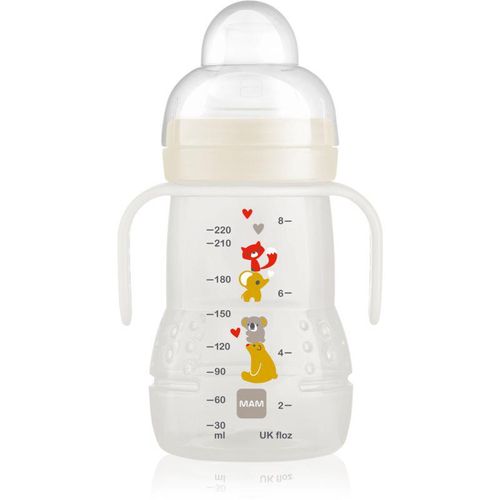
MAM Trainer+ training cup 220 ml
Vendor: Notino.co.uk Price: 8.10 £ (+3.99 £)MAM Trainer+, 220 ml, Kids’ mugs For Kids, Keep your baby hydrated wherever he goes. MAM Trainer+ cup is designed to help your little one start drinking by himself thanks to its spill-proof spout. The cup features wide openings that encourage drinking beginners and facilitate filling and cleaning. Suitable for babies from 4 months, the cup is made with silicone and doesn’t contain BPA or BPS and features a measuring scale. Characteristics: spill-proof teat and spout for easy drinking makes transition from breastfeeding or bottle-feeding to cup effortless breastfeeding or bottle-feeding to cup effortless perfect for small hands wide openings that make filling and cleaning easy with a built-in measuring scale suitable from 4 months Material: silicone BPA-free BPS-free
-

ViaCAD Training Guide
Vendor: Blitzhandel24.de GB Price: 66.52 £ViaCAD Training Guide - The comprehensive guide for your CAD training The ViaCAD Training Guide is the ideal learning material for anyone who wants to deepen their knowledge of CAD modeling with ViaCAD. Whether you are a newcomer to the CAD world or already experienced and want to develop your skills further, this training guide provides you with a structured and detailed introduction to all key aspects of ViaCAD. The guide covers both the basics and advanced techniques, enabling you to create complex 2D and 3D models efficiently and accurately. Comprehensive training for beginners and advanced users The ViaCAD Training Guide is designed to appeal to users of all experience levels. Key topics include: 2D Drafting Fundamentals: learn the basic tools and techniques to create accurate and detailed 2D drawings. Introduction to 3D Modeling: Discover the first steps in 3D modeling and learn how to create and edit simple and complex 3D models. Advanced CAD techniques: Deepen your knowledge with advanced techniques and learn how to create complex geometries, surfaces and solid models. Efficient use of ViaCAD tools: Get detailed instructions on how to make the best use of the various tools and functions to optimize your workflow. Project-based learning methods: The guide includes a variety of project examples to help you practically apply what you have learned and reinforce your skills through hands-on exercises. Structured learning for maximum efficiency The ViaCAD Training Guide is divided into easy-to-understand chapters that help you to familiarize yourself with the software step by step. Each chapter builds on the previous one and guides you through the entire process of CAD modeling, from creating simple sketches to complex 3D modeling and final visualization. This structured approach allows you to effectively achieve your learning objectives and use the software to its full potential. Why the ViaCAD Training Guide is indispensable The ViaCAD Training Guide not only provides you with theoretical knowledge, but also valuable practical experience. The exercises and tutorials contained in the guide are designed to consolidate your skills and give you the confidence to tackle complex projects on your own. This guide is an indispensable tool for anyone who wants to succeed in the CAD world. Who is the ViaCAD Training Guide for? The ViaCAD Training Guide is perfect for: CAD newbies who need a thorough introduction to the software. Advanced users who want to expand and refine their knowledge. Professionals looking for structured and practical training materials to take their skills to the next level.
-

Switch Boards Switch Trampoline Training Skis (Orange) - Orange;Red;Yellow
Vendor: Skatepro.uk Price: 189.95 £Experience skiing throughout the year with Switch Boards' Trampoline Training Skis and refine your techniques from the comfort of indoor settings. Whether preparing for the winter months or lacking access to snowy landscapes, this training equipment appeals to all skill levels.
-

B.Box Trainer Cup training cup Blue 12m+ 240 ml
Vendor: Notino.co.uk Price: 9.20 £ (+3.99 £)B.Box Trainer Cup, 240 ml, Kids’ mugs For Kids, Want your kid to develop the correct habits when it comes to hydration? B.Box Trainer Cup baby bottle will make it much easier. It’s the right size to perfectly fit into a child’s hand and its playful design will make drinking from it more fun. Characteristics: training cup practical size easy to clean enables a quick and easy transition from a bottle to a cup practical and lightweight can be put in a dishwasher Materials: plastic BPA-free
-

ViaCAD Training Guide
Vendor: Blitzhandel24.de GB Price: 66.52 £ViaCAD Training Guide - The comprehensive guide for your CAD training The ViaCAD Training Guide is the ideal learning material for anyone who wants to deepen their knowledge of CAD modeling with ViaCAD. Whether you are a newcomer to the CAD world or already experienced and want to develop your skills further, this training guide provides you with a structured and detailed introduction to all key aspects of ViaCAD. The guide covers both the basics and advanced techniques, enabling you to create complex 2D and 3D models efficiently and accurately. Comprehensive training for beginners and advanced users The ViaCAD Training Guide is designed to appeal to users of all experience levels. Key topics include: 2D Drafting Fundamentals: learn the basic tools and techniques to create accurate and detailed 2D drawings. Introduction to 3D Modeling: Discover the first steps in 3D modeling and learn how to create and edit simple and complex 3D models. Advanced CAD techniques: Deepen your knowledge with advanced techniques and learn how to create complex geometries, surfaces and solid models. Efficient use of ViaCAD tools: Get detailed instructions on how to make the best use of the various tools and functions to optimize your workflow. Project-based learning methods: The guide includes a variety of project examples to help you practically apply what you have learned and reinforce your skills through hands-on exercises. Structured learning for maximum efficiency The ViaCAD Training Guide is divided into easy-to-understand chapters that help you to familiarize yourself with the software step by step. Each chapter builds on the previous one and guides you through the entire process of CAD modeling, from creating simple sketches to complex 3D modeling and final visualization. This structured approach allows you to effectively achieve your learning objectives and use the software to its full potential. Why the ViaCAD Training Guide is indispensable The ViaCAD Training Guide not only provides you with theoretical knowledge, but also valuable practical experience. The exercises and tutorials contained in the guide are designed to consolidate your skills and give you the confidence to tackle complex projects on your own. This guide is an indispensable tool for anyone who wants to succeed in the CAD world. Who is the ViaCAD Training Guide for? The ViaCAD Training Guide is perfect for: CAD newbies who need a thorough introduction to the software. Advanced users who want to expand and refine their knowledge. Professionals looking for structured and practical training materials to take their skills to the next level.
-

Licensel Autodesk Fusion 360 - Windows , 1 year, 2024
Vendor: Licensel.com Price: 5.99 £Autodesk Fusion 360 Original licence guaranteed by Licensel.com Education version licence, full-featured, can be used for personal and learning/training related purposes. It has no watermark and no reference to the education version in the print files. Language: Multi-Language Licence Term: Annual and Three-Year Operating System: Windows / Mac Users: 1 Autodesk Fusion 360 is an integrated design platform that combines 3D modelling, CAD (Computer-Aided Design), CAM (Computer-Aided Manufacturing), and CAE (Computer-Aided Engineering) in a single software. It is used by designers, engineers and makers to create, simulate and produce products of all types, from small mechanical parts to complex industrial assemblies Fusion 360 is a cloud-based solution that enables real-time collaboration between design and production teams, improving the efficiency and quality of the final product. Main features of Autodesk Fusion 360: Parametrically controlled design: Fusion 360 enables the creation of parametric 3D models, where changes are easy to apply and automatically updated to all connected parts. Simulation and analysis: Includes powerful simulation tools that allow you to virtually test the strength and performance of your design before building it, reducing the risk of errors and optimising the design. CAM integration: Offers CAM functionality to generate toolpaths for milling, turning and other manufacturing operations, directly from the CAD model without the need for external software. Real-time collaboration: Being cloud-based, it allows multiple team members to work simultaneously on a project, with real-time updates and easy sharing between colleagues and customers. Design for manufacturing: Fusion 360 facilitates the design of optimised components for manufacturing, integrating design with manufacturing and improving understanding of the manufacturing process from the early stages. Advanced Modelling Tools: Supports a wide range of modelling techniques, including solid modelling, surface modelling, mesh modelling, and the creation of organic shapes to meet complex design requirements. Autodesk Fusion 360 Download Autodesk Fusion 360 is an all-in-one solution that enables design teams to move easily from concept to production, optimising collaboration, quality, and process efficiency. Suitable for designers, engineers and manufacturers, it is ideal for those looking for flexible and powerful software for mechanical design and manufacturing How Do Licences Get Cheap? As retail licences are used and discontinued by the previous owner in accordance with EC ruling C-128/2011, they can be purchased from us at a lower price. These licences are official, compliant and guaranteed at the best price on the market. Is the Product Downloaded from the Official Site? Of course, the product is downloaded from the official website, no external links are used, only official links. What do I get once I've purchased? When you purchase this...
-

B.Box Trainer Cup training cup Sage 12m+ 240 ml
Vendor: Notino.co.uk Price: 10.80 £ (+3.99 £)B.Box Trainer Cup, 240 ml, Kids’ mugs For Kids, Want your kid to develop the correct habits when it comes to hydration? B.Box Trainer Cup baby bottle will make it much easier. It’s the right size to perfectly fit into a child’s hand and its playful design will make drinking from it more fun. Characteristics: training cup practical size easy to clean enables a quick and easy transition from a bottle to a cup practical and lightweight can be put in a dishwasher Materials: plastic BPA-free
-
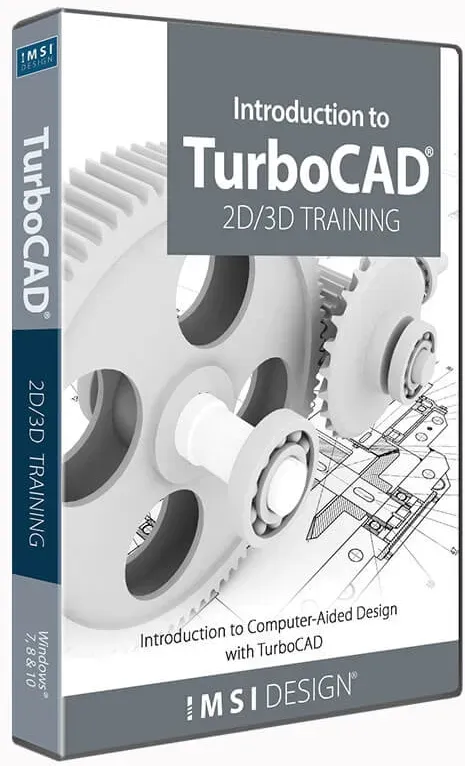
Introduction to TurboCAD - Training
Vendor: Blitzhandel24.de GB Price: 31.76 £Welcome to the world of TurboCAD Introduction to TurboCAD - Training is delivered in a convenient, browser-based format that allows the user to follow each session in sequential order or use it as a quick reference guide. Each video tutorial is accompanied by a printable and downloadable drawing so you can use the examples to create your own designs. The video tutorials guide you step-by-step through each drawing so that each drawing is fully completed, including dimensions, text and multiple drawing views. Unbeatable benefits The Introduction to TurboCAD training is more than just an introductory course. It's your springboard into a world where your creativity knows no bounds. Here are some of the unbeatable benefits: Accessibility: whether you're a beginner or a seasoned pro, this course is accessible to everyone. Flexibility : Learn at your own pace and put your newly acquired knowledge into practice immediately. Practice-oriented: Hands-on exercises and projects allow you to directly apply what you have learned. What does Introduction to TurboCAD - Training include? Introduction to the TurboCAD user interface and all the tools you need to get started quickly, from 2D sketching to 3D design creation. Three multimedia, audio-visual tutorials covering engineering and architectural designs - all created from start to finish. Quick reference index to locate specific topics quickly. Printable PDF file for each session drawing. A sample drawing is provided for each tutorial. Introduction to TurboCAD - Training: Outline This TurboCAD course is organized into three carefully designed tutorials that will take you from the basics of 2D drafting to advanced 3D design creation and architectural planning. Below is a brief introduction to what each tutorial will cover to give you a comprehensive understanding of the tools and techniques necessary to master this powerful design platform. In the first tutorial , you will learn how to draw a small component using various drawing, modification and dimensioning tools. In this tutorial you will also learn the following: Creating a new drawing based on a template. The tool and design director palettes. Drawing individual lines with specific lengths and angles; using the SHIFT key to fix angles. Activation of the intersection snap mode. Drawing concentric circles. Using the TAB key to navigate in the data entry fields. Using the information palette for selection. Using the parallel tool for vertical and horizontal offsets. Using the object trimming tools; selection by crossing. Using the "Meet two lines", "Shorten/extend line" and "Change line length" tools. Changing layer properties. Inserting dimensions. In the second tutorial , you will learn how to convert the sketch created in the previous section into a 3D model. During this tutorial you will also learn about: Dragging a sketch into the block palette. Naming a block. Displaying the work plane. Viewing the model from an isometric view. Returning a block to the editor. Splitting the block. Preparing the sketch for the 3D design with the Design Director. Joining line segments with "Join Polyline". Extruding a profile. Subtracting 3D objects. Render modes. - Creating and inserting viewports. Modifying the view in the paper space layout. In the third tutorial , you will learn how to draw an architectural floor plan with interior and exterior walls as well as doors and windows. In this tutorial you will also learn the following: Creating a new drawing with an architectural template. Existing layers in the Design Director. Grid settings. Defining the properties of walls. Drawing outer and inner walls. Defining the wall reference. Moving and deleting walls. Inserting doors and windows. Manipulating doors and windows. Changing the style properties of doors and windows. Viewing objects in an isometric view.
-

MAM Trainer+ training cup 220 ml
Vendor: Notino.co.uk Price: 0.81 £ (+3.99 £)MAM Trainer+, 220 ml, Kids’ mugs For Kids, Want your kid to develop the correct habits when it comes to hydration? MAM Trainer+ baby bottle will make it much easier. It’s the right size to perfectly fit into a child’s hand and its playful design will make drinking from it more fun. Characteristics: practical size ideal for travelling with handles easy to clean soft spout
-

B.Box Trainer Cup training cup Blush 12m+ 240 ml
Vendor: Notino.co.uk Price: 9.60 £ (+3.99 £)B.Box Trainer Cup, 240 ml, Kids’ mugs For Kids, Want your kid to develop the correct habits when it comes to hydration? B.Box Trainer Cup baby bottle will make it much easier. It’s the right size to perfectly fit into a child’s hand and its playful design will make drinking from it more fun. Characteristics: training cup practical size easy to clean enables a quick and easy transition from a bottle to a cup practical and lightweight can be put in a dishwasher Materials: plastic BPA-free
-

2D/3D Training TurboCAD Deluxe 2020, English
Vendor: Blitzhandel24.de GB Price: 62.82 £2D/3D Training TurboCAD Deluxe 2020 Training material for TurboCAD Deluxe 2D/3D Training Guides for TurboCAD Deluxe includes 15 self-paced work sessions. A full instruction video on how to complete each task is included with each work session, along with a practical task drawing to produce a similar drawing with the tools learned. You can work along with each video, pause, rewind or fast-forward while you draw.lessons can be repeated as often as you like. 2D/3D Training Guides for TurboCAD Deluxe teach common 2D and 3D CAD skills necessary to efficiently operate TurboCAD Deluxe through easy to use, step-by-step sessions. Perfect for a classroom or self-study. The Easiest Way to Learn Computer-Aided Design with TurboCAD All key 2D features in TurboCAD are presented in the first program. Following basic introductory sessions are 16 learning tutorials. Over 220 videos are spread throughout the 16 tutorials to demonstrate the activities being presented. Once you have completed the 2D training guide, move to the 3D training guide for comprehensive solid modeling and rendering instruction. In the 3D guide, over 250 videos are spread throughout 15 sessions. With both the 2D and 3D guide, each session begins with a task worksheet with specific instructions about the session. All sessions are single session, from start to finish, which means drawings can easily be completed in the recommended time frame. Projects and practical sessions are also included so you can build your own projects from scratch. What's Included? Introduction and TurboCAD Basics at the beginning of each guide to put you on the fast track for learning TurboCAD 8 training sessions in the 2D training guide 8 training sessions in the 3D training guide Session summaries for a concise review of progress Rapid Reference Index for quick location of specific topics Google Dictionary & Google Translate support The Easiest Way to Learn 2D Computer-Aided Design with TurboCAD The Work Sessions Each session contains detailed, illustrated and video-animated instructions of a drawing, using a sequential, task-based structure. All drawings are started and finished in the same session, allowing you to produce print-ready layouts of your drawings. What you will learn in this Training Guide Setting up a new drawing using templates The TurboCAD user interface, including the Ribbon Workspace Style. Understanding Palettes, Toolbars and Menus. Interacting with Graphical Information such as the Status Bar, Inspector Bar, Coordinate Fields and Information Palettes. Learning how to utilize the power of Drawing Aids such as Layers, Grid and Snap Modes. Sketch tools and the use of 2D Line and Circle Geometry as well as Curved Lines and Contours, Bezier Curves and Construction objects. Understanding the power of Drawing & Geometric Constraints - powerful conceptual design tools which apply measurement and spatial design rules to objects. Object handling, transformation, duplication and modification. Understanding the concepts of Spatial Information and how to draw using Polar or Rectangular Coordinates using either Absolute or Relative coordinate positions. Extracting measurement information from objects such as Distance, Perimeter, Angle, Area, Curve Length, Volume and Surface area. Learn how to fully detail and annotate your drawings using Dimensions, Tolerances, Leader Arrows and how to apply Surface Roughness symbols to annotation objects. Cross-hatching and single, multi-line text and text tables are also instructed. Working with Formatted and External objects such as Groups, Blocks and the Library Palette. Understanding the concepts of Externally Referenced source and destination files and how to update all instances of externally referenced blocks in your drawing. Producing print-ready drawing layouts using Viewports with multiple drawing scale and layering capabilities. Architectural tools such as Exterior and Interior Walls, Doors, Windows and Roof Tools are also discussed and demonstrated, including using and applying various Door and Window Styles. The Easiest Way to Learn 3D Computer-Aided Design with TurboCAD The Work Sessions Each session contains detailed, illustrated and video-animated instructions of a design, using a sequential, task-based structure. Each design uses the recommended component-assembly method of designing and constructing solids. Modifications to each part are updated in real-time using the Part Tree History. All designs are started and finished in the same session, allowing you to produce multiple view, print-ready layouts of your drawings. What you will learn in this Training Guide This Training Guide is designed to cover the widest range possible of 3D tools which each Tutorial Session focusing on specific tasks. Some of the topics discussed and demonstrated in this Guide are: A bri...
-

B.Box Trainer Cup training cup Blush 12m+ 240 ml
Vendor: Notino.co.uk Price: 0.96 £ (+3.99 £)B.Box Trainer Cup, 240 ml, Kids’ mugs For Kids, Want your kid to develop the correct habits when it comes to hydration? B.Box Trainer Cup baby bottle will make it much easier. It’s the right size to perfectly fit into a child’s hand and its playful design will make drinking from it more fun. Characteristics: training cup practical size easy to clean enables a quick and easy transition from a bottle to a cup practical and lightweight can be put in a dishwasher Materials: plastic BPA-free
714 results in 0.3 seconds
Related search terms
© Copyright 2026 shopping.eu