77 products were found matching your search for info snomipphonebatch 16 in 3 shops:
-
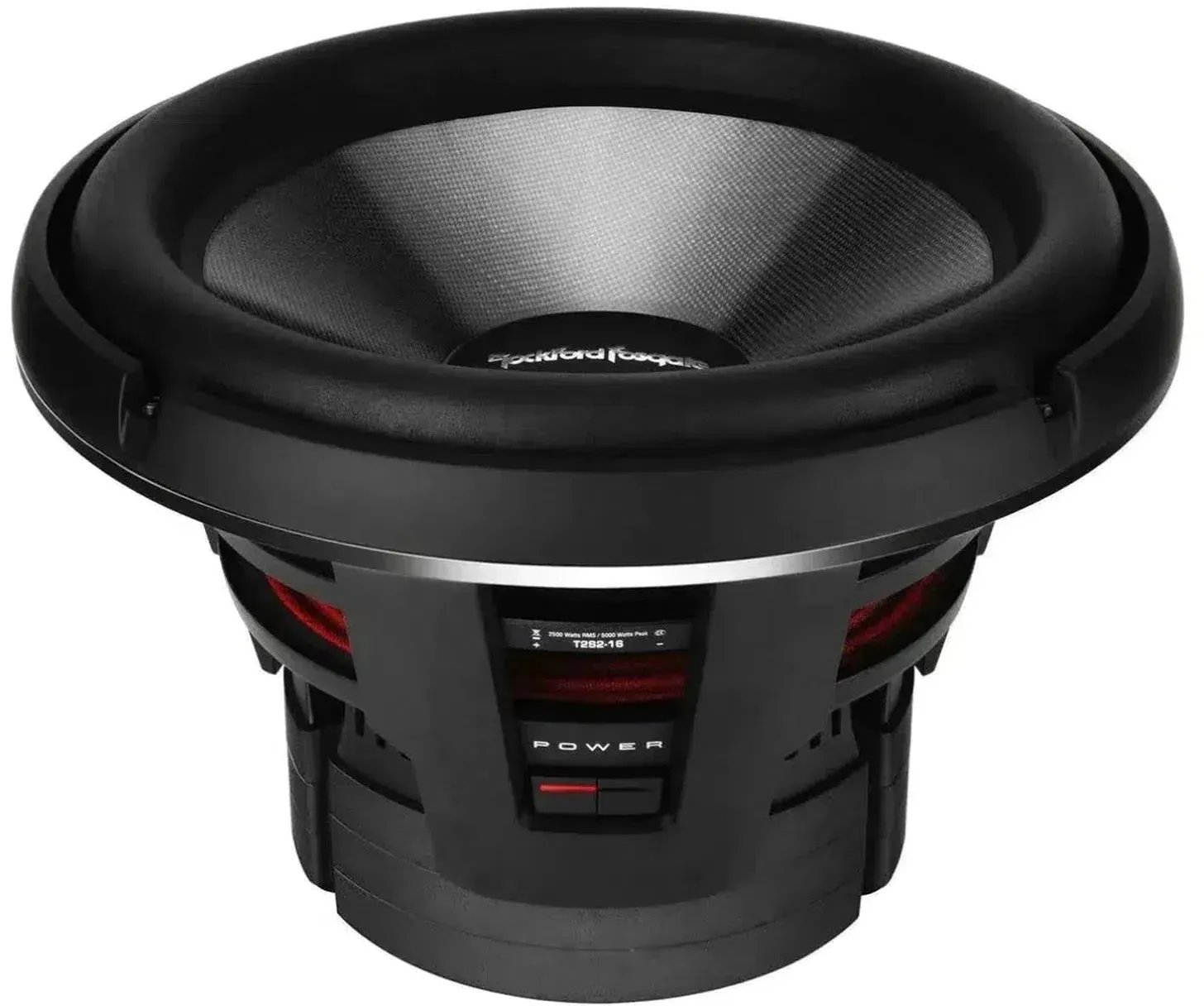
Rockford Fosgate Power T2S2-16|T2S1-16 15 Inch Subwoofer
Vendor: Masori UK Price: 1,603.67 £ (+2.16 £)Rockford Fosgate Power T2S2-16 / T2S1-16 is a 15 inch (38 cm) Subwoofer from the Power T2 series. The manufacturer Rockford Fosgate relies on a three-layer fiberglass/aramid honeycomb/fiberglass diaphragm, an aluminum dust cap, and an injection molded foam surround with VAST. The drive unit includes a single layer, edge-wound 100 mm aluminum voice coil, a triple stacked segmented ferrite motor structure, and an integrated aluminum short circuit ring (IDHS) with a ventilated pole piece. Two progressive Nomex centering spiders with integrated connection wires guide the moving assembly. The aluminum die-cast frame features integrated cooling fins and a removable die-cast aluminum cover ring. On the connection side, insulated 8 mm2 spring clips are available. The power handling is 2500 watts RMS and 5000 watts maximum, the mounting depth is 266 mm, and the cutout is 382 mm. The magnet weight is 15 kg, the displacement volume is 8.2 liters, and the shipping weight is 45.7 kg. Available as a single voice coil with 1-Ohm or 2-Ohm nominal impedance. Features 15 inch (38 cm) Subwoofer Single voice coil, available in 1 Ohm and 2 Ohm Three-layer fiberglass/aramid honeycomb/fiberglass diaphragm Aluminum dust cap Injection molded foam surround with VAST Two progressive Nomex centering spiders with integrated connection wires Proprietary mechanical clamp ring for the surround Aluminum die-cast frame with integrated cooling fins Insulated 8 mm2 connections with spring clip Removable die-cast aluminum cover ring Single layer, edge-wound aluminum voice coil Ventilated pole piece Triple stacked, segmented ferrite motor structure Integrated aluminum short circuit ring (IDHS) Technical specifications Nominal power handling RMS: 2500 watts Maximum power handling: 5000 watts Voice coil diameter: 100 mm Magnet weight: 15 kg Mounting depth: 266 mm Cutout diameter: 382 mm Displacement volume of the woofer: 8.2 liters Shipping weight: 45.7 kg 2-Ohm variant: Nominal impedance: 2 Ohm Voice coil type: Single voice coil Fs: 28.5 Hz Qes: 0.56 Qms: 3.76 Vas: 90.1 liters Le: 0.91 mH Qts: 0.49 Sd: 1034 cm2 Xmax: 34 mm Re: 1.6 Ohm SPL (1 W/1 m): 90 dB SPL (2.8 V/1 m): 93 dB Closed enclosure volume (Vb): 67.9 liters Bass reflex enclosure volume (Vb): 155 liters 1-Ohm variant: Nominal impedance: 1 Ohm Voice coil type: Single voice coil Fs: 28.5 Hz Qes: 0.57 Qms: 3.73 Qts: 0.49 Re: 0.9 Ohm Le: 0.53 mH Sd: 1034 cm2 Xmax: 34 mm SPL (1 W/1 m): 89 dB Vas: 84.5 liters SPL (2.8 V/1 m): 92 dB Closed enclosure volume (Vb): 67.9 liters Bass reflex enclosure volume (Vb): 155 liters
-

Eagle Creek Tarmac 55cm 4-Wheel Expandable Cabin Case - Black
Vendor: Goplaces.co.uk Price: 229.00 £Tarmac is a versatile new range by Eagle Creek with a hybrid construction that combines the durability of a hard shell with the easy access of a soft side. The front pocket includes a laptop sleeve for laptops up to 16 inches. PRODUCT INFO: CAPACITY: 40/45 L DIMENSIONS: 55 x 36 x 23/26 cm WEIGHT: 3.37 kg MATERIAL: Hardshell Polycarbonate with 400D 100% Ocean Recycled Nylon GUARANTEE: No Matter What DETAILS: Extra wide, heavy duty, multi-directional spinner wheels. Hybrid construction combines the durability of a hard shell with the easy access of a soft side. External front pocket fits laptop up to 16" Expansion panel Fully lined interior Internal adjustable compression TSA locking zippers
-
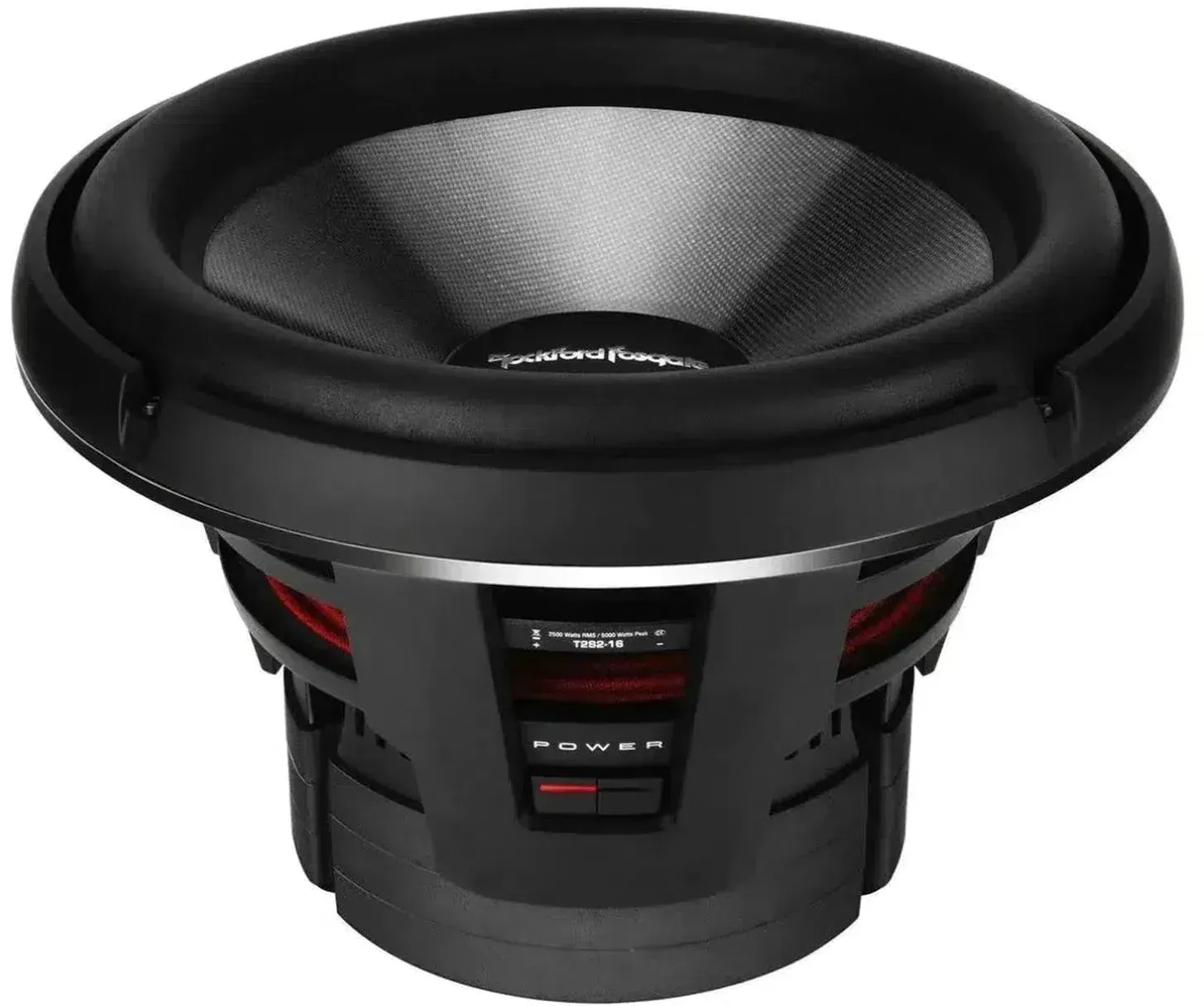
Rockford Fosgate Power T2S2-16|T2S1-16 15 Inch Subwoofer
Vendor: Masori UK Price: 1,603.67 £ (+2.16 £)Rockford Fosgate Power T2S2-16 / T2S1-16 is a 15 inch (38 cm) Subwoofer from the Power T2 series. The manufacturer Rockford Fosgate relies on a three-layer fiberglass/aramid honeycomb/fiberglass diaphragm, an aluminum dust cap, and an injection molded foam surround with VAST. The drive unit includes a single layer, edge-wound 100 mm aluminum voice coil, a triple stacked segmented ferrite motor structure, and an integrated aluminum short circuit ring (IDHS) with a ventilated pole piece. Two progressive Nomex centering spiders with integrated connection wires guide the moving assembly. The aluminum die-cast frame features integrated cooling fins and a removable die-cast aluminum cover ring. On the connection side, insulated 8 mm2 spring clips are available. The power handling is 2500 watts RMS and 5000 watts maximum, the mounting depth is 266 mm, and the cutout is 382 mm. The magnet weight is 15 kg, the displacement volume is 8.2 liters, and the shipping weight is 45.7 kg. Available as a single voice coil with 1-Ohm or 2-Ohm nominal impedance. Features 15 inch (38 cm) Subwoofer Single voice coil, available in 1 Ohm and 2 Ohm Three-layer fiberglass/aramid honeycomb/fiberglass diaphragm Aluminum dust cap Injection molded foam surround with VAST Two progressive Nomex centering spiders with integrated connection wires Proprietary mechanical clamp ring for the surround Aluminum die-cast frame with integrated cooling fins Insulated 8 mm2 connections with spring clip Removable die-cast aluminum cover ring Single layer, edge-wound aluminum voice coil Ventilated pole piece Triple stacked, segmented ferrite motor structure Integrated aluminum short circuit ring (IDHS) Technical specifications Nominal power handling RMS: 2500 watts Maximum power handling: 5000 watts Voice coil diameter: 100 mm Magnet weight: 15 kg Mounting depth: 266 mm Cutout diameter: 382 mm Displacement volume of the woofer: 8.2 liters Shipping weight: 45.7 kg 2-Ohm variant: Nominal impedance: 2 Ohm Voice coil type: Single voice coil Fs: 28.5 Hz Qes: 0.56 Qms: 3.76 Vas: 90.1 liters Le: 0.91 mH Qts: 0.49 Sd: 1034 cm2 Xmax: 34 mm Re: 1.6 Ohm SPL (1 W/1 m): 90 dB SPL (2.8 V/1 m): 93 dB Closed enclosure volume (Vb): 67.9 liters Bass reflex enclosure volume (Vb): 155 liters 1-Ohm variant: Nominal impedance: 1 Ohm Voice coil type: Single voice coil Fs: 28.5 Hz Qes: 0.57 Qms: 3.73 Qts: 0.49 Re: 0.9 Ohm Le: 0.53 mH Sd: 1034 cm2 Xmax: 34 mm SPL (1 W/1 m): 89 dB Vas: 84.5 liters SPL (2.8 V/1 m): 92 dB Closed enclosure volume (Vb): 67.9 liters Bass reflex enclosure volume (Vb): 155 liters
-

Eagle Creek Tarmac 55cm 4-Wheel Expandable Cabin Case - Blue Jay
Vendor: Goplaces.co.uk Price: 229.00 £Tarmac is a versatile new range by Eagle Creek with a hybrid construction that combines the durability of a hard shell with the easy access of a soft side. The front pocket includes a laptop sleeve for laptops up to 16 inches. PRODUCT INFO: CAPACITY: 40/45 L DIMENSIONS: 55 x 36 x 23/26 cm WEIGHT: 3.37 kg MATERIAL: Hardshell Polycarbonate with 400D 100% Ocean Recycled Nylon GUARANTEE: No Matter What DETAILS: Extra wide, heavy duty, multi-directional spinner wheels. Hybrid construction combines the durability of a hard shell with the easy access of a soft side. External front pocket fits laptop up to 16" Expansion panel Fully lined interior Internal adjustable compression TSA locking zippers
-
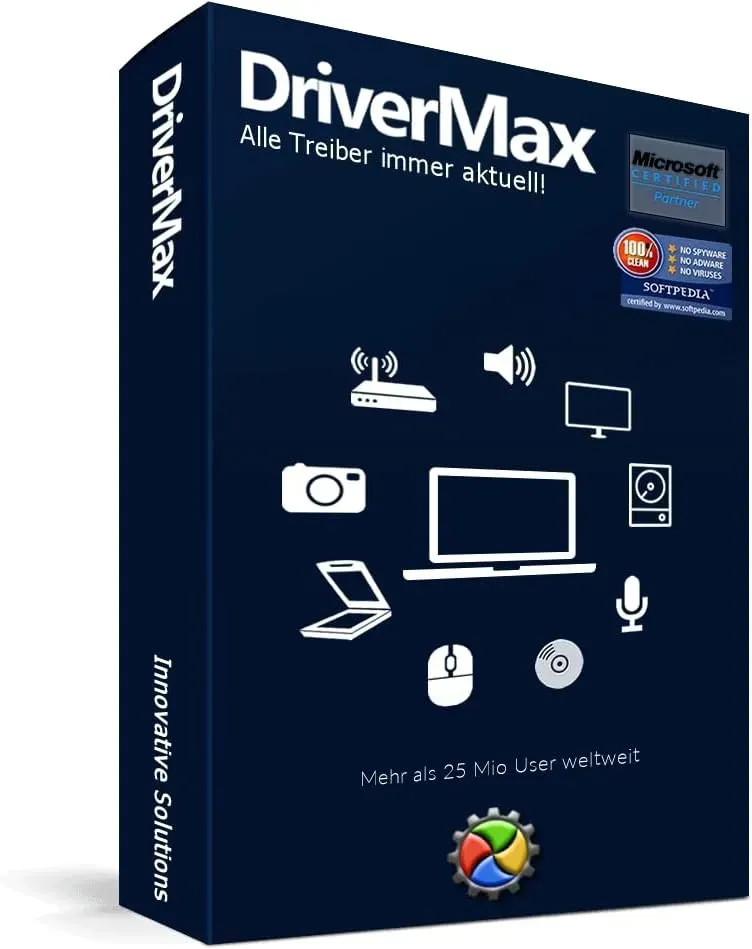
DriverMax 16
Vendor: Blitzhandel24.de GB Price: 14.59 £DriverMax Product description Problems with your PC are often caused by old and not updated drivers. If the drivers on the system are up-to-date, the computer or notebook runs smoothly. If only one particular driver is missing or is perhaps outdated, performance drops rapidly. In the worst case, serious malfunctions, graphics problems or even problems with printers, scanners, etc. can be caused. Bring your computer up to date with DriverMax! PC problems belong to the past. DriverMax is a comprehensive collection of drivers, which is constantly updated by a professional team is updated and kept up to date. With a few mouse clicks you can update your computer and give it back its full performance. Features: - Makes your PC faster, more stable and efficient! System requirements Windows XP/ Vista/ 7/ 8/ 8.1/ 10 (both 64-bit and 32-bit) Processor with 1 5 GHz Working memory with 1 GB RAM 500 MB free hard disk space
-
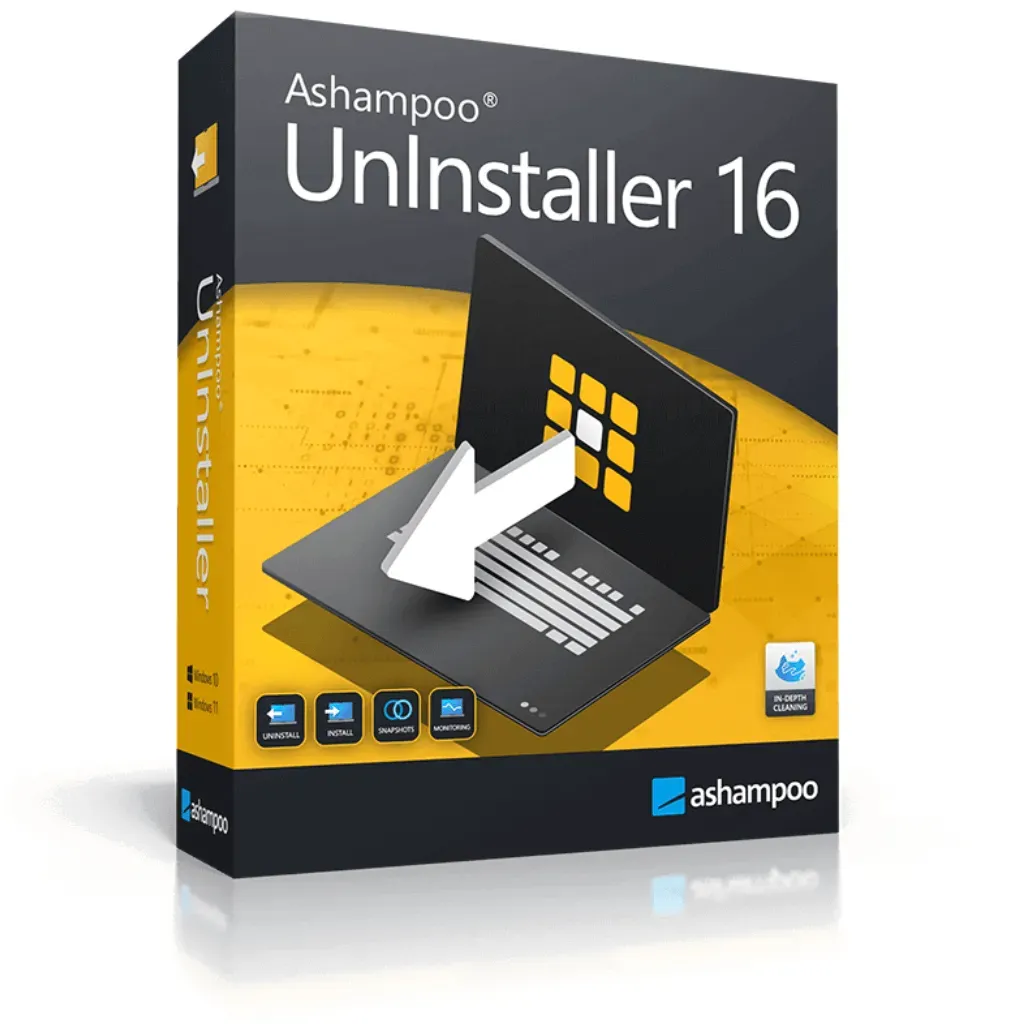
Ashampoo UnInstaller 16
Vendor: Blitzhandel24.de GB Price: 10.93 £Ashampoo UnInstaller 16 - residue-free uninstallation even for older programs With Ashampoo UnInstaller 16 you can install and test programs without risk - and later remove them from your system completely. The software monitors each installation in detail so that a complete uninstallation is possible at any time. Even if no monitoring logs are available, for example for older programs, the integrated forensic analysis ensures that all changes are detected and reversed. Thanks to a five-fold uninstall routine including deep cleaning , even stubborn residues are removed. In addition, unwanted browser add-ons and toolbars can be conveniently deleted with a click. The snapshot function clearly shows you all changes to the system - for maximum transparency and control. All in one software: thorough, intelligent, efficient Ashampoo UnInstaller 16 combines all common program removal methods in one powerful application. Forensic analysis allows you to completely uninstall even unmonitored programs. New cleaning tools and an improved registry optimizer bring noticeably more performance and order to your PC. You can also use clever tools such as the Crash Analyzer to detect and fix system problems. And all this in a modern, even faster and more stable software version. Powerful features of Ashampoo UnInstaller 16 Forensic analysis Detects and logs existing installations for a complete uninstallation. Registry Optimizer 2 Fast and thorough registry cleanup for a smooth system. Super-Safe-Mode Careful registry cleaning for sensitive or older systems. Crash Analyzer System-wide analysis of crashes for error detection and resolution. Optimized Cleaner Up to 50 % faster, resource-saving and precise system maintenance. Deep cleaning Greatly improved removal of residual files after uninstallation. Export installation logs Export to HTML, CSV or TXT for maximum transparency and traceability. Background Guard Up to 10x faster - detects installations automatically and reliably. Conserves resources Less CPU and memory consumption for better system performance. System maintenance with Ashampoo UnInstaller 16 Forensic analysis: Clean uninstallation for existing programs Even without prior monitoring, the forensic analysis allows you to create detailed uninstall logs for already installed programs. With just one click, UnInstaller analyzes compatible installations and creates complete logs - even for all supported programs at the same time if desired. This means you can also remove older programs without leaving any residue. Different installer types are automatically recognized, installation phases are precisely documented - even updates are clearly differentiated. Incorrect detections are therefore a thing of the past. Registry with Turbo: Optimization on a new level With the new Registry Optimizer 2, you can clean the Windows registry up to 100 times faster than before! The algorithm recognizes related or incorrect entries and removes them in a targeted manner. The Super-Safe-Mode offers maximum security for sensitive systems through particularly gentle cleaning. Crash Analyzer: quickly understand the causes of errors The Crash Analyzer analyzes system crashes that would otherwise remain hidden deep in the Windows event log. Reports are clearly sorted and can be filtered by frequency or time. All original details are retained and can be exported or analyzed online. Noticeably faster: optimized cleaner & deep cleaning The new cleaner modules work up to 50% faster - including more efficient deep cleaning. Installation logs can now be exported in HTML, CSV or TXT format. This allows you to analyze processes even more flexibly and use them in other applications if required. Many background optimizations make Ashampoo UnInstaller 16 run faster and more stable than ever before. More efficiency with less system load Ashampoo UnInstaller 16 has been optimized to be even more resource-efficient. Memory and processor utilization has been significantly reduced, making your system run noticeably smoother - even on older or less powerful PCs. At the same time, users benefit from improved creation and processing of installation protocols. Particularly practical: the significantly accelerated snapshot comparisons allow you to detect changes between two system states in a matter of seconds. A new level of data protection The new Privacy Traces Cleaner focuses on protecting your privacy. The tool reliably detects digital traces of your PC usage - be it in folders, files or the registry - and removes them thoroughly. This keeps your system clean and your activities private. In addition, the integrated deletion history gives you full transparency of all cleanings performed. You can see at a glance what was deleted and when - so you can be sure that nothing unwanted is lost. Seamless integration and maximum compatibility With Ashampoo UnInstaller 16 you are perfectly prepared for current and future requirements. The software now support...
-

Wondershare UniConverter 16
Vendor: Blitzhandel24.de GB Price: 51.14 £Wondershare UniConverter 16: Your all-in-one video tool With Wondershare UniConverter 16, you get a comprehensive solution for video conversion, compression and editing. This powerful tool is the ideal companion to edit your videos quickly and in the highest quality - all with a user-friendly interface. The powerful features of UniConverter 16 UniConverter 16 offers over 20 different features that allow you to convert, compress and enhance videos efficiently. Whether you are working with 4K, 8K or HDR video files, this tool will process your videos with exceptional speed and quality. Batch conversion and compression for high efficiency Wondershare UniConverter 16 supports batch processing of video files, which allows you to convert large amounts of files simultaneously without losing quality. Save valuable time and enjoy impressive video quality at the same time. Functions in detail UniConverter Video Converter 4K/8K/HDR video conversion Batch conversion 1.000+ supported formats Process acceleration UniConverter Video Compressor Ultimate compression mode 4K/8K video compression Batch video compression Minimum size, original quality UniConverter Batch Editor Customizable presets One-click application Intuitive editing options Features of Wondershare UniConverter 16 Video Recorder: Advanced recording features such as drawing while recording and switching screens. Customize your recording as you wish. Draw while recording: Add or delete text and annotations during recording with one click. Switch screens while recording: Switch screens while recording and record what you want. Custom recording settings: Customize start and end times, select whether mouse clicks should be displayed and much more. Video Editor: Additional editing features for your videos, including speed control and watermark removal. Change video speed: Highlight important moments in your videos and adjust the speed. Remove video watermarks: Remove unwanted watermarks without losing quality. Create subtitles: Create your own subtitles or edit existing ones to optimize your videos. Video Merger: Combine different video and audio files quickly and easily. Merge different formats: Including AVI, TS, MKV and more, with the ability to merge audio and video files. DVD burner: Create personalized DVDs with extensive templates and edit the menu to your liking. DVD templates for your DVDs: Choose from 35 free templates for your DVDs, suitable for any occasion. Convert CDs to any audio format: Convert CDs to your favorite audio formats without losing quality. Repair media metadata: Repair and optimize incorrect or missing metadata in your media. Tool Box: Discover useful tools such as the subtitle editor, intelligent trimming and the watermark editor. Subtitle Editor: Edit and create custom subtitles for your videos. Intelligent trimming: Trim videos precisely and easily to your liking. Watermark Editor : Add or remove watermarks to your videos with ease. Who is Wondershare UniConverter 16 ideal for? Video lovers With UniConverter, video lovers can enjoy HD movies anytime and anywhere. As a powerful 4K/8K converter, it supports batch conversion to any player without quality loss. Social media lovers For social media lovers, UniConverter is indispensable for effortless content sharing. It batch compresses videos to meet size restrictions without losing quality and boosts your presence with a single click! Content Creator Content Creators benefit from the versatile editing capabilities of UniConverter, which enables quick editing, compression and conversion of media in different formats. This allows you to create and distribute more content with less effort. Educators For educators, UniConverter offers a user-friendly solution to create and convert learning materials. Support your teaching materials in different formats and facilitate access for all students. SME Manager SME executives can efficiently manage and customize their corporate videos with UniConverter. Whether marketing videos, training courses or corporate communications, UniConverter makes it easy to convert, compress and distribute media in high quality. Supported input formats Category Format Supported codecs Video MP4 XVID, MPEG-4, MJPEG, ProRes, H.263, DIVX MOV XVID, MPEG-4, MJPEG, ProRes, Apple Intermedia Codec, Sorenson 1/3 MKV XVID, MPEG-4, MJPEG, DIVX, VC-1, Theora, DV, Uncompressed, MPEG M4V (for Windows only) XVID, MPEG-4, MJPEG, ProRes, H.263 FLV Screen Video, VP6, H.263 Audio MP3 AUDIO MPEG Audio WAV PCM WMA Windows Media Audio APE Monkey's Audio MKA AC-3, MP3 Image BMP, DPX, GIF, JPEG (.jpeg, .jpg, .jp2, .jls), Netpbm formats (.pam, .pbm, .pgm, .ppm), PCX, PNG, PTX, RAW formats (3FR, ARW, BAY, BMQ, CINE, CR2, CRW, CS1, DC2, DCR, DNG, ERF, FFF, HDR, IA, K25, KC2, KDC, MDC, MEF, MOS, MRW, NEF, NRW, ORF, PEF, PXN, QTK, RAF, RAW, RDC, RW2, RWL, SR2, SRF, SRW, STI, X3F), SGI, TGA, TIFF, WebP, XBM, XWD, HEIC - Supported output formats Output category Format Supported codecs Video ...
-

Ashampoo Snap 16
Vendor: Blitzhandel24.de GB Price: 10.93 £Ashampoo Snap 16: Create screenshots and videos quickly and easily Ashampoo Snap 16 makes creating screenshots and videos a breeze! This powerful software allows you to effortlessly capture everything that appears on your screen and then edit, save and share it. Whether you're working from home, want to quickly explain something or create extensive tutorials, Snap 16 will help you achieve your goals in no time! Reach your goal faster The latest version, Ashampoo Snap 16, is faster and more efficient than ever before! Thanks to a new engine and optimized workflows, you'll save valuable time when capturing, editing and sharing screen content. With just two mouse clicks you can create a screenshot and even with different resolutions or multiple monitors you can keep track of everything! The new capture options - it couldn't be more practical! Ashampoo Snap 16 offers a variety of new recording options that make your work even more efficient. With just one click you can make settings such as text recognition, capturing the mouse pointer or selecting the recording format. Whether you want to record an area, a scrolling web page or a video - all options are just two clicks away! More possibilities for your videos With Ashampoo Snap 16 you can easily add graphical elements to your videos, such as arrows or rectangles. This allows you to highlight important information and make your videos even more meaningful. The new toolbar enables precise editing with infinite zoom and a 1:1 display. Adding live drawings during video recording is now also possible! Welcome back with Ashampoo Snap 16! By popular demand, some popular features have been brought back to Ashampoo Snap 16. The mouse cursor can be recorded again, as well as watermarks. Scrolling recordings are now more stable and the key combination Ctrl+C copies the image to the clipboard again. Ashampoo Snap 16 offers a familiar user experience with improved features! The irreplaceable companion for your home office Ashampoo Snap optimizes your home office by easily capturing screen content and creating videos. Information can be conveyed faster, more effectively and more comprehensibly, be it in internal meetings or in customer contact. With Snap 16, you can easily add text, graphics and effects and quickly create, edit and share videos. A short training period and minimal hardware requirements make Snap an indispensable tool! Smart desktop recording and easy sharing Ashampoo Snap automatically recognizes what's on your screen and offers a precise recording option. The "magic eye" allows you to capture rectangular areas, scrollable content and entire pages. The finished images can be easily saved or uploaded to Ashampoo Web. You can also use the tried-and-tested mail dispatch function! Text recognition / OCR for your screenshots With Ashampoo Snap 16 you can now recognize text in over 180 languages! The improved text recognition is based on the Windows language packs and is faster and more reliable than ever before. Language selection has been simplified by displaying only the languages installed on your system. Additional languages can easily be added via the menu. Edit videos quickly and easily With Ashampoo Snap you can edit videos quickly and easily by cutting out unnecessary scenes or saving individual episodes. Whether you want to record a webinar or create a presentation - with Snap you only keep the highlights! Add text, drawings or comments directly during recording and create professional videos in no time! Create videos for any purpose Ashampoo Snap makes it easy to create instructional videos, documentaries or tutorials. You can add annotations while recording and display mouse clicks and keystrokes separately. With Snap, you can create professional videos that get your message across clearly and comprehensibly! Ideal for different resolutions and multi-monitoring Ashampoo Snap is optimized for different monitors and resolutions and offers excellent handling for beginners and professionals. Whether you use Full HD or 4K monitors, Snap captures any resolution with full sharpness and allows for seamless editing. Create GIFs from any video With Ashampoo Snap you can create GIFs from any video to show short demonstrations or key moves. Simply select the desired excerpt from the video, convert it into a GIF and share it with others. GIFs are a fun and effective way to present information! More than a snipping tool with convenience features Ashampoo Snap offers a variety of convenience features that go beyond a simple snipping tool. With automatic numbering, time-delayed recording and various editing options, you can get the most out of your screen recordings. Customize your screenshots with text, graphics and effects and make them even more meaningful! Back up videos and photos from the internet Ashampoo Snap lets you easily back up images and videos from the internet for later use or sharing. Whether you discover inspiring images, informative texts or ...
-
VMware Workstation 16 Pro
Vendor: Blitzhandel24.de GB Price: 131.56 £VMware Workstation 16 Pro VMware Workstation Pro 16.x for Windows and Linux, English (ESD) VMware Workstation: Development and testing capabilities for any platform VMware Workstation Pro is the industry standard for running multiple operating systems as virtual machines (VMs) on a single Linux or Windows PC. IT professionals, developers, and companies that develop, test or demonstrate software for any device, platform or cloud rely on Workstation Pro. Data center on the laptop thanks to Workstation Pro Run multiple operating systems on a single PC VMware Workstation Pro lets you run multiple operating systems simultaneously on the same Windows or Linux PC. Create real Linux and Windows VMs, as well as other desktop, server and tablet environments, and complement them with configurable simulations of virtual networking and networking conditions. Then use the VMs for code development, solution architectures, application testing, product demonstrations, and more. Development and testing capabilities for any platform Workstation Pro supports several hundred operating systems and is compatible with cloud and container technologies (e.g. Docker and Kubernetes). Connection to VMware vSphere Connect securely to vSphere, ESXi, and workstation servers to start, control, and manage both virtual machines (VMs) and physical hosts. A common VMware hypervisor provides maximum productivity and makes it easy to move VMs to and from your local PC. Protect and isolate environments Run a secure second desktop with different privacy settings, tools and networking configurations, or use forensic tools to identify operating system vulnerabilities. Workstation provides one of the most secure hypervisors in the industry and offers powerful features for IT security professionals. FUNCTIONS vSphere Integration Workstation complements vSphere perfectly. A common hypervisor provides a highly uniform environment and ensures that applications can be easily integrated Desktop, data center and cloud can be moved. Workstation provides visibility into remote clusters, data centers and virtual machines. The solution enables users to quickly deploy ESXi and the vCenter Server appliance as VMs on a single PC in a local lab. Powerful 3D Graphics VMware Workstation Pro supports DirectX 10.1 and OpenGL 3.3, ensuring a smooth and fast presentation of 3D applications. You can therefore Run the most demanding 3D applications like AutoCAD or SOLIDWORKS with near native performance in a Windows VM. Clones for fast duplication Save the time and effort of repeatedly setting up the same VM by using a create an exact duplicate. With "Linked Clones" you can quickly duplicate a VM and significantly reduce the storage space on physical media. Complete cloning" allows you to create completely isolated duplicates that can be shared with other users. REST API for VM Automation The REST API can be used locally as a workflow extension or at remote locations for control of an external private server can be used. The solution uses the same API framework introduced in VMware Fusion. It provides 20 operating controls, such as virtual host and guest networking, VM operating status, and shared folder management to programmatically embed source code into host directories. Powerful Virtual Networking Create complex IPv4 or IPv6 virtual networks for VMs with additional support for jumbo frames or integrate third-party software to create a Use real routing software and tools to design complete data center topologies Verify application stability through virtual network simulations, with the ability to set packet loss, latency and bandwidth constraints. Useful snapshots Create a rollback point to which you can return in no time. This is perfect for testing unknown software or creating customer demos. APPLICATION AREAS The solution for Windows virtualization Workstation Pro provides a desktop virtualization solution for all users. IT professionals have a powerful productivity tool. Developers get a comprehensive development environment. Business leaders can implement BYO initiatives. Students and home users can have the best of both worlds. TECHNICAL SPECIFICATIONS System requirements Systems with processors (CPUs) as of 2011 are supported, except for Intel Atom processors based on the 2011 Bonnell microarchitecture (e.g. Atom Z670/Z650; Atom N570) Systems with Intel Atom processors based on the 2012 Saltwell microarchitecture (e.g. Atom S1200, Atom D2700/D2500, Atom N2800/N2600) Systems with AMD processors based on the Llano and Bobcat microarchitectures (e.g. with the code names "Hondo", "Ontario", "Zacate", "Llano") The following are also supported: Systems with Intel processors based on the 2010 Westmere microarchitecture (e.g. Xeon 5600, Xeon 3600, Core i7-970, Core i7-980, Core i7-990) Core speed: 1.3 GHz or faster At least 2 GB RAM; 4 GB RAM or more recommended Host operating systems (64 bit) Ubuntu 15.04 and h...
-

VMware Workstation 16 Player
Vendor: Blitzhandel24.de GB Price: 95.01 £VMware Workstation 16 Player VMware Workstation Player is an optimized desktop virtualization application that lets you run one or more operating systems on the same computer without rebooting. Its simple interface, outstanding OS support and portability make it easier than ever for IT professionals to deliver corporate desktops to their users. With a paid VMware Workstation Player license, you can use this product for commercial purposes. Key Features The best way to learn about virtualization, operating systems, containers, cubnets or the VMware partner network Support for hundreds of guest and host operating systems Compatible with the latest Windows 10 releases and major Linux distributions Supports execution together with Hyper-V, WSL 2, Device Guard and Credential Guard functions of Windows 10 Improved 3D graphics support for DirectX 11 and up to 8 GB vGPU memory Create, transfer, retrieve and execute OCI container images with the new vctl CLI Run restricted virtual machines created with Workstation Pro or Fusion Pro Continuous use of Windows XP or Windows 7 in a virtual environment on modern hardware Licenses available to ensure EULA compliance when running in commercial environments System requirements Systems with processors (CPUs) as of 2011 are supported - with the exception of: Intel Atom processors based on the Bonnell microarchitecture from 2011 (e.g. Atom Z670/Z650 and Atom N570), Intel Atom processors based on the Saltwell microarchitecture of 2012 (e.g. Atom S1200, Atom D2700/D2500, Atom N2800/N2600), AMD processors based on the Llano and Bobcat microarchitectures (e.g. with the code names "Hondo", "Ontario", "Zacate", "Llano") In addition, supports the following : Systems with Intel processors based on the 2010 Westmere microarchitecture (e.g. Xeon 5600, Xeon 3600, Core i7-970, Core i7-980, Core i7-990) Core speed: 1.3 GHz or faster At least 2 GB RAM; 4 GB RAM or more recommended Host operating systems (64 bit) Ubuntu 14.04 and higher Red Hat Enterprise Linux 6 and higher CentOS 6.0 and higher Oracle Linux 6.0 and higher openSUSE Leap 42.2 and higher SUSE Linux 12 and higher Guest operating systems More than 200 operating systems are supported, including: Windows 10 Windows 8.X Windows 7 Windows XP Ubuntu Red Hat SUSE Oracle Linux Debian Fedora openSUSE Mint CentOS Operating system requirements VMware Workstation Player runs on most 64-bit* host operating systems - Windows or Linux: Windows 10 Windows 8 Windows 7 Windows Server 2019 Windows Server 2016 Windows Server 2012 Ubuntu Red Hat Enterprise Linux CentOS Oracle Linux openSUSE SUSE Linux Enterprise Server Check VMware Compatibility Guide for the latest information on supported operating systems. * VMware Workstation 16 Player requires a 64-bit processor and a 64-bit host operating system * Intel "Nahalem" series processors and older CPUs are not supported in this release. Version Comparison General workstation player Workstation Pro Create new VMs ✓ ✓ Create large VMs (32 CPU, 128 GB RAM) ✓ ✓ Converting a PC to a Virtual Machine ✓ ✓ Mass provisioning ✓ ✓ Host/Guest Integration workstation player Workstation Pro Host/Guest File Sharing ✓ ✓ Released/mirrored folders ✓ ✓ One-Click SSH to Linux VM ✓ ✓ Executing VMs in different display modes ✓ ✓ Unity view (Windows guest users only) ✓ ✓ Graphic workstation player Workstation Pro 3D graphics with support for DX11 and OpenGL 4.1 ✓ ✓ Large graphics memory: 8 GB ✓ ✓ Device support workstation player Workstation Pro Support for 4K, 5K and retina displays ✓ ✓ Support for a variety of virtual devices ✓ ✓ Support of USB smart card readers ✓ ✓ USB 3.1 device support ✓ ✓ Support for assistive devices (under section 508) ✓ ✓ Support of multilingual keyboards ✓ ✓ Virtual TPM (Trusted Platform Module) device ✓ ✓ NVMe virtual device ✓ ✓ Safety functions workstation player Workstation Pro Support for Microsoft virtualization-based security (guest) ✓ ✓ Virtual TPM (Trusted Platform Module) - vTPM ✓ ✓ Support for UEFI startup ✓ ✓ Support for UEFI/Secure Boot ✗ ✓ GPU sandbox renderer ✓ ✓ Snapshots ✗ ✓ Create/manage encrypted VMs ✗ ✓ Host Operating Systems workstation player Workstation Pro Windows 10 host ✓ ✓ Linux: Ubuntu, CentOS, Debian, Fedora, RHEL, SUSE, openSUSE ✓ ✓ macOS 10.16 and higher ✗ ✗ Guest operating systems workstation player Workstation Pro Support of over 200 operating systems (Linux, older Windows versions, BSD) ✓ ✓ Windows 10 guests ✓ ✓ macOS Guests ✗ ✗ Specific features for Mac hosts workstation player Workstation Pro Support of macOS 10.16 hosts ✗ ✗ Support of macOS guests ✗ ✗ Windows applications in the Mac Dock ✗ ✗ One-Click SSH to Linux VM ✗ ✗ Metal Graphics Engine ✗ ✗ Import/Start BootCamp ✗ ✗ Application menu ✗ ✗ Sp...
-
Claris FileMaker Pro 16
Vendor: Blitzhandel24.de GB Price: 175.43 £FileMaker Pro 16 Download , Full Version for Mac or Windows FileMaker Pro® Pro is the leading workgroup database software for quickly creating and sharing solutions for your business needs. Powerful features, multi-platform support, and an effortless-to-use interface make FileMaker Pro indispensable for anyone who needs to keep track of and manage people, projects, and other data. New features in FileMaker Pro 16 Improved layout object editing Layout Objects panel - Use the Layout Objects panel to view and edit all objects that are on the current layout. You can select, hide, and name objects, and change their stacking order. Improved efficiency Windows: All document windows are now independent of each other, all can be positioned on any available monitor, and each window has its own menu bar. Improved Specify Formula dialog box - For information about a function, click an item in the Functions pane and then click . Access plug-in functions - You can use external script steps provided by a plug-in to access the plug-in's functions. Copy and paste value lists - You can now use standard keyboard shortcuts to copy and paste a value list into another FileMaker Pro file. JSON data support JSON parsing, character encoding, and cryptographic features - You can use these features to process and encrypt JSON data exchanged with other data sources, such as web services using REST APIs. Improved security OAuth identity provider accounts - You can authenticate user accounts using external OAuth identity providers specified in FileMaker Server. Extended privilege fmrest - Allows access to a database file from a web service via the FileMaker Data API (FileMaker Server only). Fmurlscript extended privilege - Allows users to run a script from a URL. Extended privilege fmextscriptaccess - Allows users to access solutions with AppleScript terms and ActiveX. Interactive lock icons - When you open a shared file, click the lock icon to see encryption information about your connection to the host. New script steps Configure Region Monitor Script - Configures a specified script to run when an iOS device enters or leaves a specified region. Open Launch Center - Opens the Launch Center where you open, create, and manage FileMaker solutions. Modified script steps AV Player - Set Options lets you change the zoom setting for video and volume settings for audio. "AVPlayer - Playback and AVPlayer - Set Options now offer the additional Embedded Only option for viewing media. Go to Layout now lets you specify the animation to use when switching to the new layout in FileMaker Go. Go to Related Record now lets you specify the animation to use when displaying the related record in FileMaker Go. "Insert from device" now allows you to specify the presentation to use when displaying the Signature Capture screen. "Insert from URL" now allows you to specify many supported cURL options. "New Window" allows you to create a map, which is a window that is modal to its parent window. "Print now gives you the ability to create PDFs in web browsers using FileMaker WebDirect. Print Setup now lets you set PDF options for Print Script Step and Save Records as PDF Script Step in FileMaker Server and FileMaker WebDirect. Save Records as PDF now allows you to save PDFs with FileMaker Server and FileMaker WebDirect. Multiple Insert script steps now allow you to specify a variable as a target. Deleted script steps The Set Allowed Alignments script step has been removed. Functions New functions Base64EncodeRFC - Returns data as text in the specified Base64 format. CryptAuthCode - Returns a binary HMAC (Keyed-Hash Message Authentication Code) using the specified cryptographic hash algorithm. CryptDecrypt - Decrypts container data using the specified key and returns text or container data. CryptDecryptBase64 - Decrypts Base64-encoded text using the specified key and returns text or container data. CryptDigest - Returns a binary hash value generated by the specified cryptographic hash algorithm. CryptEncrypt - Encrypts data with the specified key and returns container data. CryptEncryptBase64 - Encrypts data with the specified key and returns text in Base64 format. Get(AccountGroupName) - Specifies the group name of the current account and when the account was authenticated through an external server or an OAuth identity provider. Get(RegionMonitorEvents) - Returns events that caused the script specified in the Region Monitor script configure script step to run. HexDecode - Returns container or text contents from text encoded in hexadecimal format. HexEncode - Returns data as text in hexadecimal format. JSONDeleteElement - Deletes a JSON data element specified by an object name, array index, or path. JSONFormatElements - Formats elements in JSON data for easier readability. JSONGetElement - Queries a JSON data item for an element specified by an object name, array index, or path. JSONListKeys - Lists the obj...
-

Wondershare UniConverter 16 Mac
Vendor: Blitzhandel24.de GB Price: 43.83 £Wondershare UniConverter 16 for Mac - The best video conversion tool for your Mac Experience the most powerful video conversion solution on your Mac. The Ultimate Video Converter gives you everything you need to efficiently edit and convert video files with ultra-fast 4K/8K conversion, lossless compression and innovative AI-powered editing features. Optimize your videos in just a few steps and enjoy a professional result. Whether for personal projects or professional applications, this converter is the perfect tool for all your video editing needs. Advantages of Wondershare UniConverter 16 for Mac Edition Equip your Mac with the ultimate video conversion toolkit with ultra-fast 4K/8K conversion, lossless compression and powerful AI-driven editing features. Batch processing Process multiple files simultaneously - whether converting, compressing, editing or removing watermarks. Efficient and time-saving! Intelligent compression mode Thanks to AI technology, you can reduce the file size by up to 90 % - without any loss of quality. 4K/8K video processing Supports lossless processing of 4K, 8K and HDR videos - for the highest image quality. Compatibility with the latest formats Seamless support for macOS 15, iPhone 16 and other latest operating systems and device formats. Batch processing parameters Save your favorite editing parameters and easily apply them to multiple files with one click. Features of Wondershare UniConverter 16 for Mac Feature Feature Description Convert videos to more than 1,000 formats Convert videos to a wide range of formats such as MOV, MP4, AVI, MKV, MP3 and more. Supports popular web formats Compatible with formats from platforms such as YouTube, Facebook, Vimeo, Instagram, TikTok and more. Supports 4K and 3D Processes 4K and 3D formats such as MP4, AVI, MOV, MKV as well as red-blue and left-right 3D. Intelligent recognition Automatically detects videos on your devices or external hard drives for easy access. Video Merger Merge multiple video clips into a single video without loss of quality. Task Planner Plan and organize your conversion tasks and system activities. Full screen recording Record the screen in full screen without loss of quality and with system audio. Draw while recording Allows you to add text and annotations while recording videos. Switch screen during recording Switch screens at will during recording. Customize recording settings Set start and end times, decide whether mouse clicks should be displayed and much more. Compression of videos and audio files Compress videos and audio files for sending by e-mail or for Mobile Devices with limited memory. Compression without loss of quality Compress videos and audio files without compromising quality. Compression of DVD files Compress DVD files for backup, sharing or playback. Transfer compressed videos to Mobile Devices Transfer compressed videos to Mobile Devices or external hard disks. Burning videos to DVD Burn videos to DVD or Blu-Ray, including ISO files and DVD folders. DVD templates and menu settings Create customized DVD menus with templates, background images and music. Convert CDs to audio formats Quickly convert CDs to audio formats such as MP3 without loss of quality. Trimming videos Cut unwanted parts from videos or split long videos into shorter clips. Change video speed Adjust the speed of videos to highlight important moments. Remove watermarks Remove unwanted watermarks or objects from videos without losing quality. Create and edit subtitles Create and edit subtitles, including font, color and size. Play more than 1,000 video formats The best video player to play formats such as MP4, MKV, FLV and HD up to 8K. Switch subtitles and audio tracks Switch between subtitles and audio tracks as well as volume control. Take snapshots Take snapshots of your favorite moments with just one click. Merge videos Combine videos from different formats such as MP4, AVI, MKV and more. Image conversion and GIF creation Convert images to different formats and create GIFs from videos or images. Repair media metadata Repair and edit the metadata of your media files for better organization. Convert CD to MP3 Quickly convert CDs to MP3 audio format. VR conversion Convert videos to VR-compatible formats for use with VR devices. Functions with AI of the UniConverter for Mac UniConverter for Mac offers a variety of advanced AI-powered features that take your video editing and image enhancement to the next level. Discover how these tools can effortlessly optimize your creative projects: AI Video Enhancement: Sharpen the resolution of your videos with just a few clicks. Improve details with noise removal. Correct colors for a vivid and clear image. AI Image Enhancement: Sharpen and resize photos with one click to increase resolution. Use advanced AI technology to optimize your images. AI Watermark Remover: Effortlessly remove watermarks, logos, subtitles and objects from videos and images. Use the powerful AI for easy batch proce...
-

Nuance Dragon Legal 16
Vendor: Blitzhandel24.de GB Price: 767.61 £Nuance Dragon Legal v16 Powerful speech recognition software for legal professionals Nuance Dragon Legal v16 is powerful speech recognition software designed to help attorneys and other legal professionals work faster and more efficiently. It is designed specifically for legal professionals to improve the precision and accuracy of speech recognition and simplify document creation. The software supports multiple languages and enables automatic dictation and correction. In addition, Dragon Legal v16 offers a built-in control function that can control the computer according to your own preferences, and has several add-ons and plugins that provide additional features. Comparison chart The main advantages of Nuance Dragon Legal v16 are: Nuance Dragon Legal v15 Nuance Dragon Legal v16 Precision and accuracy of speech recognition Limited Improved Automatic formatting of legal text No Yes Quick and easy document creation No Yes Multiple language support No Yes Automatic dictation of documents, emails and web pages No Yes Microsoft Office and Windows support Limited Yes Integrated dictation and correction features No Yes Compatibility with voice-to-text applications No Yes Advanced computer control commands No Yes Availability of multiple add-ons and plug-ins No Yes Discover the new features of Nuance Dragon Legal v16 With version 16, Nuance increases productivity with an impressive suite of features that reduces costs for individuals and large organizations. Dragon Legal v16 offers improved speech recognition precision and accuracy, a built-in control feature that lets you control your computer the way you want, and multiple add-ons and plug-ins that provide additional functionality. Dragon Legal v16 uses the latest speech recognition software to help you create documents and provide automatic dictation and proofreading. It supports multiple languages and can help you complete your tasks even faster and more efficiently. In addition, Dragon Legal v16 has a command and control function that lets you control the computer in real time, as well as a built-in control function that lets you control the computer with your voice. Dragon Legal v16 also offers a number of add-ons and plug-ins that give you additional features such as SmartFormat Rules and AutoFormat options. Dragon Legal v16 also lets you interact seamlessly with CAD/RMS systems via voice. With Dragon Legal v16, you can get your work done faster and more efficiently while saving money. Focus on your work while Dragon Legal takes care of the tedious paperwork Powerful and adaptable speech recognition software accurately captures and formats legal documents by voice, whether you're working in the office or on the road. The reliable transcription features and useful configurations can be easily shared across your law firm or legal department to increase efficiency. Powerful Speech Recognition Software for Windows 11 and Windows 10 Dragon Legal v16 is an outstanding speech recognition software optimized specifically for use on Windows 11. The software offers both front-end and back-end support for real-time speech-to-text and transcription of audio files. Despite being optimized for Windows 11, the software is backward compatible with Windows 10. With its power and flexibility, Dragon Legal v16 is the ideal choice for anyone who needs reliable speech recognition software. Versatile speech recognition software for individual and enterprise applications Dragon Legal is a versatile speech recognition software that can be used by both individuals and larger teams. As a market leader in law firms, the solution offers many advantages for creating documentation. Whether you work as a sole proprietor or are part of a large company, Dragon Legal is the ideal choice to benefit from the many advantages of speech recognition. Peak performance in speed and accuracy of speech recognition Dragon Legal offers top-notch speech recognition specifically designed to meet the needs of legal professionals. The software includes extensive legal vocabulary and is up to three times faster than traditional typing. You can dictate and format contracts, briefs, and other texts right out of the box with 99% recognition accuracy. With Dragon Legal, you can speed up your workflow and be more productive. Increase efficiency and cost-effectiveness for routine tasks With Dragon Legal v16, you can quickly and efficiently complete routine tasks that were once considered inefficient. The software saves you valuable time and significantly increases your company's productivity. By automating routine tasks, you can use your resources more efficiently and focus on ...
-

Nuance Dragon Professional 16
Vendor: Blitzhandel24.de GB Price: 643.33 £Owners of a Dragon Professional Individual 15 and Dragon Home 15 version are entitled to upgrade (the version must be installed on the computer) Professional speech recognition software Nuance Dragon Professional 16 is a professional speech recognition software that enables users to record natural-sounding dictations and convert them into text. Dragon Professional 16 supports more than 20 languages and offers a user-friendly and intuitive interface that makes setup quick and easy. Dragon Professional 16 allows users to type their dictations directly into a document, saving them time, and the software delivers excellent accuracy, enabling users to increase productivity and precision. Other features of Dragon Professional 16 include support for different dialects, an improved user experience, multi-user support, enhanced integration and the ability to dictate text on mobile devices. Comparison table The differences between Nuance Dragon Professional 15 and Nuance Dragon Professional 16 Nuance Dragon Professional 15 Nuance Dragon Professional 16 Voice control Enables voice control of applications Enables voice control of applications and the creation of macros Text-to-speech Enables conversion of text to natural-sounding speech Enables the conversion of text to natural-sounding speech and the creation of audio recordings Web extensions Enables web forms to be filled out using voice Allows you to fill in web forms using your voice and automatically insert commas and other punctuation marks User interface Allows you to customize the user interface for a single voice Allows the user interface to be customized for multiple voices Dictation in English Regardless of the selected language version, dictation in English is always included Regardless of the selected language version, dictation in English is always included Updates Enables automatic installation of updates Enables the automatic installation of updates and the activation of functions for individual users Customization of terminology Enables the creation of user-defined dictionaries and the customization of terminology Enables the creation of user-defined dictionaries and the customization of terminology, as well as the creation of user-defined dictionaries for multiple users Nuance Dragon Professional 16 offers a range of new features that make the product even more powerful. Improved voice control, allowing users to control applications with their voice and create macros. Improved text-to-speech capabilities that allow users to convert text to natural-sounding speech and create audio recordings. Advanced web enhancements that allow users to fill out web forms with their voice and automatically insert commas and other punctuation. Customizable user interface that allows users to customize their user interface for a single or multiple voices. Automatic updates that allow users to automatically install updates and enable features for individual users. Advanced terminology customization that allows users to create custom dictionaries and customize terminology. Advanced learning features that allow users to adapt Dragon Home to their voice and the words they use and learn new words. Enhanced audio processing that allows users to filter sounds, use noise-canceling features and improve audio quality. Ease of use that allows users to progress quickly and an intuitive user interface Powerful and easy-to-use speech recognition software for all users Nuance Dragon Professional 16 is suitable for individuals, businesses and organizations that need powerful and easy-to-use speech recognition software. It is a suitable choice for lawyers, law enforcement officers, social workers and other professional users looking for reliable and efficient speech recognition. It is also a good choice for organizations that need a powerful solution for document capture and editing. In addition, it is a good choice for users who want to dictate on mobile devices.Nuance Dragon Professional 16 helps you be productive in the enterprise. It helps users capture and edit documents quickly and easily and offers a number of benefits, including: - Faster document capture Dragon Professional can capture text from conversations and audio recordings, speeding up the capture process. - Improved productivity With speech recognition software, users can complete more tasks, write faster and spend more time being creative. - Mobile dictation Users can dictate on mobile devices, giving them a unique dictation and editing experience. - Automation With Dragon Professional, users can automate common tasks, allowing them to work faster and more efficiently. How does Nuance Dragon Professional Individual 16 differ from previous versions? Nuance Dragon Professional Individual 16 offers improved and more accurate speech recognition technology than its predecessors. It has improved support for professional dialogs ...
-

Nuance Dragon Professional 16
Vendor: Blitzhandel24.de GB Price: 643.33 £Owners of a Dragon Professional Individual 15 and Dragon Home 15 version are entitled to upgrade (the version must be installed on the computer) Professional speech recognition software Nuance Dragon Professional 16 is a professional speech recognition software that enables users to record natural-sounding dictations and convert them into text. Dragon Professional 16 supports more than 20 languages and offers a user-friendly and intuitive interface that makes setup quick and easy. Dragon Professional 16 allows users to type their dictations directly into a document, saving them time, and the software delivers excellent accuracy, enabling users to increase productivity and precision. Other features of Dragon Professional 16 include support for different dialects, an improved user experience, multi-user support, enhanced integration and the ability to dictate text on mobile devices. Comparison table The differences between Nuance Dragon Professional 15 and Nuance Dragon Professional 16 Nuance Dragon Professional 15 Nuance Dragon Professional 16 Voice control Enables voice control of applications Enables voice control of applications and the creation of macros Text-to-speech Enables conversion of text to natural-sounding speech Enables the conversion of text to natural-sounding speech and the creation of audio recordings Web extensions Enables web forms to be filled out using voice Allows you to fill in web forms using your voice and automatically insert commas and other punctuation marks User interface Allows you to customize the user interface for a single voice Allows the user interface to be customized for multiple voices Dictation in English Regardless of the selected language version, dictation in English is always included Regardless of the selected language version, dictation in English is always included Updates Enables automatic installation of updates Enables the automatic installation of updates and the activation of functions for individual users Customization of terminology Enables the creation of user-defined dictionaries and the customization of terminology Enables the creation of user-defined dictionaries and the customization of terminology, as well as the creation of user-defined dictionaries for multiple users Nuance Dragon Professional 16 offers a range of new features that make the product even more powerful. Improved voice control, allowing users to control applications with their voice and create macros. Improved text-to-speech capabilities that allow users to convert text to natural-sounding speech and create audio recordings. Advanced web enhancements that allow users to fill out web forms with their voice and automatically insert commas and other punctuation. Customizable user interface that allows users to customize their user interface for a single or multiple voices. Automatic updates that allow users to automatically install updates and enable features for individual users. Advanced terminology customization that allows users to create custom dictionaries and customize terminology. Advanced learning features that allow users to adapt Dragon Home to their voice and the words they use and learn new words. Enhanced audio processing that allows users to filter sounds, use noise-canceling features and improve audio quality. Ease of use that allows users to progress quickly and an intuitive user interface Powerful and easy-to-use speech recognition software for all users Nuance Dragon Professional 16 is suitable for individuals, businesses and organizations that need powerful and easy-to-use speech recognition software. It is a suitable choice for lawyers, law enforcement officers, social workers and other professional users looking for reliable and efficient speech recognition. It is also a good choice for organizations that need a powerful solution for document capture and editing. In addition, it is a good choice for users who want to dictate on mobile devices.Nuance Dragon Professional 16 helps you be productive in the enterprise. It helps users capture and edit documents quickly and easily and offers a number of benefits, including: - Faster document capture Dragon Professional can capture text from conversations and audio recordings, speeding up the capture process. - Improved productivity With speech recognition software, users can complete more tasks, write faster and spend more time being creative. - Mobile dictation Users can dictate on mobile devices, giving them a unique dictation and editing experience. - Automation With Dragon Professional, users can automate common tasks, allowing them to work faster and more efficiently. How does Nuance Dragon Professional Individual 16 differ from previous versions? Nuance Dragon Professional Individual 16 offers improved and more accurate speech recognition technology than its predecessors. It has improved support for professional dialogs ...
-

Nuance Dragon Professional 16
Vendor: Blitzhandel24.de GB Price: 643.33 £Owners of a Dragon Professional Individual 15 and Dragon Home 15 version are entitled to upgrade (the version must be installed on the computer) Professional speech recognition software Nuance Dragon Professional 16 is a professional speech recognition software that enables users to record natural-sounding dictations and convert them into text. Dragon Professional 16 supports more than 20 languages and offers a user-friendly and intuitive interface that makes setup quick and easy. Dragon Professional 16 allows users to type their dictations directly into a document, saving them time, and the software delivers excellent accuracy, enabling users to increase productivity and precision. Other features of Dragon Professional 16 include support for different dialects, an improved user experience, multi-user support, enhanced integration and the ability to dictate text on mobile devices. Comparison table The differences between Nuance Dragon Professional 15 and Nuance Dragon Professional 16 Nuance Dragon Professional 15 Nuance Dragon Professional 16 Voice control Enables voice control of applications Enables voice control of applications and the creation of macros Text-to-speech Enables conversion of text to natural-sounding speech Enables the conversion of text to natural-sounding speech and the creation of audio recordings Web extensions Enables web forms to be filled out using voice Allows you to fill in web forms using your voice and automatically insert commas and other punctuation marks User interface Allows you to customize the user interface for a single voice Allows the user interface to be customized for multiple voices Dictation in English Regardless of the selected language version, dictation in English is always included Regardless of the selected language version, dictation in English is always included Updates Enables automatic installation of updates Enables the automatic installation of updates and the activation of functions for individual users Customization of terminology Enables the creation of user-defined dictionaries and the customization of terminology Enables the creation of user-defined dictionaries and the customization of terminology, as well as the creation of user-defined dictionaries for multiple users Nuance Dragon Professional 16 offers a range of new features that make the product even more powerful. Improved voice control, allowing users to control applications with their voice and create macros. Improved text-to-speech capabilities that allow users to convert text to natural-sounding speech and create audio recordings. Advanced web enhancements that allow users to fill out web forms with their voice and automatically insert commas and other punctuation. Customizable user interface that allows users to customize their user interface for a single or multiple voices. Automatic updates that allow users to automatically install updates and enable features for individual users. Advanced terminology customization that allows users to create custom dictionaries and customize terminology. Advanced learning features that allow users to adapt Dragon Home to their voice and the words they use and learn new words. Enhanced audio processing that allows users to filter sounds, use noise-canceling features and improve audio quality. Ease of use that allows users to progress quickly and an intuitive user interface Powerful and easy-to-use speech recognition software for all users Nuance Dragon Professional 16 is suitable for individuals, businesses and organizations that need powerful and easy-to-use speech recognition software. It is a suitable choice for lawyers, law enforcement officers, social workers and other professional users looking for reliable and efficient speech recognition. It is also a good choice for organizations that need a powerful solution for document capture and editing. In addition, it is a good choice for users who want to dictate on mobile devices.Nuance Dragon Professional 16 helps you be productive in the enterprise. It helps users capture and edit documents quickly and easily and offers a number of benefits, including: - Faster document capture Dragon Professional can capture text from conversations and audio recordings, speeding up the capture process. - Improved productivity With speech recognition software, users can complete more tasks, write faster and spend more time being creative. - Mobile dictation Users can dictate on mobile devices, giving them a unique dictation and editing experience. - Automation With Dragon Professional, users can automate common tasks, allowing them to work faster and more efficiently. How does Nuance Dragon Professional Individual 16 differ from previous versions? Nuance Dragon Professional Individual 16 offers improved and more accurate speech recognition technology than its predecessors. It has improved support for professional dialogs ...
-

Nuance Dragon Professional 16
Vendor: Blitzhandel24.de GB Price: 643.33 £Owners of a Dragon Professional Individual 15 and Dragon Home 15 version are entitled to upgrade (the version must be installed on the computer) Professional speech recognition software Nuance Dragon Professional 16 is a professional speech recognition software that enables users to record natural-sounding dictations and convert them into text. Dragon Professional 16 supports more than 20 languages and offers a user-friendly and intuitive interface that makes setup quick and easy. Dragon Professional 16 allows users to type their dictations directly into a document, saving them time, and the software delivers excellent accuracy, enabling users to increase productivity and precision. Other features of Dragon Professional 16 include support for different dialects, an improved user experience, multi-user support, enhanced integration and the ability to dictate text on mobile devices. Comparison table The differences between Nuance Dragon Professional 15 and Nuance Dragon Professional 16 Nuance Dragon Professional 15 Nuance Dragon Professional 16 Voice control Enables voice control of applications Enables voice control of applications and the creation of macros Text-to-speech Enables conversion of text to natural-sounding speech Enables the conversion of text to natural-sounding speech and the creation of audio recordings Web extensions Enables web forms to be filled out using voice Allows you to fill in web forms using your voice and automatically insert commas and other punctuation marks User interface Allows you to customize the user interface for a single voice Allows the user interface to be customized for multiple voices Dictation in English Regardless of the selected language version, dictation in English is always included Regardless of the selected language version, dictation in English is always included Updates Enables automatic installation of updates Enables the automatic installation of updates and the activation of functions for individual users Customization of terminology Enables the creation of user-defined dictionaries and the customization of terminology Enables the creation of user-defined dictionaries and the customization of terminology, as well as the creation of user-defined dictionaries for multiple users Nuance Dragon Professional 16 offers a range of new features that make the product even more powerful. Improved voice control, allowing users to control applications with their voice and create macros. Improved text-to-speech capabilities that allow users to convert text to natural-sounding speech and create audio recordings. Advanced web enhancements that allow users to fill out web forms with their voice and automatically insert commas and other punctuation. Customizable user interface that allows users to customize their user interface for a single or multiple voices. Automatic updates that allow users to automatically install updates and enable features for individual users. Advanced terminology customization that allows users to create custom dictionaries and customize terminology. Advanced learning features that allow users to adapt Dragon Home to their voice and the words they use and learn new words. Enhanced audio processing that allows users to filter sounds, use noise-canceling features and improve audio quality. Ease of use that allows users to progress quickly and an intuitive user interface Powerful and easy-to-use speech recognition software for all users Nuance Dragon Professional 16 is suitable for individuals, businesses and organizations that need powerful and easy-to-use speech recognition software. It is a suitable choice for lawyers, law enforcement officers, social workers and other professional users looking for reliable and efficient speech recognition. It is also a good choice for organizations that need a powerful solution for document capture and editing. In addition, it is a good choice for users who want to dictate on mobile devices.Nuance Dragon Professional 16 helps you be productive in the enterprise. It helps users capture and edit documents quickly and easily and offers a number of benefits, including: - Faster document capture Dragon Professional can capture text from conversations and audio recordings, speeding up the capture process. - Improved productivity With speech recognition software, users can complete more tasks, write faster and spend more time being creative. - Mobile dictation Users can dictate on mobile devices, giving them a unique dictation and editing experience. - Automation With Dragon Professional, users can automate common tasks, allowing them to work faster and more efficiently. How does Nuance Dragon Professional Individual 16 differ from previous versions? Nuance Dragon Professional Individual 16 offers improved and more accurate speech recognition technology than its predecessors. It has improved support for professional dialogs ...
-
VMware Upgrade to Workstation 16 Pro
Vendor: Blitzhandel24.de GB Price: 73.07 £Upgrade to Workstation 16 Pro local desktop virtualization VMware Workstation Pro redefines virtualization with comprehensive operating system support, rich user experience, rich features and high performance. VMware Workstation Pro is designed for professionals who rely on virtual machines for their daily work. Key feature Run multiple virtual machines, containers or Kubernetes clusters on a single PC Compatible with the latest Windows 10 releases and major Linux distributions Improved 3D graphics support for DirectX 11 and up to 8 GB vGPU memory VM snapshots, clones and virtual networking for maximum efficiency Easily move and access VMs across the VMware infrastructure Create, transfer, retrieve and execute OCI container images with the new vctl CLI Encrypt and create restricted or running virtual machines Run workstation VMs and containers together with WSL 2 and Hyper-V on Windows System requirements Systems with processors (CPUs) as of 2011 are supported - with the exception of: Intel Atom processors based on the Bonnell microarchitecture from 2011 (e.g. Atom Z670/Z650 and Atom N570), Intel Atom processors based on the Saltwell microarchitecture of 2012 (e.g. Atom S1200, Atom D2700/D2500, Atom N2800/N2600), AMD processors based on the Llano and Bobcat microarchitectures (e.g. with the code names "Hondo", "Ontario", "Zacate", "Llano") In addition, supports the following : Systems with Intel processors based on the 2010 Westmere microarchitecture (e.g. Xeon 5600, Xeon 3600, Core i7-970, Core i7-980, Core i7-990) Core speed: 1.3 GHz or faster At least 2 GB RAM; 4 GB RAM or more recommended Host operating systems (64 bit) Ubuntu 14.04 and higher Red Hat Enterprise Linux 6 and higher CentOS 6.0 and higher Oracle Linux 6.0 and higher openSUSE Leap 42.2 and higher SUSE Linux 12 and higher Guest operating systems More than 200 operating systems are supported, including: Windows 10 Windows 8.X Windows 7 Windows XP Ubuntu Red Hat SUSE Oracle Linux Debian Fedora openSUSE Mint CentOS Operating system requirements VMware Workstation Pro runs on most 64-bit* host operating systems - Windows or Linux: Windows 10 Windows Server 2019 Windows Server 2016 Windows Server 2012 Windows 8 Windows 7 Ubuntu Red Hat Enterprise Linux CentOS Oracle Linux openSUSE SUSE Linux Enterprise Server Check VMware Compatibility Guide for the latest information on supported operating systems. * VMware Workstation 16 Pro requires a 64-bit processor and a 64-bit host operating system * Intel "Nahalem" series processors and older CPUs are not supported in this release. Kit comparison General workstation player Workstation Pro Create new VMs ✓ ✓ Create large VMs (32 CPU, 128 GB RAM) ✓ ✓ Converting a PC to a Virtual Machine ✓ ✓ Mass provisioning ✓ ✓ Host/Guest Integration workstation player Workstation Pro Host/Guest File Sharing ✓ ✓ Released/mirrored folders ✓ ✓ One-Click SSH to Linux VM ✓ ✓ Executing VMs in different display modes ✓ ✓ Unity view (Windows guest users only) ✓ ✓ Graphic workstation player Workstation Pro 3D graphics with support for DX11 and OpenGL 4.1 ✓ ✓ Large graphics memory: 8 GB ✓ ✓ Device support workstation player Workstation Pro Support for 4K, 5K and retina displays ✓ ✓ Support for a variety of virtual devices ✓ ✓ Support of USB smart card readers ✓ ✓ USB 3.1 device support ✓ ✓ Support for assistive devices (under section 508) ✓ ✓ Support of multilingual keyboards ✓ ✓ Virtual TPM (Trusted Platform Module) device ✓ ✓ NVMe virtual device ✓ ✓ Safety functions workstation player Workstation Pro Support for Microsoft virtualization-based security (guest) ✓ ✓ Virtual TPM (Trusted Platform Module) - vTPM ✓ ✓ Support for UEFI startup ✓ ✓ Support for UEFI/Secure Boot ✗ ✓ GPU sandbox renderer ✓ ✓ Snapshots ✗ ✓ Create/manage encrypted VMs ✗ ✓ Host Operating Systems workstation player Workstation Pro Windows 10 host ✓ ✓ Linux: Ubuntu, CentOS, Debian, Fedora, RHEL, SUSE, openSUSE ✓ ✓ macOS 10.16 and higher ✗ ✗ Guest operating systems workstation player Workstation Pro Support of over 200 operating systems (Linux, older Windows versions, BSD) ✓ ✓ Windows 10 guests ✓ ✓ macOS Guests ✗ ✗ Specific features for Mac hosts workstation player Workstation Pro Support of macOS 10.16 hosts ✗ ✗ Support of macOS guests ✗ ✗ Windows applications in the Mac Dock ✗ ✗ One-Click SSH to Linux VM ✗ ✗ Metal Graphics Engine ✗ ✗ Import/Start BootCamp ✗ ✗ Application menu ✗ ✗ Specific functions for Windows hosts workstation player Workstation Pro Windows 10 host ✓ ✓ DX12 rendering engine ✓ ✓ Support for Hyper-V mode (Device Guard, WSL) ✓ ✓ Sharing virtual machines (workstation server) ✓ ✓ Specific functions for Linux hosts workstation player Workstation Pro Volcano rendering engine ✓ ✓ Host s...
-
Claris FileMaker Pro 16 Advanced
Vendor: Blitzhandel24.de GB Price: 182.74 £Unleash the power of the platform. If there's no app for a problem, just create one. The world's leading Workplace Innovation Platform makes it easy for anyone to create their own app. Claris FileMaker Pro lets you automate manual processes in a snap. Build apps to manage contacts, check inventory, organize projects and more. Build an app in minutes and hours instead of days and weeks. Technology for everyone. FileMaker Pro is a programmer-friendly tool with professional-grade power. So you don't have to be a developer to build an app. But if you are, we have something for you. With FileMaker Pro, anyone can solve problems: Create layouts with drag and drop. Use built-in templates and add-ons. Run applications on Windows and Mac. Create mobile applications. Share apps on phones, tablets, and laptops. Create reports on the fly. What's new in FileMaker 16 and Pro 16 Advanced FileMaker Pro 16 is easy-to-use software for creating custom solutions and applications that work across platforms on iPad or iPhone, Windows and Mac, and the web. Layout Objects window - displays a hierarchical list of all objects on a layout. Objects can be selected, hidden, and renamed, and the stacking order can be changed. Tabs - In a new window, users can open additional windows or files without having to close the first tab. New FileMaker Pro interface for Windows OS - The new FileMaker Pro user interface now resembles the familiar Windows environment. Copy and paste value lists - Default keyboard shortcuts for copying and pasting value lists. Variables in FileMaker data source references - Host FileMaker files can be opened dynamically if a variable is specified when the file path is selected. Advanced cURL functions - Easily exchange data with other web services and applications. JSON functions - Use predefined functions to simplify parsing and creating requested JSON data from other data sources. External Script Steps - Support for external script steps extends the capabilities of plug-in applications. Clickable Security Lock Icons - Clicking the lock icon provides additional information about the security status of the network connection. Field-based text encryption - Text can be encrypted directly in the field. Interacts well with others Use FileMaker Pro to make the applications and systems you use every day even better. It's another tool in your toolbox. Work with your existing data to get started. Drag and drop spreadsheets, import CSV and XML files, create 2-way links with SQL data, and more. Have an operational problem? Solve it with FileMaker. FileMaker Pro has built-in templates to get your creativity flowing. And there's a wide selection of templates, tools, applications and training materials available in the Marketplace. To spark your imagination, here are just a few of the ways you can use FileMaker Pro: Operations Marketing Sales Finance The power of the platform Your business includes the cloud, on-premise systems, and devices. And they all need to work together for your business to thrive. So when you buy the entire platform, you unlock the full potential of FileMaker Pro in terms of sharing, security, and multi-device support. Technical requirements macOS Sierra 10.12, macOS X El Capitan 10.11 Windows Server 2016 Standard Editions (with Desktop Experience) Windows Server 2012 R2 Standard Editions with Upgrade (see Microsoft KB 2919355) Windows Server 2008 R2 SP1 Standard and Enterprise Editions
-
Nuance Dragon Professional 16
Vendor: Blitzhandel24.de GB Price: 497.11 £Owners of a Dragon Professional Individual 15 and Dragon Home 15 version are entitled to upgrade (the version must be installed on the computer) Professional speech recognition software Nuance Dragon Professional 16 is a professional speech recognition software that enables users to record natural-sounding dictations and convert them into text. Dragon Professional 16 supports more than 20 languages and offers a user-friendly and intuitive interface that makes setup quick and easy. Dragon Professional 16 allows users to type their dictations directly into a document, saving them time, and the software delivers excellent accuracy, enabling users to increase productivity and precision. Other features of Dragon Professional 16 include support for different dialects, an improved user experience, multi-user support, enhanced integration and the ability to dictate text on mobile devices. Comparison table The differences between Nuance Dragon Professional 15 and Nuance Dragon Professional 16 Nuance Dragon Professional 15 Nuance Dragon Professional 16 Voice control Enables voice control of applications Enables voice control of applications and the creation of macros Text-to-speech Enables conversion of text to natural-sounding speech Enables the conversion of text to natural-sounding speech and the creation of audio recordings Web extensions Enables web forms to be filled out using voice Allows you to fill in web forms using your voice and automatically insert commas and other punctuation marks User interface Allows you to customize the user interface for a single voice Allows the user interface to be customized for multiple voices Dictation in English Regardless of the selected language version, dictation in English is always included Regardless of the selected language version, dictation in English is always included Updates Enables automatic installation of updates Enables the automatic installation of updates and the activation of functions for individual users Customization of terminology Enables the creation of user-defined dictionaries and the customization of terminology Enables the creation of user-defined dictionaries and the customization of terminology, as well as the creation of user-defined dictionaries for multiple users Nuance Dragon Professional 16 offers a range of new features that make the product even more powerful. Improved voice control, allowing users to control applications with their voice and create macros. Improved text-to-speech capabilities that allow users to convert text to natural-sounding speech and create audio recordings. Advanced web enhancements that allow users to fill out web forms with their voice and automatically insert commas and other punctuation. Customizable user interface that allows users to customize their user interface for a single or multiple voices. Automatic updates that allow users to automatically install updates and enable features for individual users. Advanced terminology customization that allows users to create custom dictionaries and customize terminology. Advanced learning features that allow users to adapt Dragon Home to their voice and the words they use and learn new words. Enhanced audio processing that allows users to filter sounds, use noise-canceling features and improve audio quality. Ease of use that allows users to progress quickly and an intuitive user interface Powerful and easy-to-use speech recognition software for all users Nuance Dragon Professional 16 is suitable for individuals, businesses and organizations that need powerful and easy-to-use speech recognition software. It is a suitable choice for lawyers, law enforcement officers, social workers and other professional users looking for reliable and efficient speech recognition. It is also a good choice for organizations that need a powerful solution for document capture and editing. In addition, it is a good choice for users who want to dictate on mobile devices.Nuance Dragon Professional 16 helps you be productive in the enterprise. It helps users capture and edit documents quickly and easily and offers a number of benefits, including: - Faster document capture Dragon Professional can capture text from conversations and audio recordings, speeding up the capture process. - Improved productivity With speech recognition software, users can complete more tasks, write faster and spend more time being creative. - Mobile dictation Users can dictate on mobile devices, giving them a unique dictation and editing experience. - Automation With Dragon Professional, users can automate common tasks, allowing them to work faster and more efficiently. How does Nuance Dragon Professional Individual 16 differ from previous versions? Nuance Dragon Professional Individual 16 offers improved and more accurate speech recognition technology than its predecessors. It has improved support for professional dialogs ...
77 results in 0.505 seconds
Related search terms
© Copyright 2026 shopping.eu