1742 products were found matching your search for parallels in 7 shops:
-

Parallels Desktop 20 Mac
Vendor: Blitzhandel24.de GB Price: 29.21 £Parallels Desktop 20 MAC: The perfect virtualization solution for your Mac Who wouldn't want the ultimate freedom to run both macOS and Windows on a Mac at the same time, without the hassle of rebooting? That's exactly what Parallels Desktop 20 MAC offers - the powerful and easy-to-use virtualization solution for all Mac users who need to run Windows. In this article, we'll dive deep into the features and benefits of Parallels Desktop 20 MAC and show you why it's a great investment for your productivity. Parallels Desktop 20 MAC is a virtualization software that allows you to run Windows, Linux and other operating systems in parallel with your macOS. The latest version, optimized for macOS Sequoia, brings even better performance and ease of use. Whether you run Windows, play games or need a cross-platform development environment, Parallels Desktop 20 MAC makes it possible to do it all without rebooting and in a seamless user experience. Key features of Parallels Desktop 20 MAC Here are some of the outstanding features that Parallels Desktop 20 MAC has to offer: Optimized for macOS Sequoia: The software is fully optimized for the latest version of macOS so you get the best performance on your Mac. UseWindows without rebooting: Open Windows right alongside your native macOS apps without having to restart your computer. Copy and paste text: Move or copy text, files or even entire apps between the two operating systems using drag-and-drop. RunWindows and 3D applications: With improved graphics support, Parallels Desktop 20 MAC also allows you to play Windows on your Mac or run 3D applications. Migrate data from PC to Mac: Transfer all your data from PC to Mac and continue using it in your familiar environment. Cross-platform resources: Share files, Devices and other resources seamlessly between macOS and Windows. Support for multiple operating systems: Install multiple operating systems, including different Windows, Linux distributions and even more copies of macOS - all in a single virtual environment. Benefits of Parallels Desktop 20 MAC Why should you buy Parallels Desktop 20 MAC? Here are some of the specific benefits that set it apart from the competition: Ease of use: the intuitive user interface makes it easy to switch between and manage different operating systems. High performance: Thanks to optimization for the latest Mac processors and support for macOS Sequoia, even demanding applications such as graphic design programs or games run smoothly. Cost efficiency: No need to buy a separate Windows because you can do everything on your Mac. Flexibility: Parallels Desktop 20 MAC allows you to run multiple operating systems simultaneously, which is especially useful for developers or IT professionals who need to work across platforms. Regular updates: Parallels provides regular updates to ensure compatibility with new macOS and Windows. The difference to other virtualization solutions Compared to other virtualization tools on the market, Parallels Desktop 20 MAC offers an unparalleled user experience. While other solutions are often cumbersome to set up and impact Mac performance, Parallels Desktop emphasizes ease of use and high performance. In addition, Parallels scores with a strong integration into the macOS system, making switching between Windows and Mac seamless and without delays. Who is Parallels Desktop 20 MAC suitable for? This software is aimed at a broad target group: Business professionals: those who need both macOS and Windows for their daily work. Developers : Developers who need to test and deploy applications to multiple platforms. Gamers: Mac users who want to benefit from the large selection of Windows. Education: Students and teachers who use cross-platform software. Parallels Desktop 20 MAC - A worthwhile investment Whether you're a creative professional who needs to use Windows alongside macOS, a gamer looking for a powerful solution, or simply a user who doesn't want to choose between the best features of Windows and Mac, Parallels Desktop 20 MAC is the answer. Buy Parallels Desktop 20 MAC to experience the best of both worlds and optimize your workflow. Parallels Desktop 20 MAC has everything you need to run Windows and other operating systems on your Mac with ease. With its powerful performance, intuitive user interface and seamless integration between macOS and Windows, it's the perfect solution for anyone who wants to get the best out of both operating systems. Buying Parallels Desktop 20 MAC is an investment that will increase your productivity and give you more flexibility in your day-to-day work. Try it out and see the outstanding performance of this software for yourself. Features Standard Edition Pro Edition Business Edition Basics: Run thousands of Windows(e.g. Microsoft Office, accounting software, SAP) ✔️ ✔️ ✔️ Ensure comprehensive updates: Support for new versions of macOS, Windows, Linux and Mac models Subscription only ✔️ ✔️ Run graphics-heavy Windows and powerfu...
-

Pilot Parallel Fountain Pen FP3-SS Arabic Calligraphy Pen Design Gothic Font Fancy 1.5/2.4/3.8/6.0mm Art Stationery
Vendor: Aliexpress.com Price: 12.59 £Pilot Parallel Fountain Pen FP3-SS Arabic Calligraphy Pen Design Gothic Font Fancy 1.5/2.4/3.8/6.0mm Art Stationery
-

Parallels Desktop 19 MAC 1 Year
Vendor: Blitzhandel24.co.uk Price: 40.17 £Parallels Desktop 19 MAC: The Ultimate Choice for Smooth Mac Virtualization Introduction Parallels Desktop 19 MAC is undoubtedly one of the most remarkable products from the renowned manufacturer Parallels. This powerful software has revolutionized the way Mac users experience their virtual environment. With a wealth of features and a seamless user interface, Parallels Desktop 19 MAC allows Mac users to enjoy the best of both worlds: the robustness of macOS and the versatility of other operating systems. But what makes this product so exceptional? Lets dive in and explore the benefits. Advantages of Parallels Desktop 19 MAC Here are some of the compelling reasons why Parallels Desktop 19 MAC is the ultimate choice for Mac virtualization: 1. Effortless installation and use With Parallels Desktop 19 MAC, youre not just buying software, youre buying a whole new user experience. Installation is a breeze and guides you through every step without the need for technical expertise. You ...
-
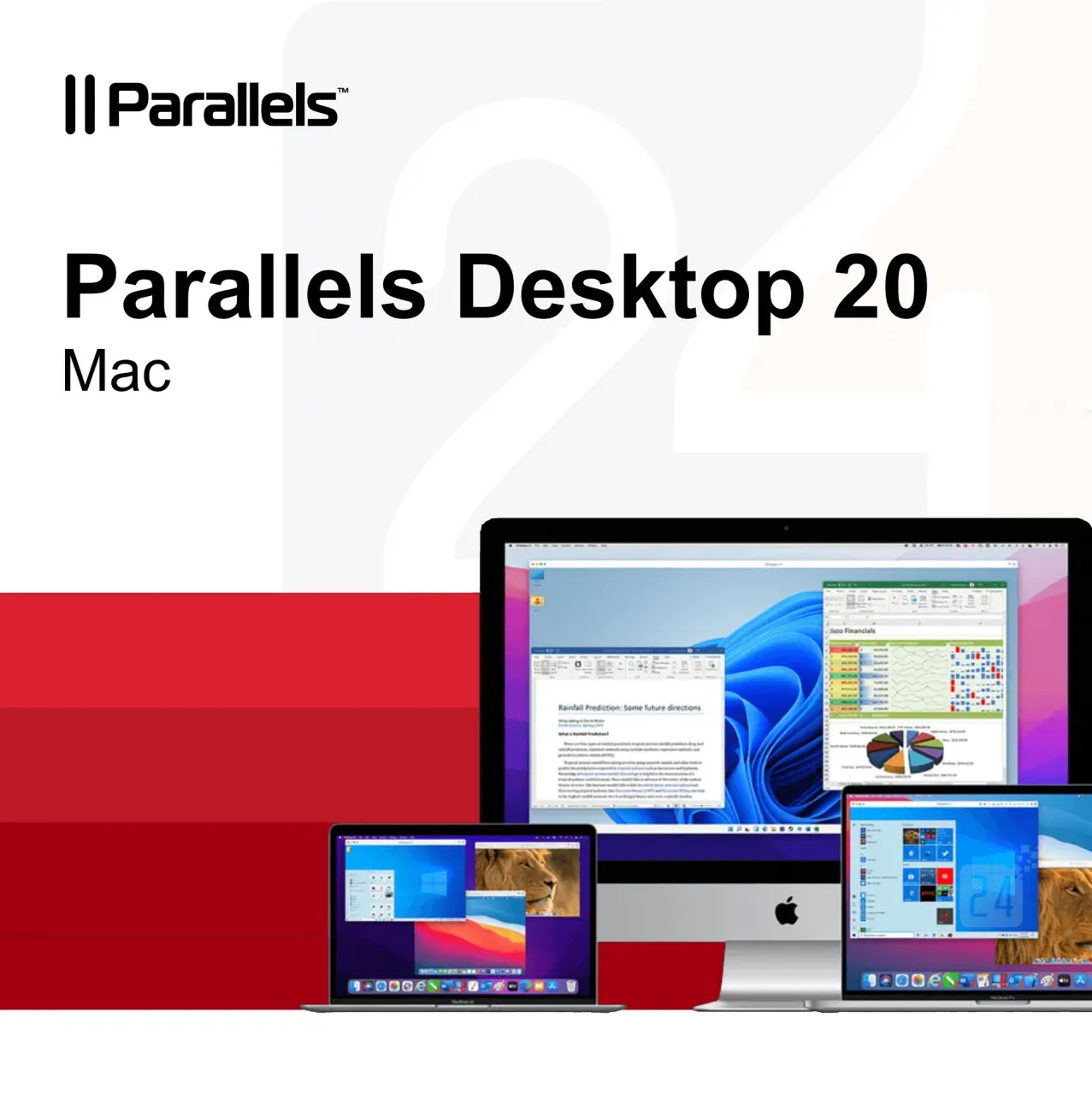
Parallels Desktop 20 Mac
Vendor: Blitzhandel24.de GB Price: 63.57 £Parallels Desktop 20 MAC: The perfect virtualization solution for your Mac Who wouldn't want the ultimate freedom to run both macOS and Windows on a Mac at the same time, without the hassle of rebooting? That's exactly what Parallels Desktop 20 MAC offers - the powerful and easy-to-use virtualization solution for all Mac users who need to run Windows. In this article, we'll dive deep into the features and benefits of Parallels Desktop 20 MAC and show you why it's a great investment for your productivity. Parallels Desktop 20 MAC is a virtualization software that allows you to run Windows, Linux and other operating systems in parallel with your macOS. The latest version, optimized for macOS Sequoia, brings even better performance and ease of use. Whether you run Windows, play games or need a cross-platform development environment, Parallels Desktop 20 MAC makes it possible to do it all without rebooting and in a seamless user experience. Key features of Parallels Desktop 20 MAC Here are some of the outstanding features that Parallels Desktop 20 MAC has to offer: Optimized for macOS Sequoia: The software is fully optimized for the latest version of macOS so you get the best performance on your Mac. UseWindows without rebooting: Open Windows right alongside your native macOS apps without having to restart your computer. Copy and paste text: Move or copy text, files or even entire apps between the two operating systems using drag-and-drop. RunWindows and 3D applications: With improved graphics support, Parallels Desktop 20 MAC also allows you to play Windows on your Mac or run 3D applications. Migrate data from PC to Mac: Transfer all your data from PC to Mac and continue using it in your familiar environment. Cross-platform resources: Share files, Devices and other resources seamlessly between macOS and Windows. Support for multiple operating systems: Install multiple operating systems, including different Windows, Linux distributions and even more copies of macOS - all in a single virtual environment. Benefits of Parallels Desktop 20 MAC Why should you buy Parallels Desktop 20 MAC? Here are some of the specific benefits that set it apart from the competition: Ease of use: the intuitive user interface makes it easy to switch between and manage different operating systems. High performance: Thanks to optimization for the latest Mac processors and support for macOS Sequoia, even demanding applications such as graphic design programs or games run smoothly. Cost efficiency: No need to buy a separate Windows because you can do everything on your Mac. Flexibility: Parallels Desktop 20 MAC allows you to run multiple operating systems simultaneously, which is especially useful for developers or IT professionals who need to work across platforms. Regular updates: Parallels provides regular updates to ensure compatibility with new macOS and Windows. The difference to other virtualization solutions Compared to other virtualization tools on the market, Parallels Desktop 20 MAC offers an unparalleled user experience. While other solutions are often cumbersome to set up and impact Mac performance, Parallels Desktop emphasizes ease of use and high performance. In addition, Parallels scores with a strong integration into the macOS system, making switching between Windows and Mac seamless and without delays. Who is Parallels Desktop 20 MAC suitable for? This software is aimed at a broad target group: Business professionals: those who need both macOS and Windows for their daily work. Developers : Developers who need to test and deploy applications to multiple platforms. Gamers: Mac users who want to benefit from the large selection of Windows. Education: Students and teachers who use cross-platform software. Parallels Desktop 20 MAC - A worthwhile investment Whether you're a creative professional who needs to use Windows alongside macOS, a gamer looking for a powerful solution, or simply a user who doesn't want to choose between the best features of Windows and Mac, Parallels Desktop 20 MAC is the answer. Buy Parallels Desktop 20 MAC to experience the best of both worlds and optimize your workflow. Parallels Desktop 20 MAC has everything you need to run Windows and other operating systems on your Mac with ease. With its powerful performance, intuitive user interface and seamless integration between macOS and Windows, it's the perfect solution for anyone who wants to get the best out of both operating systems. Buying Parallels Desktop 20 MAC is an investment that will increase your productivity and give you more flexibility in your day-to-day work. Try it out and see the outstanding performance of this software for yourself. Features Standard Edition Pro Edition Business Edition Basics: Run thousands of Windows(e.g. Microsoft Office, accounting software, SAP) ✔️ ✔️ ✔️ Ensure comprehensive updates: Support for new versions of macOS, Windows, Linux and Mac models Subscription only ✔️ ✔️ Run graphics-heavy Windows and powerfu...
-

Pilot Parallel Pen Art Fountain Pen FP3-SS Special Font Writing Goethe Body Adult Artwork Duckbill Parallel Pen for Writing
Vendor: Aliexpress.com Price: 12.99 £Pilot Parallel Pen Art Fountain Pen FP3-SS Special Font Writing Goethe Body Adult Artwork Duckbill Parallel Pen for Writing
-

Parallels Desktop 20 Mac 1 Year
Vendor: Blitzhandel24.co.uk Price: 40.17 £Parallels Desktop 20 MAC: The perfect virtualization solution for your Mac Who wouldnt want the ultimate freedom to run both macOS and Windows on a Mac at the same time, without the hassle of rebooting? Thats exactly what Parallels Desktop 20 MAC offers - the powerful and easy-to-use virtualization solution for all Mac users who need to run Windows. In this article, well dive deep into the features and benefits of Parallels Desktop 20 MAC and show you why its a great investment for your productivity. Parallels Desktop 20 MAC is a virtualization software that allows you to run Windows, Linux and other operating systems in parallel with your macOS. The latest version, optimized for macOS Sequoia, brings even better performance and ease of use. Whether you run Windows, play games or need a cross-platform development environment, Parallels Desktop 20 MAC makes it possible to do it all without rebooting and in a seamless user experience. Key features of Parallels Desktop 20 MAC Here...
-

Parallels Desktop 19 Pro MAC
Vendor: Blitzhandel24.de GB Price: 160.80 £Maximum Performance with Parallels Desktop 19 Pro for Mac Introduction Welcome to the exciting world of Parallels Desktop 19 Pro for Mac! If you're looking for a world-class tool to maximize the performance of your Mac computer, you've come to the right place. In this article, we will explore the remarkable benefits and features of Parallels Desktop 19 Pro for Mac. Why buy Parallels Desktop 19 Pro for Mac? When it comes to extending the functionality of your Mac computer, Parallels Desktop 19 Pro for Mac is the ultimate solution. Here are some reasons why you should choose this product: 1. Seamless integration of Windows and macOS Parallels Desktop 19 Pro allows you to effortlessly switch back and forth between Windows and macOS as if you were using two computers in one. This allows you to take advantage of both operating systems in one seamless environment. 2. Excellent performance Thanks to advanced virtualization technology, Parallels Desktop 19 Pro delivers impressive performance, allowing you to run resource-intensive applications smoothly whether you are in Windows or macOS mode. 3. Support for developers For developers, Parallels Desktop 19 Pro is a valuable tool as it offers the ability to test different operating systems and browsers simultaneously. This speeds up the development process considerably. 4. Efficient resource management Parallels Desktop 19 Pro intelligently optimizes resource usage to ensure your virtual environments run smoothly without slowing down your Mac. Buy Parallels Desktop 19 Pro - Your Gateway to Versatility Whether you're an entrepreneur who needs Windows-specific applications, a developer testing cross-platform compatibility, or just curious about the possibilities of using Windows and macOS simultaneously, Parallels Desktop 19 Pro for Mac will exceed your expectations. With Parallels Desktop 19 Pro, you're not just buying a product, you're opening the door to a world of limitless possibilities. Be amazed by the power, speed and flexibility as you seamlessly switch between different operating systems. Parallels Desktop 19 Pro for Mac is undoubtedly a breakthrough product that revolutionizes the way we use operating systems. Its seamless integration, outstanding performance and versatility make it the ultimate choice for Mac users who want more. System requirements for Parallels Desktop 19 Pro for Mac Before you decide to purchase Parallels Desktop 19 Pro for Mac, it is important to ensure that your system meets the necessary requirements. Here are the specific system requirements: System requirements: Intel Core i5 processor or higher 8 GB RAM or more 500 MB free hard disk space for the installation macOS 12.6 or higher Internet connection for activation and updates Recommended system requirements: Intel Core i7 processor or higher 16 GB RAM or more 1 TB free hard disk space or more for virtual machines macOS 12.6 or higher Solid-state drive (SSD) for optimal performance Internet connection for activation, updates and access to cloud services
-

StarTech.com 1-Port Parallel PCIe Card, PCI Express to Parallel DB25 LPT Adapter Card, Desktop Expansion Controller for Printer, SPP/ECP - parallel ad
Vendor: A1techdeals.com Price: 32.52 £StarTech.com 1-Port Parallel PCIe Card, PCI Express to Parallel DB25 LPT Adapter Card, Desktop Expansion Controller for Printer, SPP/ECP - Parallel adapter - PCIe - IEEE 1284 - black
-

Parallels Desktop 20 Pro Mac 1 Year
Vendor: Blitzhandel24.co.uk Price: 54.06 £Parallels Desktop 20 Pro MAC: The ideal solution for seamless Windows on the Mac Parallels Desktop 20 Pro MAC is the latest version of the popular virtualization software that allows Mac users to run Windows and other operating systems on their devices - without rebooting! With this software, you can combine your work on macOS and Windows in one smooth environment. Parallels Desktop 20 Pro MAC brings innovative features that make it the first choice for professionals and home users. The introduction of Parallels Desktop 20 Pro MAC opens up a whole new way of working for Mac users. Whether you are a developer, designer or an average user, this version is perfectly tailored to the needs of modern users, especially with the optimization for macOS Sequoia . The seamless integration of macOS and Windows is a game changer for those who want to get the best of both worlds. Key features of Parallels Desktop 20 Pro MAC Optimized for macOS Sequoia: Take advantage of the latest macOS Sequoia ...
-
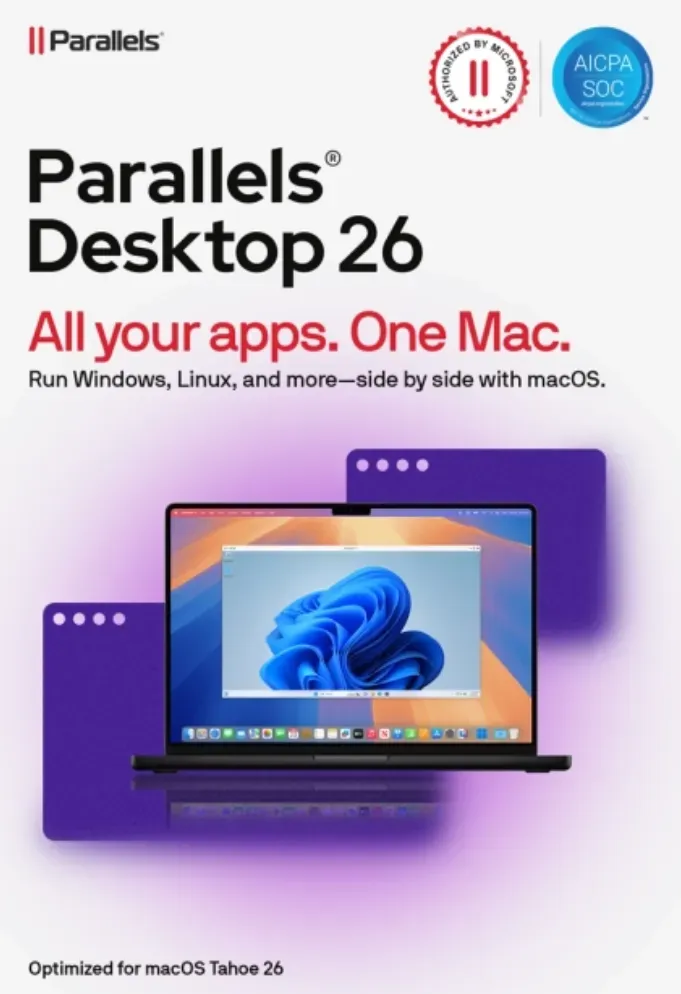
Parallels Desktop 26 MAC
Vendor: Blitzhandel24.de GB Price: 93.54 £Parallels Desktop 26 for Mac - use Windows seamlessly on your Mac Get the best of both worlds with Parallels Desktop 26 for Mac : run Windows applications effortlessly on your Mac without rebooting and enjoy maximum flexibility for work, study and play. Simple, powerful and seamless - just the way you need it. Thanks to authorized Microsoft integration, you can access over 200,000 Windows apps. Whether it's Office programs, development software or games, you can work with Windows applications just as smoothly as with native Mac apps. Parallels Desktop 26 is optimized for the latest Apple Silicon chips (M1, M2, M3) and Intel Macs. Benefit from faster boot times, better graphics and stable performance, even with computing-intensive applications. Installation is child's play: a wizard guides you through the process step by step. Your virtual Windows environment is ready within a few minutes - immediately ready for work, learning or gaming. Discover how Parallels Desktop 26 makes your everyday life easier For home Run thousands of Windows applications on your Mac, including Windows-exclusive games. For school Get your education up to speed. Access the Windows apps and other software you need on your Mac. For work Get the full power of the Microsoft Office 365 suite and other business-critical apps. For powerUser(s) Advanced features and improved functionality for developers, creators and power-User(s). Additional features of Parallels Desktop 26 Easy Windows installation With just two clicks, you can download, install and configure Windows 11 on your Mac - no additional images or complicated setup required. Comprehensive device integration Use your camera, microphone, trackpad, keyboard and other Mac hardware directly in Windows. Even Windows-exclusive Devices such as printers, scanners or smartphones are supported. Seamless integration Work more productively thanks to the perfect integration of Windows and macOS. Content can be moved effortlessly and Windows apps run in parallel with your Mac applications. Optimized user experience Benefit from high performance and an intuitive design. Included in the subscription: Parallels Toolbox and 24/7 Premium support from the manufacturer. Comparison: Parallels Desktop 26 Standard vs. Pro Features Standard Easy home use Pro Power-User(s) & developers Core components Maximum virtual RAM & CPUs 8 GB vRAM, 4 vCPUs 128 GB vRAM, 32 vCPUs Supports macOS, Windows & Linux ✔ ✔ Microsoft authorized & SOC 2 certified ✔ ✔ 3D acceleration - DirectX & OpenGL ✔ ✔ Access to thousands of Windows apps ✔ ✔ Advanced features Windows-Apps with high graphics & computing load - ✔ Multiple virtual machines simultaneously - ✔ Command line tools - ✔ Integrated developer tools - ✔ System tools Disk & Memory Cleanup - ✔ System & performance monitoring - ✔ Multimedia download & conversion - ✔ Productivity & data protection booster - ✔ Screen capture & recording - ✔ Teams & small businesses Central administration & license management - ✔ Automation of CI/CD workflows - ✔ Advanced deployment tools - ✔ Volume licenses - ✔ Why buy from Blitzhandel24? Fast delivery You will receive your software conveniently by e-mail in just a few minutes - with no waiting times. 100% original licenses Guaranteed tested and legally compliant licenses - for a secure user experience. Fair prices Benefit from permanently favorable conditions and exclusive offers. Personal support Our competent team will help you with installation, activation and questions about the product. System requirements for Parallels Desktop 26 Component Recommended for graphics-intensive applications, development & high loads Processor Apple Silicon Chip (M series) or Intel Core i5, i7, i9 or Xeon RAM 16 GB RAM or more Hard disk SSD drive Graphics Apple Silicon Chip (M-series) or AMD Radeon Pro graphics card Operating system macOS Ventura 13.7 or newer Support 24/7 Premium Support from the manufacturer
-

NONE Parallel Wrench 5 in 1 Multi-tool Hex Screwdriver Pliers Wire Cutters Clamp Portable Cap Opener Welding Assistance
Vendor: Aliexpress.com Price: 20.39 £ (+0.52 £)Parallel Wrench 5 in 1 Multi-tool Hex Screwdriver Pliers Wire Cutters Clamp Portable Cap Opener Welding Assistance
-

Parallels Desktop 18 MAC 1 Year
Vendor: Blitzhandel24.co.uk Price: 43.83 £Run Windows and macOS simultaneously on a Mac Run Windows applications on your Intel or Apple Mac computer Seamlessly copy and paste text between Mac and Windows or drag and drop files Optimized for the latest Windows 11 and macOS Ventura Develop and test with multiple operating systems in a Mac virtual machine Includes Parallels Toolbox - with more than 40 one-touch tools for Mac and PC Parallels Desktop 18 MAC features Whether you need to run Windows programs that dont have Mac versions or move from a PC to a Mac and transfer your data, Parallels Desktop has what you need. Ultimate flexibility Works with Windows 11, 10, 8.1 and 7, Linux, macOS* and more You no longer have to choose between PC and Mac Compatible with Boot Camp Use your existing Boot Camp installation. Using Boot Camp in a Parallels Desktop virtual machine is easy - just follow our installation wizard at startup. One-click customization Choose Productivity, Gaming, DesignPRO, Software TestingPRO or DevelopmentPRO:...
-
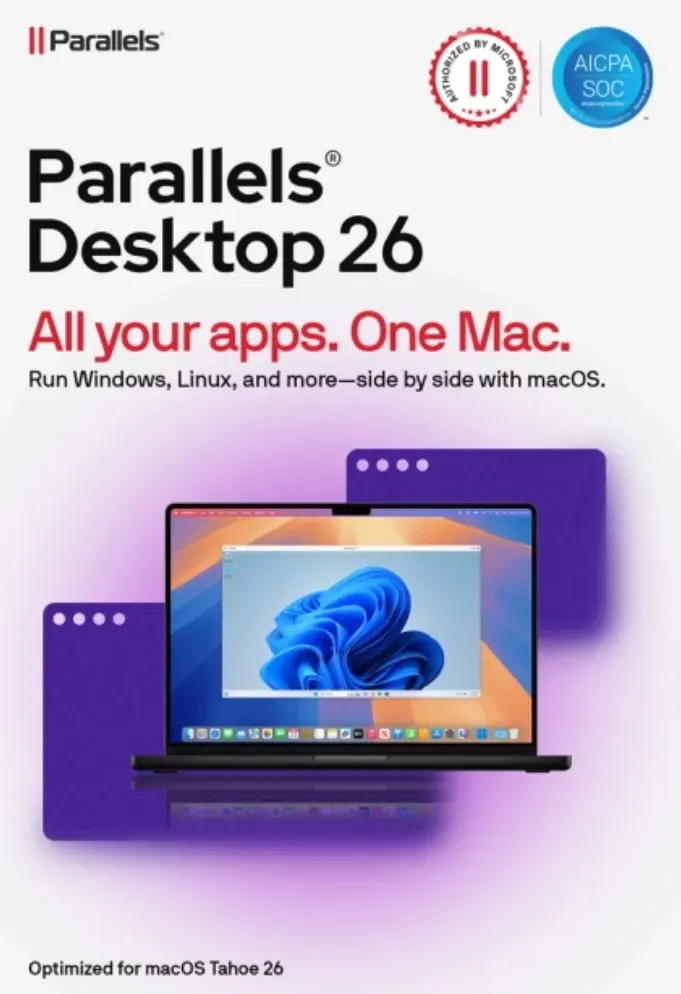
Parallels Desktop 26 MAC
Vendor: Blitzhandel24.de GB Price: 71.61 £Parallels Desktop 26 for Mac - use Windows seamlessly on your Mac Get the best of both worlds with Parallels Desktop 26 for Mac : run Windows applications effortlessly on your Mac without rebooting and enjoy maximum flexibility for work, study and play. Simple, powerful and seamless - just the way you need it. Thanks to authorized Microsoft integration, you can access over 200,000 Windows apps. Whether it's Office programs, development software or games, you can work with Windows applications just as smoothly as with native Mac apps. Parallels Desktop 26 is optimized for the latest Apple Silicon chips (M1, M2, M3) and Intel Macs. Benefit from faster boot times, better graphics and stable performance, even with computing-intensive applications. Installation is child's play: a wizard guides you through the process step by step. Your virtual Windows environment is ready within a few minutes - immediately ready for work, learning or gaming. Discover how Parallels Desktop 26 makes your everyday life easier For home Run thousands of Windows applications on your Mac, including Windows-exclusive games. For school Get your education up to speed. Access the Windows apps and other software you need on your Mac. For work Get the full power of the Microsoft Office 365 suite and other business-critical apps. For powerUser(s) Advanced features and improved functionality for developers, creators and power-User(s). Additional features of Parallels Desktop 26 Easy Windows installation With just two clicks, you can download, install and configure Windows 11 on your Mac - no additional images or complicated setup required. Comprehensive device integration Use your camera, microphone, trackpad, keyboard and other Mac hardware directly in Windows. Even Windows-exclusive Devices such as printers, scanners or smartphones are supported. Seamless integration Work more productively thanks to the perfect integration of Windows and macOS. Content can be moved effortlessly and Windows apps run in parallel with your Mac applications. Optimized user experience Benefit from high performance and an intuitive design. Included in the subscription: Parallels Toolbox and 24/7 Premium support from the manufacturer. Comparison: Parallels Desktop 26 Standard vs. Pro Features Standard Easy home use Pro Power-User(s) & developers Core components Maximum virtual RAM & CPUs 8 GB vRAM, 4 vCPUs 128 GB vRAM, 32 vCPUs Supports macOS, Windows & Linux ✔ ✔ Microsoft authorized & SOC 2 certified ✔ ✔ 3D acceleration - DirectX & OpenGL ✔ ✔ Access to thousands of Windows apps ✔ ✔ Advanced features Windows-Apps with high graphics & computing load - ✔ Multiple virtual machines simultaneously - ✔ Command line tools - ✔ Integrated developer tools - ✔ System tools Disk & Memory Cleanup - ✔ System & performance monitoring - ✔ Multimedia download & conversion - ✔ Productivity & data protection booster - ✔ Screen capture & recording - ✔ Teams & small businesses Central administration & license management - ✔ Automation of CI/CD workflows - ✔ Advanced deployment tools - ✔ Volume licenses - ✔ Why buy from Blitzhandel24? Fast delivery You will receive your software conveniently by e-mail in just a few minutes - with no waiting times. 100% original licenses Guaranteed tested and legally compliant licenses - for a secure user experience. Fair prices Benefit from permanently favorable conditions and exclusive offers. Personal support Our competent team will help you with installation, activation and questions about the product. System requirements for Parallels Desktop 26 Component Recommended for graphics-intensive applications, development & high loads Processor Apple Silicon Chip (M series) or Intel Core i5, i7, i9 or Xeon RAM 16 GB RAM or more Hard disk SSD drive Graphics Apple Silicon Chip (M-series) or AMD Radeon Pro graphics card Operating system macOS Ventura 13.7 or newer Support 24/7 Premium Support from the manufacturer
-

NONE Parallel Wrench 5 in 1 Multi-tool Pliers Clamp Wire Cutters Portable Hex Screwdriver Cap Opener Pocket Carrying
Vendor: Aliexpress.com Price: 13.19 £Parallel Wrench 5 in 1 Multi-tool Pliers Clamp Wire Cutters Portable Hex Screwdriver Cap Opener Pocket Carrying
-

Parallels Desktop 19 Pro MAC 1 Year
Vendor: Blitzhandel24.co.uk Price: 54.06 £Maximum Performance with Parallels Desktop 19 Pro for Mac Introduction Welcome to the exciting world of Parallels Desktop 19 Pro for Mac! If youre looking for a world-class tool to maximize the performance of your Mac computer, youve come to the right place. In this article, we will explore the remarkable benefits and features of Parallels Desktop 19 Pro for Mac. Why buy Parallels Desktop 19 Pro for Mac? When it comes to extending the functionality of your Mac computer, Parallels Desktop 19 Pro for Mac is the ultimate solution. Here are some reasons why you should choose this product: 1. Seamless integration of Windows and macOS Parallels Desktop 19 Pro allows you to effortlessly switch back and forth between Windows and macOS as if you were using two computers in one. This allows you to take advantage of both operating systems in one seamless environment. 2. Excellent performance Thanks to advanced virtualization technology, Parallels Desktop 19 Pro delivers impressive performan...
-

Parallels Desktop 20 Pro Mac
Vendor: Blitzhandel24.de GB Price: 160.80 £Parallels Desktop 20 Pro MAC: The ideal solution for seamless Windows on the Mac Parallels Desktop 20 Pro MAC is the latest version of the popular virtualization software that allows Mac users to run Windows and other operating systems on their devices - without rebooting! With this software, you can combine your work on macOS and Windows in one smooth environment. Parallels Desktop 20 Pro MAC brings innovative features that make it the first choice for professionals and home users. The introduction of Parallels Desktop 20 Pro MAC opens up a whole new way of working for Mac users. Whether you are a developer, designer or an average user, this version is perfectly tailored to the needs of modern users, especially with the optimization for macOS Sequoia . The seamless integration of macOS and Windows is a game changer for those who want to get the best of both worlds. Key features of Parallels Desktop 20 Pro MAC Optimized for macOS Sequoia: Take advantage of the latest macOS Sequoia features and performance optimizations to get the most out of your Mac. RunWindows without rebooting: Launch Windows right alongside your macOS applications - all without rebooting. Seamless copy and paste: Easily drag and drop text, files and more between Mac and Windows. 3D Windows games on Mac: Run even resource-intensive 3D games and applications on your Mac. Transfer PC data: Migrate your data from a PC to a Mac and continue using it with ease. Install multiple operating systems: Install different Windows, Linux, copies of macOS or even free virtual appliances. Share resources: Share files, Devices and other resources between Windows and macOS for a truly productive work environment. Advantages of Parallels Desktop 20 Pro MAC over other solutions What makes Parallels Desktop 20 Pro MAC better than other virtualization solutions? Here are some of the outstanding benefits: Performance optimization for macOS Sequoia: The software is optimized for the latest Apple operating systems for maximum performance and compatibility. Easy integration of Windows and macOS: No more need to switch between operating systems or go through a complicated setup process. Ease of use: With an intuitive user interface and easy-to-understand instructions, Parallels is ideal for beginners and professionals alike. Support for 3D applications and games: Parallels Desktop 20 Pro MAC allows you to run even the most demanding games and 3D applications smoothly on your Mac. Comprehensive compatibility: In addition to Windows, the software also supports a wide range of Linux distributions and macOS versions. Parallels Desktop 20 Pro MAC: Why it's worth it If you are looking for a solution that simplifies your work on a Mac and at the same time gives you access to Windows, you should definitely buy Parallels Desktop 20 Pro MAC . The seamless integration of Windows on a Mac without rebooting is unbeatable. With Parallels Desktop, you can use all your applications in one environment, no matter what operating system they run on. Parallels Desktop 20 Pro MAC is more than just virtualization software - it's a bridge between two operating systems that gives you the freedom to work without compromise. Whether you are a developer who needs to test different operating systems or an average user who wants to run Windows on a Mac, this software is the ideal solution. Don't hesitate any longer and buy Parallels Desktop 20 Pro MAC to take your productivity to a new level! Features Standard Edition Pro Edition Business Edition Basics: Run thousands of Windows(e.g. Microsoft Office, accounting software, SAP) ✔️ ✔️ ✔️ Ensure comprehensive updates: Support for new versions of macOS, Windows, Linux and Mac models Subscription only ✔️ ✔️ Run graphics-heavy Windows and powerful virtual machines 8 GB vRAM, 4 vCPUs 128 GB vRAM, 32 vCPUs 128 GB vRAM, 32 vCPUs Develop, automate, test and correct software under Windows, Linux and macOS ❌ ✔️ ✔️ NEW: Parallels AI package for developers and the education sector ❌ ✔️ (available for download until 31.12.24) ✔️ NEW: Automation of CI/CD workflows with Parallels DevOps ❌ ❌ ✔️ Round-the-clock support by phone, chat and email Subscription only ✔️ ✔️ Uniform volume license key, access to license portal, option to create sub-license keys, multiple administrators ❌ ❌ ✔️ Business-friendly invoicing, pro rata calculation of additional seats, purchase order or offer ❌ ❌ ✔️ Provisioning with Mac Management Tools or Parallels provisioning package ❌ ❌ ✔️ IT-configured "smart" Windows in the Parallels desktop user interface ❌ ❌ ✔️ System requirements Minimum requirements Best performance Operating system macOS Sequoia 15.0 or newer macOS Sonoma 14.5 or newer macOS Ventura 13.2 or newer macOS Monterey 12.6 or newer macOS Big Sur 11.7 or newer [1] macOS Catalina 10.15.7 or newer [1] macOS Mojave 10.14.6 or newer [1] macOS Sequoia 15.0 or newer macOS Sonoma 14.0 or newer macOS Ventura 13.2 or newer macOS Monterey 12.6 or newer macOS Big Sur 11.7 or ne...
-

KPXIN Parallel Clamps Set, Woodworking Bar Clamp Parallel Jaw Bar Clamp Steel Clamp For Woodworker Tool Cabinetry Metalworking DIY
Vendor: Aliexpress.com Price: 43.19 £Parallel Clamps Set, Woodworking Bar Clamp Parallel Jaw Bar Clamp Steel Clamp For Woodworker Tool Cabinetry Metalworking DIY
-

Parallels Desktop 17 MAC 1 Year
Vendor: Blitzhandel24.co.uk Price: 47.48 £Use Windows on a Mac without rebooting Use Windows applications on Macs with Intel and Apple M1 chips Move and share content between Mac and Windows Optimized for Windows 10 and macOS Big Sur Compatible with macOS Monterey and Windows 11 when available Product Comparison Parallels Desktop for Mac Features When you need to run Windows applications that dont have Mac versions, or you need to move from a PC to a Mac and transfer your data, Parallels Desktop has what you need. Ultimate Flexibility Works with Windows 10, 8.1 and 7, Linux, macOS* and more. No need to choose between PC and MAC. Touch Bar Windows and most popular applications have Mac Touch Bar integration with Parallels Desktop. Get instant access to relevant actions and customize them to your needs. Boot Camp Compatible Use your existing Boot Camp installation. Using Boot Camp in a Parallels Desktop virtual machine is easy - just follow the setup wizard at startup. Fast, powerful and easy Run thousands of Windows...
-

Parallels Desktop 26 MAC
Vendor: Blitzhandel24.de GB Price: 76.00 £Parallels Desktop 26 for Mac - use Windows seamlessly on your Mac Get the best of both worlds with Parallels Desktop 26 for Mac : run Windows applications effortlessly on your Mac without rebooting and enjoy maximum flexibility for work, study and play. Simple, powerful and seamless - just the way you need it. Thanks to authorized Microsoft integration, you can access over 200,000 Windows apps. Whether it's Office programs, development software or games, you can work with Windows applications just as smoothly as with native Mac apps. Parallels Desktop 26 is optimized for the latest Apple Silicon chips (M1, M2, M3) and Intel Macs. Benefit from faster boot times, better graphics and stable performance, even with computing-intensive applications. Installation is child's play: a wizard guides you through the process step by step. Your virtual Windows environment is ready within a few minutes - immediately ready for work, learning or gaming. Discover how Parallels Desktop 26 makes your everyday life easier For home Run thousands of Windows applications on your Mac, including Windows-exclusive games. For school Get your education up to speed. Access the Windows apps and other software you need on your Mac. For work Get the full power of the Microsoft Office 365 suite and other business-critical apps. For powerUser(s) Advanced features and improved functionality for developers, creators and power-User(s). Additional features of Parallels Desktop 26 Easy Windows installation With just two clicks, you can download, install and configure Windows 11 on your Mac - no additional images or complicated setup required. Comprehensive device integration Use your camera, microphone, trackpad, keyboard and other Mac hardware directly in Windows. Even Windows-exclusive Devices such as printers, scanners or smartphones are supported. Seamless integration Work more productively thanks to the perfect integration of Windows and macOS. Content can be moved effortlessly and Windows apps run in parallel with your Mac applications. Optimized user experience Benefit from high performance and an intuitive design. Included in the subscription: Parallels Toolbox and 24/7 Premium support from the manufacturer. Comparison: Parallels Desktop 26 Standard vs. Pro Features Standard Easy home use Pro Power-User(s) & developers Core components Maximum virtual RAM & CPUs 8 GB vRAM, 4 vCPUs 128 GB vRAM, 32 vCPUs Supports macOS, Windows & Linux ✔ ✔ Microsoft authorized & SOC 2 certified ✔ ✔ 3D acceleration - DirectX & OpenGL ✔ ✔ Access to thousands of Windows apps ✔ ✔ Advanced features Windows-Apps with high graphics & computing load - ✔ Multiple virtual machines simultaneously - ✔ Command line tools - ✔ Integrated developer tools - ✔ System tools Disk & Memory Cleanup - ✔ System & performance monitoring - ✔ Multimedia download & conversion - ✔ Productivity & data protection booster - ✔ Screen capture & recording - ✔ Teams & small businesses Central administration & license management - ✔ Automation of CI/CD workflows - ✔ Advanced deployment tools - ✔ Volume licenses - ✔ Why buy from Blitzhandel24? Fast delivery You will receive your software conveniently by e-mail in just a few minutes - with no waiting times. 100% original licenses Guaranteed tested and legally compliant licenses - for a secure user experience. Fair prices Benefit from permanently favorable conditions and exclusive offers. Personal support Our competent team will help you with installation, activation and questions about the product. System requirements for Parallels Desktop 26 Component Recommended for graphics-intensive applications, development & high loads Processor Apple Silicon Chip (M series) or Intel Core i5, i7, i9 or Xeon RAM 16 GB RAM or more Hard disk SSD drive Graphics Apple Silicon Chip (M-series) or AMD Radeon Pro graphics card Operating system macOS Ventura 13.7 or newer Support 24/7 Premium Support from the manufacturer
-

Gyarfas Parallel Control COB LED Strip 1-10PCS Set Black PCB With Dimmable Touch Switch & Hand Motion Sensor Switch for Background Wall
Vendor: Aliexpress.com Price: 19.69 £Parallel Control COB LED Strip 1-10PCS Set Black PCB With Dimmable Touch Switch & Hand Motion Sensor Switch for Background Wall
1742 results in 0.334 seconds
Related search terms
© Copyright 2026 shopping.eu