135 products were found matching your search for sharpener in 10 shops:
-
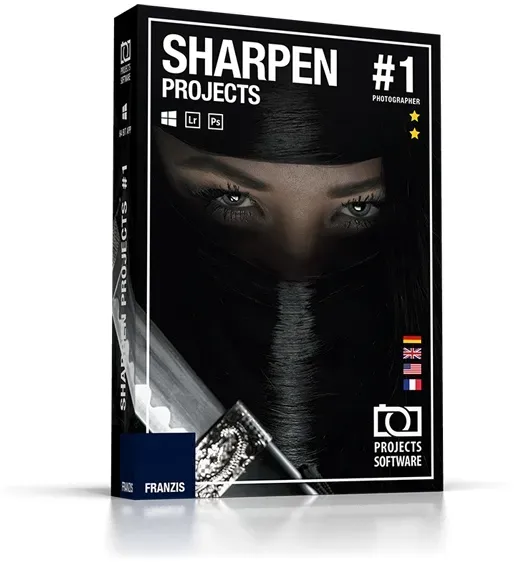
Sharpen projects
Vendor: Blitzhandel24.de GB Price: 43.83 £Sharpen projects Sharpen your photos and correct light errors! "Adaptive Multiscale Deconvolution": the innovative shake correction with up to 100 times the detection range "Adaptive Gradient Sharpening" - for perfect sharpness of landscapes, still lifes, macro shots and product photos Latest generation scratch & sensor error correction Mathematically exact calculation of the correct degree of sharpness 3 correction modules Correct the light errors in your photos Retouch faded images A flash that is too strong or a poorly adjusted light intensity can make photos look faded. Sharpening allows you to correct low-contrast images. Sharpen also corrects motion blur! Slight camera shake can quickly blur 20 to 30 pixels. This spoils a picture permanently! Thanks to the "Adaptive Multiscale Deconvolution" from SHARPEN projects photographer, up to 100 pixels of environmental information are included, which makes it far superior to similar products. This is the only way to achieve the visual sharpness impression of the high-end class! The optimal sharpness where it is needed Thanks to the intelligent algorithms, only the image area you really want to focus on is sharpened if desired. In portrait mode, for example, the skin remains soft, while the eyes are clear and sharp. With this intelligent method, even edited images remain vivid and natural. Suddenly the sharpness becomes tangible Long trial and error was yesterday: SHARPEN projects photographer shows you with mathematical accuracy when the perfect degree of sharpness is reached. You can see exactly how sharp your image is in a specially developed graphic, there is no more room for uncertainty. No more annoying trial and error in incomprehensible filter functions! Functions 3 correction modules Automatic correction With one click Sharpen optimizes your photos (sharpness, portrait enhancement, etc.). Selected Zone Retouch a precise area of your photo using the customizable brush tool. Sensor correction Sharpen analyzes the exposure errors of your images and enables a point-by-point correction of sensor errors. Highlights Fantastic haze & fog correction No chance for blurred images due to "Adaptive Multiscale Deconvolution "Adaptive Multiscale Deconvolution" : the innovative shake correction with up to 100 times the detection range "Adaptive Gradient Sharpening" - for perfect sharpness of landscapes, still lifes, macro shots and product photos Latest generation scratch & sensor error correction Optimize portraits with "Adaptive Gradient Sharpening" techniques Crisp images even with faulty recordings Sharpen projects Professional Sharpen projects Sharpen projects professional Functions "Adaptive Multiscale Deconvolution": innovative shake correction with up to 100 times the detection range ✓ ✓ Gentle sharpening of portrait shots with the Adaptive Gradient Sharpening function ✓ ✓ Haze and fog correction ✓ ✓ Optimized settings for brilliance, brightness and color ✓ ✓ Plug-ins for Adbobe Lightroom, Photoshop and Photoshop Elements ✓ ✓ Graphical history browser to display the last processed images and projects ✓ ✓ Integrated cropping function with 71 templates and instructions - like a golden spiral ✓ ✓ Comparison preview including Adams zone system for exposure ✓ ✓ Undo function with integrated timeline ✓ ✓ Support for all RAW formats of standard cameras ✓ ✓ Optimized processing by supporting multiple processors and graphics cards ✓ ✓ Easy correction of scratch and sensor errors ✓ ✓ Image sharpness according to selectable color space ✓ ✓ Automatic blur correction ✓ ✓ Customizable user interface ✓ ✓ Default settings 22 45 Fine tuning in the selection painting module ✓ Blur analysis with the point spread function ✓ Focus of interest for efficient processing ✓ RAW module with selectable camera profiles ✓ Integrated batch processing ✓ Making bracketing with one image ✓ Perfect sharpness of landscapes with the 'Adaptive Gradient Sharpening' function ✓ Operating system for Windows Processor Core Duo 2 GB free working memory 2 GB HDD Screen resolution 1,280 x 1,024 pixels Graphics card: DirectX-8 compatible 128 MB 32 bit color depth Operating system for MAC Processor: 1GHz processor or faster recommended. Main memory: 1GB RAM minimum recommended. To edit large files (8 megapixels or more), benefit from 2GB RAM or more. Graphics card: 1024 x 600 minimum supported display size
-

Le Creuset Knife Sharpener
Vendor: Hartsofstur.com Price: 1.95 £ (+0.35 £)This Le Creuset Knife Sharpener has been designed for use with Damascus steel blades to sharpen the edge without causing damage to the special blade construction, as well as conventional stainless steel blades. The Le Creuset Knife Sharpener is a stylish design and made from sturdy black plastic and stainless steel with non-slip feet to prevent movement during use. A must-have kitchen accessory to keep your kitchen knives in optimum condition with a strong and sharp cutting edge. Created specifically for the Le Creuset professional kitchen knives collection but also perfectly suited to use with other premium knife ranges. Le Creuset 2 Year Guarantee.
-

Kikidex (As show, One size) Pencil Sharpener, Manual Sharpener, Pencil Sharpener for Kid
Vendor: Onbuy.com Price: 9.32 £(As show, One size) Pencil Sharpener, Manual Sharpener, Pencil Sharpener for Kids, Pencil Sharpener for Colored PencilsPencil Sharpener Handheld, Children Kids GiftSchool
-
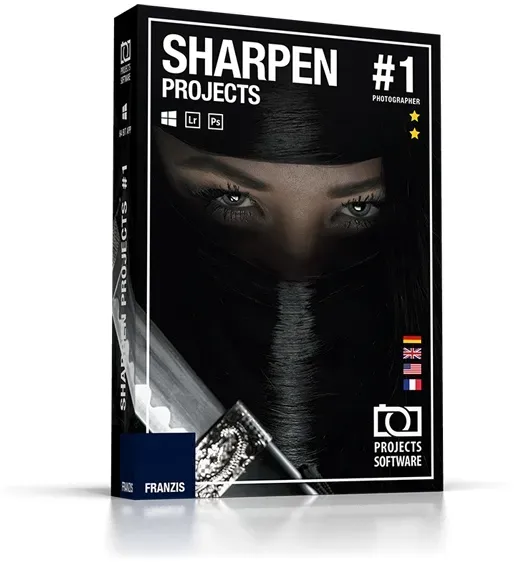
Sharpen projects
Vendor: Blitzhandel24.de GB Price: 47.51 £Sharpen projects Sharpen your photos and correct light errors! "Adaptive Multiscale Deconvolution": the innovative shake correction with up to 100 times the detection range "Adaptive Gradient Sharpening" - for perfect sharpness of landscapes, still lifes, macro shots and product photos Latest generation scratch & sensor error correction Mathematically exact calculation of the correct degree of sharpness 3 correction modules Correct the light errors in your photos Retouch faded images A flash that is too strong or a poorly adjusted light intensity can make photos look faded. Sharpening allows you to correct low-contrast images. Sharpen also corrects motion blur! Slight camera shake can quickly blur 20 to 30 pixels. This spoils a picture permanently! Thanks to the "Adaptive Multiscale Deconvolution" from SHARPEN projects photographer, up to 100 pixels of environmental information are included, which makes it far superior to similar products. This is the only way to achieve the visual sharpness impression of the high-end class! The optimal sharpness where it is needed Thanks to the intelligent algorithms, only the image area you really want to focus on is sharpened if desired. In portrait mode, for example, the skin remains soft, while the eyes are clear and sharp. With this intelligent method, even edited images remain vivid and natural. Suddenly the sharpness becomes tangible Long trial and error was yesterday: SHARPEN projects photographer shows you with mathematical accuracy when the perfect degree of sharpness is reached. You can see exactly how sharp your image is in a specially developed graphic, there is no more room for uncertainty. No more annoying trial and error in incomprehensible filter functions! Functions 3 correction modules Automatic correction With one click Sharpen optimizes your photos (sharpness, portrait enhancement, etc.). Selected Zone Retouch a precise area of your photo using the customizable brush tool. Sensor correction Sharpen analyzes the exposure errors of your images and enables a point-by-point correction of sensor errors. Highlights Fantastic haze & fog correction No chance for blurred images due to "Adaptive Multiscale Deconvolution "Adaptive Multiscale Deconvolution" : the innovative shake correction with up to 100 times the detection range "Adaptive Gradient Sharpening" - for perfect sharpness of landscapes, still lifes, macro shots and product photos Latest generation scratch & sensor error correction Optimize portraits with "Adaptive Gradient Sharpening" techniques Crisp images even with faulty recordings Sharpen projects Professional Sharpen projects Sharpen projects professional Functions "Adaptive Multiscale Deconvolution": innovative shake correction with up to 100 times the detection range ✓ ✓ Gentle sharpening of portrait shots with the Adaptive Gradient Sharpening function ✓ ✓ Haze and fog correction ✓ ✓ Optimized settings for brilliance, brightness and color ✓ ✓ Plug-ins for Adbobe Lightroom, Photoshop and Photoshop Elements ✓ ✓ Graphical history browser to display the last processed images and projects ✓ ✓ Integrated cropping function with 71 templates and instructions - like a golden spiral ✓ ✓ Comparison preview including Adams zone system for exposure ✓ ✓ Undo function with integrated timeline ✓ ✓ Support for all RAW formats of standard cameras ✓ ✓ Optimized processing by supporting multiple processors and graphics cards ✓ ✓ Easy correction of scratch and sensor errors ✓ ✓ Image sharpness according to selectable color space ✓ ✓ Automatic blur correction ✓ ✓ Customizable user interface ✓ ✓ Default settings 22 45 Fine tuning in the selection painting module ✓ Blur analysis with the point spread function ✓ Focus of interest for efficient processing ✓ RAW module with selectable camera profiles ✓ Integrated batch processing ✓ Making bracketing with one image ✓ Perfect sharpness of landscapes with the 'Adaptive Gradient Sharpening' function ✓ Operating system for Windows Processor Core Duo 2 GB free working memory 2 GB HDD Screen resolution 1,280 x 1,024 pixels Graphics card: DirectX-8 compatible 128 MB 32 bit color depth Operating system for MAC Processor: 1GHz processor or faster recommended. Main memory: 1GB RAM minimum recommended. To edit large files (8 megapixels or more), benefit from 2GB RAM or more. Graphics card: 1024 x 600 minimum supported display size
-

Catrice Plumping Lip Liner matt lip liner with sharpener shade 190 I like to mauve it 0.35 g
Vendor: Notino.co.uk Price: 2.32 £ (+3.99 £)Catrice Plumping Lip Liner, 0.35 g, Lip Pencils for Women, Achieve absolutely perfect lips with the Catrice Plumping Lip Liner lip pencil. It allows you to line your lips with a rich, full-coverage colour that lasts for hours without budging. It doesn’t transfer, smudge or fade, while also extending the wear of your lipstick and preventing it from transferring and bleeding outside your natural lip line. It also gives your lips a perfect, clearly defined shape and fuller appearance at the same time. Achieving flawlessly lined lips for enhanced natural beauty has never been easier. Characteristics: outlines and highlights the lips perfectly a great aid in shaping lips hydrates lips pleasant creamy texture Ingredients: vegan product How to use: Outline the lips with the pencil, then apply lipstick or lip gloss.
-

Kikidex (As show, One size) Pencil Sharpener, Manual Pencil Sharpener, Pencil Sharpener
Vendor: Onbuy.com Price: 13.22 £(As show, One size) Pencil Sharpener, Manual Pencil Sharpener, Pencil Sharpener Handheld, Pencil Sharpener for Kids, Children Kids Gift, Panda
-
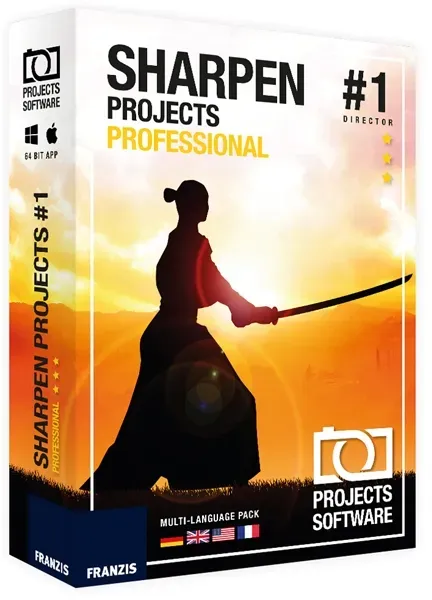
Sharpen projects Professional
Vendor: Blitzhandel24.de GB Price: 69.45 £Sharpen projects professional Correct the light errors in your photos! Retouch faded images Enhance photo with backlight Improve night images that are too dark Even better: Sharpen also corrects motion blur! 3 correction modules Correct the light errors in your photographs Retouch faded images A flash that is too strong or a poorly adjusted light intensity can make photos look faded. Sharpening allows you to correct low-contrast images. Enhance photo with backlight The algorithm that Sharpen uses automatically corrects errors of your camera sensor as well as under- and overexposed images, allowing you to save some of your backlight shots. Improve night images that are too dark With Shapen you can increase the quality of your images point by point: correct brightness problems, blur, sensor errors and much more! Ideal for night shots. Sharpening also corrects motion blur! Functions 3 correction modules Automatic correction With one click Sharpen optimizes your photos (sharpness, portrait enhancement, etc.). Selected zone Retouch a precise area of your photo using the customizable brush tool. Sensor correction Sharpen analyzes the exposure errors of your images and allows a point-by-point correction of the sensor errors. Highlights 3 correction modules With editing history and undo option Automatic detection of differences in brightness and contours Selective processing depending on the type of image: portrait, landscape, movement, ... Batch processing and much more! System requirements Version 1 Operating system Windows 7, Windows 8, Windows 10 Processor Core Duo 2 GB free working memory 2 GB HDD Screen resolution 1,280 x 1,024 pixels Graphics card: DirectX-8 compatible 128 MB 32 bit color depth
-

Robert Welch Signature ABS Knife Block with Sharpener (Block Only)
Vendor: Hartsofstur.com Price: 149.95 £Robert Welch ABS block has been designed for ease of use and comes complete with a revolutionary new inbuilt knife sharpener. A magnetic locator in each slot also prevents damage to the blade edge when inserting or removing the knives.
-

AFMAT Long Point Pencil Sharpener, Drawing Pencils Sharpener, Pencil Sharpener E
Vendor: Onbuy.com Price: 49.00 £AFMAT Long Point Pencil Sharpener, Drawing Pencils Sharpener, Pencil Sharpener Electric, 6-8.5mm Charcoal Pencil Sharpener for Sketching
-
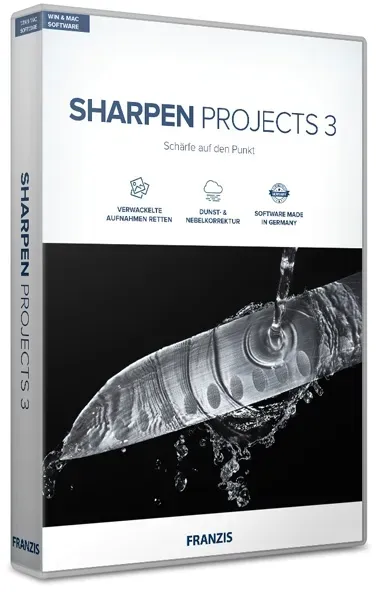
Sharpen projects 3
Vendor: Blitzhandel24.de GB Price: 43.83 £Sharpen projects 3 Sharpen your photos and correct light errors! ''Adaptive Multiscale Deconvolution'': the innovative shake correction with up to 100 times the detection range "Adaptive Gradient Sharpening" - for perfect sharpness of landscapes, still lifes, macro shots and product photos Latest generation scratch & sensor error correction Mathematically exact calculation of the correct degree of sharpness 3 correction modules NEW! Intelligent masking function Description Correct the light errors in your photos Retouch faded images A flash that is too strong or a poorly adjusted light intensity can make photos look faded. Sharpening allows you to correct low-contrast images. Sharpen also corrects motion blur! Slight camera shake can quickly blur 20 to 30 pixels. This spoils a picture permanently! Thanks to the "Adaptive Multiscale Deconvolution" from SHARPEN projects photographer, up to 100 pixels of environmental information are included, which makes it far superior to similar products. This is the only way to achieve the visual sharpness impression of the high-end class! The optimal sharpness where it is needed Thanks to the intelligent algorithms, only the image area you really want to focus on is sharpened if desired. In portrait mode, for example, the skin remains soft, while the eyes are clear and sharp. With this intelligent method, even edited images remain vivid and natural. Suddenly the sharpness becomes tangible Long trial and error was yesterday: SHARPEN projects photographer shows you with mathematical accuracy when the perfect degree of sharpness is reached. You can see exactly how sharp your image is in a specially developed graphic, there is no more room for uncertainty. No more annoying trial and error in incomprehensible filter functions! Functions 3 correction modules Automatic correction With one click Sharpen optimizes your photos (sharpness, portrait enhancement, etc.). Selected Zone Retouch a precise area of your photo using the customizable brush tool. Sensor correction Sharpen analyzes the exposure errors of your images and enables a point-by-point correction of sensor errors. Highlights Fantastic haze & fog correction No chance for blurred images due to "Adaptive Multiscale Deconvolution "Adaptive Multiscale Deconvolution" : the innovative shake correction with up to 100 times the detection range "Adaptive Gradient Sharpening" - for perfect sharpness of landscapes, still lifes, macro shots and product photos Latest generation scratch & sensor error correction Optimize portraits with "Adaptive Gradient Sharpening" techniques Crisp images even with faulty recordings What's new? NEW! The right sharpness for every picture The new intelligent masking function protects selected areas with one click. For example, skin tones or smooth areas can be selected by default. This saves a lot of time and effort. In the twinkling of an eye, exactly what you want is in focus! NEW! Sharper than ever before Get the best out of your images thanks to the reworked sharpness calculation. The "1X" and "2X" oversampling modes provide fine and therefore better blur correction. NEW! 8 Digital Colour Filters The new module "Color Filters" in the "Selective Drawing" section provides 8 digital color filters: Red, Orange, Yellow, Green-Yellow, Green, Cyan, Blue, Violet. NEW! Best Workflow Due to the accelerated work performance, calculations run faster. This allows you to work more smoothly. But we have also thought about little things: In addition to the new note function in the undo timeline, images can now be saved scaled, e.g. for Facebook, Instagram etc.! Discover Sharpen projects Professional Sharpen projects Sharpen projects professional Functions NEW: Intelligent masking function ✓ ✓ NEW: Oversampling mode ✓ ✓ NEW: Scaled storage for Facebook and Co. ✓ ✓ NEW: Module "Color filter" in Selective Drawing ✓ ✓ Number of Presets 17 26 Comparison view for the blur distribution function display ✓ ✓ Sharpness categories 5 7 HD colour protection ✓ ✓ Haze and fog correction ✓ ✓ NEW: "Pro Infinity" mode - ✓ Plugins for Adobe Lightroom, Photoshop & Photoshop Elements - ✓ RAW module with selectable camera profiles - ✓ Integrated batch processing - ✓ Creating an exposure series - ✓ Windows operating system Processor Core Duo 2 GB free working memory 2 GB HDD Screen resolution 1,280 x 1,024 pixels Graphics card: DirectX-8 compatible 128 MB 32 bit color depth Operating system MAC Processor: 1GHz processor or faster recommended. Main memory: 1GB RAM minimum recommended. To edit large files (8 megapixels or more), benefit from 2GB RAM or more. Graphics card: 1024 x 600 minimum supported display size
-

Robert Welch Signature Hand Held Knife Sharpener
Vendor: Hartsofstur.com Price: 27.95 £ (+0.35 £)Hand Held Knife Sharpener
-

Unbranded Knife sharpeners, mini suction cup sharpener, pocket knife sharpeners
Vendor: Onbuy.com Price: 31.38 £Knife sharpeners, mini suction cup sharpener, pocket knife sharpeners
-
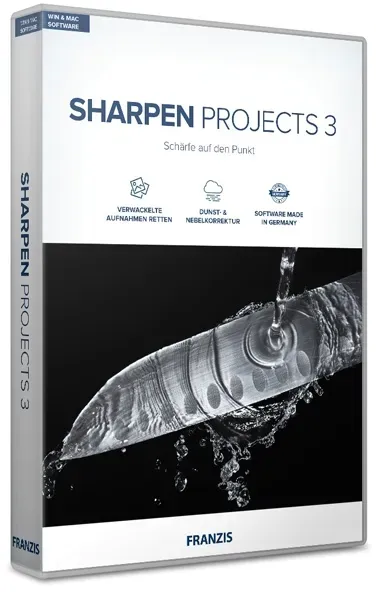
Sharpen projects 3
Vendor: Blitzhandel24.de GB Price: 47.51 £Sharpen projects 3 Sharpen your photos and correct light errors! ''Adaptive Multiscale Deconvolution'': the innovative shake correction with up to 100 times the detection range "Adaptive Gradient Sharpening" - for perfect sharpness of landscapes, still lifes, macro shots and product photos Latest generation scratch & sensor error correction Mathematically exact calculation of the correct degree of sharpness 3 correction modules NEW! Intelligent masking function Description Correct the light errors in your photos Retouch faded images A flash that is too strong or a poorly adjusted light intensity can make photos look faded. Sharpening allows you to correct low-contrast images. Sharpen also corrects motion blur! Slight camera shake can quickly blur 20 to 30 pixels. This spoils a picture permanently! Thanks to the "Adaptive Multiscale Deconvolution" from SHARPEN projects photographer, up to 100 pixels of environmental information are included, which makes it far superior to similar products. This is the only way to achieve the visual sharpness impression of the high-end class! The optimal sharpness where it is needed Thanks to the intelligent algorithms, only the image area you really want to focus on is sharpened if desired. In portrait mode, for example, the skin remains soft, while the eyes are clear and sharp. With this intelligent method, even edited images remain vivid and natural. Suddenly the sharpness becomes tangible Long trial and error was yesterday: SHARPEN projects photographer shows you with mathematical accuracy when the perfect degree of sharpness is reached. You can see exactly how sharp your image is in a specially developed graphic, there is no more room for uncertainty. No more annoying trial and error in incomprehensible filter functions! Functions 3 correction modules Automatic correction With one click Sharpen optimizes your photos (sharpness, portrait enhancement, etc.). Selected Zone Retouch a precise area of your photo using the customizable brush tool. Sensor correction Sharpen analyzes the exposure errors of your images and enables a point-by-point correction of sensor errors. Highlights Fantastic haze & fog correction No chance for blurred images due to "Adaptive Multiscale Deconvolution "Adaptive Multiscale Deconvolution" : the innovative shake correction with up to 100 times the detection range "Adaptive Gradient Sharpening" - for perfect sharpness of landscapes, still lifes, macro shots and product photos Latest generation scratch & sensor error correction Optimize portraits with "Adaptive Gradient Sharpening" techniques Crisp images even with faulty recordings What's new? NEW! The right sharpness for every picture The new intelligent masking function protects selected areas with one click. For example, skin tones or smooth areas can be selected by default. This saves a lot of time and effort. In the twinkling of an eye, exactly what you want is in focus! NEW! Sharper than ever before Get the best out of your images thanks to the reworked sharpness calculation. The "1X" and "2X" oversampling modes provide fine and therefore better blur correction. NEW! 8 Digital Colour Filters The new module "Color Filters" in the "Selective Drawing" section provides 8 digital color filters: Red, Orange, Yellow, Green-Yellow, Green, Cyan, Blue, Violet. NEW! Best Workflow Due to the accelerated work performance, calculations run faster. This allows you to work more smoothly. But we have also thought about little things: In addition to the new note function in the undo timeline, images can now be saved scaled, e.g. for Facebook, Instagram etc.! Discover Sharpen projects Professional Sharpen projects Sharpen projects professional Functions NEW: Intelligent masking function ✓ ✓ NEW: Oversampling mode ✓ ✓ NEW: Scaled storage for Facebook and Co. ✓ ✓ NEW: Module "Color filter" in Selective Drawing ✓ ✓ Number of Presets 17 26 Comparison view for the blur distribution function display ✓ ✓ Sharpness categories 5 7 HD colour protection ✓ ✓ Haze and fog correction ✓ ✓ NEW: "Pro Infinity" mode - ✓ Plugins for Adobe Lightroom, Photoshop & Photoshop Elements - ✓ RAW module with selectable camera profiles - ✓ Integrated batch processing - ✓ Creating an exposure series - ✓ Windows operating system Processor Core Duo 2 GB free working memory 2 GB HDD Screen resolution 1,280 x 1,024 pixels Graphics card: DirectX-8 compatible 128 MB 32 bit color depth Operating system MAC Processor: 1GHz processor or faster recommended. Main memory: 1GB RAM minimum recommended. To edit large files (8 megapixels or more), benefit from 2GB RAM or more. Graphics card: 1024 x 600 minimum supported display size
-

Robert Welch Signature Intro Kitchen Set with Handheld Sharpener
Vendor: Hartsofstur.com Price: 99.95 £This Robert Welch Signature 3 piece kitchen set includes a 14cm chefs knife plus a 10cm vegetable paring knife, ideal for slicing and chopping ingredients. The set also includes a handheld knife sharpener perfect for keeping the knife set super sharp. The knives are made from German stainless steel and feature a comfortable handle that provides balance and a firm grip. Complete with a 25 year Robert Welch guarantee. Knives are not for sale to persons under the age of 18. - all knives and bladed products are delivered by Age Verified Delivery (AVD). The carrier may request proof of age in order to deliver your parcel. If proof of age is not available, or the recipient is underage, the carrier will refuse to deliver.
-
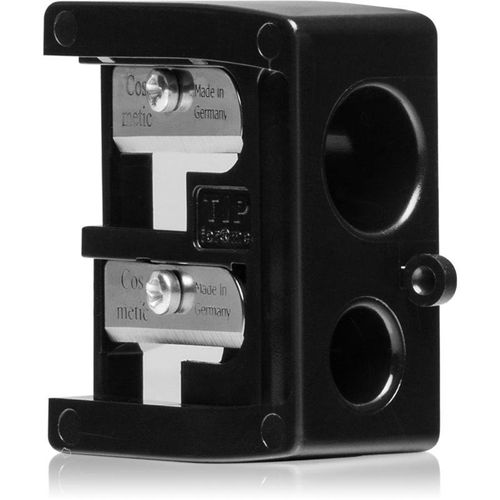
INIKA Organic Sharpener pencil sharpener 1 pc
Vendor: Notino.co.uk Price: 8.30 £ (+3.99 £)INIKA Organic Sharpener, 1 pc, Sharpeners for Women, A perfectly sharpened cosmetic pencil is the key to success and precise makeup, whether you’re using it as eyeliner, contouring your lips or filling in your eyebrows. The INIKA Organic Sharpener pencil sharpener sharpens your blunt pencils in an instant, making your makeup precise and flawless. Forget about futile attempts at trying to create sophisticated makeup looks with blunt tips and elevate the performance of your products by sharpening them to perfection. Characteristics: sharpens wooden pencils quickly and easily How to use: This pencil sharpener is intended for makeup pencils only. Insert the pencil in the selected hole and turn it gently in one direction to cut as desired. After removing the pencil, empty the waste from the sharpener.
-

Ashampoo SHARPEN #6
Vendor: Blitzhandel24.de GB Price: 8.74 £Ashampoo SHARPEN #6 – Perfekte Bildschärfe für professionelle Ergebnisse Mit Ashampoo SHARPEN #6 holen Sie das Maximum aus Ihren Fotos heraus und verleihen selbst unscharfen Aufnahmen neue Klarheit. Die moderne Bildbearbeitungssoftware wurde speziell dafür entwickelt, Details sichtbar zu machen, Bewegungsunschärfen zu korrigieren und Bilder präzise zu optimieren. So verwandeln Sie alltägliche Fotos in gestochen scharfe Ergebnisse – ganz ohne aufwendige Nachbearbeitung. Dank einer intelligenten Analyse erkennt das Programm automatisch, welche Bereiche eines Bildes optimiert werden müssen. Die verbesserte Schärfekorrektur passt sich individuell an jede Aufnahme an und sorgt für natürliche, klare Ergebnisse. Ergänzt wird dies durch innovative Technologien wie die gezielte Reduzierung von Halo-Effekten sowie eine richtungsabhängige Korrektur bei Verwacklungen. Egal, ob Sie schnell zu einem überzeugenden Resultat kommen möchten oder Wert auf detaillierte Feineinstellungen legen – Ashampoo SHARPEN #6 bietet Ihnen sowohl einen intuitiven Schnellmodus als auch umfangreiche Profi-Funktionen. Damit eignet sich die Software ideal für Einsteiger und fortgeschrittene Anwender, die ihre Fotos professionell schärfen und verbessern möchten. Funktionen im Überblick – Ashampoo SHARPEN #6 Funktion Beschreibung Automatische Schärfekorrektur Die intelligente Analyse passt die Bildschärfe automatisch an und sorgt für optimale Ergebnisse ohne manuelles Eingreifen. Korrektur von Bewegungsunschärfe Verwackelte Aufnahmen werden gezielt in die richtige Richtung optimiert, um Details wieder sichtbar zu machen. Halo-Reduktion Störende Konturen und Überstrahlungen werden minimiert, sodass Bilder natürlicher und klarer wirken. Flächen-Glättung Sanfte Anpassung von Oberflächen wie Haut oder Himmel für ein gleichmäßiges und harmonisches Gesamtbild. Kompakt- & Profi-Modus Wählen Sie zwischen schneller Bearbeitung oder detaillierter Feinjustierung – ideal für Einsteiger und Profis. Wasserzeichen-Funktion Fügen Sie Logos oder Signaturen hinzu, um Ihre Bilder zu schützen oder individuell zu kennzeichnen. Super-Sampling Technologie Verbesserte Kantenqualität und saubere Konturen durch moderne Bildberechnung für hochwertige Ergebnisse. Mikrodetails & Körnung Verstärkt feine Strukturen und verleiht Bildern mehr Tiefe und Natürlichkeit. KI-gestützter Pinsel Selektive Bearbeitung mit intelligenter Konturerkennung für präzise Anpassungen einzelner Bildbereiche. Sensorfehler-Korrektur Entfernt störende Bildfehler und sorgt für eine saubere Darstellung ohne Artefakte. Focus-Peaking Analyse Visualisiert scharfe Bildbereiche und erleichtert die gezielte Optimierung der Bildschärfe. KI-optimierte Performance Moderne Algorithmen sorgen für schnelle Verarbeitung und präzise Ergebnisse bei jeder Bildbearbeitung. Leistungsstarke Funktionen von Ashampoo SHARPEN #6 Automatische Schärfe Optimiert Bilder automatisch für klare und detailreiche Ergebnisse. Bewegungs-Korrektur Reduziert Verwacklungen und verbessert unscharfe Aufnahmen gezielt. Halo-Reduktion Sorgt für natürliche Konturen ohne störende Lichtkanten. Flächen-Glättung Schützt Haut und Himmel vor übertriebener Schärfung. Kompakt & Profi Flexible Modi für schnelle Ergebnisse oder präzise Anpassungen. Wasserzeichen Fügen Sie Logos oder Signaturen zum Schutz Ihrer Bilder hinzu. Super-Sampling Verbessert Konturen für besonders saubere Bildqualität. Mehr Details Verleiht Fotos zusätzliche Tiefe und Struktur. KI-Bearbeitung Gezielte Anpassung einzelner Bildbereiche mit intelligenter Unterstützung. Schnelle Verarbeitung Optimierte Leistung für schnelle und präzise Ergebnisse. Systemanforderungen Betriebssystem Windows 11 (x64) Windows 10 (x64) Windows 11 (ARM) Windows 10 (ARM) Hardware Jedes Gerät, das die oben genannten Betriebssysteme unterstützt Installation Installation erfolgt über die Ashampoo App Weitere Voraussetzungen Aktuelle Version der Ashampoo App erforderlich
-

Kuhn Rikon Dual Knife Sharpener Red
Vendor: Hartsofstur.com Price: 15.95 £ (+0.35 £)Kuhn Rikon Dual Knife Sharpener - Good cooks agree: the safest knife is a sharp knife, because sharpness allows for better control. Sharpen up with Kuhn Rikon fine long lasting ceramic stones, great for both straight and serrated blades. Sturdy non-slip feet and a grip-tight handle will help you keep blades facing safely down. Collapses for storage.
-

Premier Housewares Pink Sharpener Sharpener
Vendor: Onbuy.com Price: 13.75 £Premier Housewares Pink Sharpener Sharpener
-
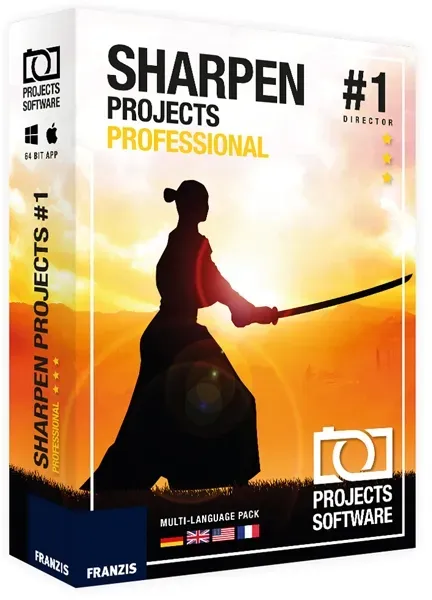
Sharpen projects Professional
Vendor: Blitzhandel24.de GB Price: 58.45 £Sharpen projects professional Correct the light errors in your photos! Retouch faded images Enhance photo with backlight Improve night images that are too dark Even better: Sharpen also corrects motion blur! 3 correction modules Correct the light errors in your photographs Retouch faded images A flash that is too strong or a poorly adjusted light intensity can make photos look faded. Sharpening allows you to correct low-contrast images. Enhance photo with backlight The algorithm that Sharpen uses automatically corrects errors of your camera sensor as well as under- and overexposed images, allowing you to save some of your backlight shots. Improve night images that are too dark With Shapen you can increase the quality of your images point by point: correct brightness problems, blur, sensor errors and much more! Ideal for night shots. Sharpening also corrects motion blur! Functions 3 correction modules Automatic correction With one click Sharpen optimizes your photos (sharpness, portrait enhancement, etc.). Selected zone Retouch a precise area of your photo using the customizable brush tool. Sensor correction Sharpen analyzes the exposure errors of your images and allows a point-by-point correction of the sensor errors. Highlights 3 correction modules With editing history and undo option Automatic detection of differences in brightness and contours Selective processing depending on the type of image: portrait, landscape, movement, ... Batch processing and much more! System requirements Version 1 Operating system Windows 7, Windows 8, Windows 10 Processor Core Duo 2 GB free working memory 2 GB HDD Screen resolution 1,280 x 1,024 pixels Graphics card: DirectX-8 compatible 128 MB 32 bit color depth
-

Global Ceramic Knife Sharpener Stainless Steel Handle
Vendor: Hartsofstur.com Price: 39.95 £ (+0.35 £)This Global Two Stage Ceramic Knife Sharpener will keep your Global knives in tip-top condition. Finished in black with a stainless steel inset on the handle that features the distinctive black Global dots, this ceramic sharpener is simple and safe to use. Simply run the knife blade gently through the slot 6 or 7 times. There's no need to apply excess pressure as the ceramic wheels are set at the perfect angle to sharpen the blade evenly. Start with the coarse wheel and finish off with the fine wheel for razor sharp results. A small water trough cleans the wheels and blade during operation. Suitable for use on all Global knives (apart from serrated blades or blades that are sharpened on one side, such as sashimi knives). Replacement ceramic wheels are available.
135 results in 0.435 seconds
Related search terms
© Copyright 2026 shopping.eu